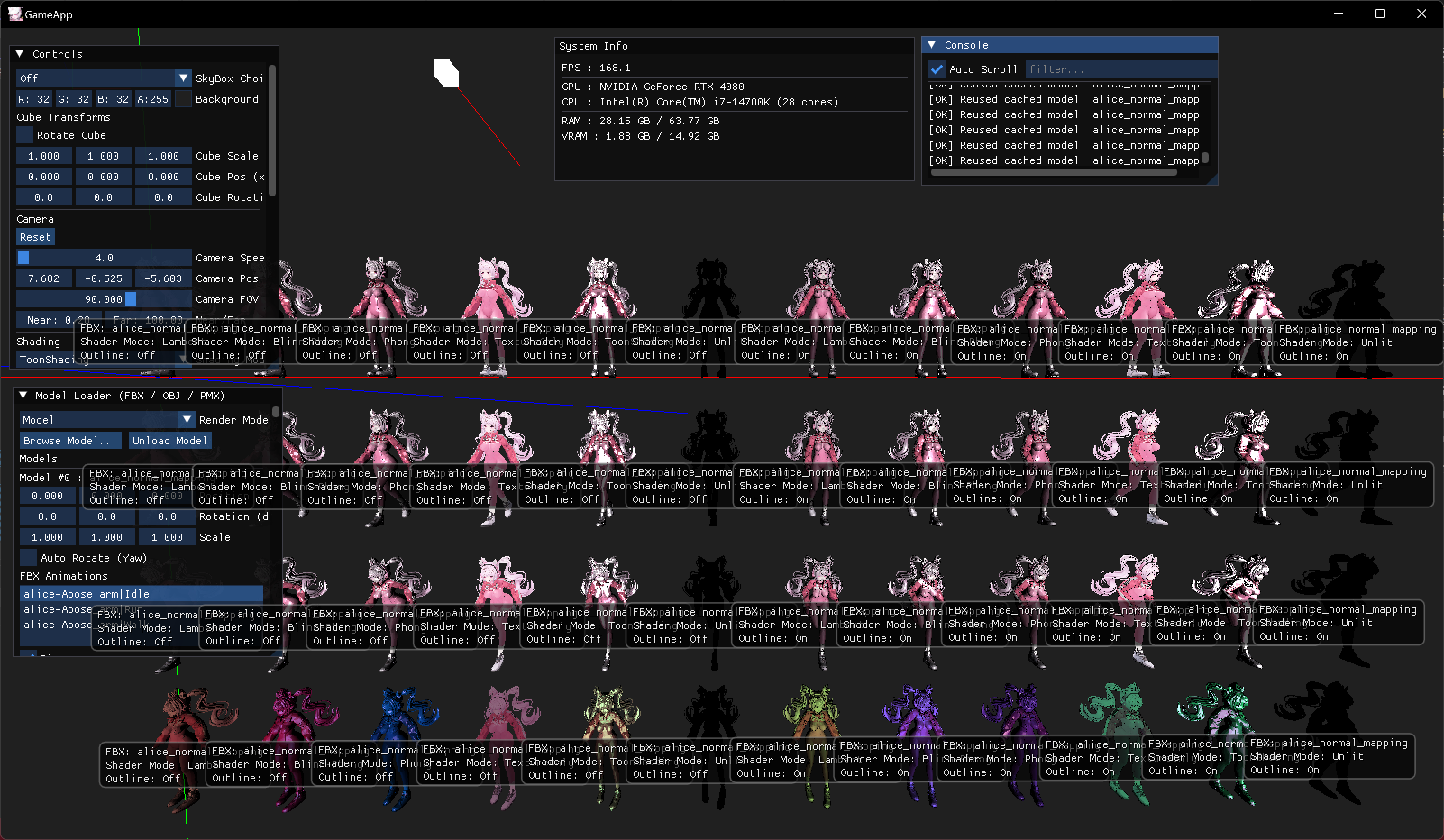
글에 사용된 모든 그림과 내용은 직접 작성한 것입니다.
[유튜브 영상]
[깃허브 보러가기]
https://github.com/Chang-Jin-Lee/D3D11-AliceTutorial/tree/main/25_ToonShading_Outline
[풀리퀘 보러가기]
https://github.com/Chang-Jin-Lee/D3D11-AliceTutorial/pull/50
글의 목적
D3D11에서 툰 쉐이더 코드를 공유하고 fbx, pmx, obj 모델에 적용한 결과를 보여주기 위함
툰 쉐이딩
- 경계면을 나누어 그림자를 생기게해서 만화적인 표현을 하기 위한 방법입니다
Ambient
- Phong 쉐이딩과 동일합니다.
float4 ambientTerm = g_Material.ambient * g_DirLight.ambient;Diffuse
- theta = max(N dot L, 0) 을 단계를 나누어 계단화하여 사용합니다
const int kSteps = 5;
float q = (kSteps > 1) ? floor(theta * (kSteps - 1) + 0.5f) / (kSteps - 1) : theta;
float4 toonDiffuse = kd * (ambientTerm + q * g_DirLight.diffuse);
Specular
- N dot H가 1에 가까운 구간만 강조합니다
float3 H = normalize(L + V);
float NdotH = saturate(dot(N, H));
float specBand = smoothstep(0.85f, 0.95f, NdotH) * step(0.0f, NdotL);
float4 toonSpec = specBand * g_Material.specular * g_DirLight.specular;
전체 코드
    if (g_ShadingMode == 5)
    {
        const int kSteps = 5;
        float q = (kSteps > 1) ? floor(theta * (kSteps - 1) + 0.5f) / (kSteps - 1) : theta;
        float4 toonDiffuse = kd * (ambientTerm + q * g_DirLight.diffuse);
        float3 H = normalize(L + V);
        float NdotH = saturate(dot(N, H));
        float specBand = smoothstep(0.85f, 0.95f, NdotH) * step(0.0f, NdotL);
        float4 toonSpec = specBand * g_Material.specular * g_DirLight.specular;
        float4 outCol = toonDiffuse + toonSpec;
        outCol.a = alphaTex;
        return outCol;
}| All Shader Collection |
|---|
| Unlit | Lambert | BlinnPhong |
|---|---|---|
| Phong | TextureOnly | ToonShading | ToonShading + outline |
|---|---|---|---|

게임 프로그래머