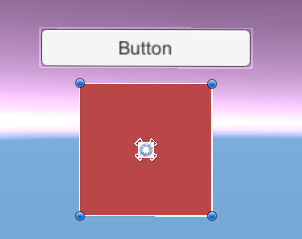
🍳 구현하고자 한 로직
-
유니티에서 특정 버튼 클릭을 하면 미리 준비해둔 UI를 설정해둔 위치로 이동(팝업) 시킨다.
- Unity
RectTransform클래스의anchoredPosition을 사용.
- Unity
-
UI를 클릭하면 다시 원래의 위치로 돌아가야 한다.
UnityEngine.EventSystems의IPointerClickHandler라는 인터페이스를 사용
RectTransform.anchoredPosition
앵커를 기준으로 한 위치를 나타내며, Vector2 타입으로 표현
예시 코드)
public class MoveUI : MonoBehaviour, IPointerClickHandler
{
    public RectTransform uiElement; // 이동시킬 UI 요소의 RectTransform
    public Vector2 newPosition; // UI 요소가 이동할 새 위치

    public Vector2 originalPosition; // UI 요소의 원래 위치


    private void Start()
    {
        uiElement.anchoredPosition = originalPosition; // UI 요소의 원래 위치를 저장
    }

    // 버튼 클릭 시 호출될 함수
    public void MoveUIElement()
    {
        uiElement.anchoredPosition = newPosition; // UI 요소의 위치 변경
    }

    public void OnPointerClick(PointerEventData eventData)
    {
        uiElement.anchoredPosition = originalPosition;         // UI를 클릭하면 원래 위치로 돌아감
    }
}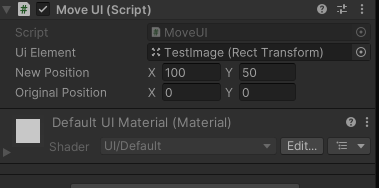
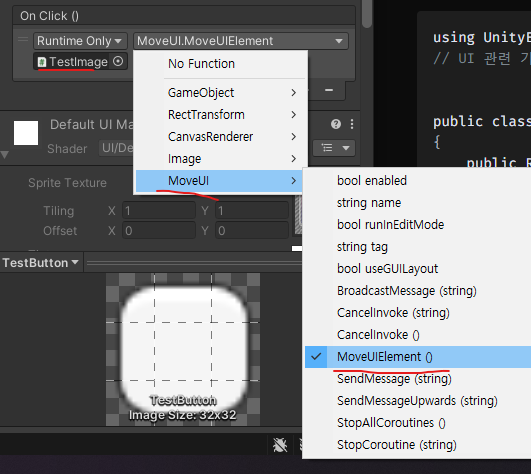
UI Element에 이동 시킬 UI를,
New Position에 이동 시킬 좌표를 써주고
(Original Position은 처음 위치 == 클릭시 돌아갈 위치)
Button OnClick()에 연결.
🖥 완성 화면
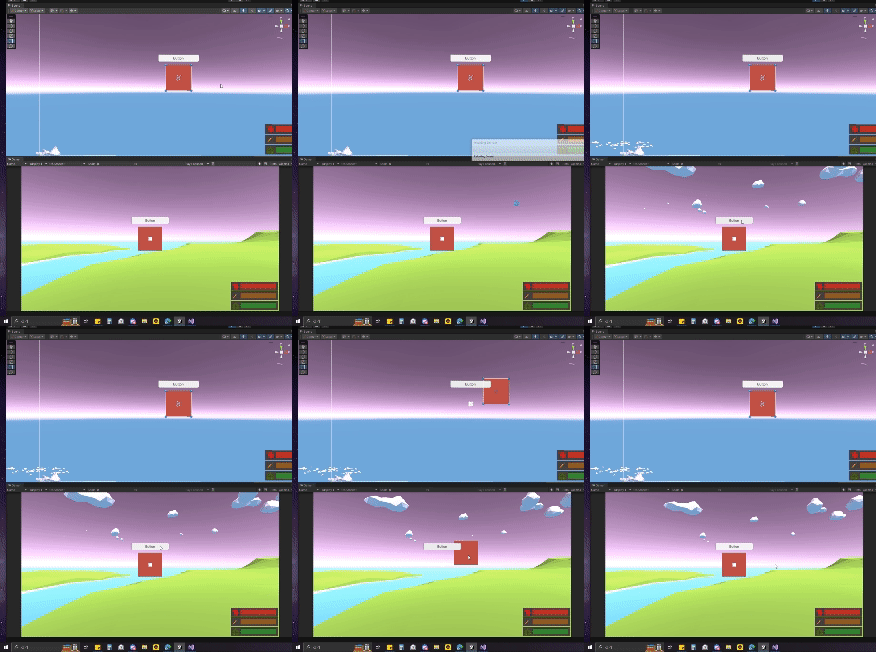
원하는데로 작동이 되는 모습

개발 모코코