유니티
몬스터 자동 이동 구현
단순 직선 이동
nextMove라는 전역 변수를 생성해 nextMove의 크기만큼 백터를 만들어 몬스터가 자동으로 움직이는 것을 구현한다.
코드
public class EnemyMove : MonoBehaviour
{
    Rigidbody2D rigid;
    public int nextMove;

    void Awake()
    {
        rigid = GetComponent<Rigidbody2D>();
    }

    void FixedUpdate()
    {
        // Move
        rigid.velocity = new Vector2(nextMove, rigid.velocity.y);
	}
}
Random을 이용한 이동(왼쪽, 오른쪽, 대기)
Random 함수를 이용해 몬스터가 움직일 수 있는 선택지를 부여하고 이후 움직이는 것 또한 랜덤의 시간을 가지고 변경하도록 한다.
이때 Invoke("함수명", 실행할시간(~초 후)); 함수를 이용해 원하는 시간(초) 후에 Think 함수를 재시작 하도록 한다. 이때 재귀함수를 이용했기 때문에 별다른 추가설정 없이 무한으로 작동할 수 있다.
또한 이전 포스트에서 player가 움직일 때 이미지의 좌우반전을 했던 것처럼 SpriteRenderer 컴포넌트의 flipX를 이용해 몬스터의 이미지도 상황에 맞게 좌우를 반전해준다.
코드
public class EnemyMove : MonoBehaviour
{
    Rigidbody2D rigid;
    SpriteRenderer spriteRenderer;
    public int nextMove;

    void Awake()
    {
        spriteRenderer = GetComponent<SpriteRenderer>();
        Think();
    }

    void Think()
    {
        // Set Next Active
        int prevMove = nextMove;
        while (prevMove == nextMove)
            nextMove = Random.Range(-1, 2);

        // Direction Sprite
        if (nextMove != 0)
            spriteRenderer.flipX = nextMove == 1;

        // Recursive
        float nextThinkTime = Random.Range(2f, 5f);
        Invoke("Think", nextThinkTime);  // 시간 뒤에 Think 함수 실행
    }
}
떨어짐 방지
몬스터가 이동할 때 지형의 끝을 감지하지 못하기 때문에 떨어지는 경우가 발생한다.
이전 포스트에서 player가 점프 후 지면에 닫는 것을 감지한 방식(RaycastHit2D)을 이용해서 몬스터의 앞에 지면이 없다면 CancelInvoke() 함수를 이용해 다음 이동을 취소하고 다시 Think() 함수를 호출해서 떨어지는 것을 방지한다.
코드
public class EnemyMove : MonoBehaviour
{
    void FixedUpdate()
    {
        // Platform Check
        Vector2 frontVec = new Vector2(rigid.position.x + nextMove * 0.4f, rigid.position.y);
        Debug.DrawRay(frontVec, Vector3.down, new Color(0, 1, 0));
        RaycastHit2D raycastHit2D = Physics2D.Raycast(frontVec, Vector3.down, 1, LayerMask.GetMask("Platform"));
        if (raycastHit2D.collider == null)
            Trun();
	}

    void Trun()
    {
        CancelInvoke();
        Think();
    }
}
애니메이션
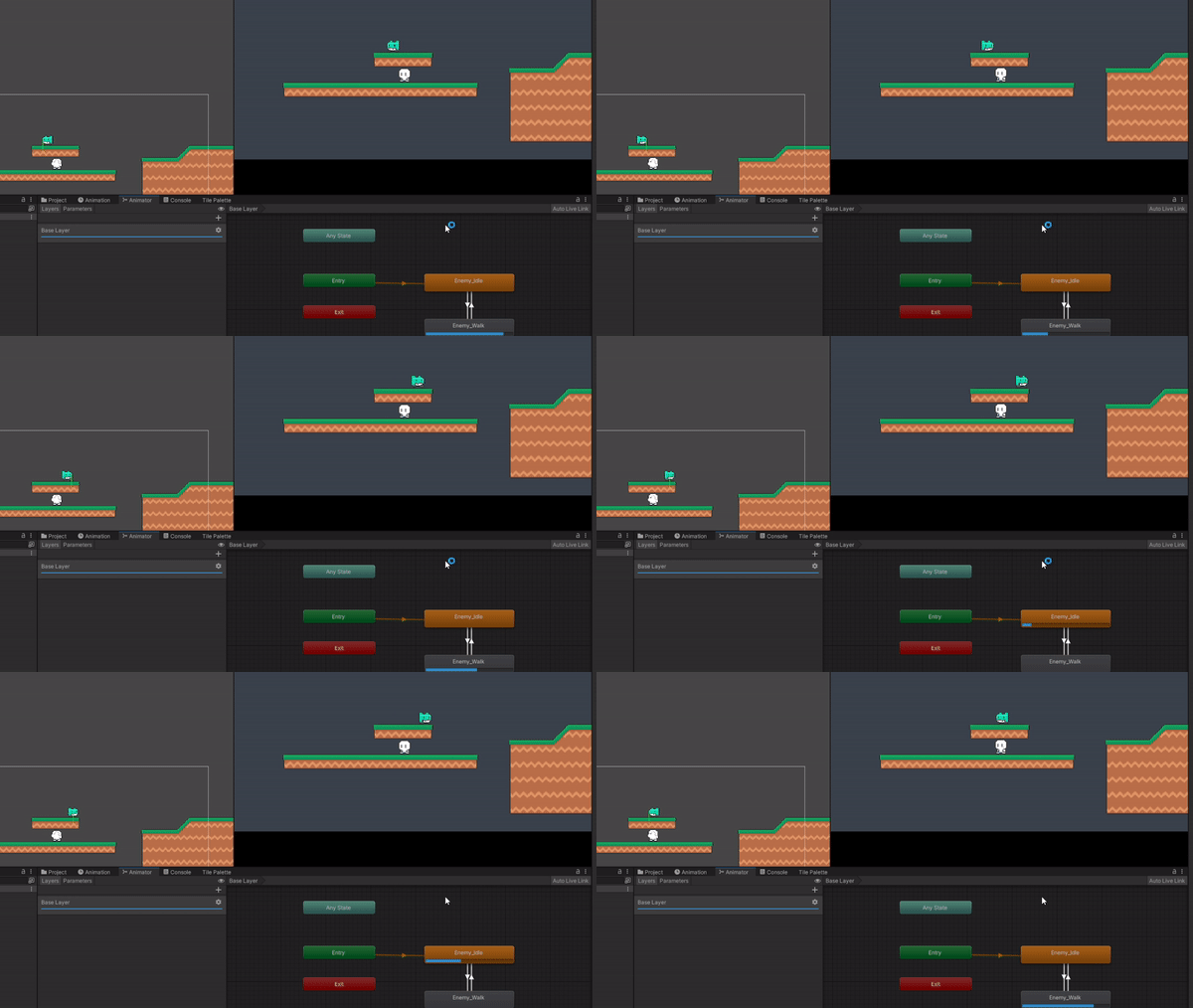
이전 포스트에서 player의 애니메이션은 변경을 위한 조건 변수(WalkSpeed)가 bool 타입이었다면 몬스터는 int 타입으로 선언한다.
그리고 Idle -> Walk 조건은 NotEqual 0 일때, Walk -> Idle 조건은 Equal 0 일때로 해주고
Think 함수에서 WalkSpeed를 nextMove로 설정하면 된다.
코드
public class EnemyMove : MonoBehaviour
{
    Animator animator;
    public int nextMove;

    void Awake()
    {
        animator = GetComponent<Animator>();
    }

    void Think()
    {
    	// Change Animation
        animator.SetInteger("WalkSpeed", nextMove);
    }
}

Nest.js, Delphi 개발자