[ 아두파일럿 시뮬레이터 gazebo와 빌드 환경 연동 ]
Step 1)
1) $ cd ~/catkin_ws/src
2) $ git clone https://github.com/Jaeyoung-Lim/modudculab_ros.git
3) $ cd ..
4) $ catkin_make
=> catkin_make (cm)를 하다보면 꼭 한번씩 만나는 에러들이 있다.
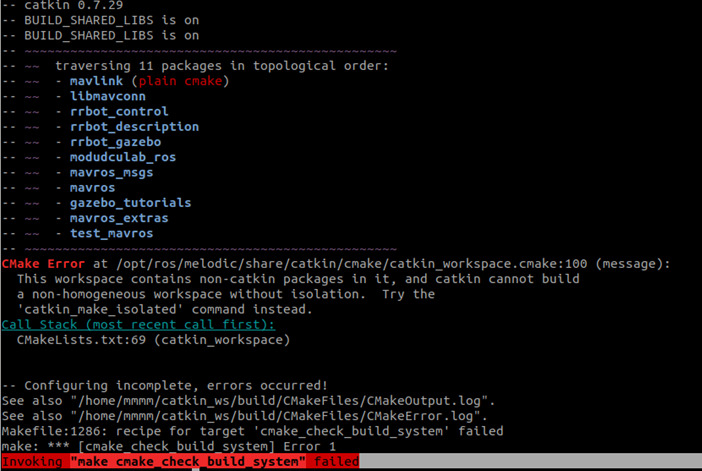
catkin_make를 했더니 나는 이런 Error를 만났다..
여러 방법들을 시도했는데, 캡쳐 해놓은 것들이 없어서 사진 첨부할 것들이 없다..
이것저것들을 다 설치도 해보고 cmake 파일을 지우거나, cmake를
5) $ catkin_make init
다시 빌드를 해주면 왠만히 해결이 되지만, 나는 해결이 되지 않았다...
Error 메세지를 하나 하나씩 뜯어보기로 했다.


나는 위 경로에 있는 파일을 들어가서 임의로 100번째 줄을 주석처리 해주었다. 그후 다시 cmake를 해보았더니 오류 메세지는 CMakelist.txt 파일의 69번째 줄이 문제라고 나와서


위와 동일하게 임의로 주석처리를 해준 후 cmake를 재시도!
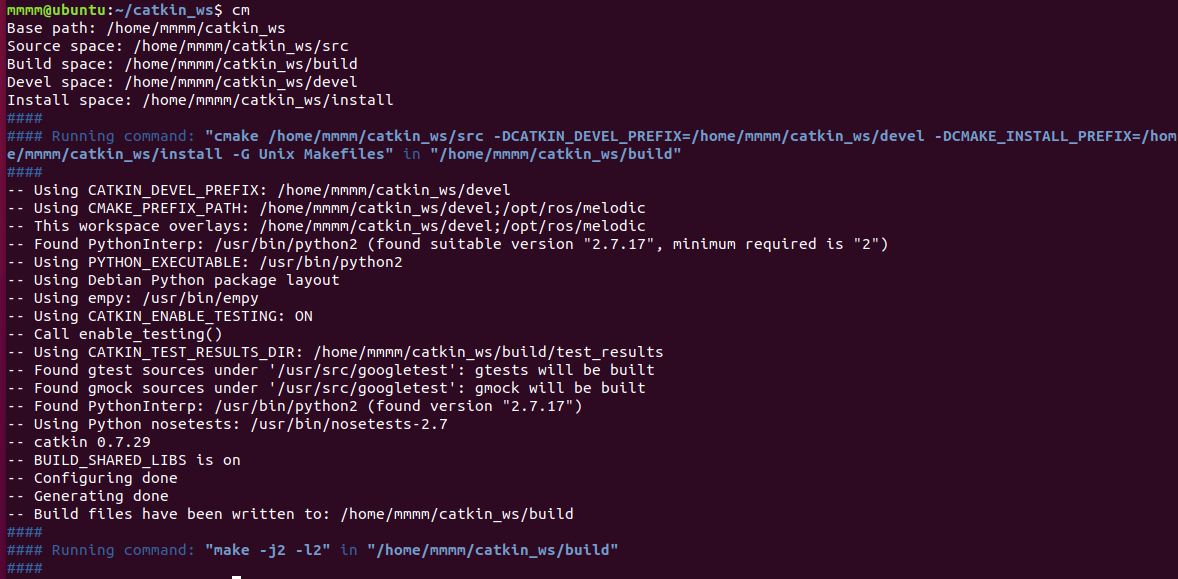
드디어 해결.. ㅎㅠㅎ
6) $ sudo sh -c 'echo "deb http://packages.osrfoundation.org/gazebo/ubuntu-stable
lsb_release -csmain" > /etc/apt/sources.list.d/gazebo-stable.list'
7) $ wget http://packages.osrfoundation.org/gazebo.key -O - | sudo apt-key add -
8) $ sudo apt update
=>
Step 2) Plugin 설치
9) $ git clone https://github.com/khancyr/ardupilot_gazebo
10) $ cd ardupilot_gazebo
11) $ mkdir build
12) $ cd build
13) $ cmake ..
14) $ make –j4
15) $ sudo make install
_**Step 3) Simulator Start
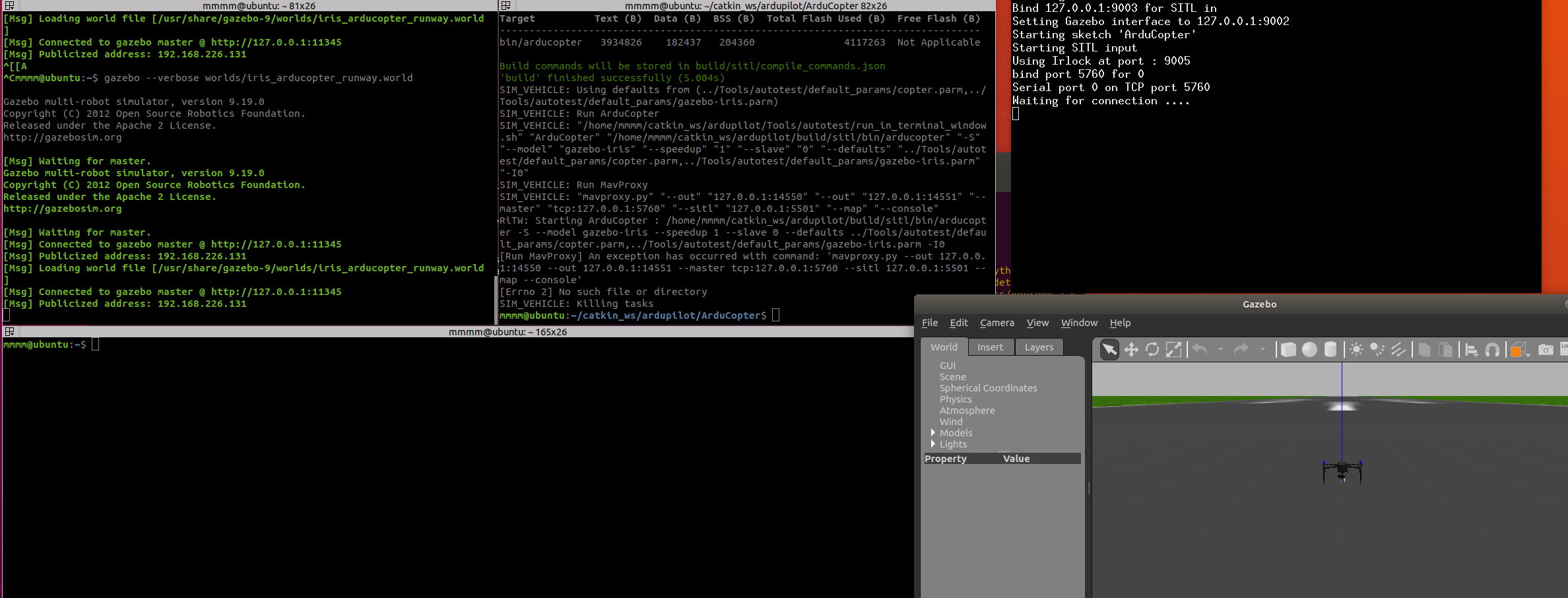
16) $ gazebo —verbose worlds/iris_arducopter_runway.world
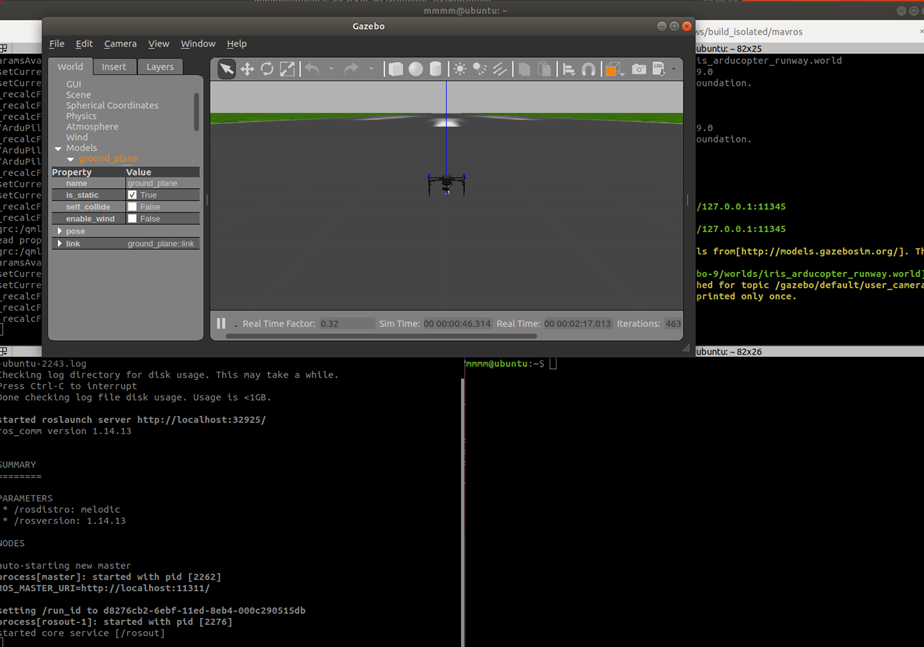
-> 17)을 하기 위해서는 해야할 과정이 하나 더 있다.
17) $ cd ~/ardupilot/ArduCopter
../Tools/autotest/sim_vehicle.py -f gazebo-iris —console --map
17-1) $ sudo apt-get update
17-2) $ sudo apt-get install git
17-3) $ sudo apt-get install gitk git-gui
17-4) $ cd catkin_make
17-5) $ https://github.com/ArduPilot/ardupilot.git
17-6) $ git clone https://github.com/your-github-userid/ardupilot
17-7) $ cd ardupilot
17-8) $ git submodule update —init --recursive
_**Step 4) 일부 필수 패키지 설치
18) $ Tools/environment_install/install-prereqs-ubuntu.sh –y
19) $ . ~/.profile
_**Step 5) Running SITL
20) $ cd ~/ardupilot/ArduCopter
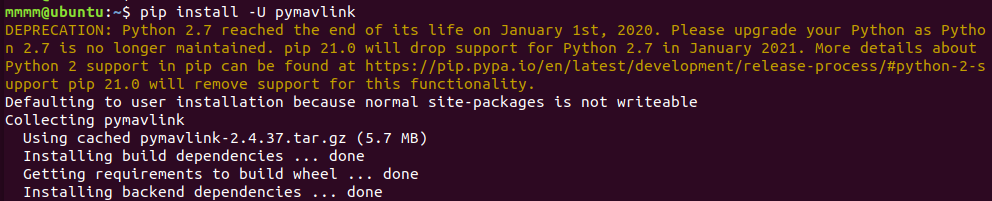
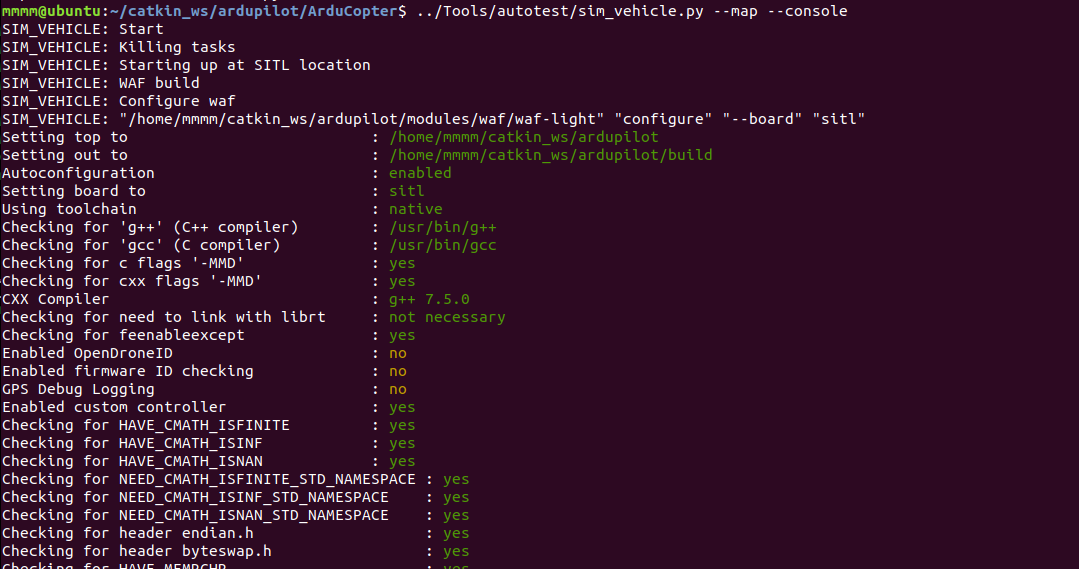
21) $ ../Tools/autotest/sim_vehicle.py --map --console
21-1

->
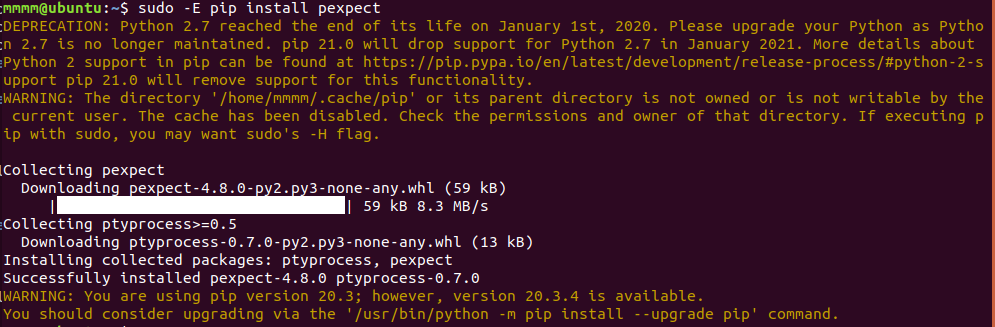
21-2

->
=>
00*0
참고
https://ardupilot.org/dev/docs/using-gazebo-simulator-with-sitl.html
- https://e3jake.tistory.com/17
(PX4와 Mavlink를 연동하여 군집드론 시뮬레이션하는 방법) - https://swiftcam.tistory.com/408
(ROS melodic & ubuntu 18.04_mavros install) - https://github.com/mavlink/mavros/issues/1418
- http://wiki.ros.org/ko/ROS/Tutorials/catkin/BuildingPackages
(ROS 인터페이스 컴파일) - https://forum.coppeliarobotics.com/viewtopic.php?t=5567
(ROS 팩트- catkin_make 컴파일) - https://blog.csdn.net/leapold_Z/article/details/95465350
- https://jimoo-vision.tistory.com/2
- https://purple-wood-lights.tistory.com/41
- https://stackoverflow.com/questions/68015654/invoking-make-cmake-check-build-system-failed
- https://github.com/ROBOTIS-GIT/open_manipulator/issues/159
- https://github.com/mavlink/mavros/issues/456
- https://blog.kerus.net/1929/cmake-error-at-cmakelists-txt1-upgrade-cmake/
- https://discourse.cmake.org/t/the-source-directory-does-not-appear-to-contain-cmakelists-txt/6284
(sim_vehicle.py 실행 오류) - https://discuss.ardupilot.org/t/error-running-sim-vehicle-py/51649
- https://discuss.ardupilot.org/t/no-module-named-pymavlink-error/48785
(Gazebo simulation) - https://robonote.tistory.com/17
- https://ardupilot.org/dev/docs/using-gazebo-simulator-with-sitl.html
(MissionPlanner와 QGroundControl)