1 Selenium으로 파일 들고오기
#selenium 기본설정. 다음부터 그냥 이거 복사붙여넣기해서

#크롬 드라이버 자동으로 다운받는 webdriver-manager 설치.
from selenium import webdriver
from selenium.webdriver.chrome.service import Service
from selenium.webdriver.chrome.options import Options
from webdriver_manager.chrome import ChromeDriverManager

#브라우저 꺼짐 방지
chrome_options = Options()
chrome_options.add_experimental_option("detach", True)

#불필요한 에러 메시지 없애기
chrome_options.add_experimental_option("excludeSwitches", ["enable-logging"]) #셀레니움 로그 무시

#서비스랑 드라이버 객체 생성. 세팅은 아니지만, 이거 안하면 어차피 진행이 안되서.
service = Service(executable_path=ChromeDriverManager().install())
driver = webdriver.Chrome(service=service, options=chrome_options)


#경고문 무시. 이것도 그냥 복사하고 계속 사용하면 됨.
import warnings
warnings.filterwarnings(action='ignore')

#By 모듈
from selenium.webdriver.common.by import By- selenium 이용시 기본 설정들 + 경고문 무시 및 By 모듈 호출
#홈페이지 들어가기
driver.get('https://www.opinet.co.kr/searRgSelect.do')

#구 하나 뽑아보기
sido_list_raw = driver.find_element(By.ID, 'SIGUNGU_NM0')
sido_list = sido_list_raw.find_elements(By.TAG_NAME, 'option')
sido_list[1].get_attribute('value')

#값 확인하고, 모든 구 목록 뽑기
gu_names = [option.get_attribute('value') for option in gu_list]
#첫 번째 값이 '' 들어서 제거
gu_names.remove('')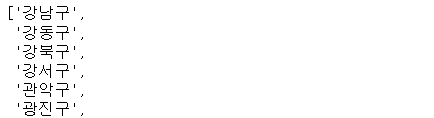
import time
from tqdm import tqdm_notebook

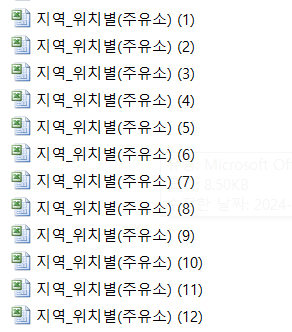
#구별 주유소 가격 엑셀 파일 저장버튼을, 순회하면서 클릭
for gu in tqdm_notebook(gu_names):
    element = driver.find_element(By.ID, "SIGUNGU_NM0")`
    element.send_keys(gu)
    #중간에 time.sleep을 걸어야 된다. 정보 받아지기 전에 코드 쭉쭉 진행되면서 오류?
    time.sleep(3)
    element_get_excel = driver.find_element(
        By.ID, 'glopopd_excel').click()
time.sleep(2)- time.sleep을 거는 이유는 페이지가 로드되는 시간이 필요해서, 중간중간에 스탑.
- tqdm은 진행 상황 표시하는 바.
- 기존에 만들어놓은 구 이름의 리스트를 순회하면서, 그걸 입력(send_key) => 구가 바뀐다
- 그 상태에서 엑셀파일 클릭 버튼을 지정해서(find_element) => 클릭
2 DF 만들고 전처리
from glob import glob

stations_files = glob('../data/지역_위치별*xls'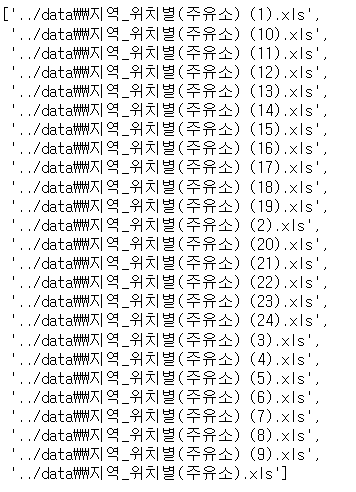
#불러와서 하나의 리스트로 넣기
tmp_raw = []
for file_name in stations_files:
    tmp = pd.read_excel(file_name, header=2)
    tmp_raw.append(tmp)

#병합
station_raw = pd.concat(tmp_raw)

#필요한 것만 DF로
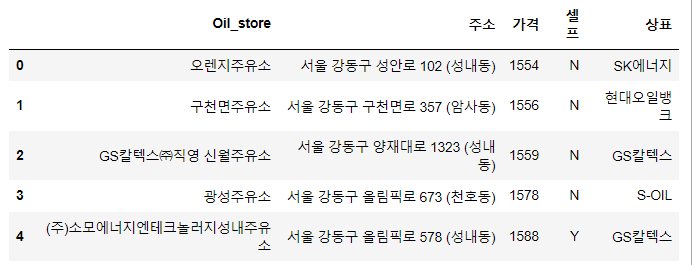
stations = pd.DataFrame({'Oil_store':station_raw['상호'],
                        '주소':station_raw['주소'],
                        '가격':station_raw['휘발유'],
                        '셀프':station_raw['셀프여부'],
                        '상표':station_raw['상표']})

#구별 데이터 넣기
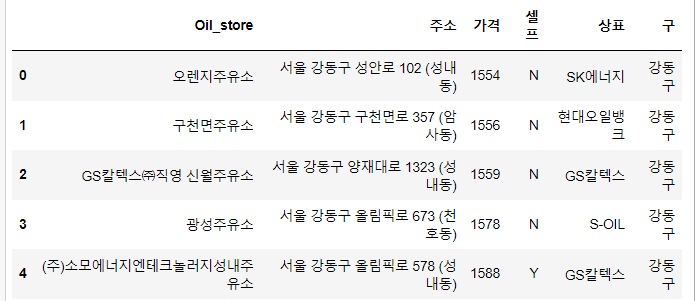
stations['구'] = [i.split()[1] for i in stations['주소']]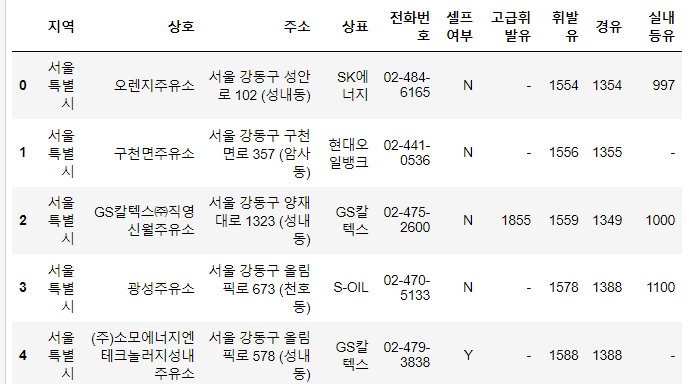
#전처리 작업

#이상값 확인
stations['구'].unique

#이상값인 서울특별시 수정
stations.loc[stations['구']=='서울특별시', '구'] = '성동구'
#결과 확인
stations['구'].unique()

#이상값인 특별시 수정
stations.loc[stations['구']=='특별시', '구'] = '도봉구'
#결과 확인
stations['구'].unique()
일본에서 일하는 게임 기획자. 시시해서 죽어버리지 않게, 재밌고 의미 있는 컨텐츠에 관심 있습니다. 그 도구로 데이터, AI도 찝적댑니다.