📋 목차
- 투사체 발사
- 표적을 향해 발사
- 데미지 주기
- 최종 결과
- 오늘의 배운 점
- 다음 계획
🔫 투사체 발사
이번에는 적의 공격특성과 능력을 본격적으로 만들어보도록 합니다. 만들기로 계획한 몹 중 투사체 발사가 있는데요. 해당 로직을 따로 따로 만들어 세분화하고, 나중에 재활용하기 쉽게 합시다.
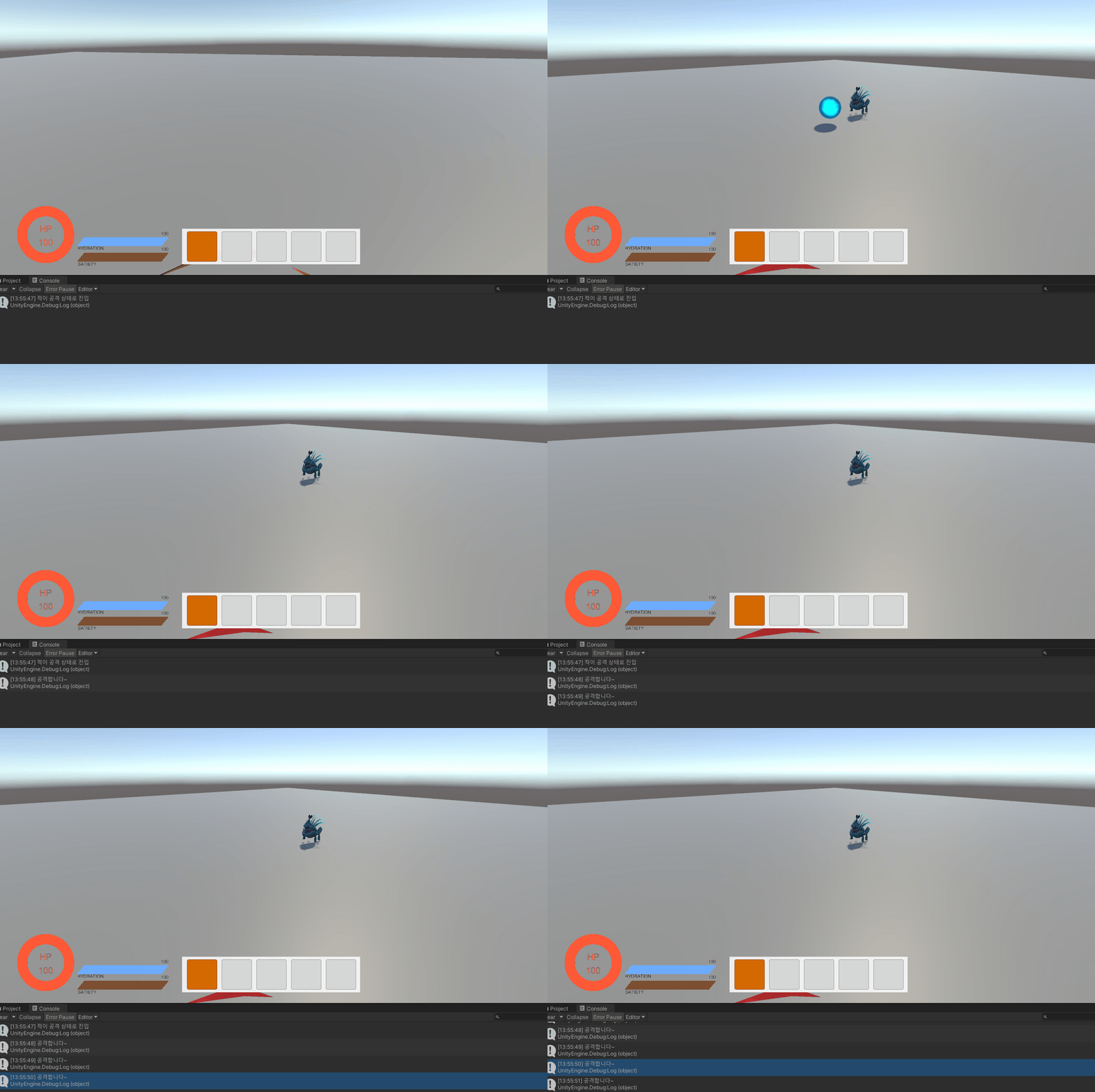
투사체는 본래 있던 Attack Point에서 공격 탄환을 발사하게 할 겁니다. 먼저 Spitter의 능력을 살펴봅시다. 해당 몹은 산성 탄환 발사를 하므로 마치 대포처럼 쏘는 게 좋겠죠?
적의 공격 시스템을 담당할 EnemyAttackSystem 스크립트를 생성합니다.
1. 물체를 앞으로 던지기
// EnemyAttackSystem

private Enemy enemy;
private void Awake()
{
    enemy = GetComponent<Enemy>();
}

// 적이 공격을 수행하는 로직
public void PerformAttackByName(string name)
{
    switch(name)
    {
        case "Spitter":
            ThrowProjectile(enemy.attackTransform);
            break;
        default:
            break;
    }
}
// AttackTransform를 기점으로 투사체를 던지는 로직
private void ThrowProjectile(Transform attackTransform)
{
    // 투사체를 생성하고 초기화하는 로직
    GameObject projectile = Instantiate(enemy.projectilePrefab, attackTransform.position, attackTransform.rotation);
    Rigidbody rb = projectile.GetComponent<Rigidbody>();
    if (rb != null)
    {
        rb.AddForce(attackTransform.forward * enemy.projectileSpeed, ForceMode.VelocityChange);
    }
}
2. 쿨타임마다 공격 시행
[Header("Projectile Settings")]
public GameObject projectilePrefab;
public float projectileSpeed = 10f;

private EnemyAttackSystem attackSystem;

protected override void Start()
{
	attackSystem = GetComponent<EnemyAttackSystem>();
}

public void PerformAttack()
{
    if (!attackSystem) return;
    StartCoroutine(AttackWithCooldown());
}
IEnumerator AttackWithCooldown()
{
    Debug.Log("공격합니다~");
    if (attackSystem)
    {
        attackSystem.PerformAttackByName(enemyData.enemyName);
    }
    yield return new WaitForSeconds(enemyData.attackCooldown);
}
3. 실행
🎯 표적을 향해 발사
1. 방향 설정
현재 forward를 이용하므로, 적이 바라보는 방향으로만 구체가 날아갑니다. 공격을 시행했을때는 플레이어를 보는 것으로 계속 고정시킵시다.
//EnemyAttackSystem.cs

private void Update()
{
    if (enemy.currentState.CurrentStateType == StateType.Attack)
    {
        LookAtPlayer();
    }
}

public void LookAtPlayer()
{
    Vector3 direction = (enemy.target.transform.position - transform.position).normalized;
    direction.y = 0; // Y축 회전을 방지하기 위해 Y값을 0으로 설정
    Quaternion lookRotation = Quaternion.LookRotation(direction);
    transform.rotation = Quaternion.Slerp(transform.rotation, lookRotation, Time.deltaTime * enemy.agent.angularSpeed);
}
2. State 조건 수정
계속해서 따라오는 것을 고치기 위해 ChaseState일때 자신의 위치가 추적범위 이상에서 멀어지면 움직이지 못하는 것으로 합니다.
이렇게 하면 공격 범위내에 플레이어가 있을시, 공격은 하나 더이상 쫓아오진 않습니다.
// ChaseState.cs

public override void Update()
{

    if (!enemy.IsInDistance(enemy.target.transform))
    {
        enemy.ChangeState(new PatrolState(enemy));
    }
    else if (enemy.IsInAttackRange(enemy.target.transform))
    {
        enemy.ChangeState(new AttackState(enemy));
    }
    Moving();
}

private void Moving()
{
    if (enemy.IsInCenter(enemy.transform))
    {
        enemy.agent.destination = enemy.target.transform.position;
    }
}
3. 실행
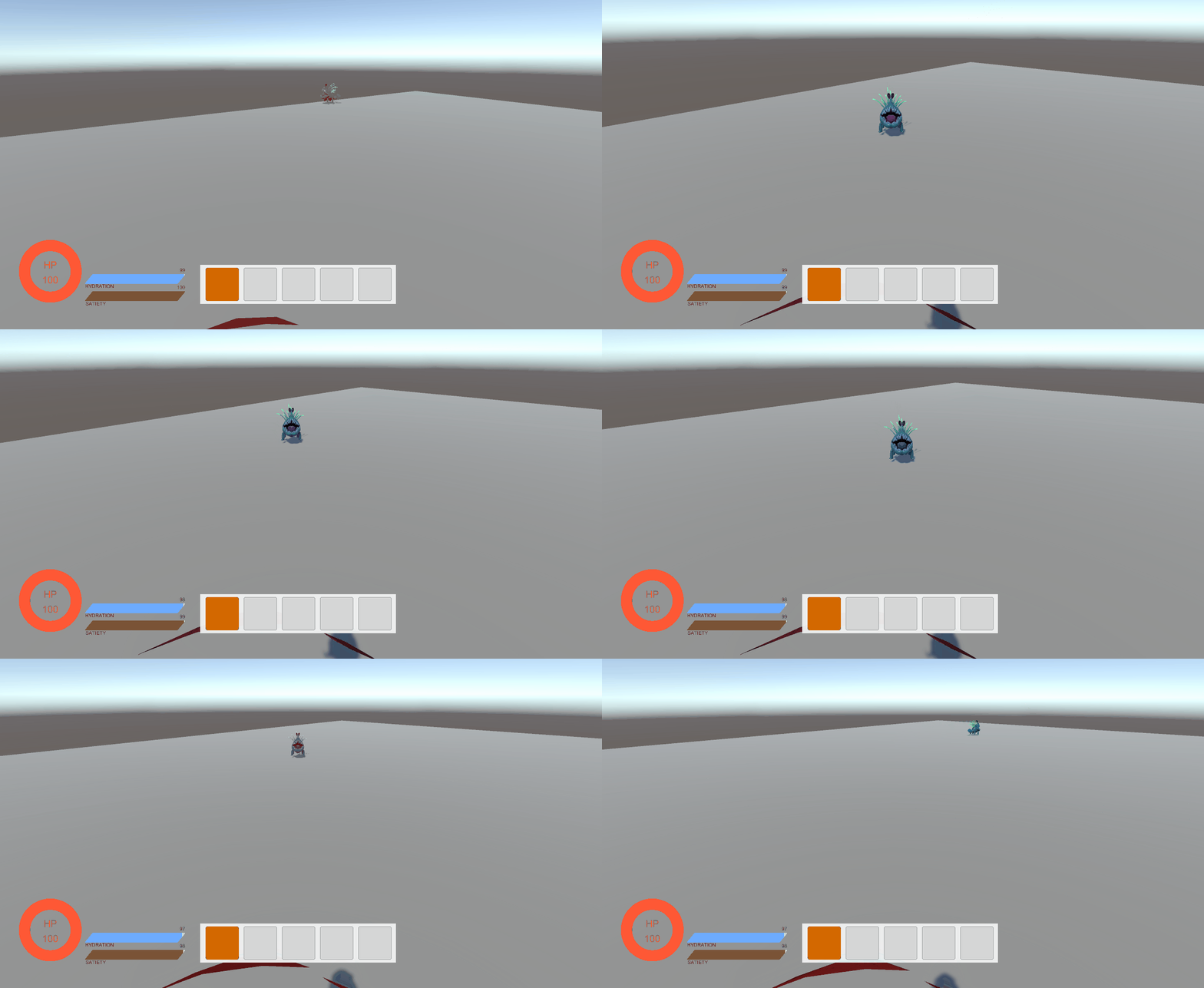
플레이어 포착하면 몸을 바로 돌려 플레이어를 바라보고, 쫓아옵니다. 또한 공격범위내에 들어오면 공격합니다.
💔 데미지 주기
부딪히면 사라지고 플레이어의 생명력을 깎는 로직을 짜봅시다. ProjectileManager 스크립트를 생성해주세요.
// ProjectileManager.cs

public class ProjectileManager : MonoBehaviour
{
    [HideInInspector] public float damage = 10f;

    private void OnTriggerEnter(Collider other)
    {
        if (other.gameObject.CompareTag("Player"))
        {
            PlayerState playerState = other.gameObject.GetComponent<PlayerState>();
            if (playerState != null)
            {
                playerState.ModifyHealth(-damage);
            }
            Destroy(gameObject);
        }
        else if (other.gameObject.CompareTag("Ground"))
        {
            Destroy(gameObject);
        }
    }
}

// EnemyAttackSystem.cs

private void ThrowProjectile(Transform attackTransform)
{
    GameObject projectile = Instantiate(enemy.projectilePrefab, attackTransform.position, attackTransform.rotation);
    Rigidbody rb = projectile.GetComponent<Rigidbody>();
    ProjectileManager projectileManager = projectile.GetComponent<ProjectileManager>();
    if (rb && projectileManager)
    {
        projectileManager.damage = enemy.enemyData.damage;
        rb.AddForce(attackTransform.forward * enemy.projectileSpeed, ForceMode.VelocityChange);
    }
}
🎮 최종 결과
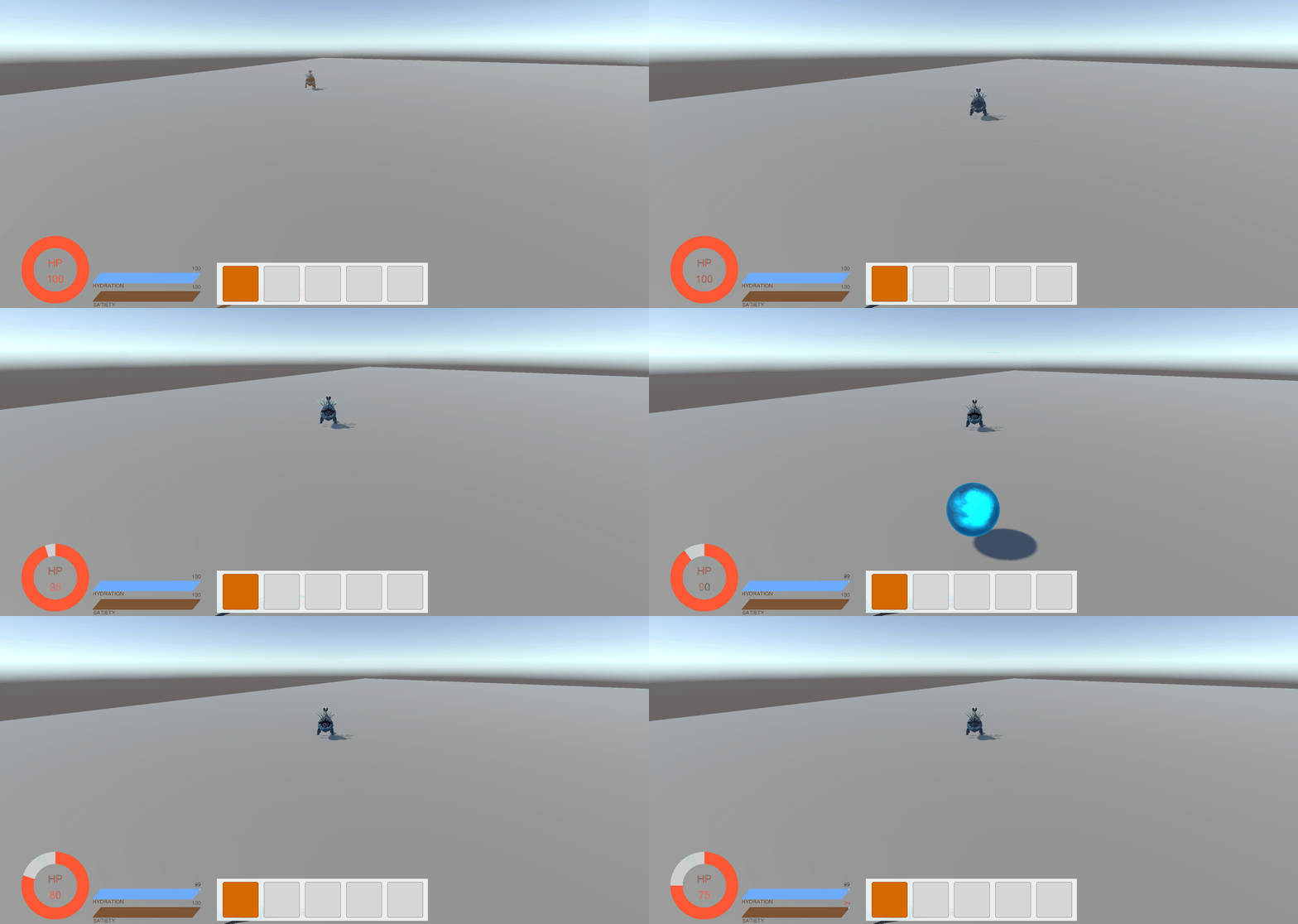
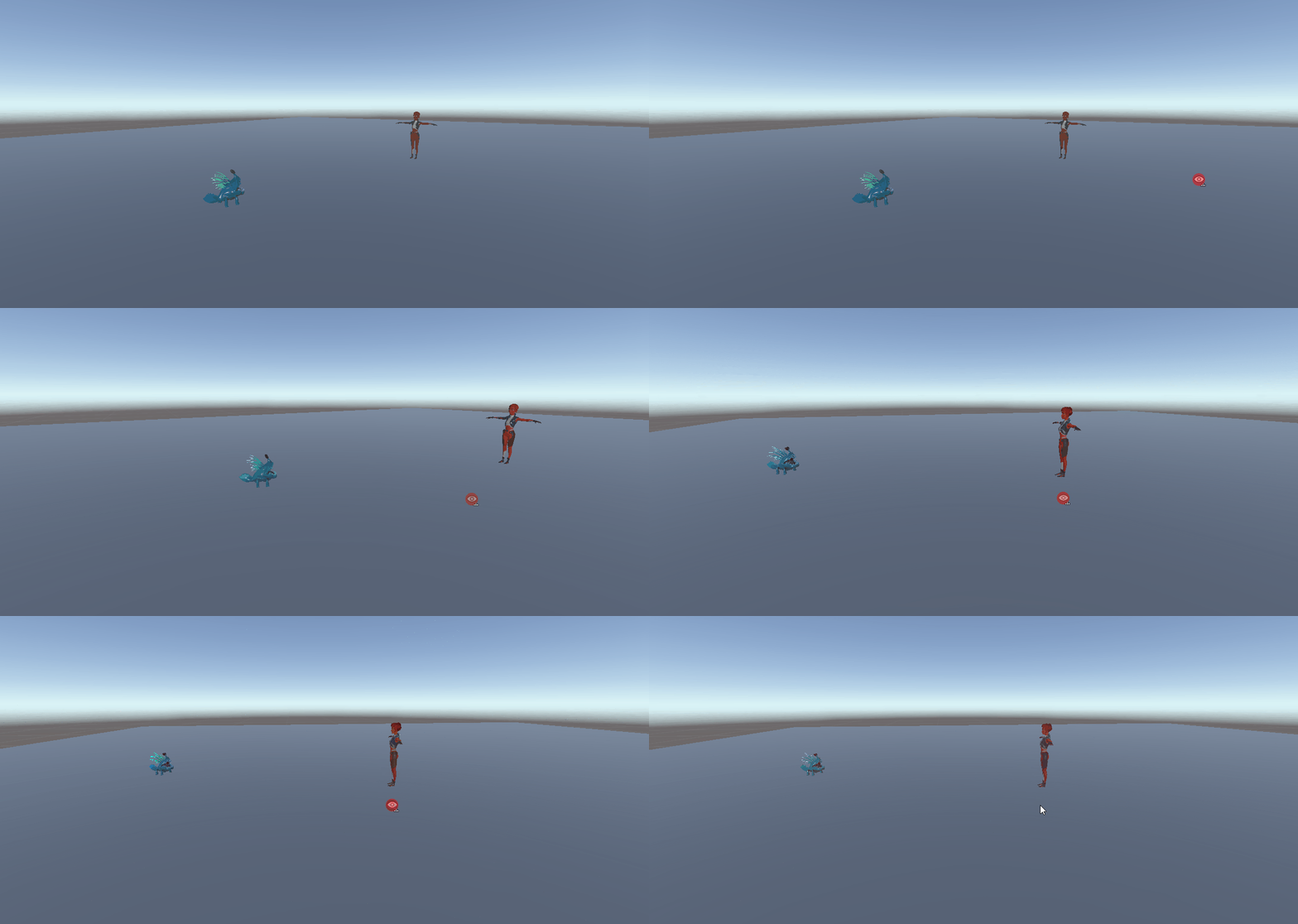
데미지를 입으며 탄환이 플레이어의 몸이나 땅에 닿으면 사라지는 모습입니다.
📚 오늘의 배운 점
- 투사체 생성 및 발사
- TriggetEnter시 투사체 삭제
🎯 다음 계획
다음 글에서는:
- 날아다니는 적 구현
- 위에서 떨어지는 투사체 공격

Unreal Engine & Unity 게임 개발자