예전부터 구현해보고 싶었던 시스템중 하나인 GridInventory시스템에 대해서 알아보자
우선 이번에 다뤄볼 부분은 인벤토리 토글 로직 구현과 시스템 설계에 필요한 기본적인 설정에 대해서 알아볼 예정이다.
먼저 기본적인 클래스를 생성해주자
| 클래스 | 역할 |
|---|---|
| InventoryComponent | 인벤토리 컴포넌트 |
| InventoryDataStructs | 필요한 구조체 모아두는 클래스 |
| InventoryWidget | 인벤토리 토글 설정 위젯 |
| InventoryGridWidget | 그리드 인벤토리의 레이아웃 위젯 |
| ItmeWidget | 인벤토리에 있는 아이템을 그려줄 위젯 |
1. 구조체 선언
먼저 InventoryDataSturcts()클래스에 FLines 구조체 선언
#include "InventoryDataStructs.generated.h"

USTRUCT()
struct FLines
{
	GENERATED_USTRUCT_BODY()
	FLines()
	{
	}
	TArray<FVector2D> XLines;
	TArray<FVector2D> YLines;
};
2. 인벤토리 위젯
InventoryWidget
#pragma once

#include "CoreMinimal.h"
#include "Blueprint/UserWidget.h"
#include "InventoryWidget.generated.h"


class UCanvasPanel;
class UBorder;
class UBackgroundBlur;

/**
 *
 */
UCLASS()
class GRIDINVENTORY_API UInventoryWidget : public UUserWidget
{
	GENERATED_BODY()

public:
	UPROPERTY(VisibleAnywhere, meta = (BindWidget), Category = "UI")
	UCanvasPanel* Canvas;

	UPROPERTY(VisibleAnywhere, meta = (BindWidget), Category = "UI")
	UBorder* BackgroundBorder;

	UPROPERTY(VisibleAnywhere, meta = (BindWidget), Category = "UI")
	UBackgroundBlur* Blur;


protected:

	virtual void NativeConstruct() override;
};
InventoryGridWidget
#pragma once

// Imported
#include "Blueprint/UserWidget.h"
#include "Components/Border.h"
#include "Components/CanvasPanel.h"
#include "Components/CanvasPanelSlot.h"
#include "InventoryDataStructs.h"


// Engine
#include "CoreMinimal.h"
#include "Blueprint/UserWidget.h"
#include "InventoryGridWidget.generated.h"

class UCanvasPanel;
class UBorder;


UCLASS()
class GRIDINVENTORY_API UInventoryGridWidget : public UUserWidget
{
	GENERATED_BODY()


public:

	UPROPERTY(VisibleAnywhere, meta = (BindWidget), Category = "UI")
	UCanvasPanel* Canvas;

	UPROPERTY(VisibleAnywhere, meta = (BindWidget), Category = "UI")
	UBorder* GridBorder;

	UPROPERTY(VisibleAnywhere, meta = (BindWidget), Category = "UI")
	UCanvasPanel* GridCanvasPanel;
};
3. Widget블루프린트 생성
- C++에서 생성한 변수와 바인딩할수 있도록 만들어주어야 한다. (!!변수명과 동일하게 생성)
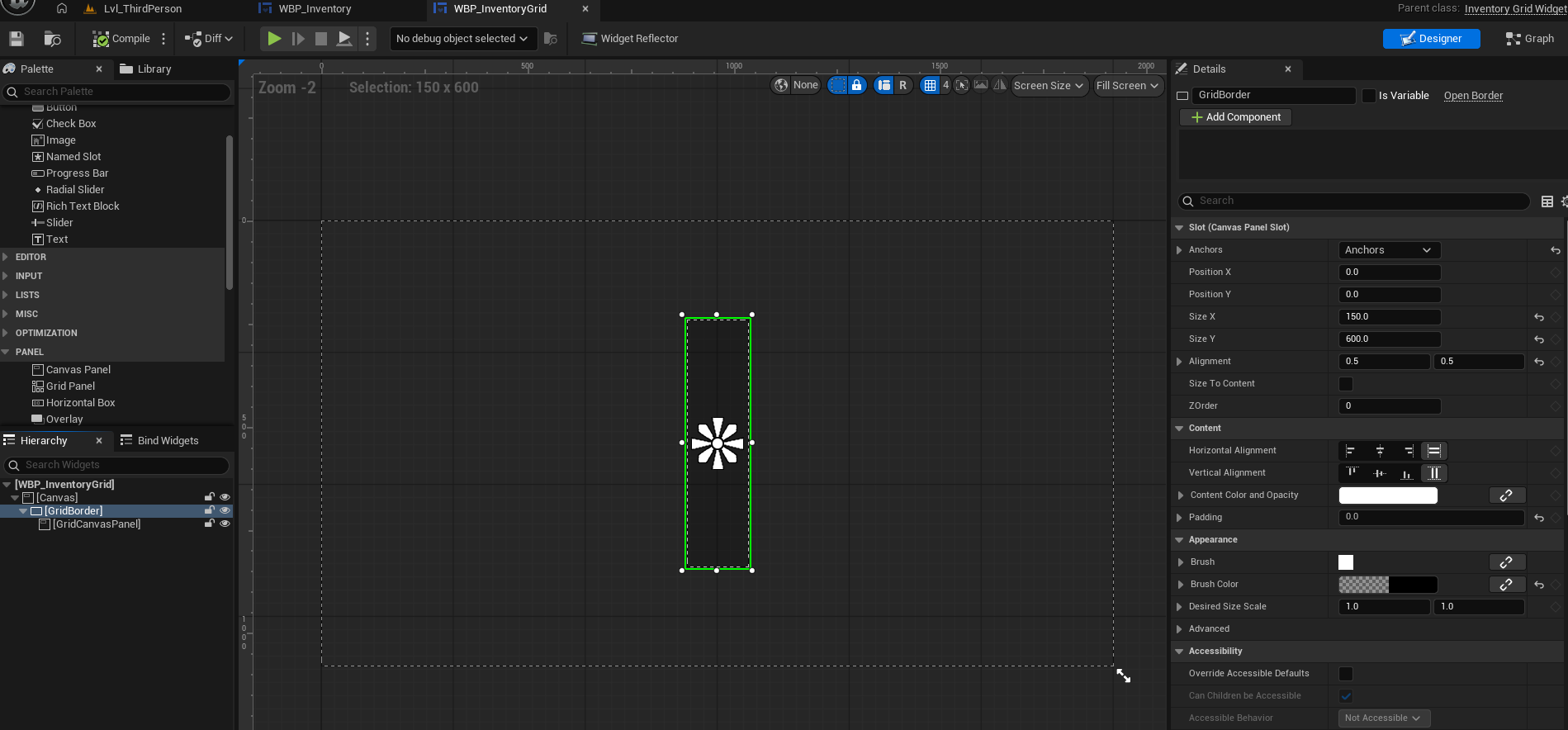
WBP_InventoryGrid
- CanvasPanel - Border - CanvasPanel 순으로 상속관계로 생성
- CanvasPanel은
Canvas, Border은GridBorder, CanvasPanel는GridCanvasPanel로 변수명 변경 GridBorder:Anchors는 가운데,Size X: 150,Size Y: 600,Alignment: (0.5, 0.5),Padding: 0,Brush Color: (0, 0, 0, 0.25)- SizeX와 SizeY는 임의의 값, 이후에 변경
WBP_Inventory
- CanvasPanel - Border - Blur 순으로 상속관계로 생성
- CanvasPanel은
Canvas, Border은BackgroundBorder, Background Blur는Blur로 변수명 변경 BackgroundBorder:Anchors는 전체로,Padding은 0,Brush Color는 (0, 0, 0, 0.2)로 설정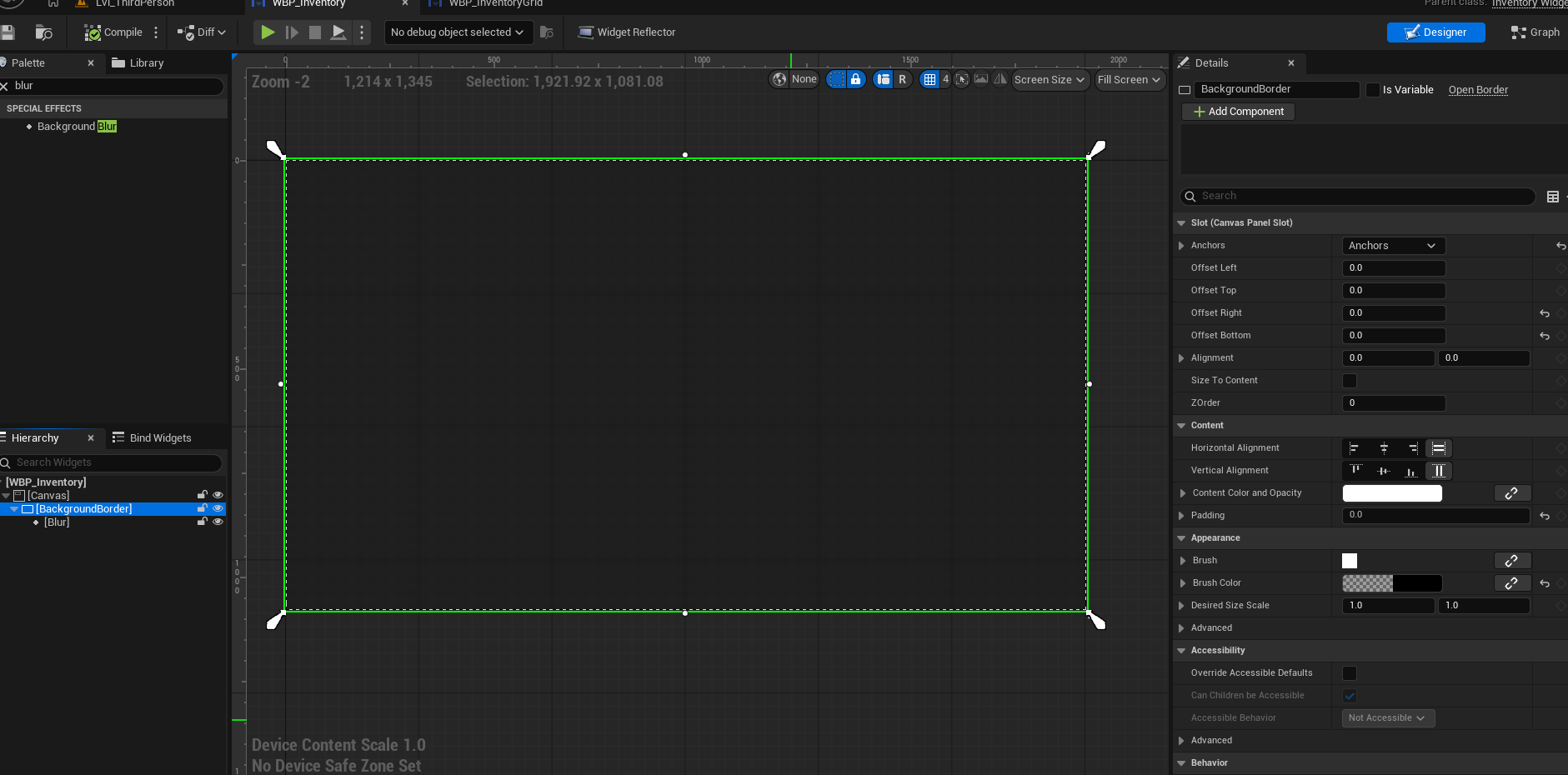
Blur:Blur Strength는 2.0로 설정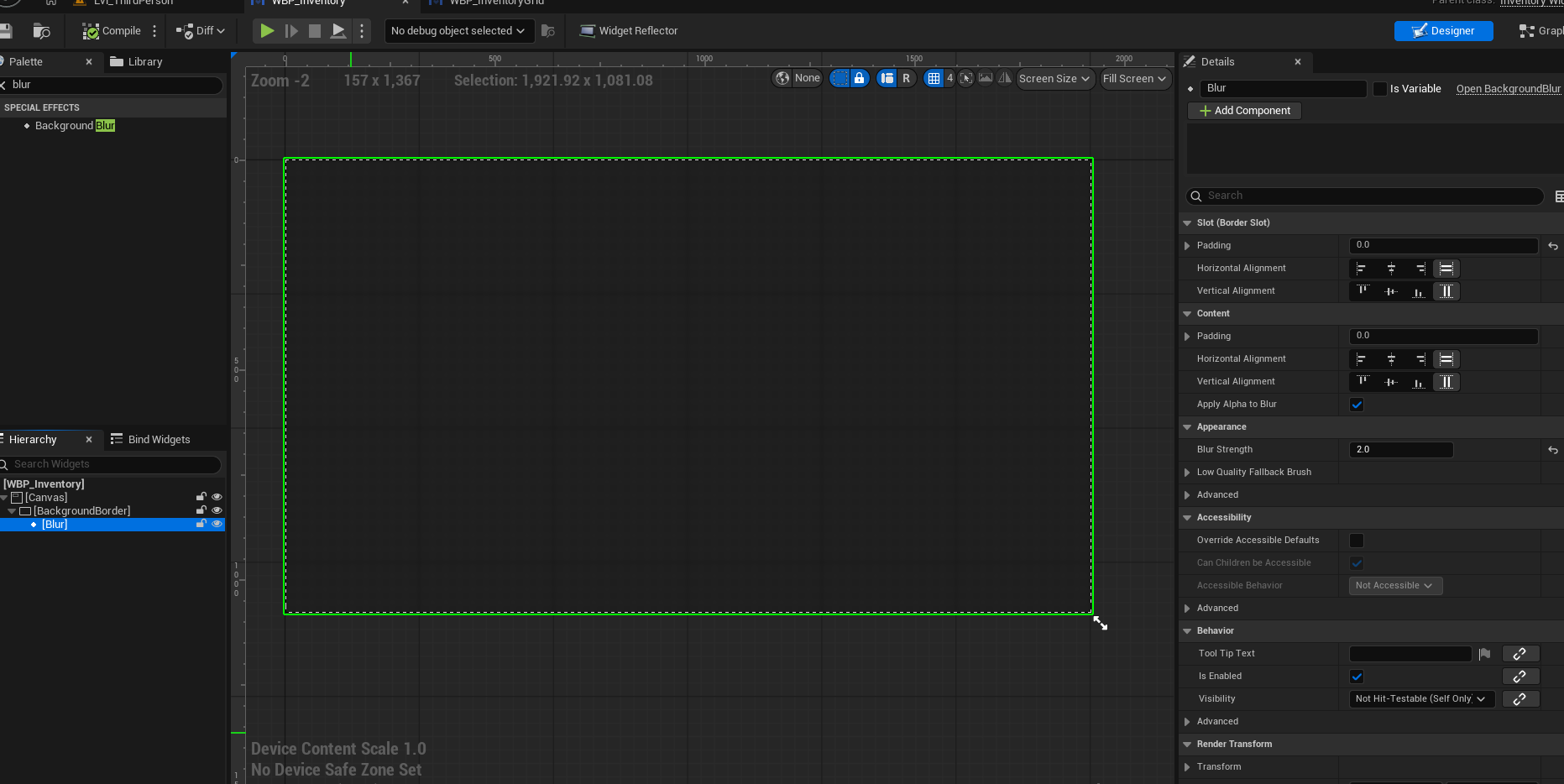
WBP_InventoryGrid: 만들어둔WBP_InventoryGrid를WBP_Inventory에 가져오기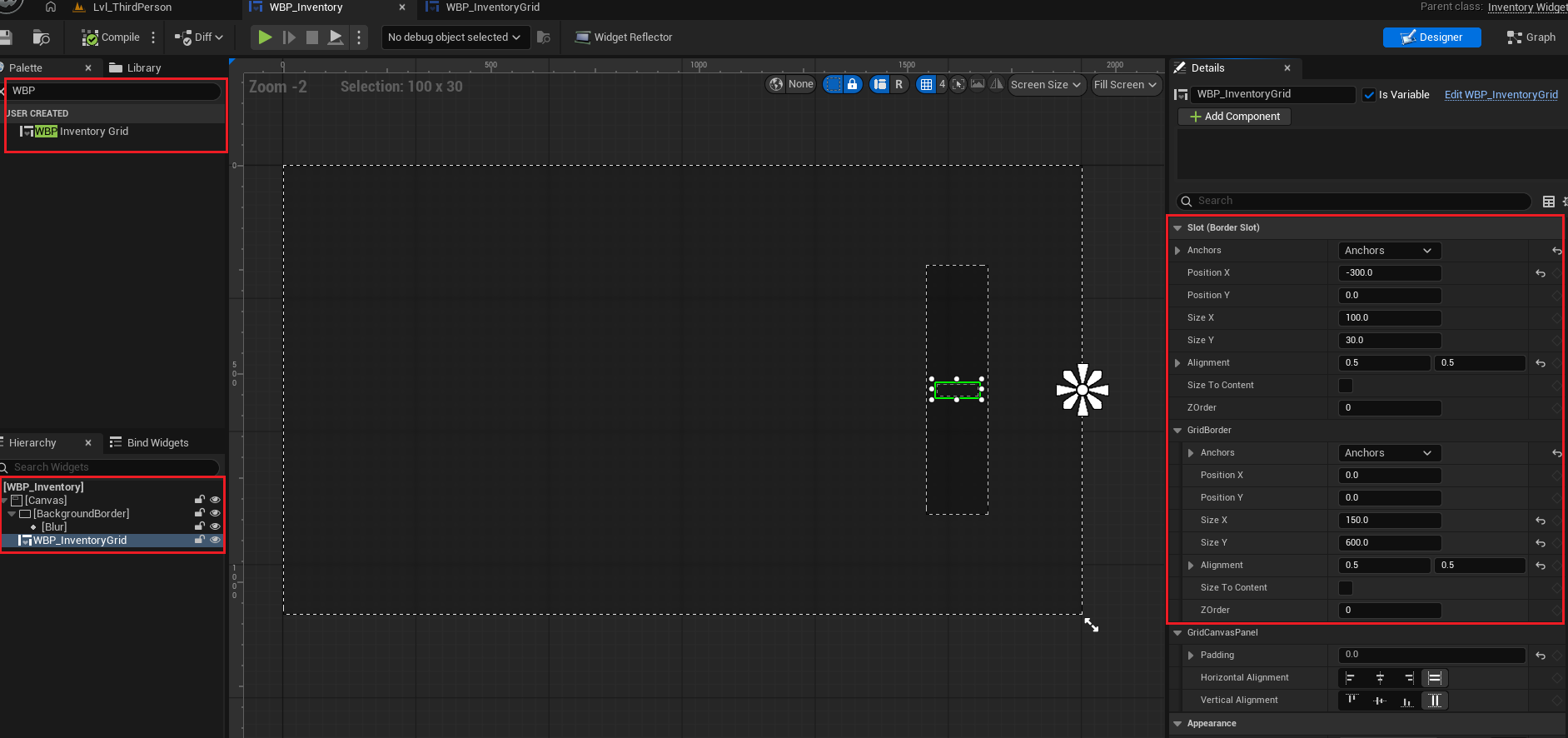
입력 액션 만들기
-
InputAction과 IMC에 설정하기
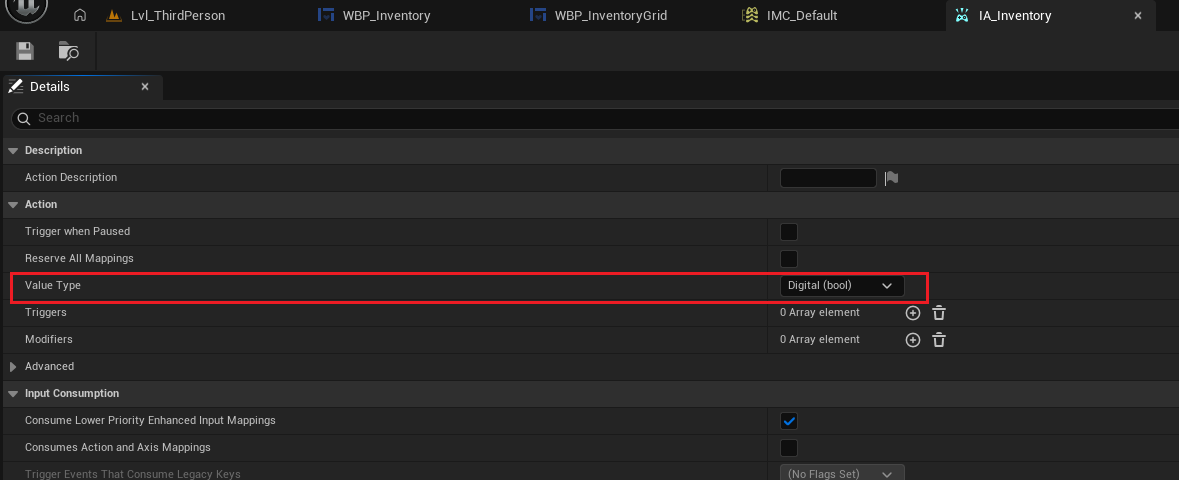
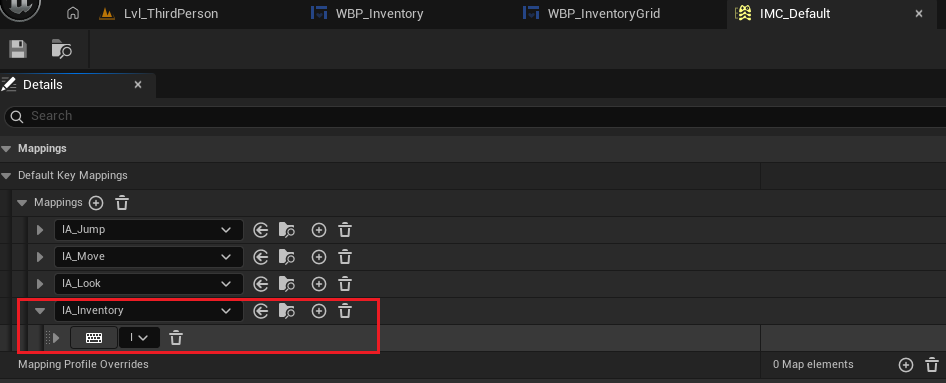
-
Character클래스에서 IA를 받아줄 변수와 실행함수 선언하고 연결해주기
// GridInvenctoryCharacter.h
protected:
	UPROPERTY(EditAnywhere, Category = "Input")
	UInputAction* InventoryAction;

protected:
void ToggleInventory();- UserWidget을 컨트롤할 PlayerController가져와서 TogglerInventory()에서 인벤토리 끄고 키는 기능 추가하기
// GridInvenctoryCharacter.h
protected:
	UPROPERTY(EditAnywhere, Category = "UI")
    TSubclassOf<UUserWidget> InventoryWidgetClass;
    UUserWidget* InventoryWidget;

    APlayerController* PC; // 변수명을 PlayerController라고 하게 되면 다른 변수와 충돌할 수 있음

protected:
	virtual void BeginPlay() override;
// GridInvenctoryCharacter.cpp
void AGridInvenctoryCharacter::BeginPlay()
{
Super::BeginPlay();
// PlayerController 가져오기
PC = UGameplayStatics::GetPlayerController(GetWorld(), 0);
if (PC)
{
if (InventoryWidgetClass)
{
InventoryWidget = CreateWidget(GetWorld(), InventoryWidgetClass);
InventoryWidget->SetOwningPlayer(PC);
}
}
}
void AGridInventoryCharacter::SetupPlayerInputComponent(UInputComponent* PlayerInputComponent)
{
// Set up action bindings
if (UEnhancedInputComponent* EnhancedInputComponent = Cast<UEnhancedInputComponent>(PlayerInputComponent))
{
/// ...
// Inventory 추가
EnhancedInputComponent->BindAction(InventoryAction, ETriggerEvent::Started, this, &AGridInventoryCharacter::ToggleInventory);
}
}
void AGridInventoryCharacter::ToggleInventory()
{
// 켜져있으면 마우스 커서 안보이게 하고, 게임모드도 게임으로 변경후 위젯 끄기
if (InventoryWidget->IsInViewport())
{
InventoryWidget->RemoveFromParent();
PC->SetShowMouseCursor(false);
PC->SetInputMode(FInputModeGameOnly());
}
// 꺼져있으면 마우스커서 보이게 하고, 게임모드는 게임과UI동시에 컨트롤할수 있게 변경 후 위젯 키기
else
{
InventoryWidget->AddToViewport();
PC->SetShowMouseCursor(true);
PC->SetInputMode(FInputModeGameAndUI());
}
}- 만약 Bulid.sc에 "UMG"가 없다면 추가해주기(5.4~5정도 이상은 대부분 자동으로 추가 되어있음)
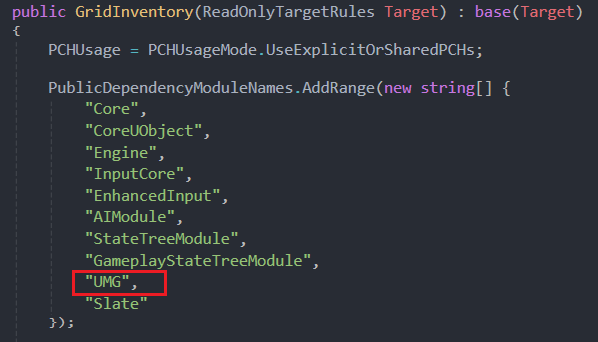
- 추가한
InventoryAction과InventoryWidgetClass를 에디터에서 연결해주기
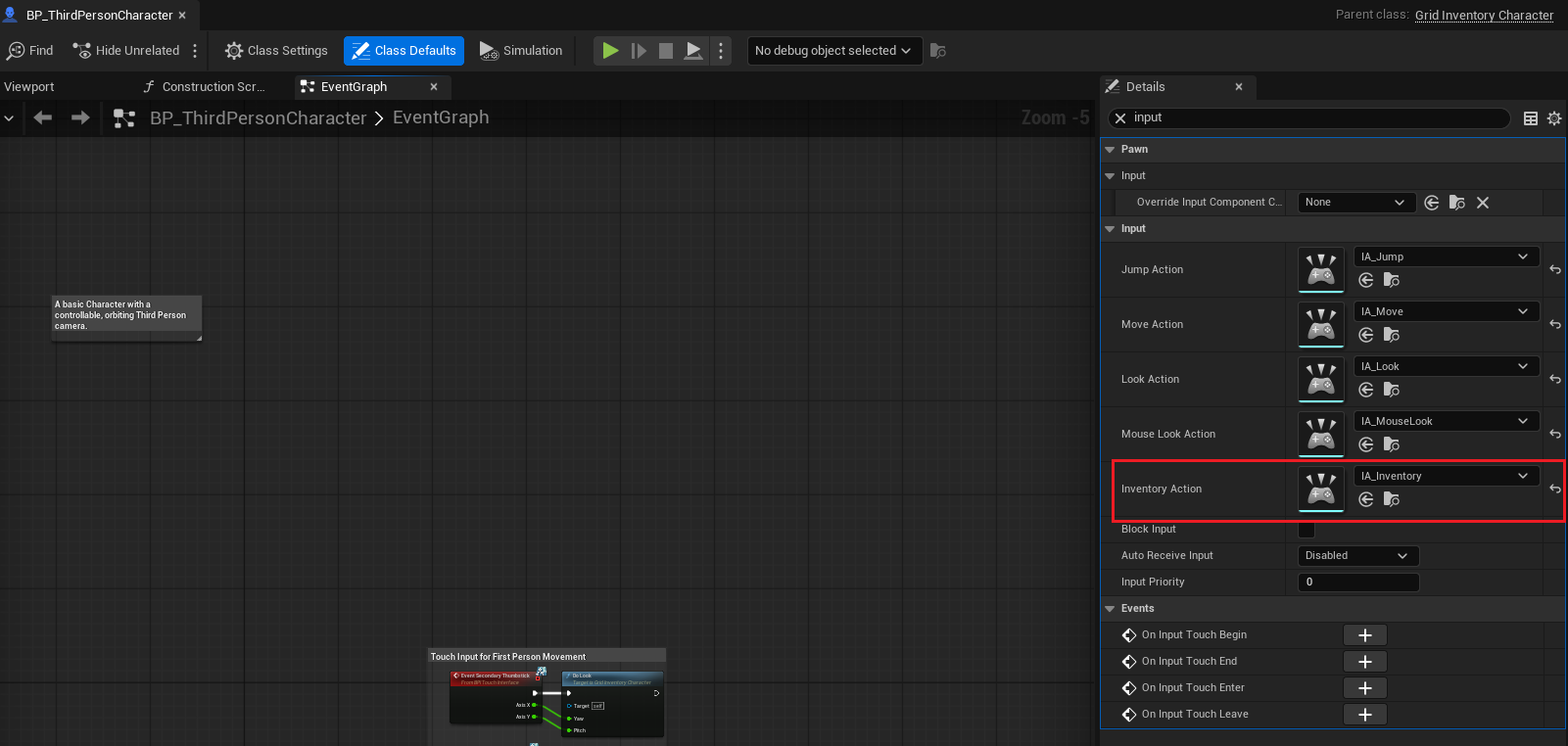
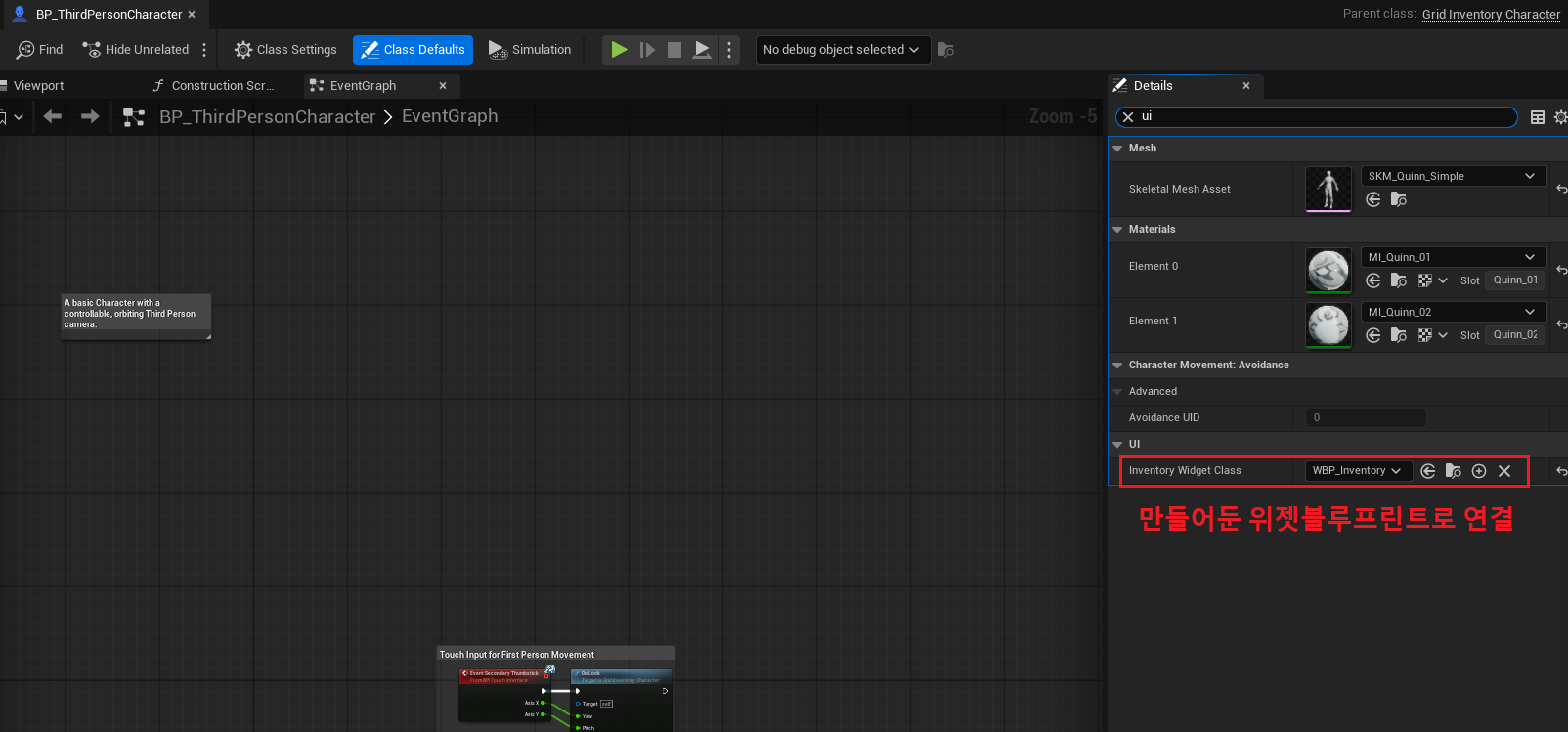
결과
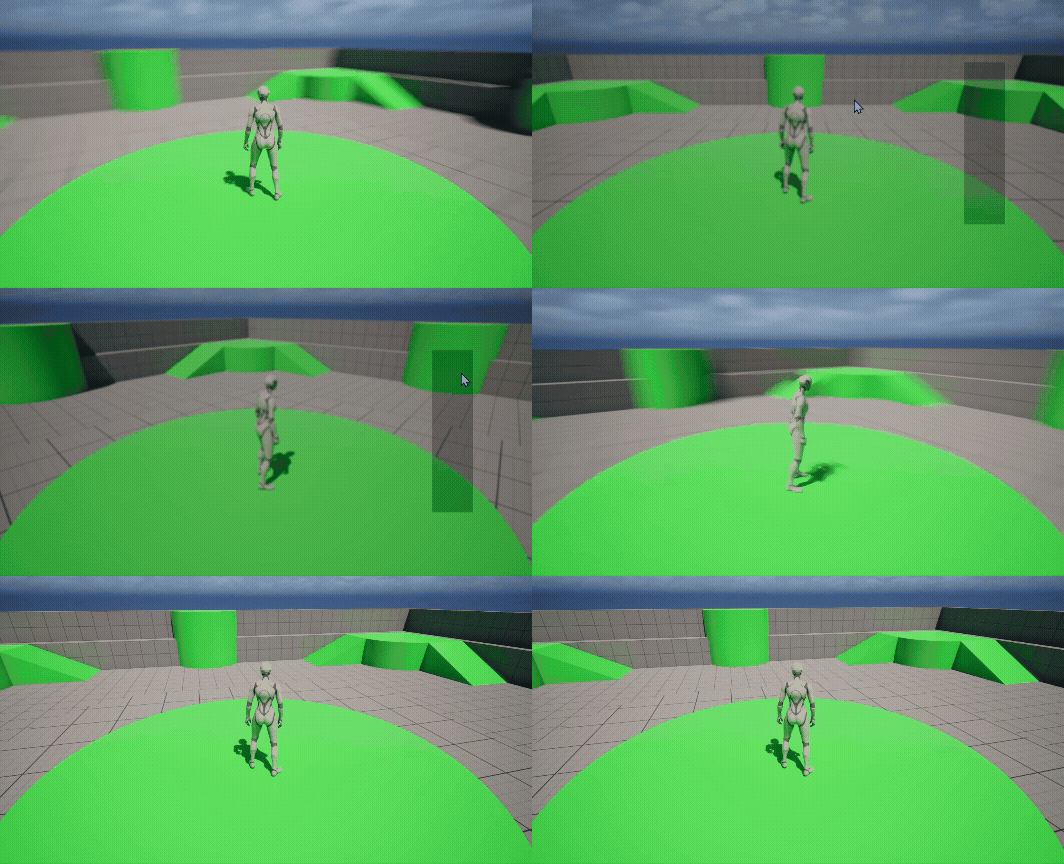
참고 영상

게임 클라이언트 프로그래머 준비중 (공부 및 기록용)