아이템 획득 로직을 만들고, 나중에 만들 아이템 배열에 아이템을 저장하는 부분을 해보자
1. 아이템 생성하기
- 먼저 아이템들의 부모 클래스인
ItemBase클래스를 생성하고 이를 상속받는IB_M16,IB_Knife,IB_Grenade클래스 생성 ItemBase에는 간단한 Mesh와 Sphere 충돌체만 변수로 생성
ItemBase
#pragma once

#include "CoreMinimal.h"
#include "GameFramework/Actor.h"
#include "ItemBase.generated.h"

class USphereComponent;

UCLASS()
class GRIDINVENTORY_API AItemBase : public AActor
{
	GENERATED_BODY()

public:
	AItemBase();

protected:
	virtual void BeginPlay() override;

public:
	// Called every frame
	virtual void Tick(float DeltaTime) override;

public:
	UPROPERTY(EditAnywhere)
	UStaticMeshComponent* Mesh;

	UPROPERTY(EditAnywhere)
	USphereComponent* Sphere;
};
#include "Item/ItemBase.h"
#include "Components/SphereComponent.h"

AItemBase::AItemBase()
{
	PrimaryActorTick.bCanEverTick = true;

	Mesh = CreateDefaultSubobject<UStaticMeshComponent>(TEXT("Mesh"));

	Sphere = CreateDefaultSubobject<USphereComponent>(TEXT("Sphere"));

	Mesh->SetupAttachment(RootComponent);
	Sphere->SetupAttachment(Mesh);

	Mesh->SetCollisionEnabled(ECollisionEnabled::NoCollision);
}

void AItemBase::BeginPlay()
{
	Super::BeginPlay();
}

void AItemBase::Tick(float DeltaTime)
{
	Super::Tick(DeltaTime);

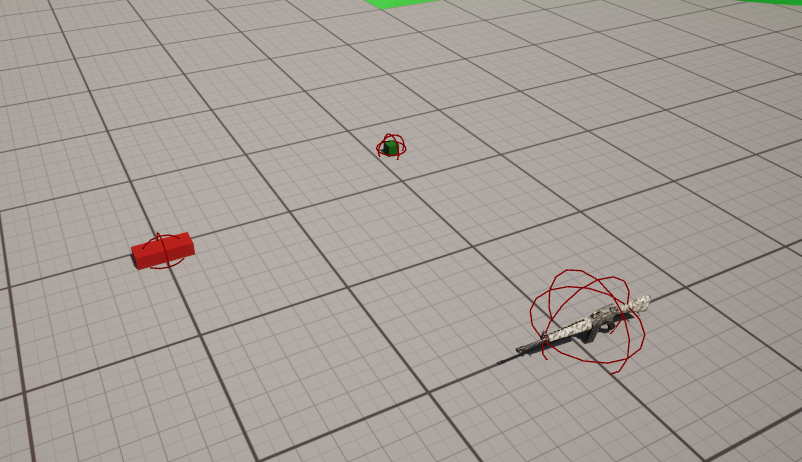
}- Mesh추가하고 Level에 배치 (빨간색이 Knife, 초록색인 Grenade)
2. 간단한 충돌 처리
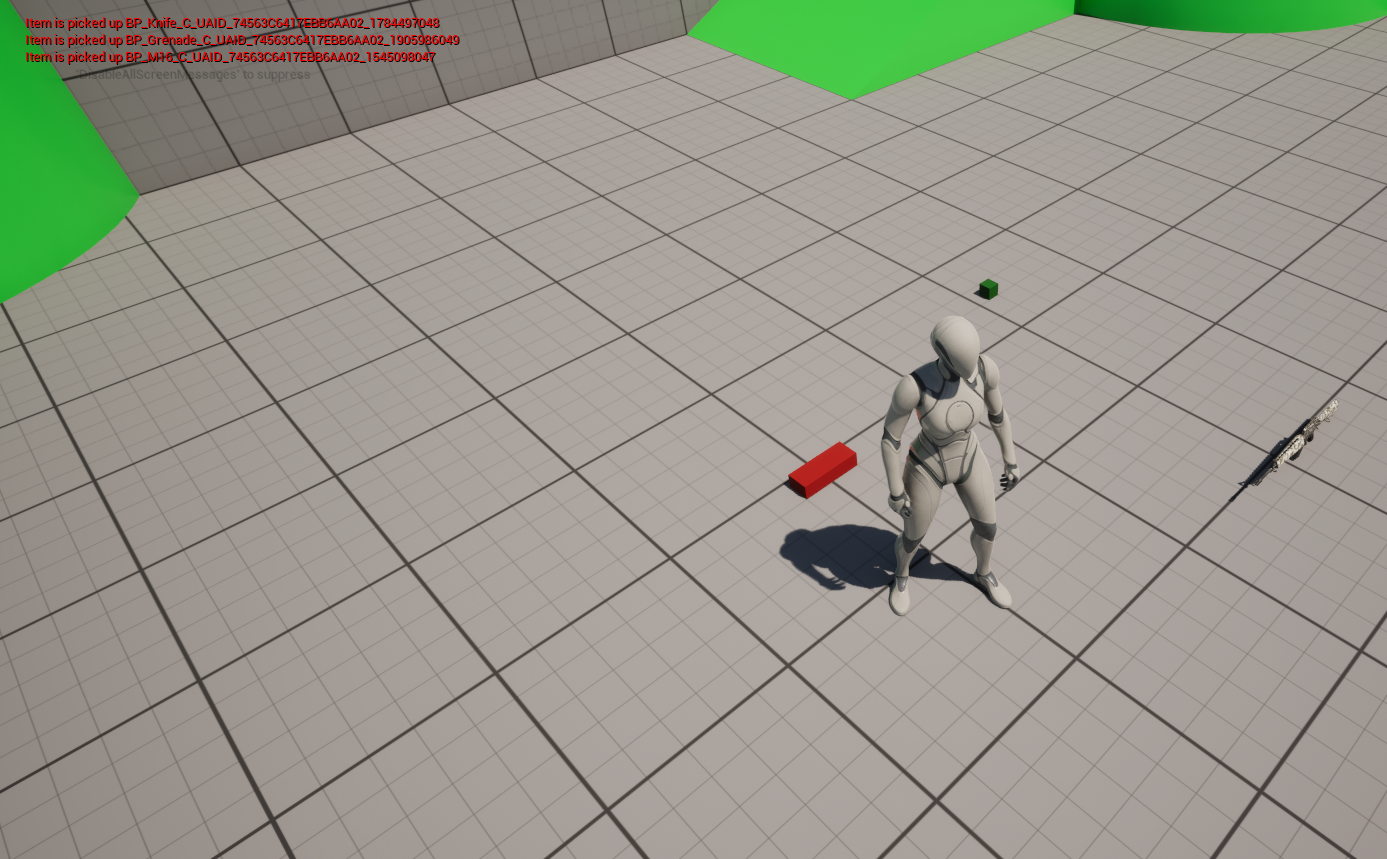
캐릭터에서 BeginOverlap을 통해서 아이템과 충돌했을때 간단하게 Log를 띄워보는 방식을 해보자
GridInventoryCharacter
	UFUNCTION()
	void OnBeginOverlap(
		class UPrimitiveComponent* HitComp,
		class AActor* OtherActor,
		class UPrimitiveComponent* OtherComp,
		int32 OtherBodyIndex,
		bool bFromSweep,
const FHitResult& SweepResult);AGridInventoryCharacter::AGridInventoryCharacter()
{
// ...
GetCapsuleComponent()->OnComponentBeginOverlap.AddDynamic(this, &AGridInventoryCharacter::OnBeginOverlap);
}
void AGridInventoryCharacter::OnBeginOverlap(class UPrimitiveComponent* HitComp, class AActor* OtherActor,
class UPrimitiveComponent* OtherComp, int32 OtherBodyIndex, bool bFromSweep, const FHitResult& SweepResult)
{
AItemBase* item = Cast<AItemBase>(OtherActor);
//item->GetName();
if (item)
{
GEngine->AddOnScreenDebugMessage(-1, 5.f, FColor::Red, FString::Printf(TEXT("Item is picked up %s"), *item->GetName()));
}
}결과
참고 영상
https://www.youtube.com/watch?v=Sms4-ztVlTM&list=PLSVk_3KeELaSoCEc4lADxj5CT6CxibgCt&index=6

게임 클라이언트 프로그래머 준비중 (공부 및 기록용)