오늘은 기존에 구현한 오버워치2 스타일 투사체 시스템을 기반으로, 다양한 유닛 간 상호작용과 이펙트를 추가하며 시스템을 확장해보았다. 체력 관리를 위한 스크립트 구조를 단순화하고, 피격 이펙트 및 UI 요소를 강화하는 데 집중했다.
스크립트 단순화
- 먼저,
UnitHealth.cs스크립트를 생성한다. 이 스크립트를 통해서 모든 유닛들의 체력을 총괄한다. - 체력에 관련한 공통 기능들을 가상 메서드를 통해 구현한다.
Ally,Enemy그리고 이후 추가할 오브젝트에서 이 클래스를 상속받아 사용할 수 있다.- 오브젝트 태그마다 다양하게 변형하여 사용하기 위해 가상 메서드 사용.
- 체력 변수를 선언하고 저장한다.
public class UnitHealth : MonoBehaviour
{
    public int hp = 5;
    public int maxHp = 5;
public Slider hpSlider;HealthUI를 갱신한다.
protected virtual void Start()
{
    UpdateHealthUI();
}- 다음은 데미지를 처리하는 함수이다.
public virtual void TakeDamage(int amount)
{
    hp -= amount;
    if (hp < 0) hp = 0;

    UpdateHealthUI();

    if (hp <= 0)
    {
        OnDeath();
    }
}- 다음은 회복을 처리하는 함수이다.
public virtual void Heal(int amount)
{
    hp = Mathf.Min(hp + amount, maxHp);
    UpdateHealthUI();
}- 체력 UI 갱신 함수이다.
protected virtual void UpdateHealthUI()
{
    if (hpSlider != null)
        hpSlider.value = hp;
}- 사망 처리 함수이다.
protected virtual void OnDeath()
{
    Destroy(gameObject);
}- 체력 UI 갱신 함수와 사망 처리 함수는 다른 스크립트에서 호출할 필요가 없으므로
protected처리한다.
Ally.cs와Enemy.cs를 단순화한다.Ally.cs기존 구조
using UnityEngine;
using UnityEngine.UI;

public class Ally : MonoBehaviour
{
    public int hp = 5;
    public int maxHp = 5;
    public Slider hpSlider;

    void Start()
    {
        if (hpSlider != null)
        {
            hpSlider.maxValue = maxHp;
            hpSlider.value = hp;
        }
    }

    public void Heal(int amount)
    {
        hp = Mathf.Min(hp + amount, maxHp);
        if (hpSlider != null)
        {
            hpSlider.value = hp;
        }
    }
    public void TakeDamage(int amount)
    {
        hp -= amount;
        if (hp < 0)
        {
            hp = 0;
        }
        if (hpSlider != null)
        {
            hpSlider.value = hp;
        }

        if (hp <= 0)
        {
            Destroy(gameObject);
        }
    }
Ally.cs변경 구조
public class Ally : UnitHealth
{

}Enemy.cs기존 구조
using UnityEngine;
using UnityEngine.UI;

public class Enemy : MonoBehaviour
{
    public GameObject bulletPrefab;
    public float attackInterval = 2f;
    public float shootForce = 10f;
    private float timer = 0f;
    public int hp = 3;
    public int maxHp = 3;
    public Slider hpSlider;

    void Start()
    {
        if (hpSlider != null)
        {
            hpSlider.maxValue = maxHp;
            hpSlider.value = hp;
        }
    }
    void Update()
    {
        timer += Time.deltaTime;

        if (timer >= attackInterval)
        {
            timer = 0f;
            Fire();
        }
    }
    public void OnHit(Bullet bullet)
    {
        hp -= bullet.damage;

        if (hpSlider != null)
            hpSlider.value = hp;

        if (hp <= 0)
        {
            Destroy(gameObject);
        }
    }
    void Fire()
    {
        Vector3 spawnPos = transform.position;

        GameObject bullet = Instantiate(bulletPrefab, spawnPos, Quaternion.identity);

        Vector2 direction = Vector2.left;

        Rigidbody2D rb = bullet.GetComponent<Rigidbody2D>();
        rb.AddForce(direction * shootForce, ForceMode2D.Impulse);

        Bullet bulletScript = bullet.GetComponent<Bullet>();
        if (bulletScript != null)
        {
            bulletScript.isFromEnemy = true;
        }
    }
}Enemy.cs변경 구조Fire()함수 즉, 공격에 관한 구조는Unithealth메서드와 상관 없으므로 유지.
using UnityEngine;
using UnityEngine.UI;

public class Enemy : UnitHealth
{
    public GameObject bulletPrefab;
    public float attackInterval = 2f;
    public float shootForce = 10f;
    private float timer = 0f;

    void Update()
    {
        timer += Time.deltaTime;

        if (timer >= attackInterval)
        {
            timer = 0f;
            Fire();
        }
    }
    void Fire()
    {
        Vector3 spawnPos = transform.position;

        GameObject bullet = Instantiate(bulletPrefab, spawnPos, Quaternion.identity);

        Vector2 direction = Vector2.left;

        Rigidbody2D rb = bullet.GetComponent<Rigidbody2D>();
        rb.AddForce(direction * shootForce, ForceMode2D.Impulse);

        Bullet bulletScript = bullet.GetComponent<Bullet>();
        if (bulletScript != null)
        {
            bulletScript.isFromEnemy = true;
        }
    }
}- 기존 구조와 비교했을 때 상당히 간소화되었음을 알 수 있다.
- 이러한 변경에 따라
Bullet.cs또한 단순화할 수 있다. Bullet.cs기존 구조- 기존 구조는
Ally와Enemy를 직접 참조하므로 오브젝트 확장 시 유지 보수가 용이하지 않다. - 또한 체력 처리 로직이 중복되므로 구조가 불필요하게 복잡했다.
- 기존 구조는
using UnityEngine;

public class Bullet : MonoBehaviour
{
    public int damage = 1;
    public int healAmount = 1;
    public float lifeTime = 3f;
    public bool isFromEnemy = false;
    public GameObject hitEffectPrefab;

    void Start()
    {
        Destroy(gameObject, lifeTime);
    }

    void OnTriggerEnter2D(Collider2D collision)
    {
        {
            if (collision.CompareTag("Enemy") || collision.CompareTag("Ally"))
            {
                if (hitEffectPrefab != null)
                {
                    GameObject effect = Instantiate(hitEffectPrefab, transform.position, Quaternion.identity);
                    Destroy(effect, 0.3f);
                }
            }
        }
            if (isFromEnemy && collision.CompareTag("Ally"))
        {
            Ally ally = collision.GetComponent<Ally>();
            if (ally != null)
            {
                ally.TakeDamage(damage);
                Destroy(gameObject);
            }
        }
        else if (!isFromEnemy && collision.CompareTag("Enemy"))
        {
            Enemy enemy = collision.GetComponent<Enemy>();
            if (enemy != null)
            {
                enemy.OnHit(this);
                Destroy(gameObject);
            }
        }
        else if (!isFromEnemy && collision.CompareTag("Ally"))
        {
            Ally ally = collision.GetComponent<Ally>();
            if (ally != null && ally.hp < ally.maxHp)
            {
                ally.Heal(healAmount);
                Destroy(gameObject);
            }
        }
    }
}Bullet.cs변경 구조UnitHealth만 참조하므로 상당히 간소화되었다.
using UnityEngine;

public class Bullet : MonoBehaviour
{
    public int damage = 1;
    public int healAmount = 1;
    public bool isFromEnemy = false;

    public GameObject hitEffectPrefab;

    void OnTriggerEnter2D(Collider2D collision)
    {
        if (hitEffectPrefab != null)
        {
            GameObject effect = Instantiate(hitEffectPrefab, transform.position, Quaternion.identity);
            Destroy(effect, 0.3f);
        }

        UnitHealth unit = collision.GetComponent<UnitHealth>();
        if (unit == null) return;

        if (isFromEnemy && collision.CompareTag("Ally"))
        {
            unit.TakeDamage(damage);
            Destroy(gameObject);
        }
        else if (!isFromEnemy && collision.CompareTag("Enemy"))
        {
            unit.TakeDamage(damage);
            Destroy(gameObject);
        }
        else if (!isFromEnemy && collision.CompareTag("Ally"))
        {
            if (unit.hp < unit.maxHp)
            {
                unit.Heal(healAmount);
                Destroy(gameObject);
            }
        }
    }
}-
변경된
Bullet.cs스크립트의 변경점은 다음과 같다.-
UnitHealth unit=GetComponent<UnitHealth>()
Ally,Enemy대신 공통 부모 클래스만 사용하여 유닛 구분 없이 체력 접근 가능 -
unit.TakeDamage(),unit.Heal()
각각의 자식 클래스에서 별도로 정의하지 않아도,UnitHealth에서 자동 처리됨 -
태그는 여전히 체크함
CompareTag("Ally"),CompareTag("Enemy")는 여전히 투사체가 적인지 아군인지에 따라 다르게 작용해야 하므로 필요함 -
구조가 직관적이며, 유지보수와 확장에 유리, 코드 길이와 중복 대폭 감소
-
이후에
Boss등 새로운 유닛이 생겨도UnitHealth만 상속받으면 처리 가능
-
-
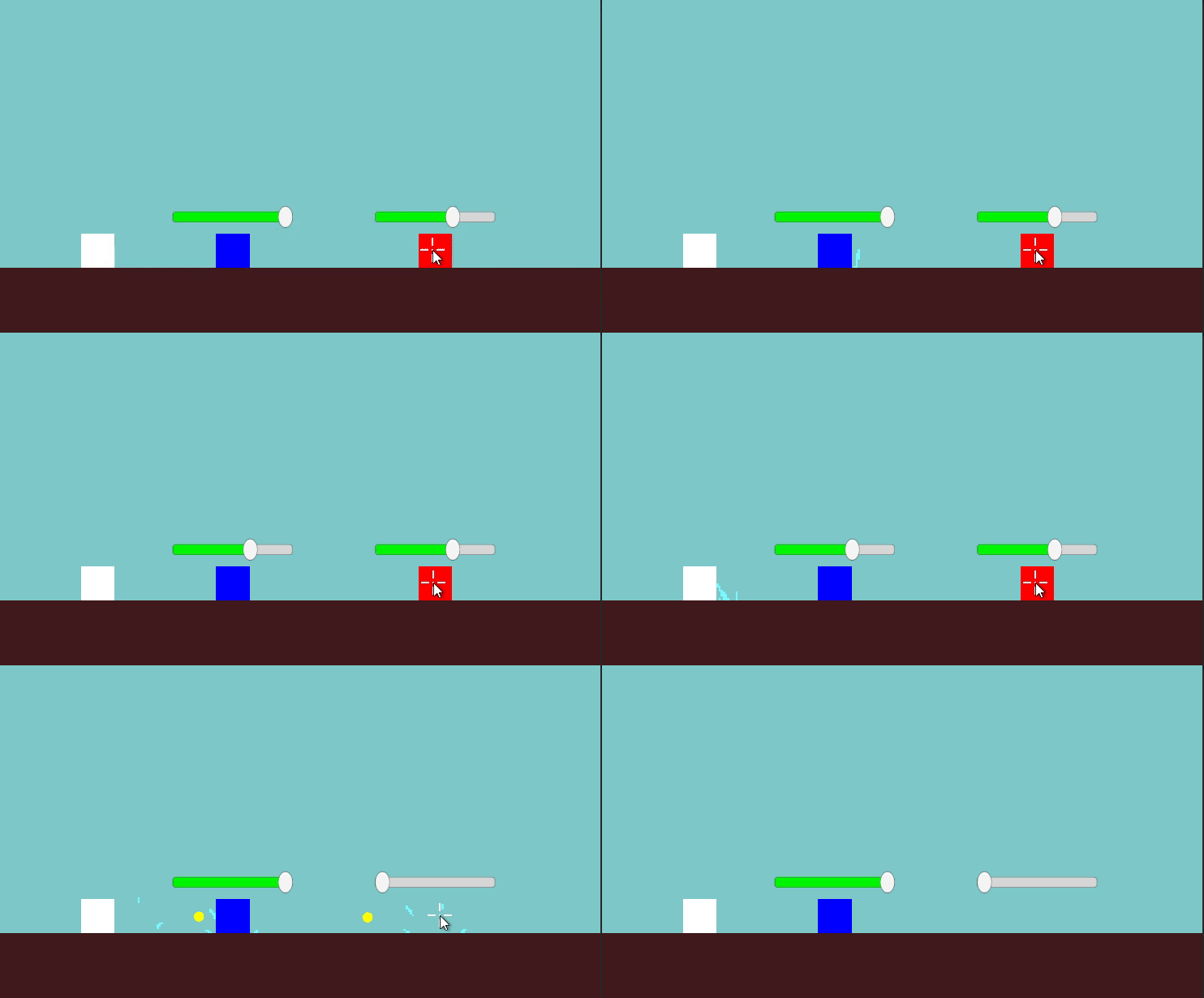
변경된 스크립트를 구동해보았다.
-
오류가 발생했다.
-
Ally의 체력 UI의 최댓값은 3인데, 실제Ally의 체력의 최댓값은 5라서Ally가 두번 충돌할 동안Ally의 체력 UI는 변하지 않고, 이후에 한 번 충돌할 때 마다 체력이 1씩 줄어드는 것을 확인했다. -
원인과 해결방법은 간단했다. 오브젝트의
hpSlider의maxValue를 갱신해주면 되는 문제였다.
UnithealthUI.cs
   protected virtual void UpdateHealthUI()
   {
       if (hpSlider != null)
       {
           hpSlider.maxValue = maxHp;
           hpSlider.value = hp;
       }
}-
이후 정상적으로 구동되는 것을 확인했다.
이펙트 조정 및 피격 UI
-
이제
Bullet이 오브젝트에 충돌했을 때, 충돌 방향에 따라 이펙트를 조정하고자 한다. -
먼저 충돌했을 때 충돌방향을 가져오겠다.
Bullet.cs의OnTriggerEnter2D()안에서 충돌 지점을 기준으로 방향 벡터를 구하고, 그걸 바탕으로 회전 각도를 만든다.
Vector2 direction = (collision.transform.position - transform.position).normalized;
float angle = Mathf.Atan2(direction.y, direction.x) * Mathf.Rad2Deg;- 이제
angle을 이용해서 이펙트를 회전시킨다.
        Quaternion rotation = Quaternion.Euler(0, 0, angle);
GameObject effect = Instantiate(hitEffectPrefab, transform.position, rotation);-
Bullet의 크기는 프리팹 항목에서 0.7로 조절해주었다. -
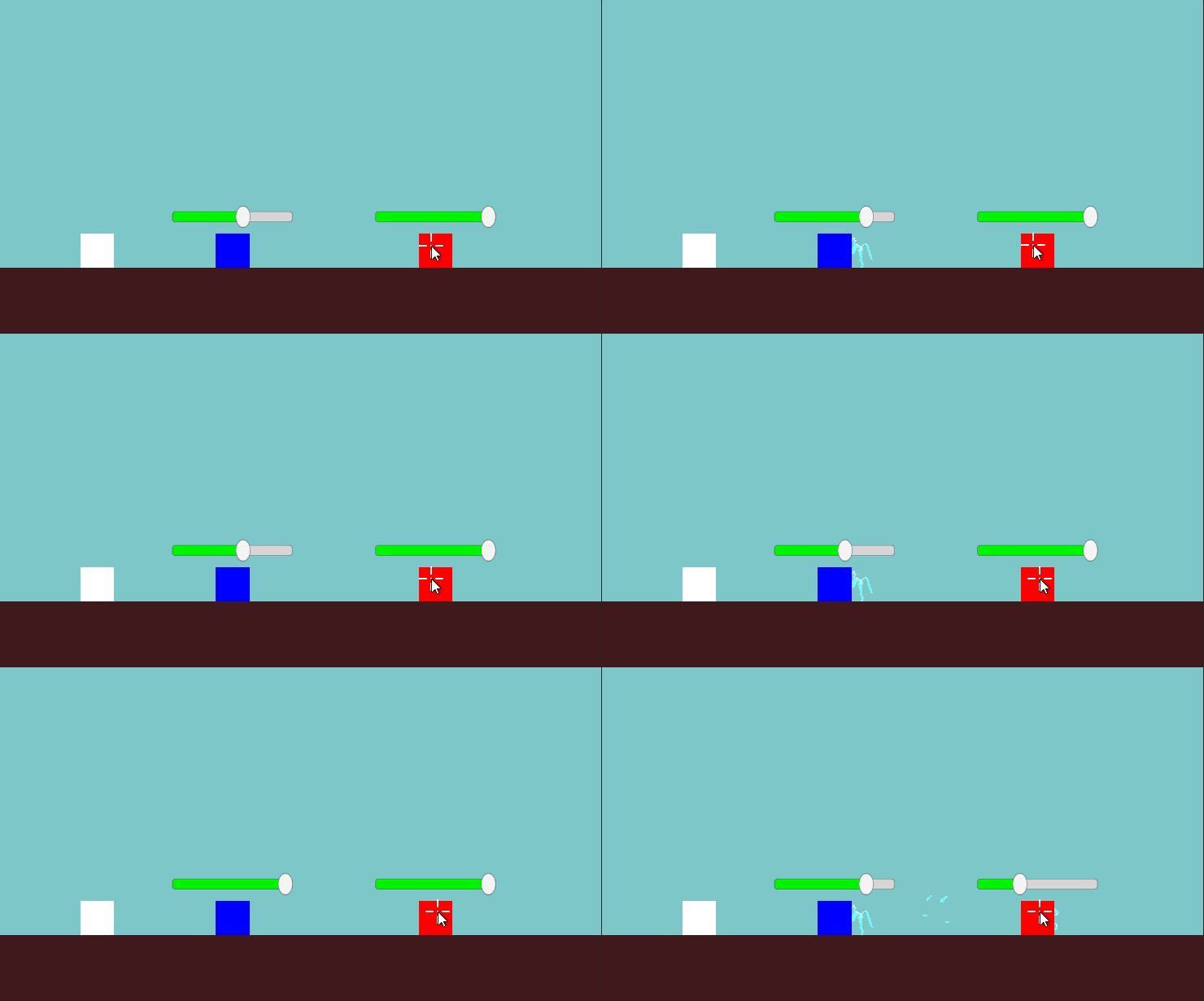
이후 구동해보았다.
-
충돌 각도에 따라 이펙트가 바뀌었음을 확인했다.
-
하지만, 발사 시에 이펙트를 제거할 필요가 있음을 알았다. 나중에 수정하기로 한다.
- 다음으로 피격 시 데미지를 출력하는 UI를 만들어보겠다.
- 먼저 텍스트 매쉬 프로를 이용하여 데미지 텍스트 프리팹을 만든다.
- 다음으로 데미지 텍스트 스크립트를 만든다.
using TMPro;
using UnityEngine;

public class DamageText : MonoBehaviour
{
    public float floatSpeed = 1f;
    public float lifetime = 1f;

    private TextMeshProUGUI text;

    void Start()
    {
        text = GetComponent<TextMeshProUGUI>();
        Destroy(gameObject, lifetime);
    }

    void Update()
    {
        transform.position += Vector3.up * floatSpeed * Time.deltaTime;
    }

    public void SetText(int amount, bool isHeal = false)
    {
        text.text = amount.ToString();
        text.color = isHeal ? Color.green : Color.red;
    }
}- 나타나는 시간과 나타나는 위치 등을 선언하고,
Damage를 문자열로 변환시키는 등의 작업을 했다. UnitHealth.cs에서 데미지 텍스트 출력 기능을 추가하였다.amount: 표시할 숫자 값.isHeal: 회복인지 아닌지 판단하는 불리언.
public GameObject damageTextPrefab;protected void ShowDamageText(int amount, bool isHeal = false)
{
if (damageTextPrefab == null) return;- 텍스트가 생성될 위치 계산
transform.position은 이 스크립트가 붙어 있는 유닛의 위치Vector3.up * 1.2f는 그 위치보다 살짝 위쪽에 띄우기 위한 오프셋
Vector3 screenPos = Camera.main.WorldToScreenPoint(transform.position + Vector3.up * 1.2f);- 데미지 텍스트 프리팹을 해당 위치에 생성
Quaternion.identity는 회전 없이 기본 방향으로 생성
GameObject textObj = Instantiate(damageTextPrefab, Vector3.zero, Quaternion.identity);- 생성된 텍스트 오브젝트를 화면에 보여주기 위해
Canvas의 자식으로 설정
    textObj.transform.SetParent(GameObject.Find("Canvas").transform);
    RectTransform rect = textObj.GetComponent<RectTransform>();
rect.anchoredPosition = screenPos;- 방금 생성된 텍스트 오브젝트에서
DamageText스크립트를 찾아옴 DamageText스크립트가 정상적으로 붙어 있다면,SetText()메서드를 호출해서 숫자 표시 + 색상 설정을 실행
    var dt = textObj.GetComponent<DamageText>();
    if (dt != null)
    {
        dt.SetText(amount, isHeal);
    }
}- 이후
DamageText프리팹을UnitHealth스크립트에 붙이고 가동해보았다. - 하지만
DamageText는 화면 상에 정상적으로 출력되지 않았다. - 디버깅을 위해
showDamageText()에 코드를 추가했다.
Debug.Log("피격 텍스트 생성됨: " + amount);- 구동 결과 피격 텍스트가 아예 생성되고 있지 않음을 확인했다.
- 연결된 프리팹을 찾아보니,
Ally와Enemy에서DamageTextPrefab을 붙이지 않았음을 알았다. - 이를 수정하고 다시 구동해보았다.
- 여전히
NullReferenceException오류가 발생했다.
오늘은 오류를 수정하는 데에 시간을 많이 썼고 결국 오류를 수정하지 못했다. 내일까지 구조를 뜯어보며 해결방법을 찾는 데에 집중하도록 하겠다.