출력
using System.Collections;
using System.Collections.Generic;
using UnityEngine;

public class Test : MonoBehaviour
{

    void Start()
    {
        Debug.Log("Hello, World");
    }

}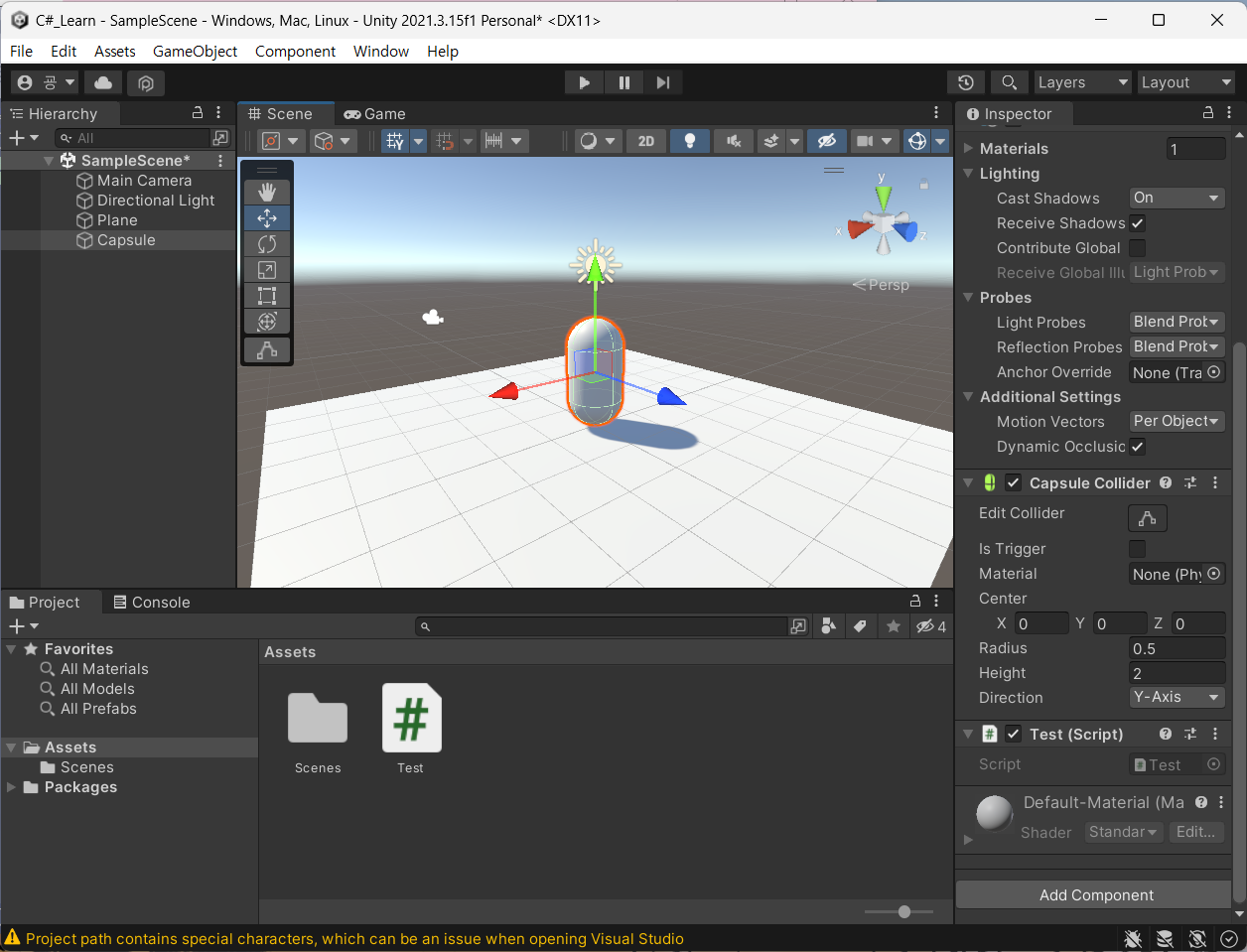
아무 오브젝트를 생성하고 그 오브젝트에 넣어주고 실행을 하게되면

Console창에 출력이 된다.
변수
- int : 정수형 데이터 (ex.
int level = 5;) - float : 숫자형 데이터 (ex.
float strength = 15.5f;) - string : 문자열 데이터 (ex.
string Name = "나검사";) - bool : 논리형 데이터 (ex.
bool isFulllevel = false;)
활용
using System.Collections;
using System.Collections.Generic;
using UnityEngine;

public class Test : MonoBehaviour
{

    void Start()
    {
        Debug.Log("Hello, World");

        int level = 5;
        float strength = 15.5f;
        string Name = "나검사";
        bool isFulllevel = false;

        Debug.Log("용사의 이름은?");
        Debug.Log(Name);
        Debug.Log("용사의 레벨은?");
        Debug.Log(level);
        Debug.Log("용사의 힘은?");
        Debug.Log(strength);
        Debug.Log("용사는 만렙인가?");
        Debug.Log(isFulllevel);
    }
}
출력 결과
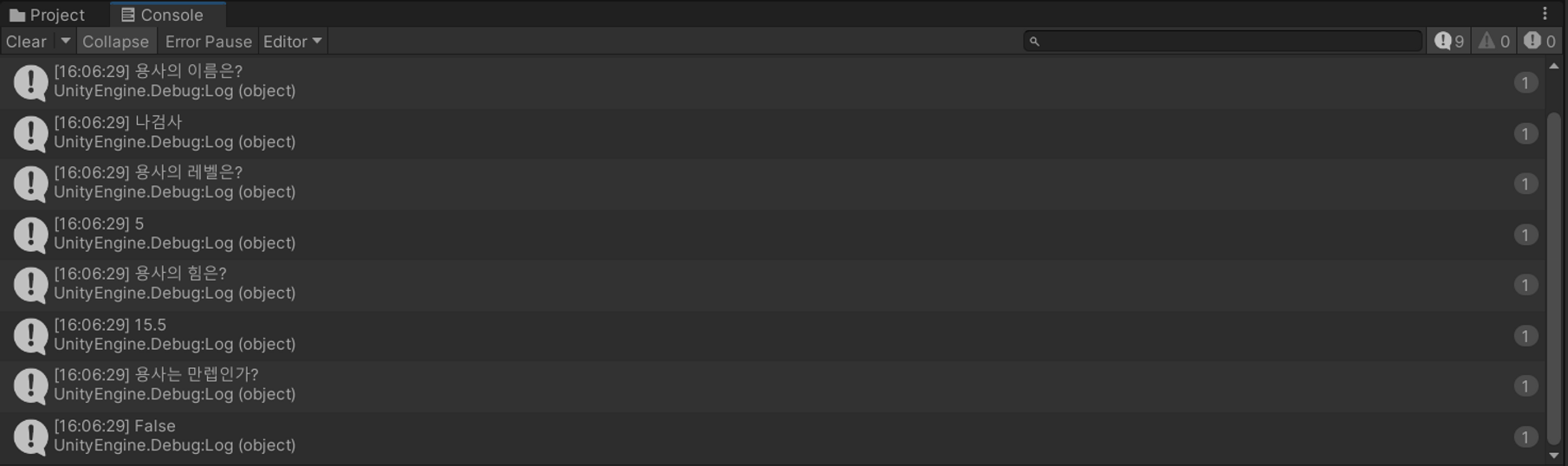
그룹형 변수
string 배열
string[] monsters = { "슬라임", "사막뱀", "악마" };

Debug.Log("맵에 존재하는 몬스터");
Debug.Log(monsters[0]);
Debug.Log(monsters[1]);
Debug.Log(monsters[2]);
출력결과
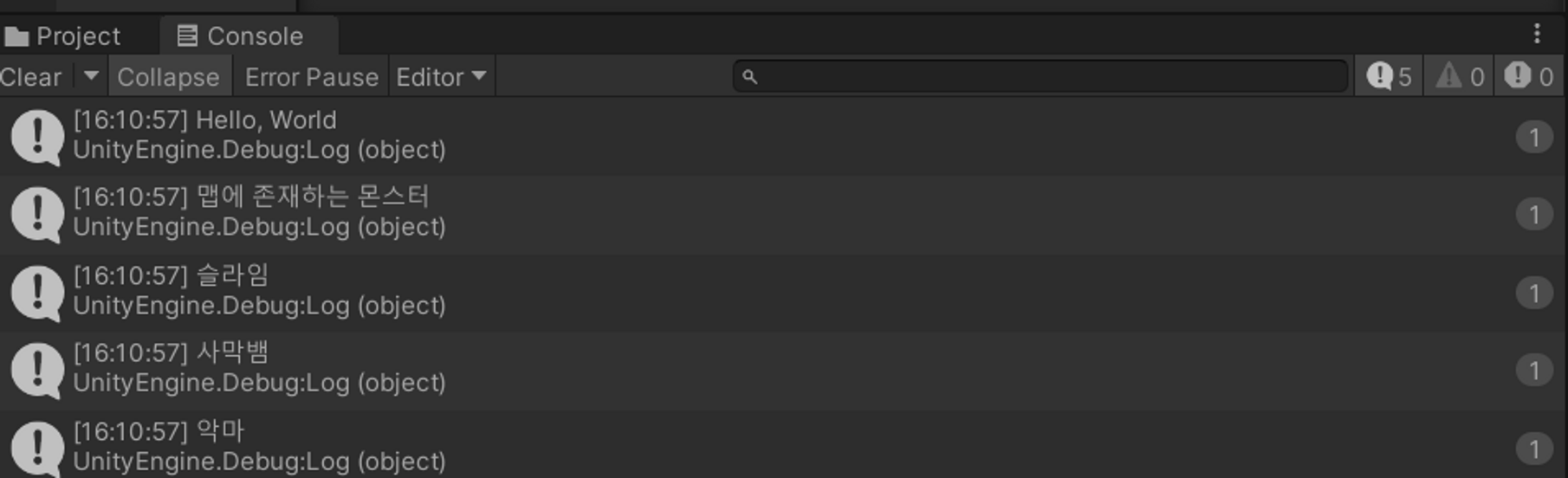
int배열
int[] monsterLevel = new int[3];
monsterLevel[0] = 1;
monsterLevel[1] = 6;
monsterLevel[2] = 20;

Debug.Log("맵에 존재하는 몬스터의 레벨");
Debug.Log(monsterLevel[0]);
Debug.Log(monsterLevel[1]);
Debug.Log(monsterLevel[2]);
출력결과
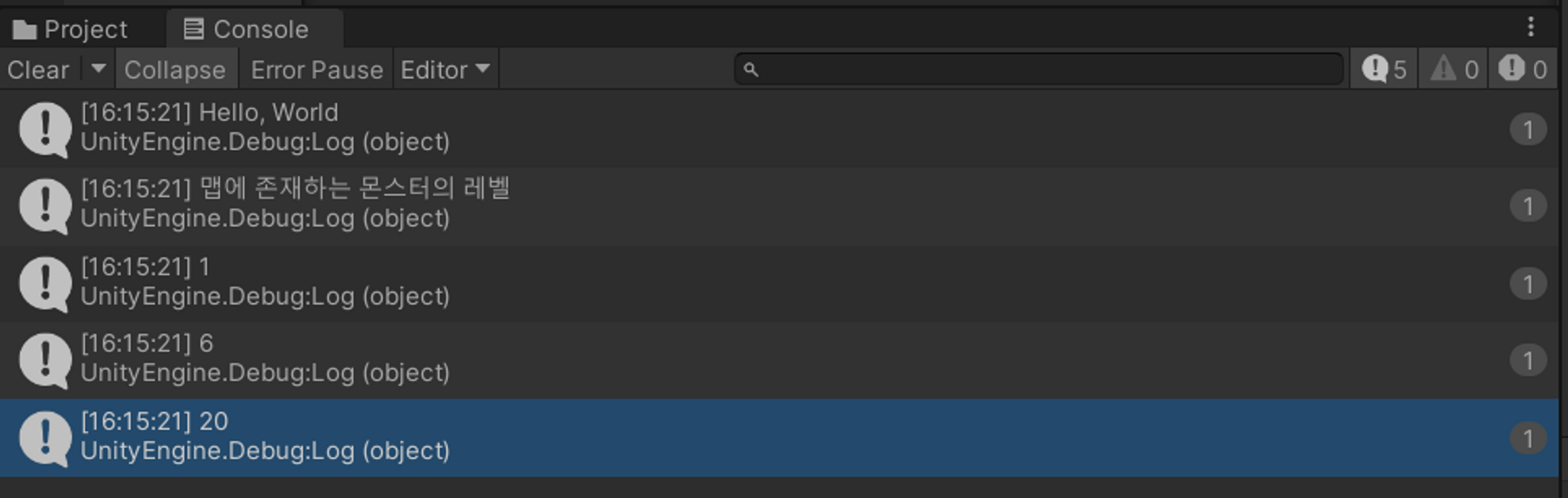
리스트
List<> items = new List<>();
<> 안에 자료형을 넣어줌
List<string> items = new List<string>();
List<string> items = new List<string>();
items.Add("생명물약30");
items.Add("마나물약30");

Debug.Log("가지고 있는 아이템");
Debug.Log(items[0]);
Debug.Log(items[1]);
출력결과
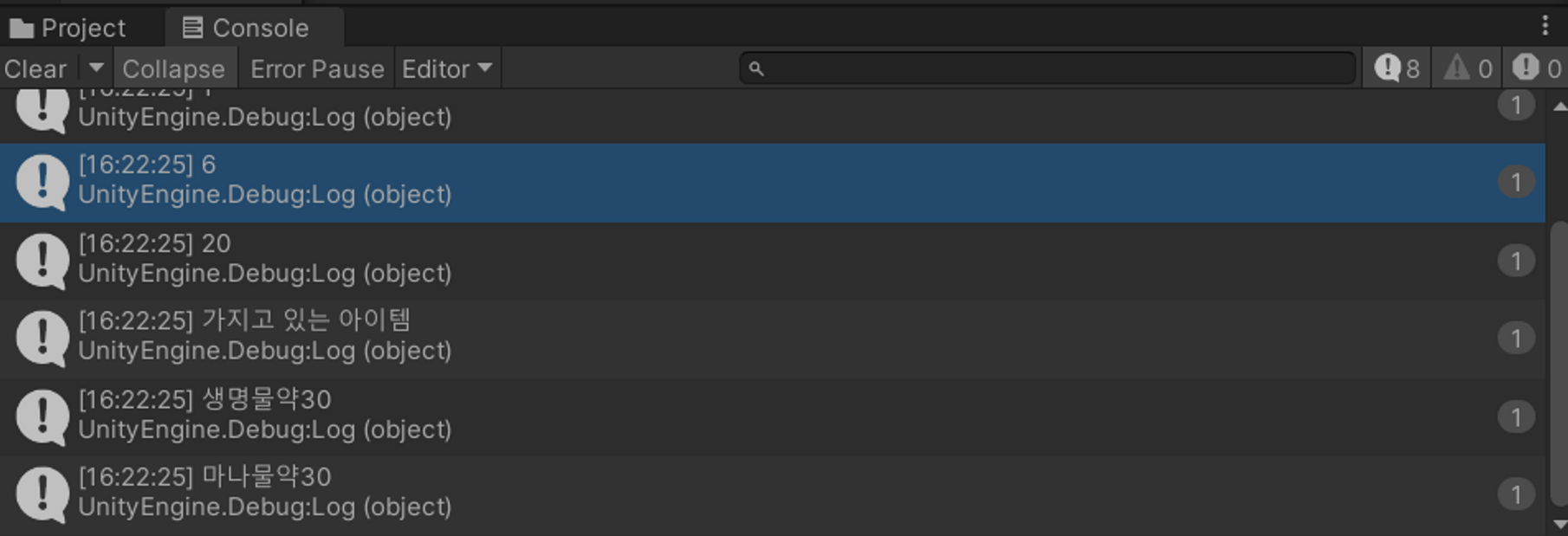
삭제
RemoveAt(0);사용
활용
List<string> items = new List<string>();
items.Add("생명물약30");
items.Add("마나물약30");

items.RemoveAt(0);

Debug.Log("가지고 있는 아이템");
Debug.Log(items[0]);
Debug.Log(items[1]);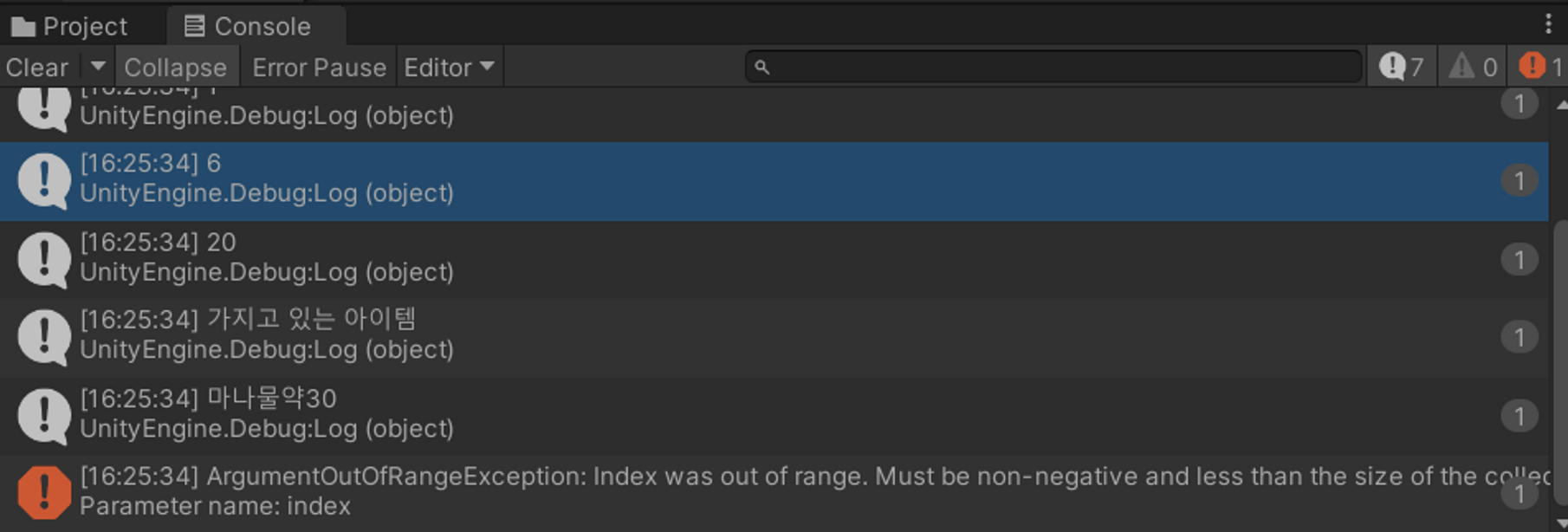
삭제된 index를 출력하려 하기 때문에 오류가 뜨게 됨
연산자
int exp = 1500;
exp = 1500 + 320;
level = exp / 300;
strength = level * 3.1f;

Debug.Log("용사의 총 경험치는?");
Debug.Log(exp);
Debug.Log("용사의 레벨은?");
Debug.Log(level);
Debug.Log("용사의 힘은?");
Debug.Log(strength);
출력 결과
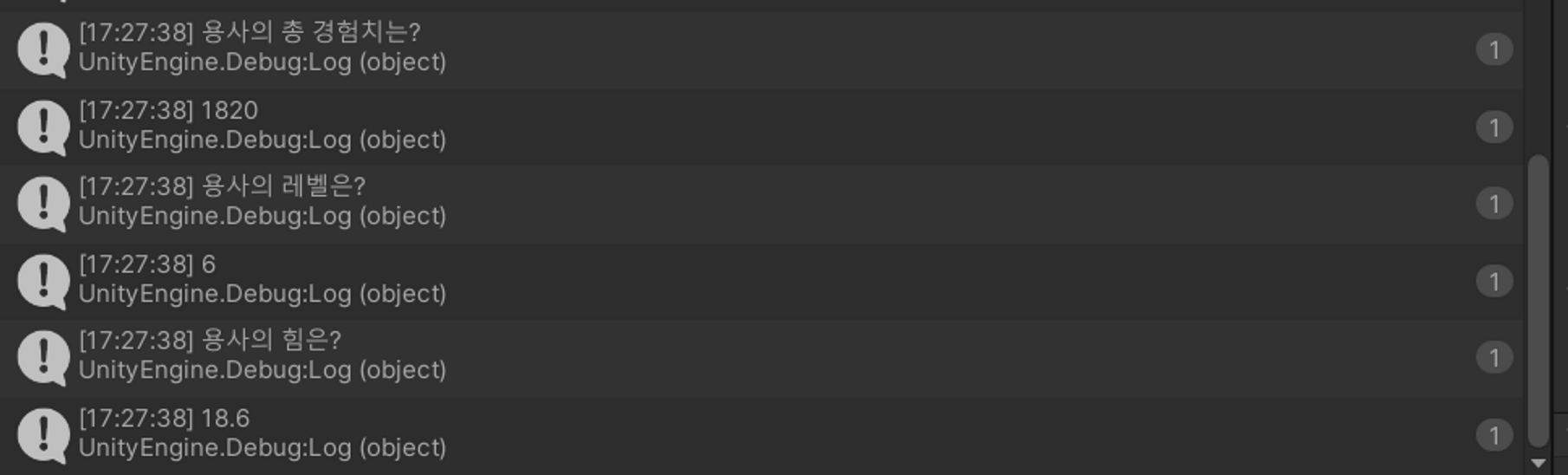
String 활용
string title = "전설의";
Debug.Log("용사의 이름은?");
Debug.Log(title + " " + Name);
출력결과

int fulllevel = 99;
isFullLevel = level == fulllevel;
Debug.Log("용사는 만렙입니까?" + isFullLevel);
출력결과

조건문
int health = 30;
int mana = 25;
bool isBadCondition = health <= 50 || mana <= 20;

string condition = isBadCondition ? "나쁨" : "좋음";

	if (condition == "나쁨")
		{
		Debug.Log("플레이어 상태가 나쁘니 아이템을 사용하세요.");
		}
	else
		{
		Debug.Log("플레이어 상태가 좋습니다.");
		}
출력결과

if (condition == "나쁨") 의 조건이 맞으면
Debug.Log("플레이어 상태가 나쁘니 아이템을 사용하세요."); 실행
그렇지 않으면 else문 실행
if(isBadCondition && items[0] == "생명물약30")
        {
            items.RemoveAt(0);
            health += 30;
            Debug.Log("생명물약30을 사용했습니다.");
        }
else if(isBadCondition && items[1] == "마나물약30")
        {
            items.RemoveAt(0);
            mana += 30;
            Debug.Log("마나물약30을 사용했습니다.");
        }
출력결과

앞의 isBadCondition이 true이고, item[0]이 생명물약이기 때문에 true이다.
그래서 첫번째 if문이 실행되고 health가 30만큼 증가한다.(true&&true)이기 때문에 실행됨
출처: 골드메탈 - 유니티 C# 프로그래밍 기초. 한방에 정리하기 [유니티 입문 강좌 B4] https://www.youtube.com/watch?v=j6XLEqgq-dE