GaussianBlur 함수 구현
import math
import numpy as np
import io
from urllib import request
import requests
from PIL import Image
import matplotlib.pyplot as plt
import cv2

def Gaussian(kernel_size, sigma) :
    x, y = np.meshgrid(np.linspace(-(kernel_size - 1) / 2., (kernel_size - 1) / 2., kernel_size), ## 임의의 커널 설정 linspace는구간 내 숫자 채우기
                       np.linspace(-(kernel_size - 1) / 2., (kernel_size - 1) / 2., kernel_size))
    kernel = 1/(2*math.pi*sigma**2) * np.exp(-(x**2 + y**2)/(2*sigma**2)) ## gaussian 공식, https://en.wikipedia.org/wiki/Gaussian_filter 참고

    return kernel / np.sum(kernel)

test_url = 'https://dimg.donga.com/wps/NEWS/IMAGE/2022/01/28/111500268.2.jpg'
image_nparray = np.asarray(bytearray(requests.get(test_url).content), dtype=np.uint8)
img = cv2.imdecode(image_nparray, cv2.IMREAD_COLOR)
img = cv2.cvtColor(img, cv2.COLOR_BGR2RGB)

kernel = Gaussian(8, 10) # kernel size, sigma을 Gaussian 함수에 입력

dst = cv2.filter2D(img, -1, kernel)
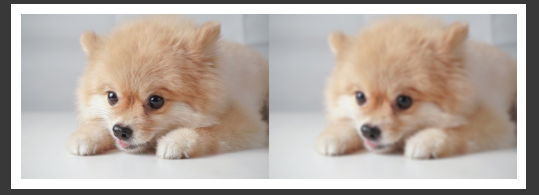
img = np.concatenate((img, dst), axis=1)
plt.imshow(img)
plt.axis('off')
plt.show()
#출력:

공부 기록