RandomCrop 함수 구현
def MyRandomCrop(img):
  height, width = img.shape[0], img.shape[1]
  pt1, pt2 = random.randint(0, height), random.randint(0, width)
  pt3, pt4 = random.randint(pt1, height), random.randint(pt2, width)
  crop_image = img[pt1:pt3, pt2:pt4]
  return crop_image

img = Image.open('/content/gdrive/MyDrive/2023_AI/Lenna.png')
np_img = np.array(img)

crop_img = MyRandomCrop(np_img)
##resized_img = cv2.resize(crop_img, (512, 512))
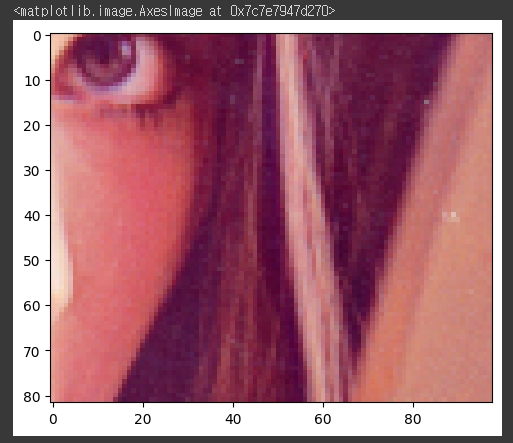
plt.imshow(crop_img)
## plt.imshow(resized_img)
#결과:
정답
## 코드 작성
import random
from PIL import Image

def RandomCrop(img, crop_size):
    img_w, img_h = img.shape[0], img.shape[1]

    crop_w, crop_h = min(crop_size[0], img_w), min(crop_size[1], img_h)

    if img_w == crop_w and img_h == crop_h:
        return img

    left = random.randint(0, img_w - crop_w)
    top = random.randint(0, img_h - crop_h)
    img = img[left:left+crop_w, top:top+crop_h, :] #자르려는 시작 구간~crop size만큼 numpy array slicing (x축, y축)

    return img

test_url = 'https://dimg.donga.com/wps/NEWS/IMAGE/2022/01/28/111500268.2.jpg'
image_nparray = np.asarray(bytearray(requests.get(test_url).content), dtype=np.uint8)
img = cv2.imdecode(image_nparray, cv2.IMREAD_COLOR)
img = cv2.cvtColor(img, cv2.COLOR_BGR2RGB)

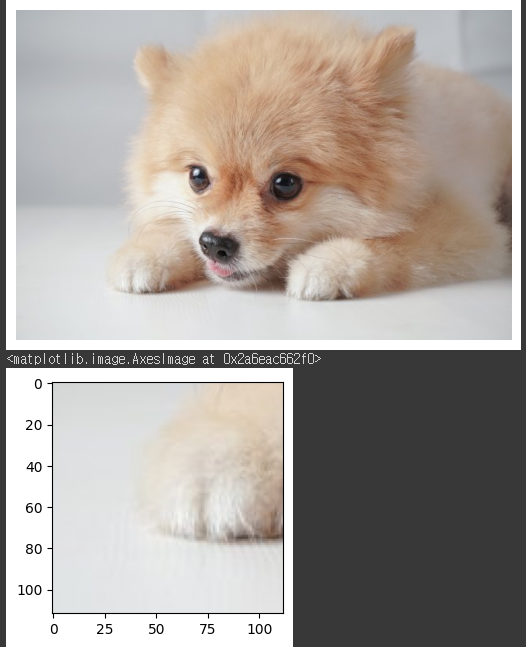
RandomCrop_img = RandomCrop(img.copy(), (112, 112))
plt.imshow(img)
plt.axis('off')
plt.show()

plt.figure(figsize=(3, 3))
plt.imshow(RandomCrop_img)
#결과

공부 기록