폴더경로 설정
workspace_path = '/content/gdrive/MyDrive/2023_AI/'필요 패키지 로드
!apt install -y tesseract-ocr!pip install pytesseractimport os
import io
import cv2
import numpy as np
import pytesseract
from PIL import Image
from urllib import request
from google.colab.patches import cv2_imshow숫자 인식
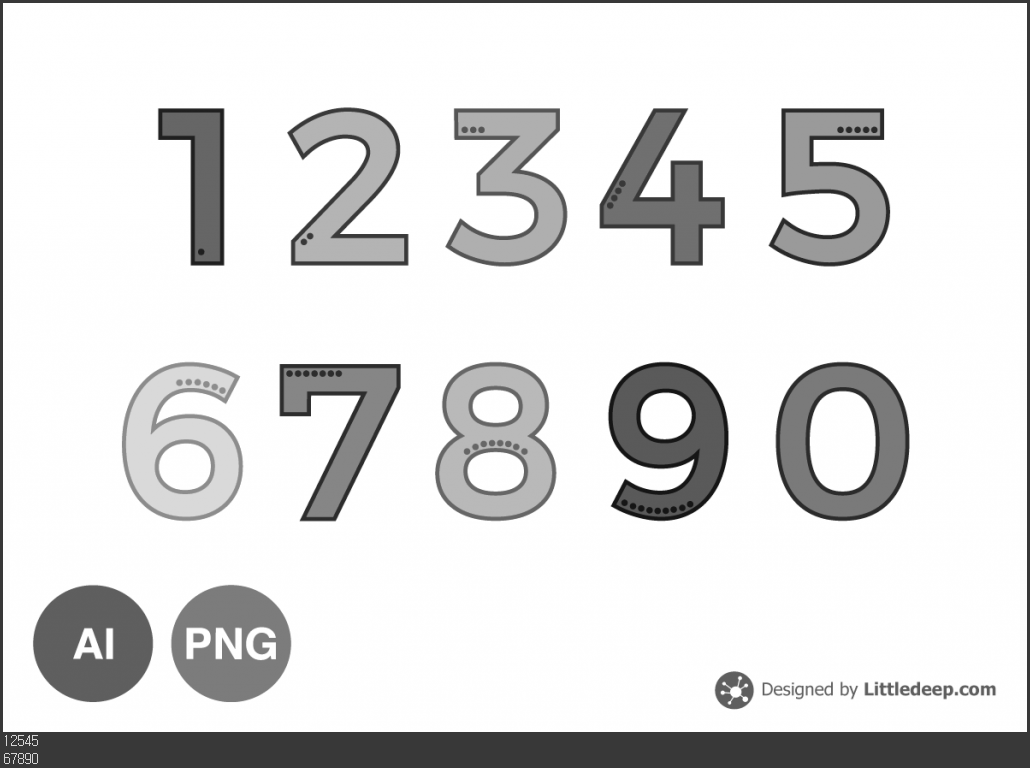
# 이미지 다운로드
url = "https://littledeep.com/wp-content/uploads/2020/04/number_illustration_main-1024x729.png"
res = request.urlopen(url).read()
img = Image.open(io.BytesIO(res))

## PIL의 결과 : 이미지 오브젝트, cv2의 결과 : 넘파이

# 이미지를 NumPy 배열로 변환
img_array = np.array(img)

# 이미지를 그레이스케일로 변환
gray = cv2.cvtColor(img_array, cv2.COLOR_BGR2GRAY)

# 그레이스케일 이미지 저장
filename = "image.png"
cv2.imwrite(filename, gray) ## 정해진 이름으로 넘파이 저장

# 이미지에서 텍스트 추출
text = pytesseract.image_to_string(Image.open(filename), lang=None)  # None은 숫자 설정
os.remove(filename) ## 이미지 삭제

# 이미지 표시
cv2_imshow(gray)  ##plt추천

# 결과 표시
print(text)
#결과 : 영어는 인식하지 못하고 숫자만 인식함
영어인식
필요 패키기 다운
!tesseract --list-langs영어인식
# 이미지 다운로드
url = "https://blog.amazingtalker.com/wp-content/uploads/2022/07/%EB%AA%85%EC%96%B84-1024x1024.png"
res = request.urlopen(url).read()
img = Image.open(io.BytesIO(res))

# 이미지를 NumPy 배열로 변환
img_array = np.array(img)

# 이미지를 그레이스케일로 변환
gray = cv2.cvtColor(img_array, cv2.COLOR_BGR2GRAY)

# 그레이스케일 이미지 저장
filename = "image.png"
cv2.imwrite(filename, gray)

# 이미지에서 텍스트 추출
text = pytesseract.image_to_string(Image.open(filename), lang='eng')  # 'eng'은 영어 언어 설정
os.remove(filename)

# 이미지 표시
cv2_imshow(gray)

# 결과 표시
print(text)
#결과 : 한글을 인식하지 못 함
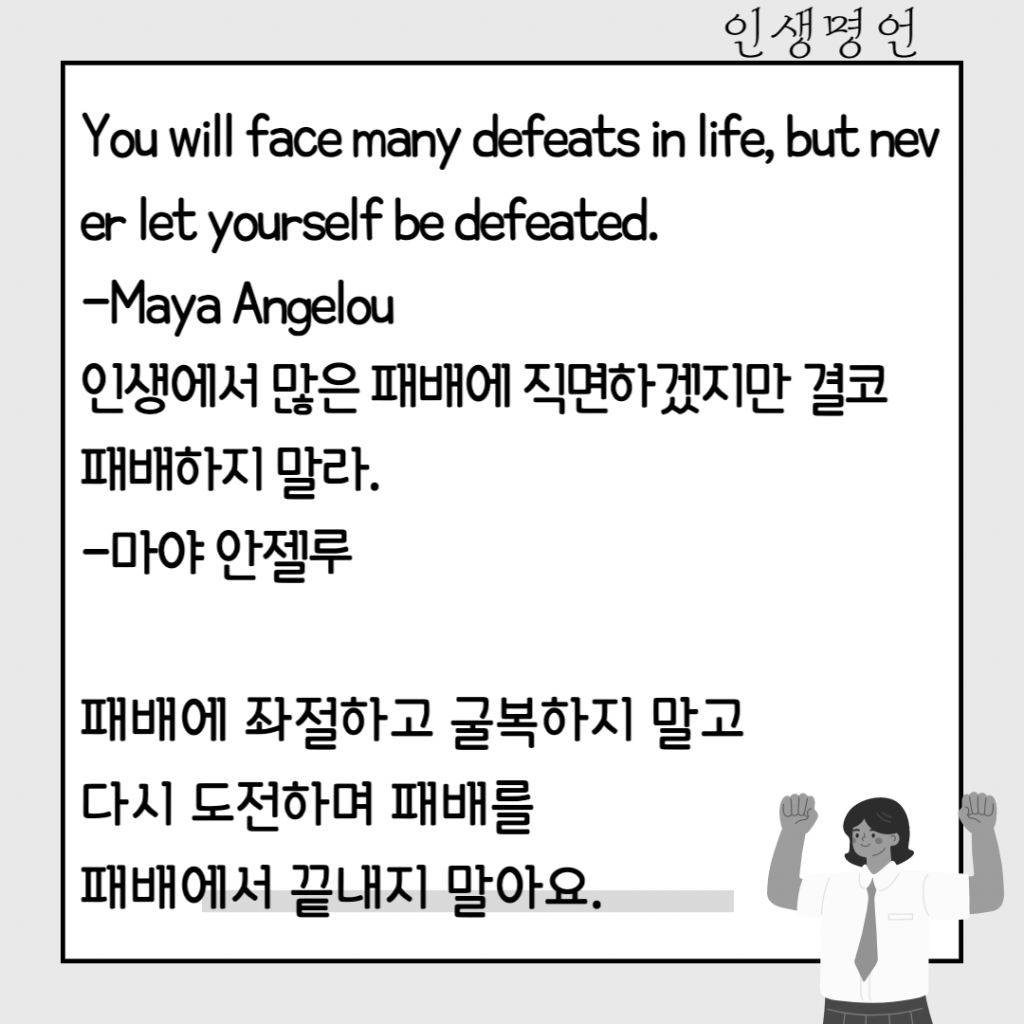
You will face many defeats in life, but nev
er let yourself be defeated.
—Maya Angelou
QIAROAT OFS THYHON AKOTA]
THAHOTA] Bet.
—O}0f OFal
THRO AHO}D BHAI
CHA] SOMA THURS
THUHOAT BLA Bore,
한글인식
필요 패키기 다운
!apt-get install tesseract-ocr-kor!tesseract --list-langs한글인식
# 이미지 다운로드
url = "https://blog.amazingtalker.com/wp-content/uploads/2022/07/%EB%AA%85%EC%96%B84-1024x1024.png"
res = request.urlopen(url).read()
img = Image.open(io.BytesIO(res))

# 이미지를 NumPy 배열로 변환
img_array = np.array(img)

# 이미지를 그레이스케일로 변환
gray = cv2.cvtColor(img_array, cv2.COLOR_BGR2GRAY)

# 그레이스케일 이미지 저장 []]
filename = "image.png"
cv2.imwrite(filename, gray)

# 이미지에서 텍스트 추출
text = pytesseract.image_to_string(Image.open(filename), lang='kor')  # 'kor'은 영어 언어 설정
os.remove(filename)

# 이미지 표시
cv2_imshow(gray)

# 결과 표시
print(text)
#결과 : 한글만 인식
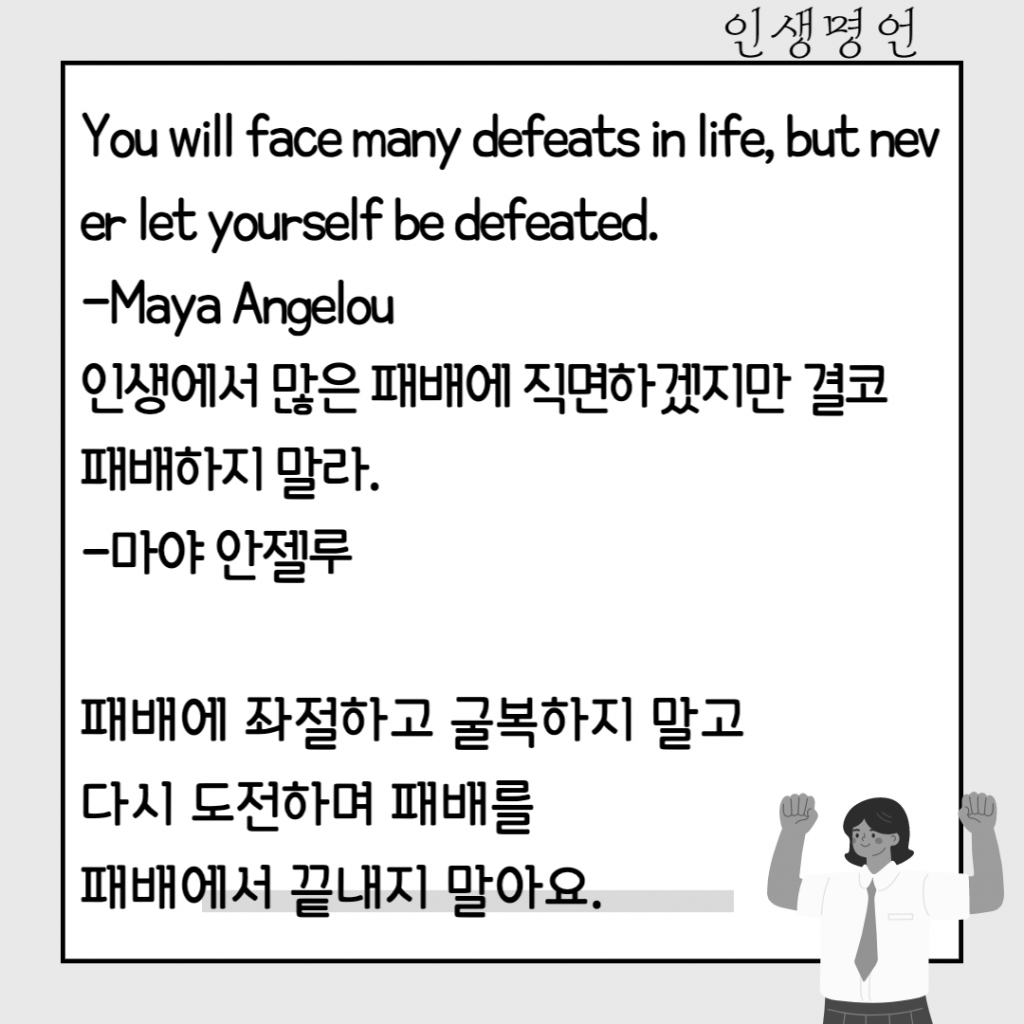
041\11[30610877 00086 1716 6나0600
아 1 /0나681 66 0000[600.
133 1798104
인생에서 많은 패배에 식면하겠지
패배하지 말라.
-마야 안셀루
패배에 좌절하고 굴복하지
다시 도전하며 패배를
패배에서 끝내지 말아요.
한글 + 영어 인식
# 이미지 다운로드
url = "https://blog.amazingtalker.com/wp-content/uploads/2022/07/%EB%AA%85%EC%96%B84-1024x1024.png"
res = request.urlopen(url).read()
img = Image.open(io.BytesIO(res))

# 이미지를 NumPy 배열로 변환
img_array = np.array(img)

# 이미지를 그레이스케일로 변환
gray = cv2.cvtColor(img_array, cv2.COLOR_BGR2GRAY)

# 그레이스케일 이미지 저장 []]
filename = "image.png"
cv2.imwrite(filename, gray)

# 이미지에서 텍스트 추출
text = pytesseract.image_to_string(Image.open(filename), lang='kor+eng')
os.remove(filename)

# 이미지 표시
cv2_imshow(gray)

# 결과 표시
print(text)
#결과 : 한글과 영어 둘 다 인식
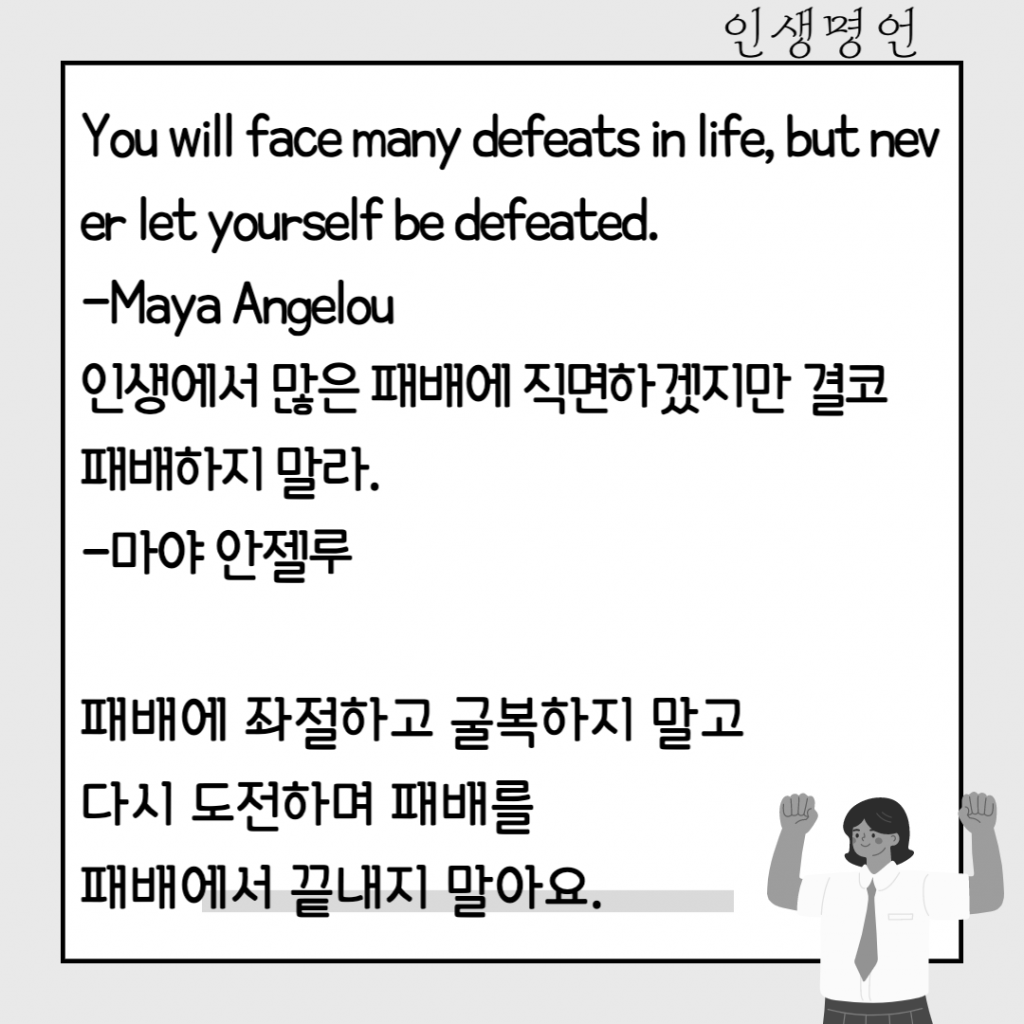
You will face many defeats in life, but nev
er let yourself be defeated.
—Maya Angelou
인생에서 많은 패배에 식면하겠지
패배하지 말라.
-마야 안셀루
패배에 좌절하고 굴복하지
다시 도전하며 패배를
패배에서 끝내지 말아요.

공부 기록