1) Crawling에 필요한 라이브러리 다운로드
pip3 install requests beautifulsoup4 pandas pyarrow hdfs
2) 크롤링 파일 (movie_crawling.py) 생성
cd /home/ubuntu/src
vim movie_crawling.py
import sys
sys.path.append( '/home/ubuntu/.local/lib/python3.8/site-packages')
import requests
from bs4 import BeautifulSoup as bs
import pandas as pd
from hdfs import InsecureClient
def do_crawling(url):
header = {
"user-agent": 'Mozilla/5.0 (Windows NT 10.0; Win64; x64) AppleWebKit/537.36 (KHTML, like Gecko) Chrome/126.0.0.0 Safari/537.36',
"referer": "https://www.google.com/"
}
response = requests.get(url, headers=header)
response.raise_for_status()
return response
def get_titles(response):
soup = bs(response.text, "html.parser")
html_titles = soup.find_all('a', class_='title')
return [ title.text for title in html_titles ]
def main(guest_ip, review_url, localpath, hdfspath):
response = do_crawling(review_url)
review_titles = get_titles(response)
with open(localpath, "w", encoding='utf8') as file:
file.writelines(review_titles)
hdfs_ip = "http://{guest_ip}:50070".format(guest_ip=guest_ip)
client_hdfs = InsecureClient(hdfs_ip, user='ubuntu')
client_hdfs.upload(hdfspath, localpath)
if __name__ == "__main__":
guest_ip = '10.0.2.xx'
review_url = "https://www.imdb.com/title/tt0111161/reviews/?ref_=tt_ov_rt"
hdfspath = '/crawling/input/review_titles.txt'
localpath = '/home/ubuntu/data/review_titles.txt'
main(guest_ip, review_url, localpath, hdfspath)
sudo chmod 777 movie_crawling.py

3) movie_crawling.py 실행
hdfs dfs -mkdir -p /crawling/input
python3 ~/src/movie_crawling.py
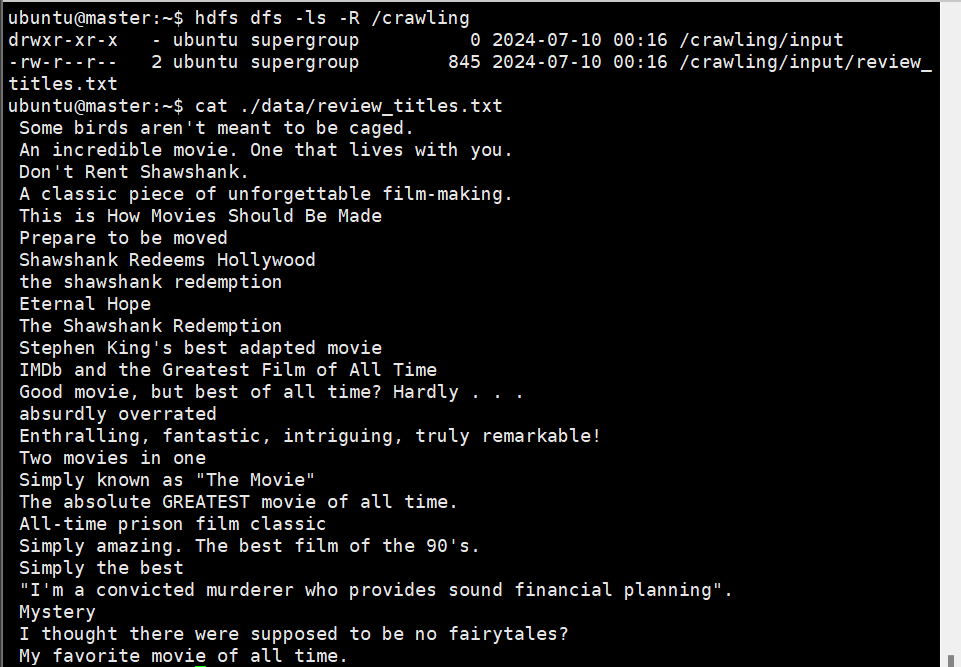
hdfs dfs -ls -R /crawling

cat ~/data/review_titles.txt
4) Hadoop Wordcount 실행
hadoop jar $HADOOP_HOME/share/hadoop/tools/lib/hadoop-streaming-3.3.0.jar \
-files '/home/ubuntu/src/wordcount_mapper.py,/home/ubuntu/src/wordcount_reducer.py' \
-mapper 'python3 wordcount_mapper.py' \
-reducer 'python3 wordcount_reducer.py' \
-input /crawling/input/* \
-output /crawling/output
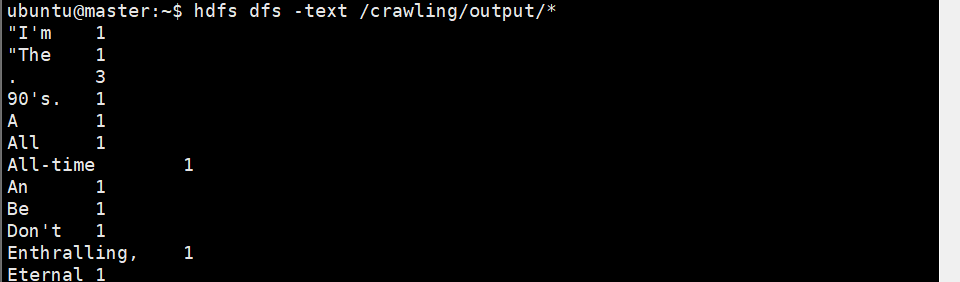
hdfs dfs -text /crawling/output/*
5) Web UI 확인
http://127.0.0.1:8088/

