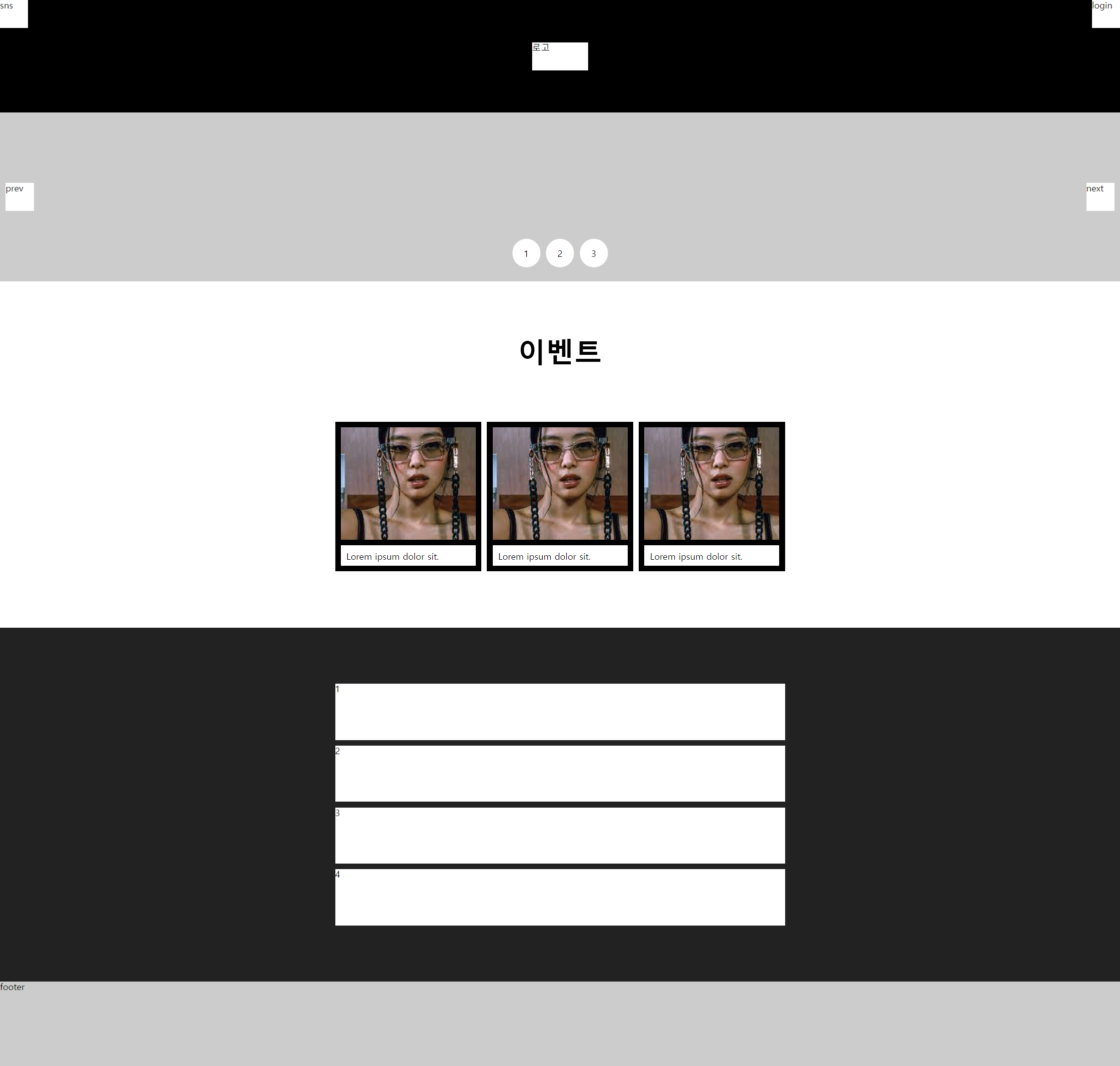
수업 2주차 grid 와 flex 로 시안 따라 만들기
첫번째 'flex & grid' 로 구현하기
<!DOCTYPE html>
<html lang="en">
<head>
  <meta charset="UTF-8">
  <meta http-equiv="X-UA-Compatible" content="IE=edge">
  <meta name="viewport" content="width=device-width, initial-scale=1.0">
  <title>Document</title>
  <link rel="stylesheet" href="./reset.css">
</head>
<style>
  header{
    position: relative;
    height: 200px;
    background: #000;
  }
  header h1{
    position: absolute;
    top: 50%;left: 50%;
    transform: translate(-50%, -50%);
    width: 100px;
    height: 50px;
    background: #fff;
  }
  header a{
    display: block;
    height: 100%;
  }
  header div{width: 50px;height: 50px;background: #fff;}
  header .sns{float: left;}
  header .login{float: right;}
  main{
    margin: 0 auto;
  }

  .box1{
    position: relative;
    width: 100%;
    height: 300px;
    background: #ccc;
  }
  .box1 .btn{
    position: absolute;
    top: 50%;
    transform: translateY(-50%);
  }
  .box1 .prev{
    left: 10px;
    width: 50px;
    height: 50px;
    background: #fff;
  }
  .box1 .next{
    right: 10px;
    width: 50px;
    height: 50px;
    background: #fff;
  }
  .box1 .pagination{
    display: flex;
    gap: 10px;
    position: absolute;
    left: 50%;
    bottom: 0;
    transform: translate(-50%, -50%);
  }
  .box1 .pagination span{
    flex: 1;
    background: #fff;
    width: 50px;
    height: 50px;
    border-radius: 50%;
    text-align: center;
    line-height: 50px;
  }

  .box2{
    width: 800px;
    margin: 0 auto;
  }

  .box2 h2{
    font-size: 50px;
    font-weight: bold;
    padding: 100px 0;
    text-align: center;
  }
  .box2 ul{
    display: flex;
    gap: 10px;
  }
  .box2 ul li{
    flex: 1;
  }
  .box2 ul a{
    display: block;
    background: #000;
    padding: 10px;

  }
  .box2 ul img{
    height: 200px;
    width: 100%;
    object-fit: cover;
  }
  .box2 ul p{
    padding: 10px;
    margin-top: 10px;
    background: #fff;
  }

</style>
<body>
  <header>
    <h1><a href="">로고</a></h1>
    <div class="sns"><a href="">sns</a></div>
    <div class="login"><a href="">login</a></div>
  </header>
  <section class="box1">
    <a href="" class="btn prev">prev</a>
    <a href="" class="btn next">next</a>
    <div class="pagination">
      <span>1</span>
      <span>2</span>
      <span>3</span>
    </div>
  </section>
  <main>
    <section class="box2">
      <h2>이벤트</h2>
      <ul>
        <li>
          <a href="">
            <img src="./img1.jpg" alt="">
            <p>Lorem ipsum dolor sit.</p>
          </a>
        </li>
        <li>
          <a href="">
            <img src="./img1.jpg" alt="">
            <p>Lorem ipsum dolor sit.</p>
          </a>
        </li>
        <li>
          <a href="">
            <img src="./img1.jpg" alt="">
            <p>Lorem ipsum dolor sit.</p>
          </a>
        </li>
      </ul>
    </section>

    <style>
      .box3{
        margin-top: 100px;
        padding: 100px 0;
        background: #222;
      }
      .box3 ul{
        width: 800px;
        margin: 0 auto;
        display: flex;
        flex-direction: column;
        gap: 10px;
      }
      .box3 ul li{
        height: 100px;
        background: #fff
      }
    </style>

    <section class="box3">
      <ul>
        <li>1</li>
        <li>2</li>
        <li>3</li>
        <li>4</li>
      </ul>
    </section>
  </main>
</body>
</html>
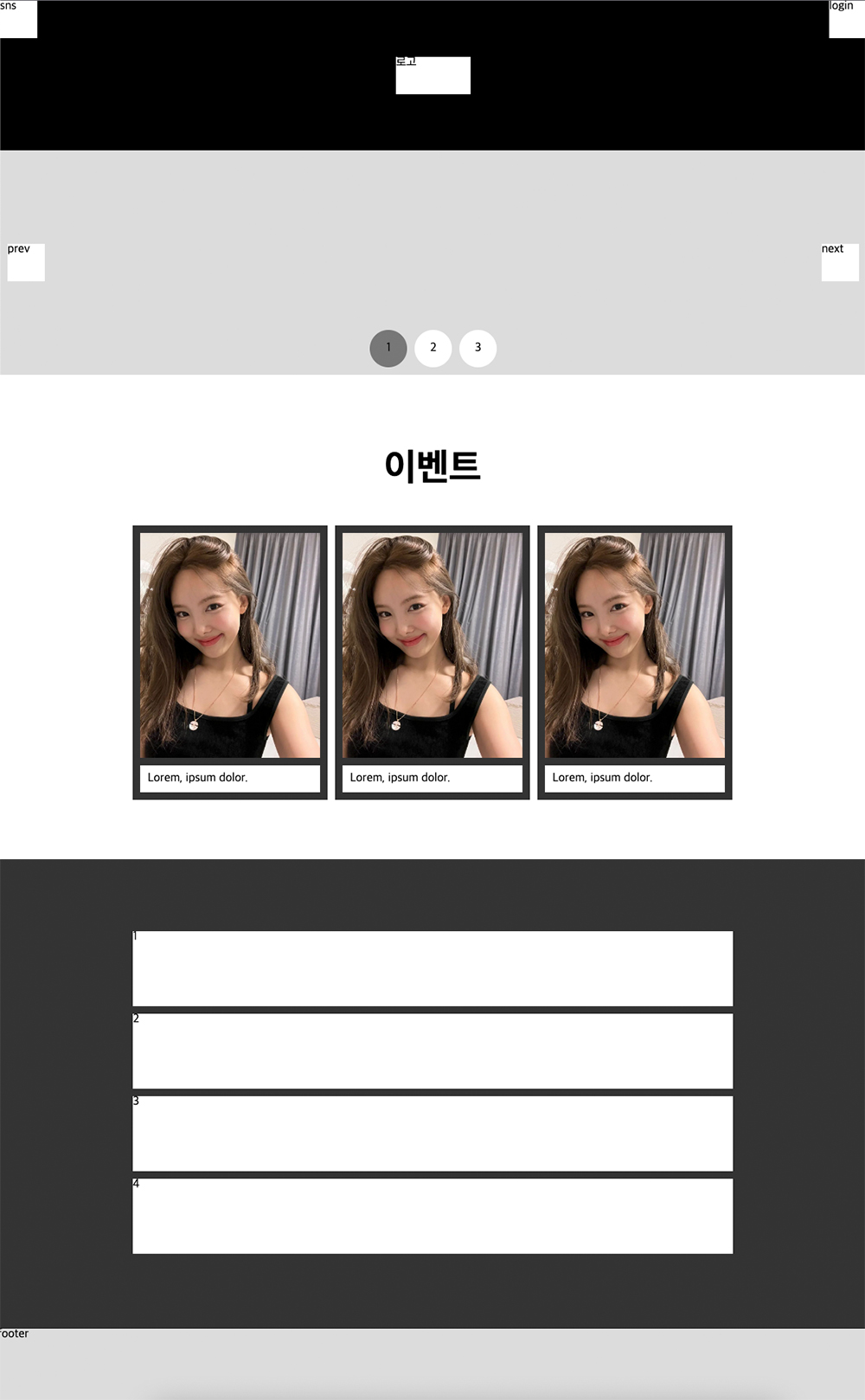
최종 결과물