데이터 불러오기
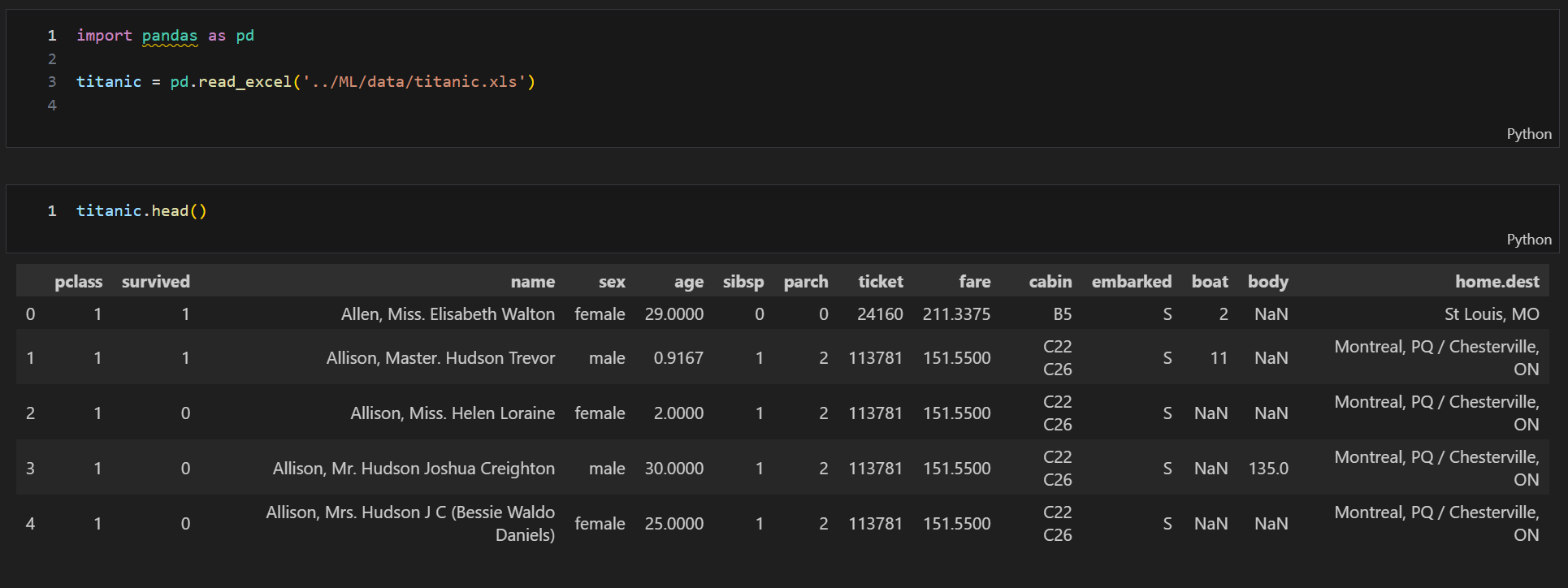
데이터 EDA
- 생존률과 생존자 시각화
import matplotlib.pyplot as plt
import seaborn as sns

# f : fig(그림), ax : axis(열) 변수로 subplots에서 반환
f, ax = plt.subplots(1, 2, figsize = (18, 8))
            # subplots(?, ?) : 한 그림판에 ?행, ?열의 그림을 넣겠다

titanic['survived'].value_counts().plot.pie(explode = [0, 0.05],
                                            # explode = [?, ?] : 파이 조각들을 경계선으로 떨어트려라
                                            # ? : 각각의 조각들이 얼만큼 떨어질건지의 거리 설정
                                            autopct = '%1.1f%%',
                                            # autopct = : 파이 면적 안에 숫자(비율)를 입력해줘라
                                            ax=ax[0],
                                            # ax[0] : 0번째 열에 그리겠다
                                            shadow = True)
                                            # shadow = True : 파이그래프에 약간의 음영을 넣어줘라

ax[0].set_title('Pie plot_Survived')
ax[0].set_label('')

sns.countplot(x='survived', data=titanic, ax=ax[1])
ax[1].set_title('Count plot_Survived')

plt.show()
- 성별에 따른 생존 상황 확인
- 그래프 확인 시 남성의 생존 가능성이 더 낮다
f, ax = plt.subplots(1, 2, figsize = (18, 8))

sns.countplot(x='sex', data=titanic, ax=ax[0])
ax[0].set_title('Count of passenger of sex')
ax[0].set_label('')

sns.countplot(x='sex', hue='survived', data=titanic, ax=ax[1])
ax[1].set_title('Sex : Survived and Unsurvived')

plt.show()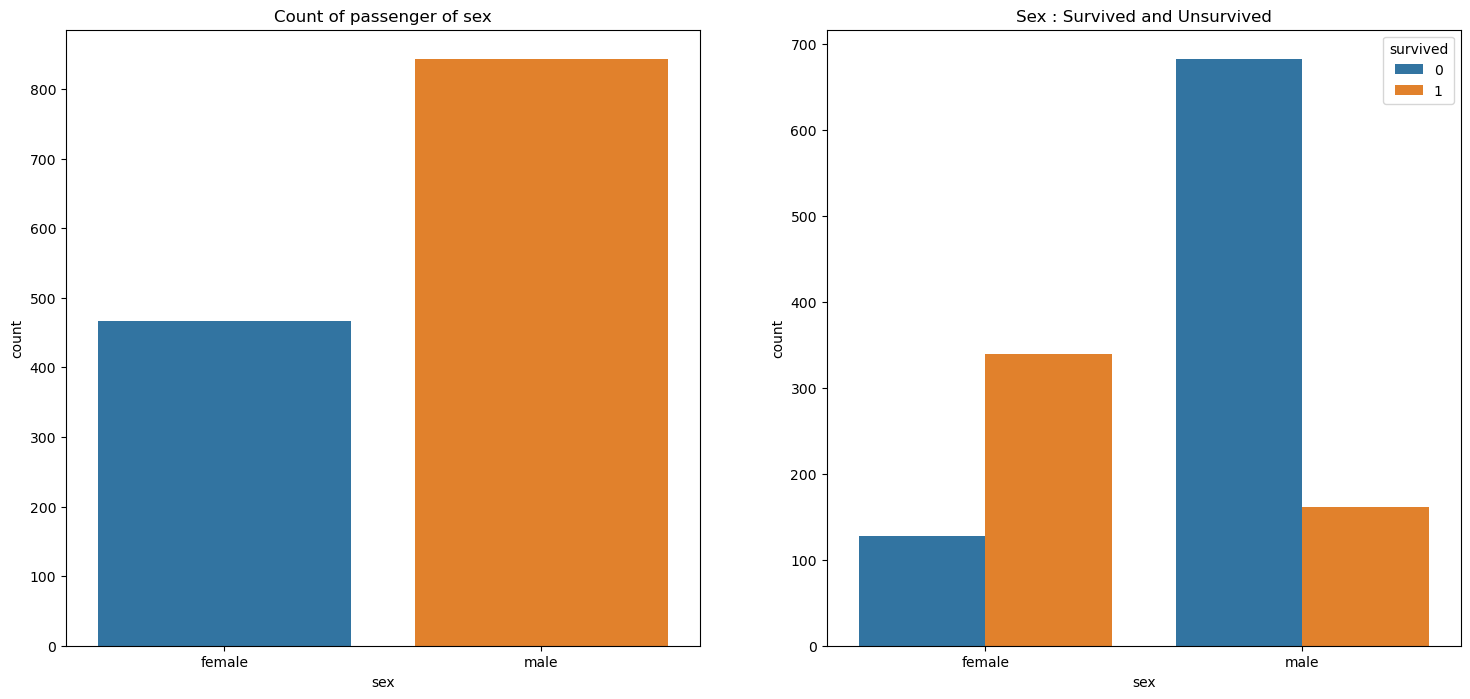
- 경제력 대비 생존율 확인 및 선실 등급별 성별 시각화
pd.crosstab(titanic['pclass'], titanic['survived'], margins=True)
# crosstab : titanic['survived'] 종류별로 나누어 컬럼 설정 후 설정된 컬럼에 따라 titanic['pclass'] 인덱스 지정
# margins=True : 마지막에 합계 설정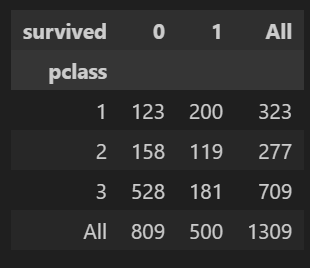
- 3등실에 20대 남성이 많다
grid = sns.FacetGrid(titanic, row='pclass', col='sex', height=4, aspect=2)
grid.map(plt.hist, 'age', alpha = 0.8, bins = 20)
grid.add_legend()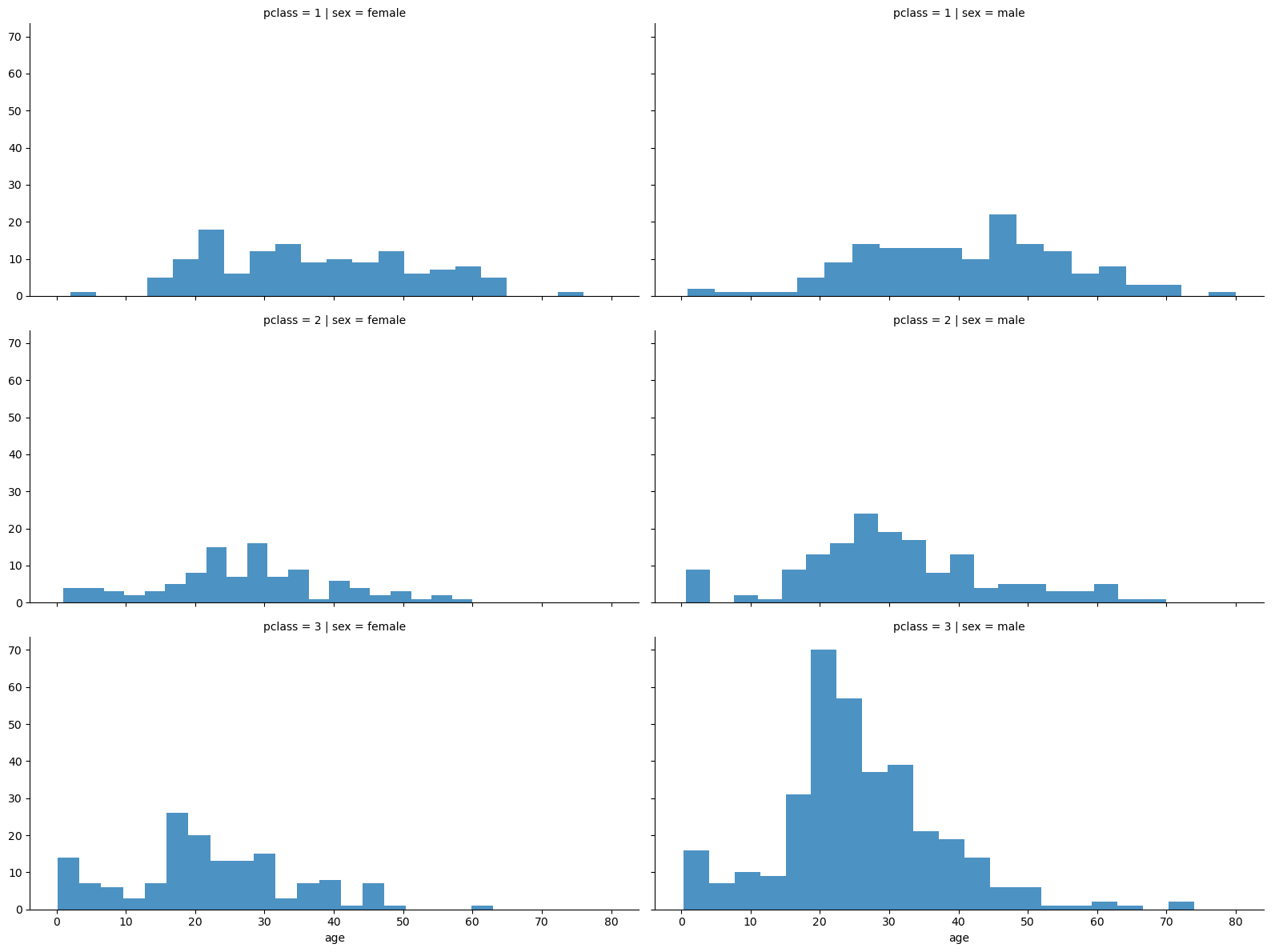
- 나이별 승객 현황
-아이들과 20~30대가 많다
import plotly.express as px

fig = px.histogram(titanic, x='age')
fig.show()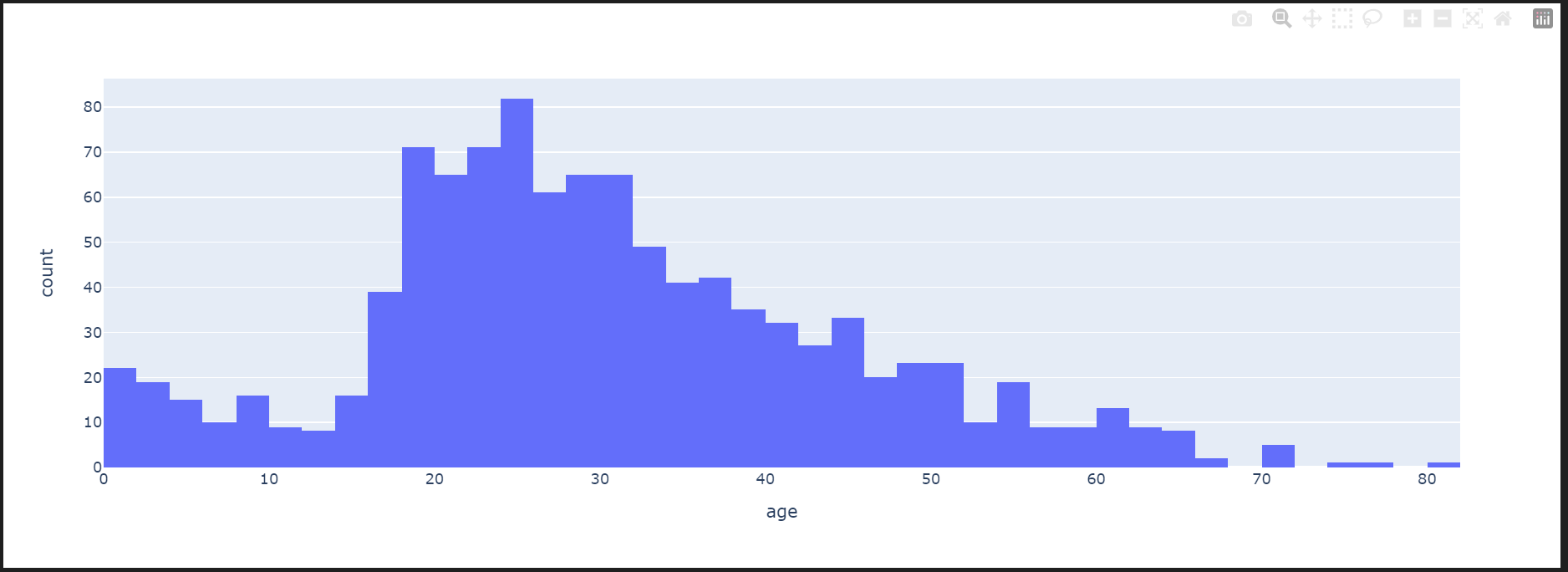
- 등실별 생존률에 따른 연령 분포
- 선실등급이 높으면 생존률도 높다
grid = sns.FacetGrid(titanic, col='survived', row='pclass', height=4, aspect=2)
grid.map(plt.hist, 'age', alpha = 0.5, bins = 20)
grid.add_legend()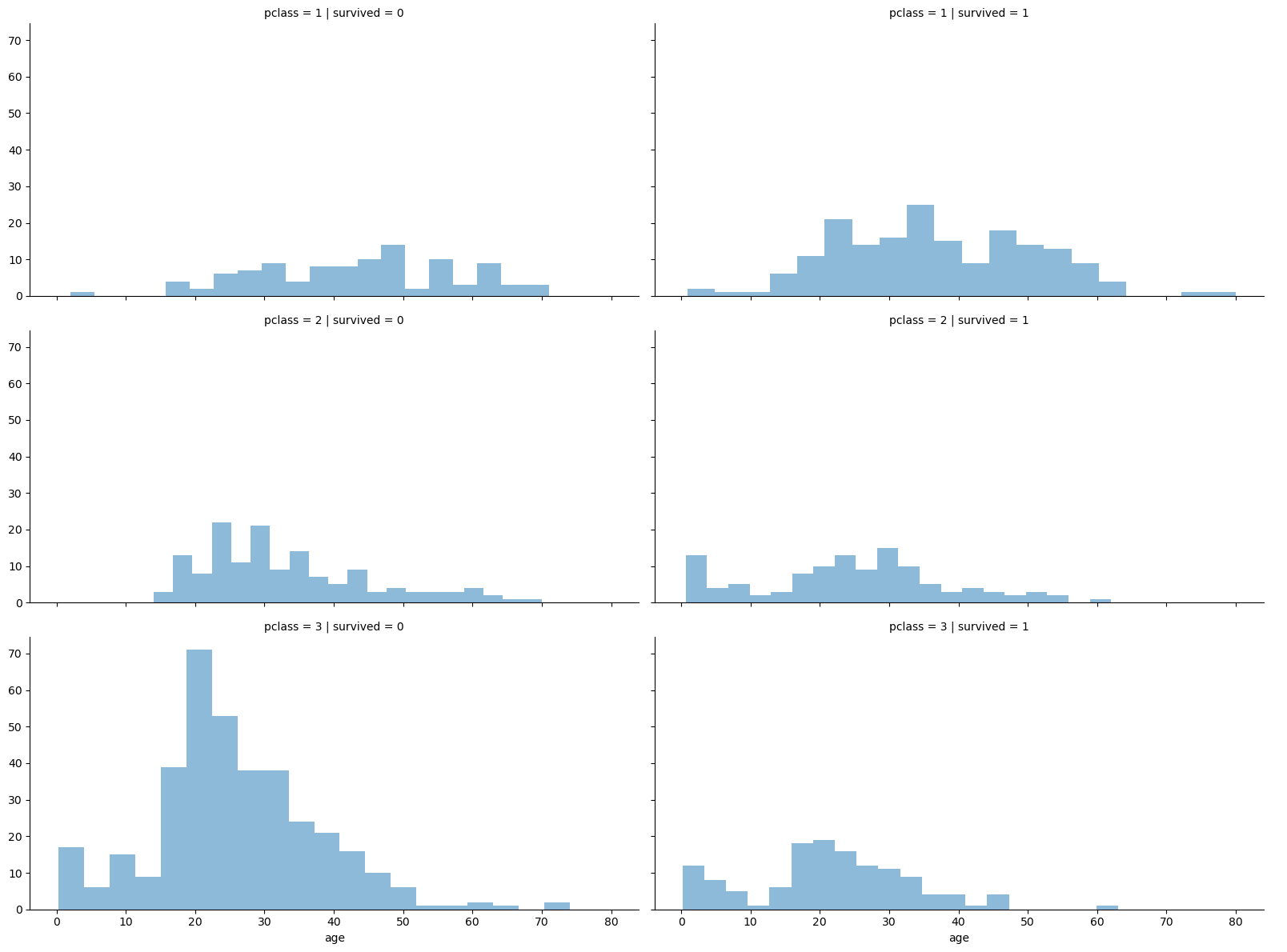
- 나이를 단계별로 정리 및 시각화
# pd.cut : 'bins = []'로 데이터를 나눌 범위를 설정한 후 'labels = []'의 형태로 어떤 컬럼에서 값들을 지정

titanic['age_cat'] = pd.cut(titanic['age'], bins=[0, 7, 15, 30, 60, 100],
                          include_lowest=True,
                          labels=['baby', 'teen', 'young', 'adult', 'old'])
titanic.head()
plt.figure(figsize=(12, 4))
plt.subplot(131)
sns.barplot(x='pclass', y='survived', data=titanic)
plt.subplot(132)
sns.barplot(x='age_cat', y='survived', data=titanic)
plt.subplot(133)
sns.barplot(x='sex', y='survived', data=titanic)
# plt.subplots_adjust(top=1, bottom=0.1, left=0.1, right=0.1, hspace=0.5, wspace=0.5)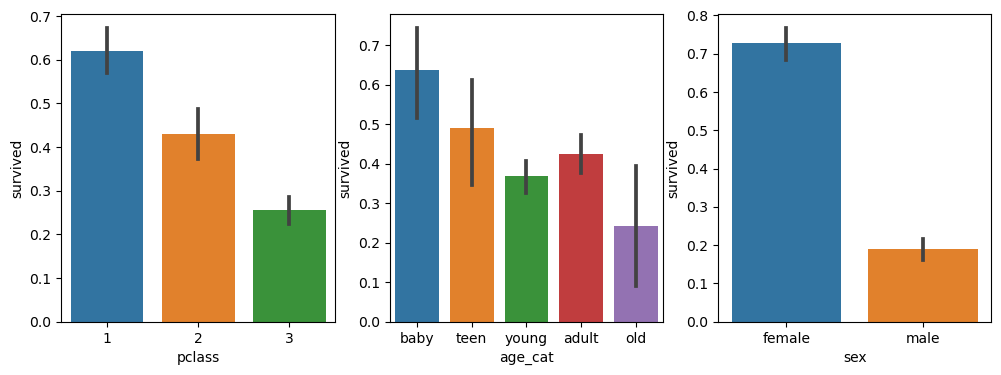
- 사회적 신분을 요약하여 생존자 확인
import re

for idx, dataset in titanic.iterrows():
    tmp = dataset['name']
    print(re.search('\,\s\w+(\s\w+)?\.', tmp).group())
    # \, (콤마로 시직을하고), \s(한 칸을 비우고), \w+(많은 글자들이 나오다가),
# (\s\w+)? (다시 한칸을 비우고 많은 글자가 나오다가 여러 단어가 추가로 나오다가), \. (점으로 끝나는) 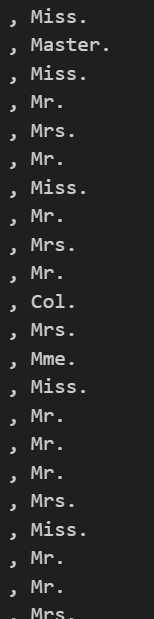
titanic['title'].unique()

# 사회적 신분 정리

titanic['title'] = titanic['title'].replace('Ms', 'Miss') # .replace(현재단어, 바꿀단어)
titanic['title'] = titanic['title'].replace('Mlle', 'Miss')
titanic['title'] = titanic['title'].replace('Mme', 'Mrs')

Rare_f = ['Dona', 'Dr', 'Lady', 'the Countess']
Rare_m = ['Capt', 'Col', 'Don', 'Major', 'Rev', 'Sir', 'Jonkheer', 'Master']

for i in Rare_f:
    titanic['title'] = titanic['title'].replace(i, 'Rare_f')

for i in Rare_m:
    titanic['title'] = titanic['title'].replace(i, 'Rare_m')

titanic['title'].unique()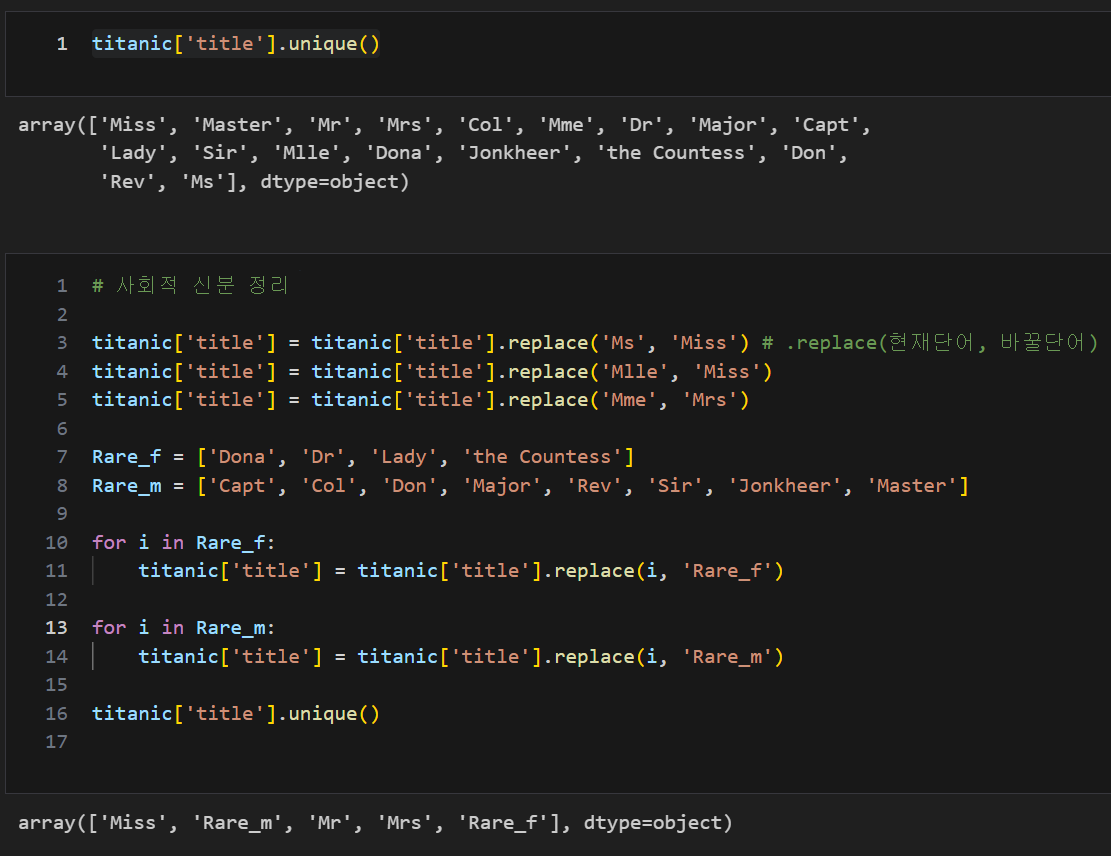
titanic[['title', 'survived']].groupby(['title'], as_index=False).mean()

# .groupby([컬럼], as_index=False).agg
# .groupby()에서 정의한 컬럼 조건에 따라 데이터 혹은 데이터프레임을 각각의 그룹으로 나눈 후
# 각 그룹에 통계함수를 적용하여 다시 하나의 테이블로 합쳐주는 메써드
# as_index= : 그룹화할 내용을 인덱스로 지정할지 여부입니다. False이면 기존 인덱스가 유지됩니다.
# agg(=통계함수) : (ex. mean(평균), sum(합계)..)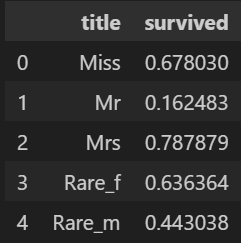
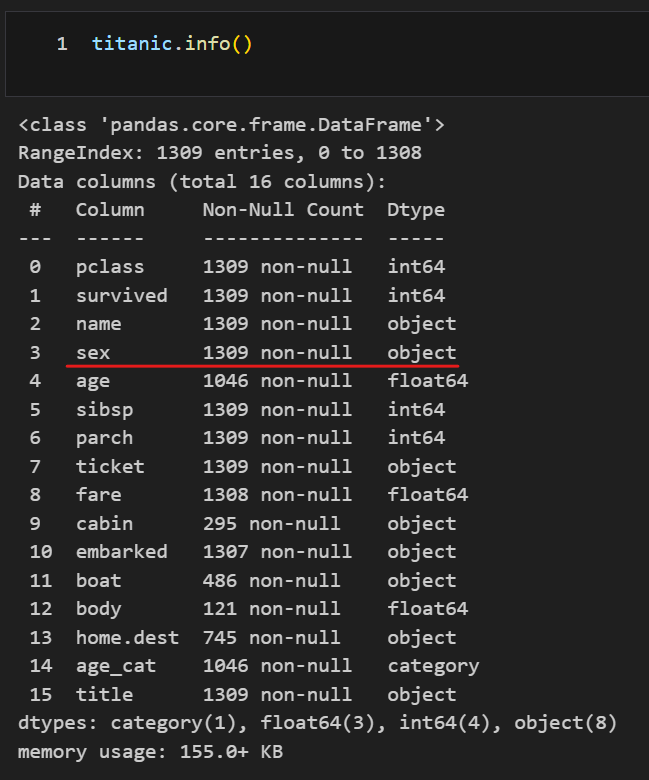
머신러닝 생존자 예측을 위한 구조확인
LabelEncoder을 통한 gender 구분
from sklearn.preprocessing import LabelEncoder

le = LabelEncoder()
le.fit(titanic['sex'])
titanic['gender'] = le.transform(titanic['sex'])
titanic.head()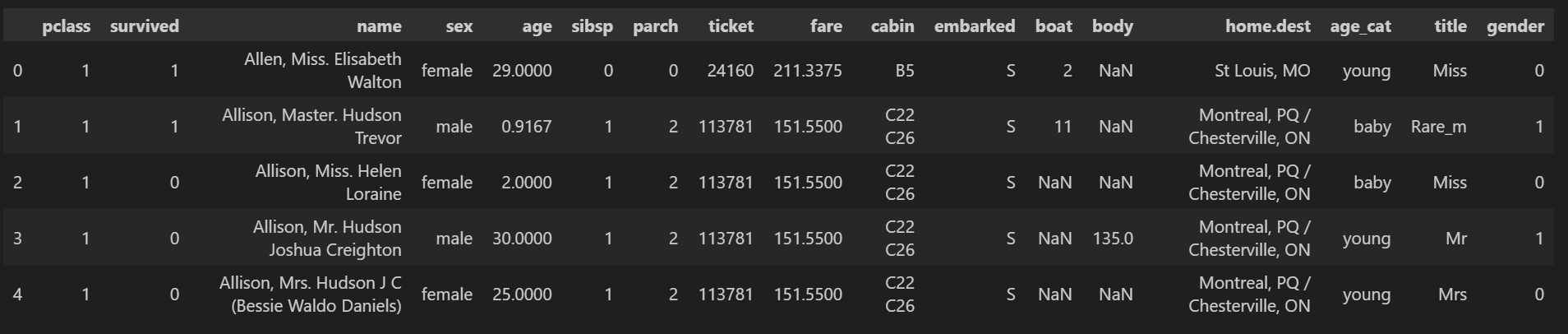
결측치 삭제 및 상관관계 확인
titanic.isnull().sum()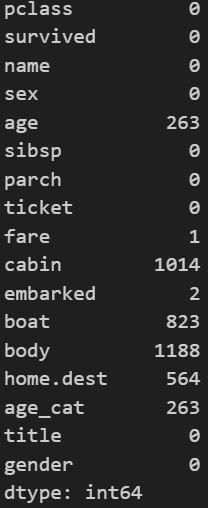
titanic = titanic[titanic['age'].notnull()]
titanic = titanic[titanic['fare'].notnull()]

titanic.isnull().sum()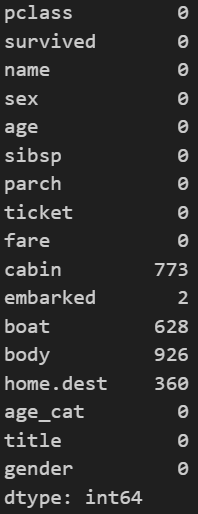
correlation_matrix = titanic.corr(numeric_only=True).round(1)
# df.corr() : df의 상관관계를 보겠다는 메써드, numeric_only=True : 오직 숫자데이터들만의 상관계수를 보겠다는 설정
sns.heatmap(data = correlation_matrix, annot=True, cmap='bwr')
특성 선택 및 데이터 분할
- 선택할 특성은 'pclass', 'age', 'sibsp(함께 탑승한 형제 또는 배우자 수)', 'parch'(함께 탑승한 부모 또는 자녀 수), 'fare(티켓비용)', 'gender'
from sklearn.model_selection import train_test_split

X = titanic[['pclass', 'age', 'sibsp', 'parch', 'fare', 'gender']]
y = titanic['survived']

X_train, X_test, y_train, y_test = train_test_split(X, y, test_size=0.2, random_state=13)
DecisionTree 학습 미 예상 데이터(디카프리오, 윈슬릿)로 생존 예측
from sklearn.tree import DecisionTreeClassifier
from sklearn.metrics import accuracy_score

dt = DecisionTreeClassifier(max_depth=4, random_state=13)
dt.fit(X_train, y_train)

pred = dt.predict(X_test)
print(accuracy_score(y_test, pred))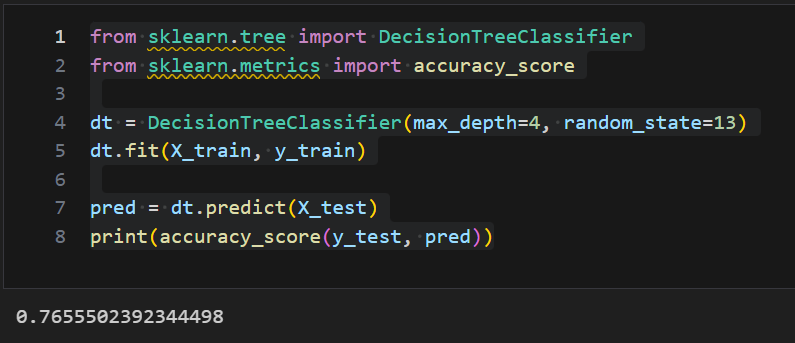
import numpy as np

dicaprio = np.array([[3, 18, 0, 0, 5, 1]])
print('Dicaprio : ', dt.predict_proba(dicaprio)[0, 1])
# dt.predict_proba(dicaprio) 값출력시 리스트 안의 리스트로 [[0.83271375 0.16728625]] 값을 반환하기 때문에
# 리스트 형태로 [0, 1]을 설정하여 survived 항목 중 1인 생존확률 값을 출력한다고 설정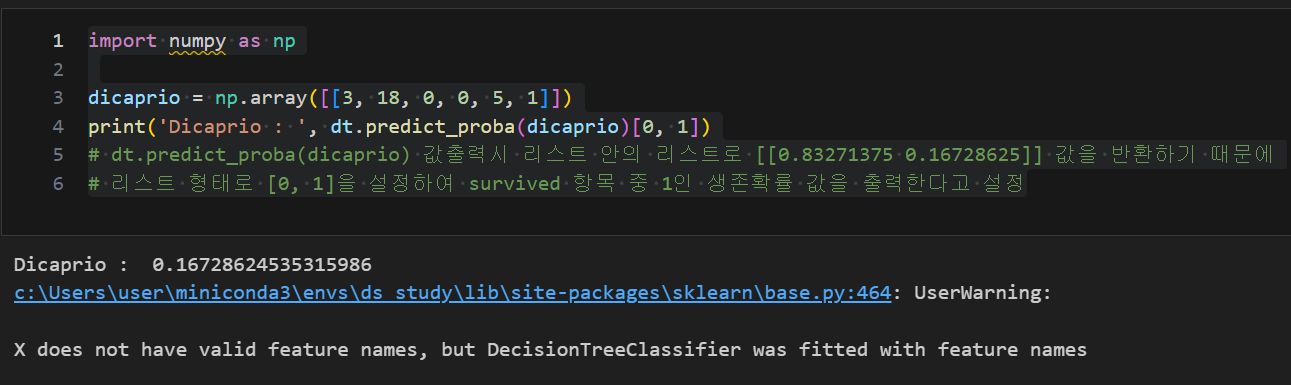
winslet = np.array([[1, 16, 1, 1, 100, 0]])
print('Winslet : ', dt.predict_proba(winslet)[0, 1])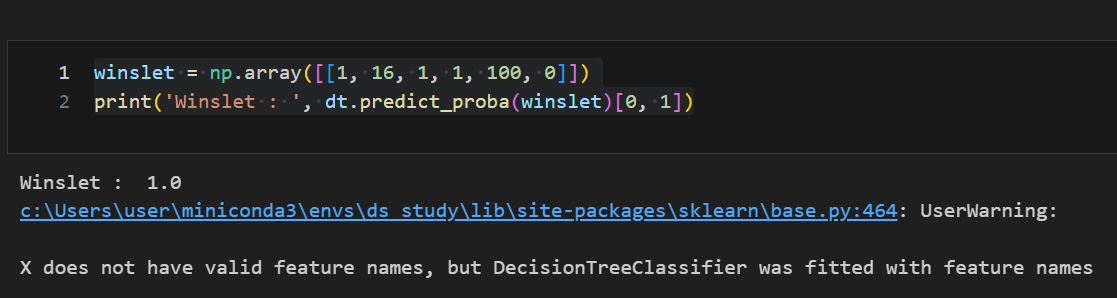

비전공 데이터 분석가 도전