Today's Lesson: Loot/Bag Pick Up Item
Summary
1. We go over how we can make our enemy AI drop a loot bag once they've been killed.
2. We cover how to setup the blueprint class complete with static mesh and particle effects.
3. We also go over how we can make it spawn at the AI's feet.
Virtus Learning Hub
✅ Loot Bag 만들기
◼️ Loot Bag 블루프린트
New Blueprint - Actor <LootPickup>
- New Component: StaticMesh
- Mesh 선택: SM_Gold_Bag_Pickup
- Material: M_GoldBag
콘텐츠 브라우저에서 선택된 에셋 사용 - New Component: ParticleSystem
- Particle - Template: P_DeadMan_Loot - Box Collision 추가
- Collision Preset: OverlapAllDynamic
✅ Loot Bag 스폰 로직
In Character Blueprint <SimpleAI>
◼️ Death 함수
-
기존 Destroy Actor 노드 삭제
→ Death 함수로 대체
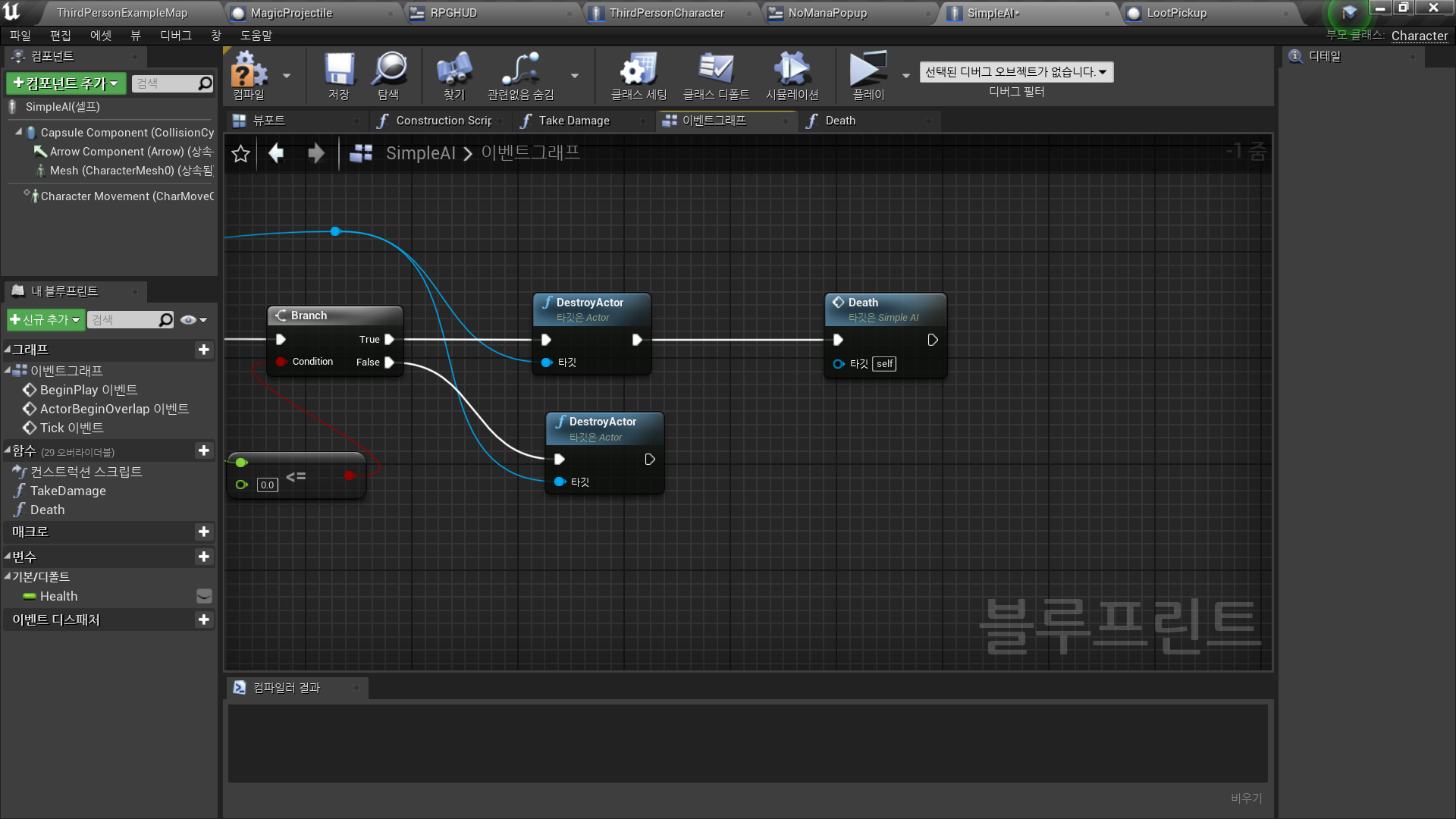
-
In Death Function
Spawn Actor from Class
- Class: LootPickup
- Spawn Transform: Mesh → Get Socket from Name(foot_r)
→ Make Transform
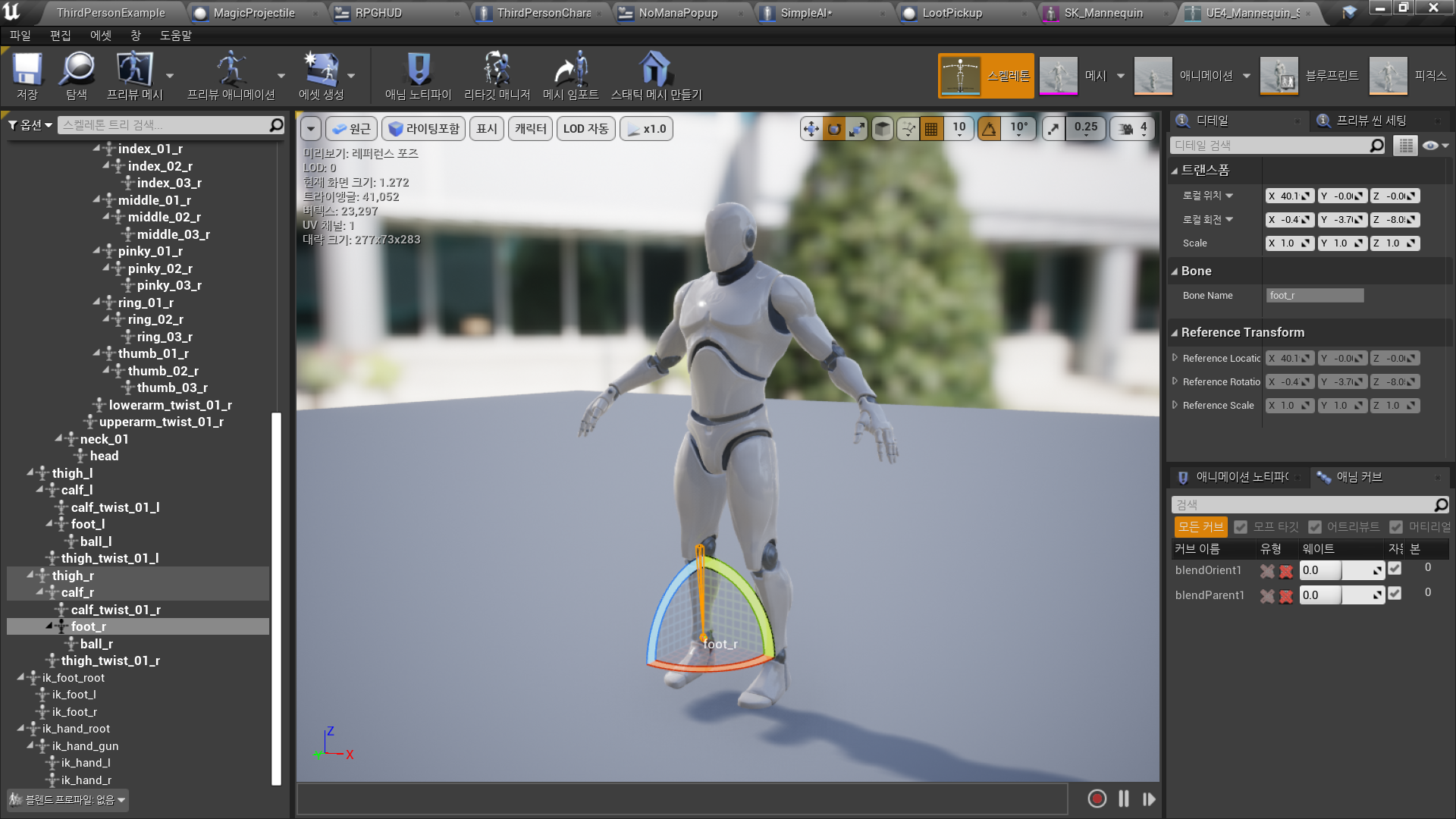
-
Destroy Actor 추가
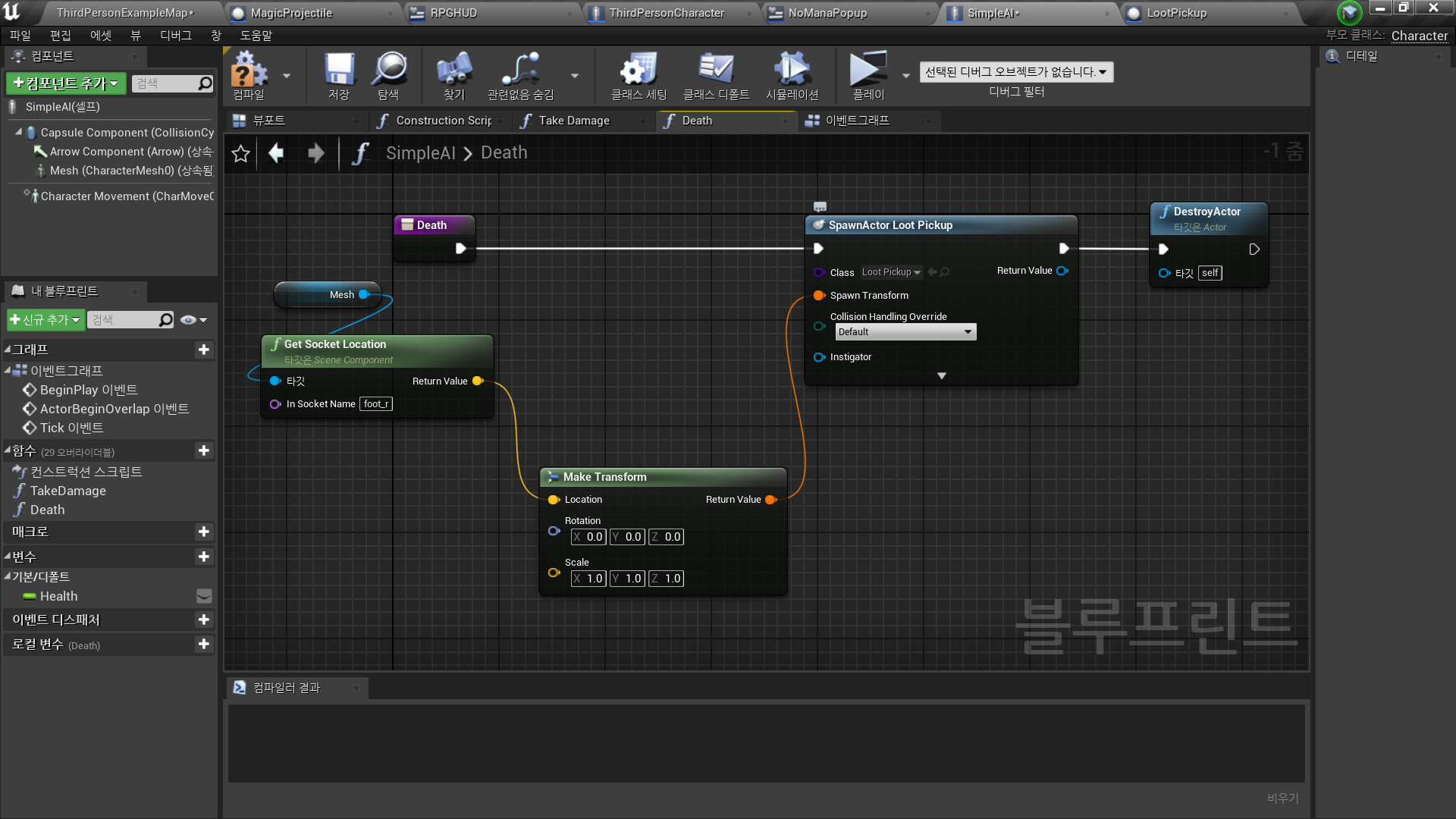
✅ Loot Bag 획득 로직
In Actor Blueprint <LootBag>
◼️ Loot Bag 획득
- Event ActorBeginOverlap
→ Cast to ThirdPersonCharacter - Spawn Emitter at Location
- Emitter Template: P_Loot_Pickup
- Location: As Third Person Character → GetActorLocation

✅ Result
- Loot Bag 스폰

- Loot Bag 획득
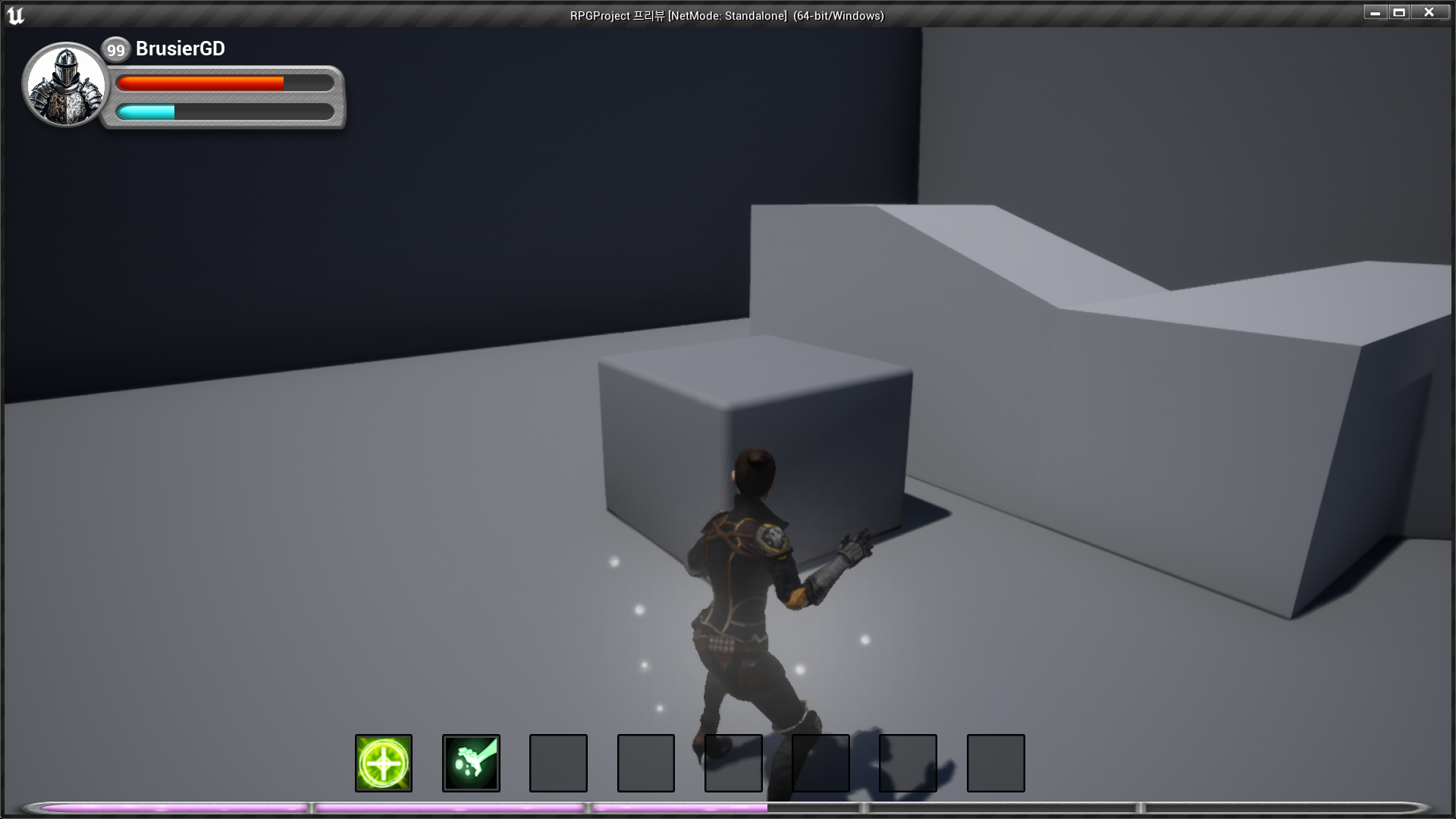

RPG 기획자 지망생