Today's Lesson: No Mana Popup Message
Summary
1. We take a look at how we can create a popup message for when the player doesn't have enough mana and tried to use on of their abilities.
2. We go over everything you need including animating the message and the blueprints required to display it.
Virtus Learning Hub
✅ 화면에 표시할 텍스트
◼️ 위젯 블루프린트 생성
- New Widget Blueprint <NoManaPopup>
- Palette - Text: PopupText
Content - Text: No Mana Available
Anchor, Size 조정
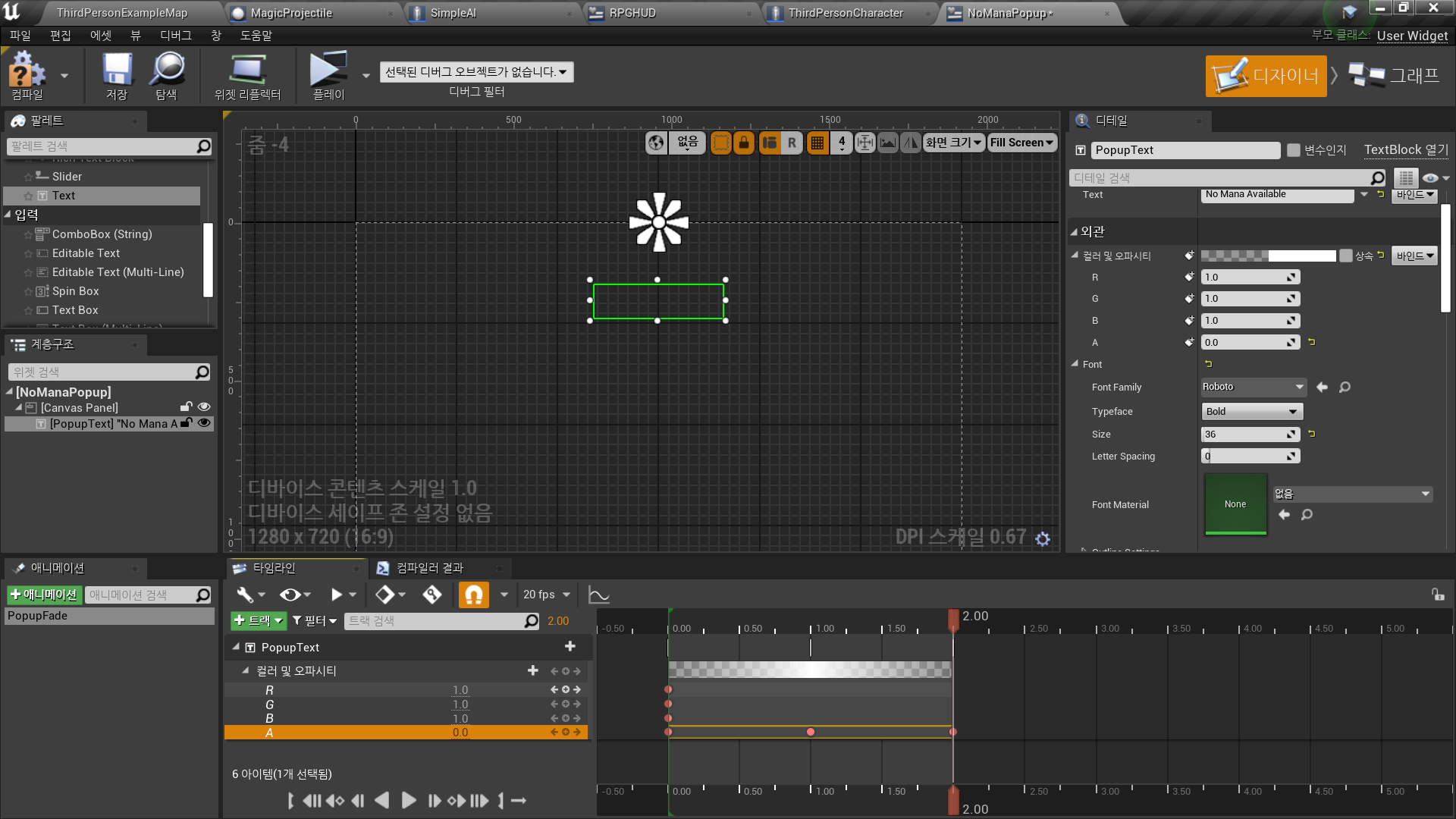
◼️ 텍스트 Fade 효과
- Animation 추가: PopupFade
- Track 추가: PopupText
- Track 추가: Color and Opacity
- 1 Sec: Opacity 1
- 2 Sec: Opacity 0
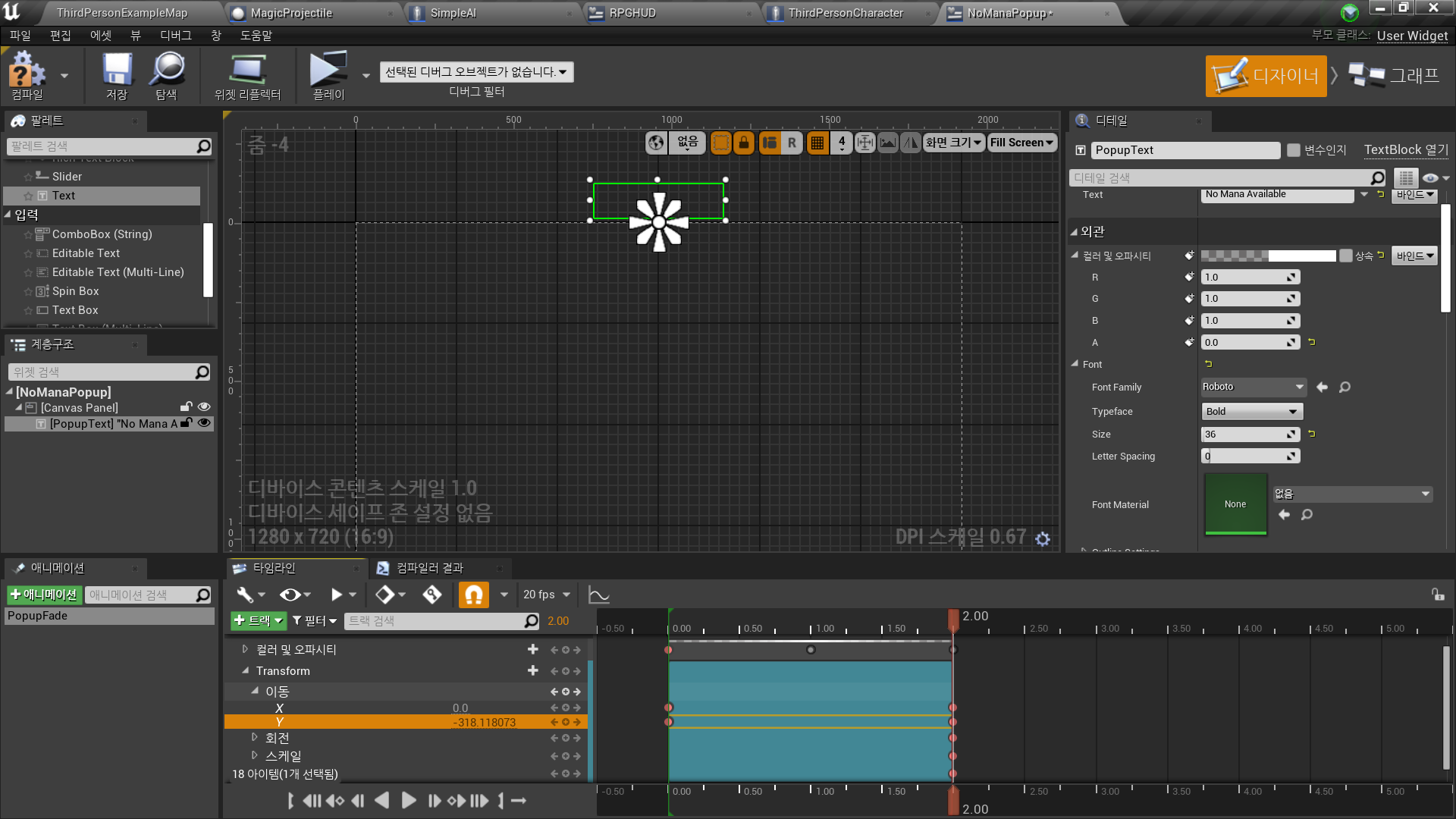
◼️ 텍스트 움직임 효과
- In PopupFade Animation - PopupText
- Track 추가: Transform
- Translation
X, Y 각각 0 Sec에 값 0으로 키 추가
Y에 대하여 2 Sec에 화면 밖으로 나가는 값으로 키 추가
✅ 텍스트 로직
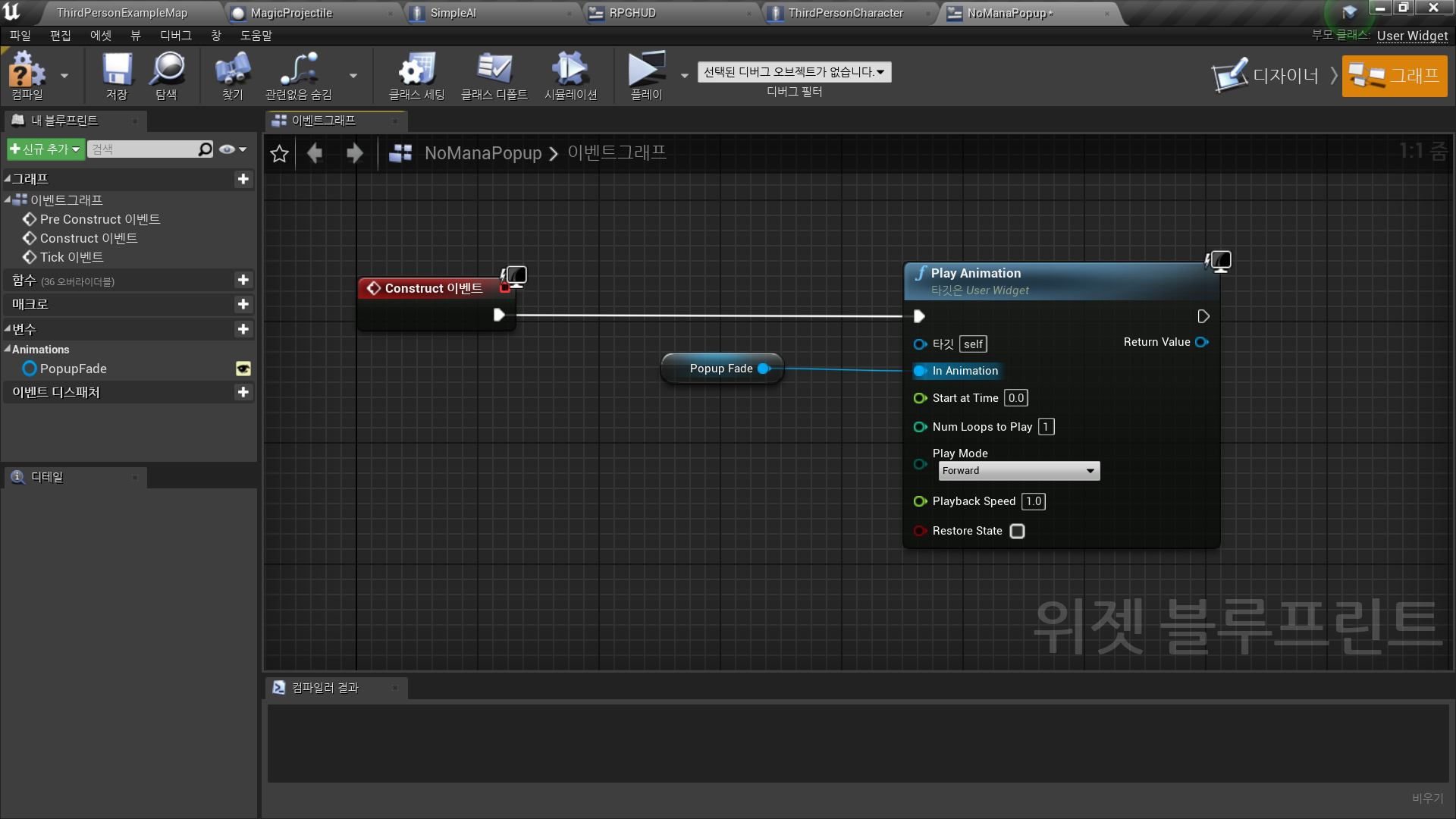
◼️ 생성 시 호출
- Event Construct → Play Animation
Get PopupFade
◼️ 팝업 조건
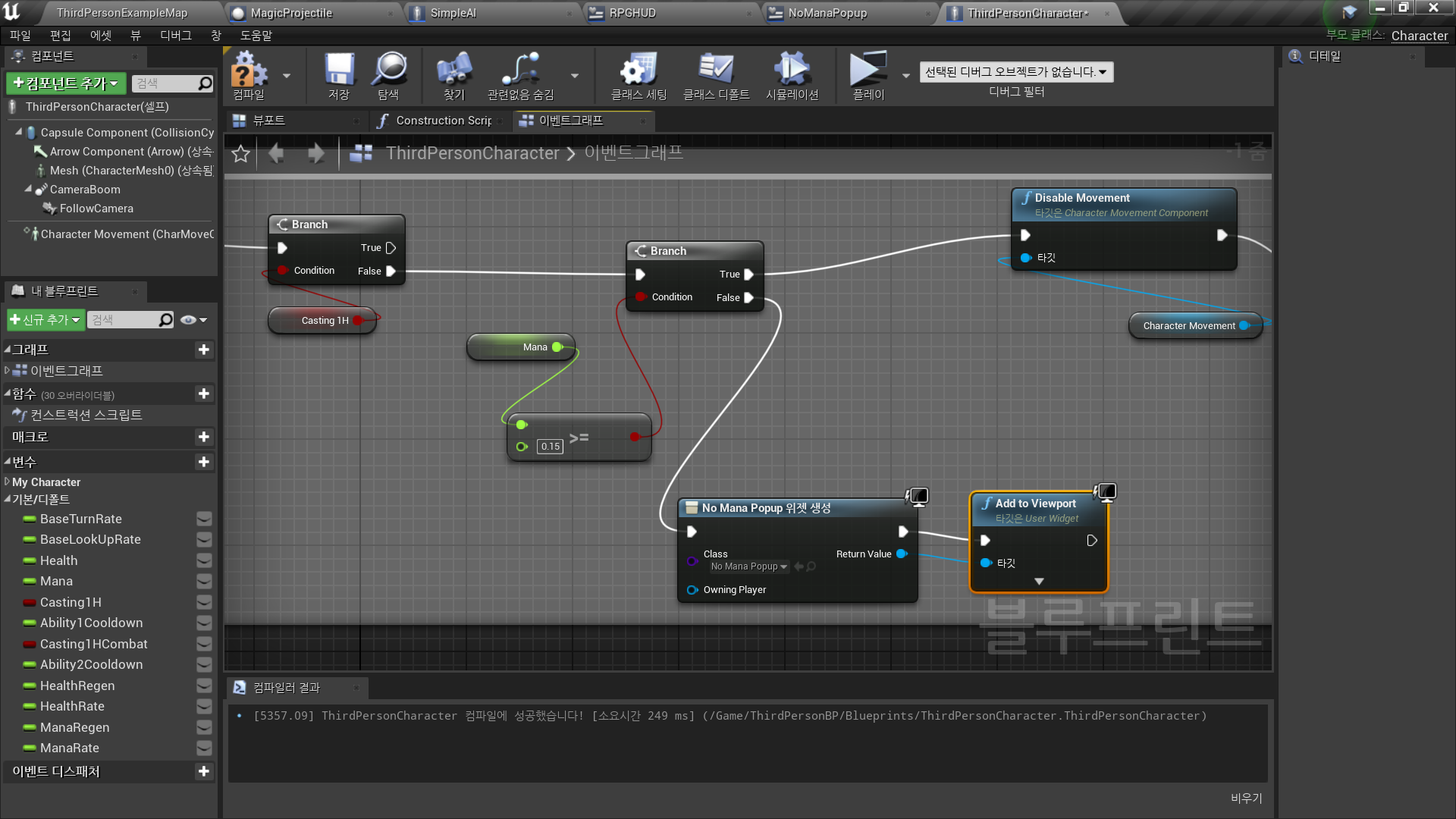
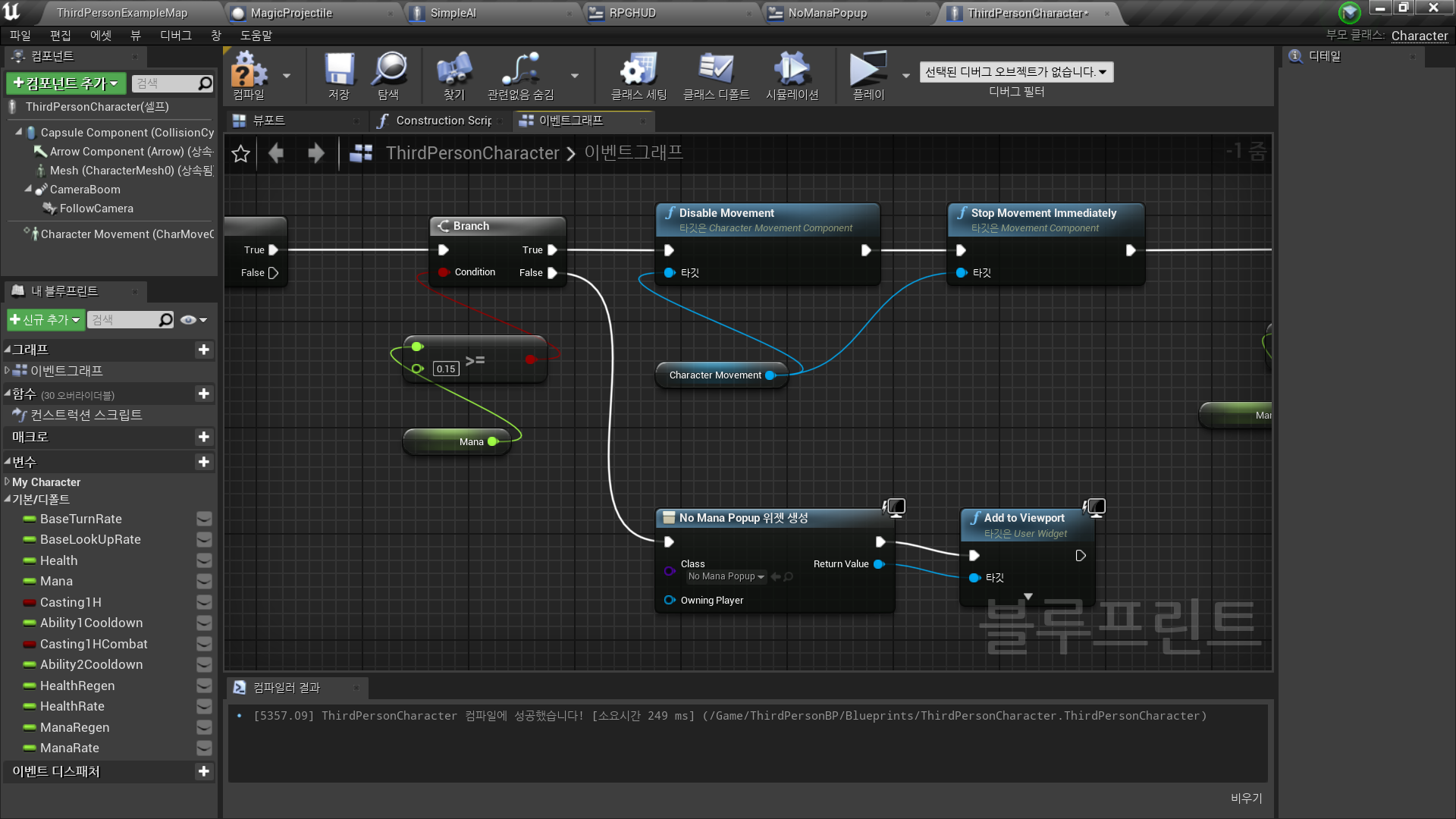
In CharacterBlueprint <ThirdPersonCharacter>
- Ability1, 2 각각에 대하여
Branch(Mana>=0.15?) False인 경우 → 팝업 띄우기 - Create Widget, Add to Viewport
✅ Result
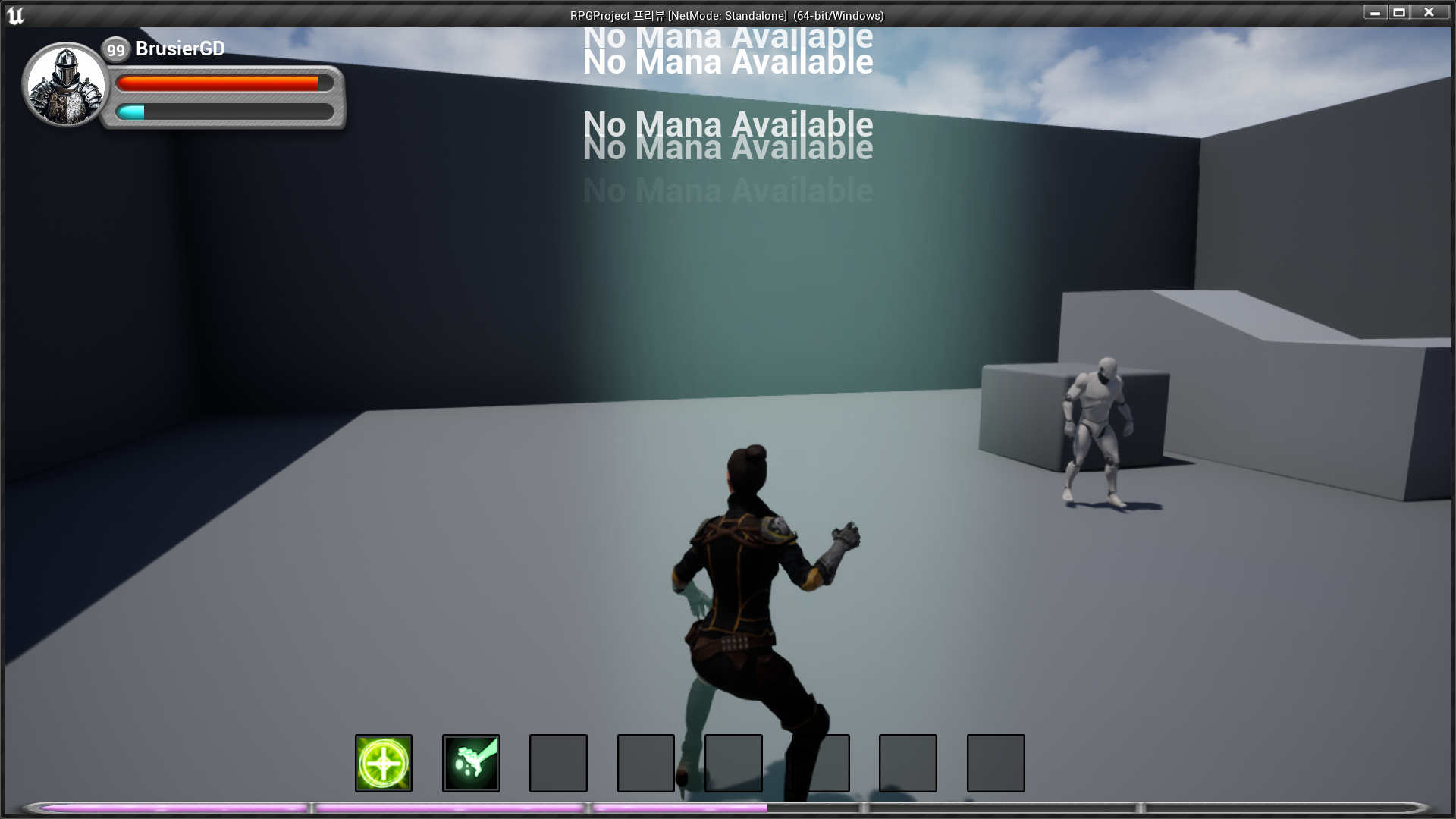
- Ability 1,2 No Mana Popup

RPG 기획자 지망생