Today's Lesson: Melee Combat Based Character
Summary
1. We take a look at how we can make a melee combat based character.
2. We import a new character and animations and setup a new character blueprint.
3. We get this character ready to have a both a sword and shield which we'll turn into our melee combat system.
Virtus Learning Hub
✅ Sword Character
◼️ 에셋 준비
- Import Character
- Import Animations
- Skeleton: Paladin_Character_Skeleton
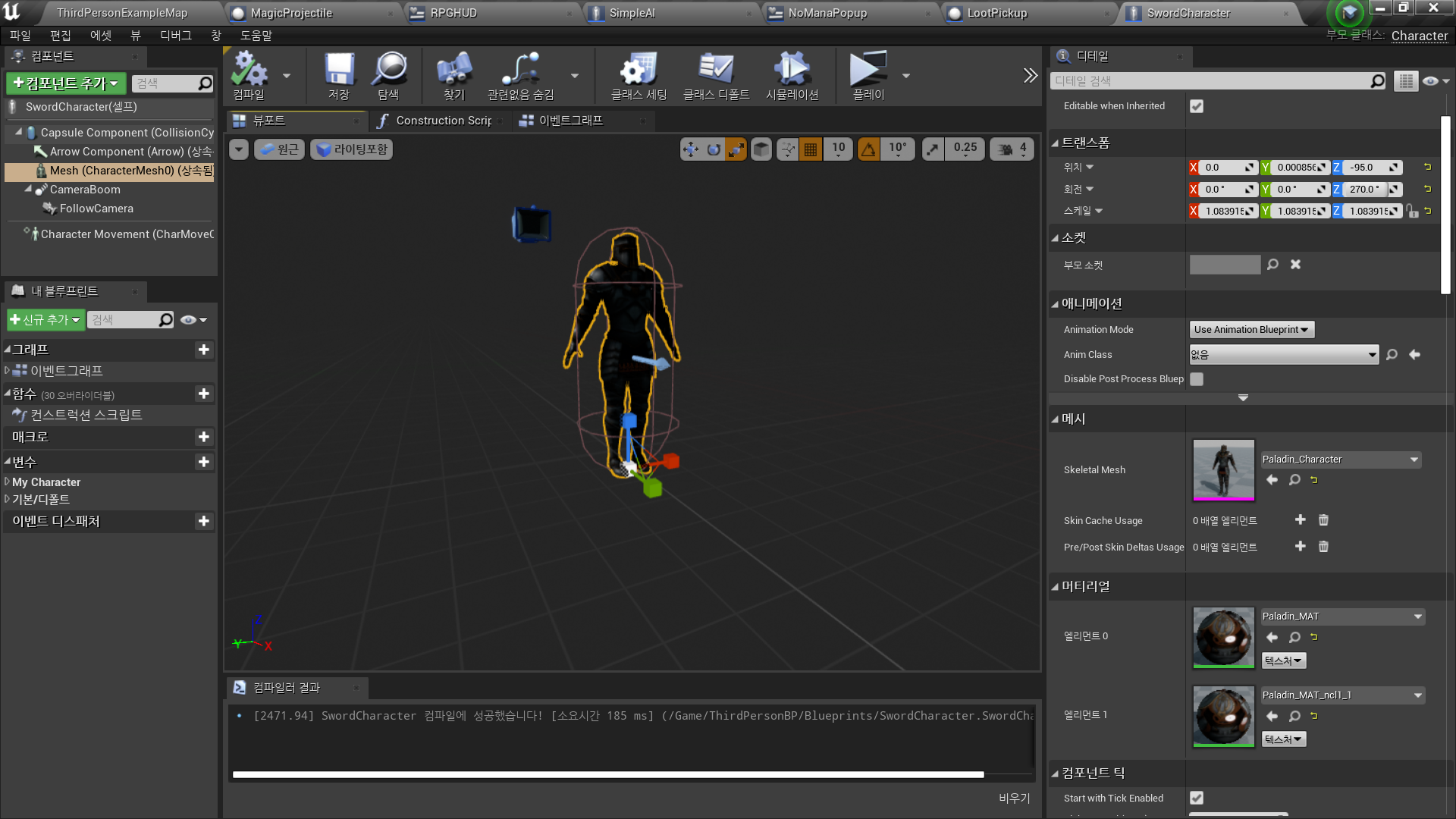
◼️ 캐릭터 블루프린트
- 기존의 ThirdPersonBP → MagicCharacter
- MagicCharacter 복제 → SwordCharacter
◼️ 블루프린트 수정
- Ability 1,2 삭제
- Mesh - Skeletal Mesh 변경
✅ Sword Character Animation
◼️ 애니메이션 블루프린트
- New Animation Blueprint <Sword_AnimBP>
- Add StateMachine
- Entry → Movement
Sword Character BP에서 해당 애니메이션 블루프린트 적용
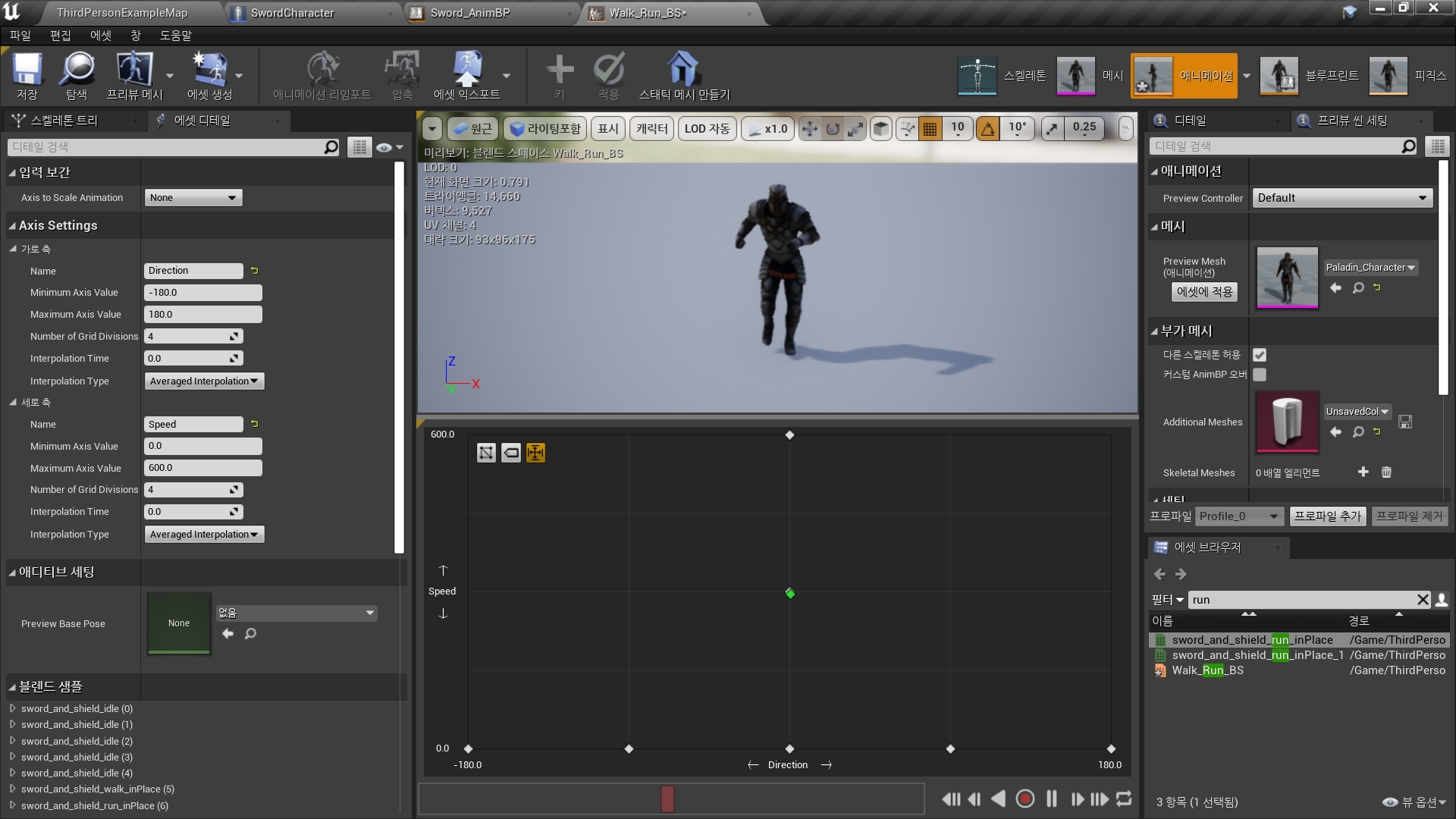
◼️ Blend Space
- New Blend Space <Walk_Run_BS>
- Horizontal Axis
- Name: Direction
- Min Value: -180
- Max Value: 180 - Vertical Axis
- Name: Speed
- Min Value: 0
- Max Value: 600 - Grid에 Animation 배치
- Idle
- Walk_InPlace
- Run-InPlace
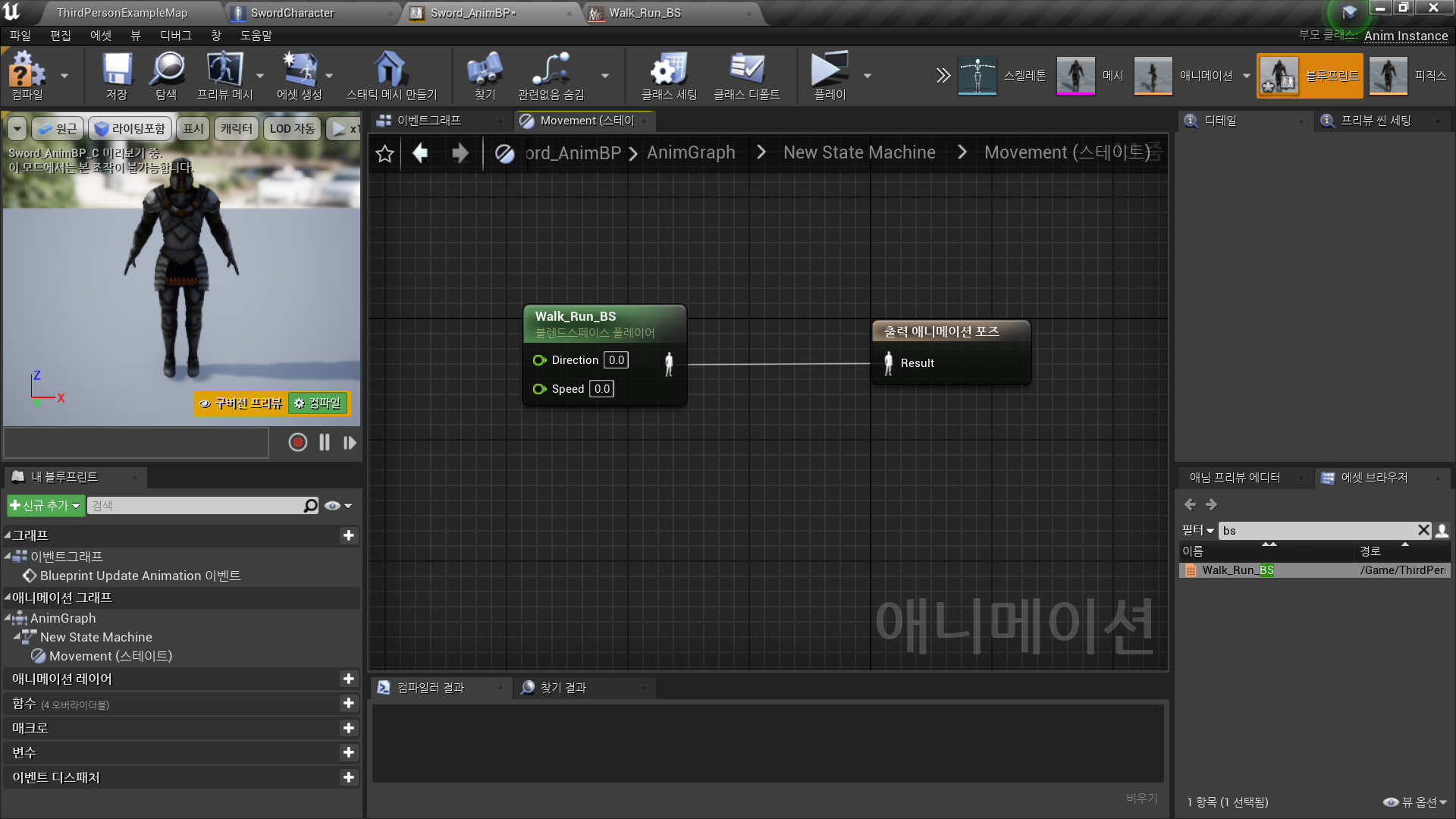
◼️ 애니메이션 블루프린트에서 Blend Space 사용
- In Movement State
Walk_Run_BS → Final Animation Pose
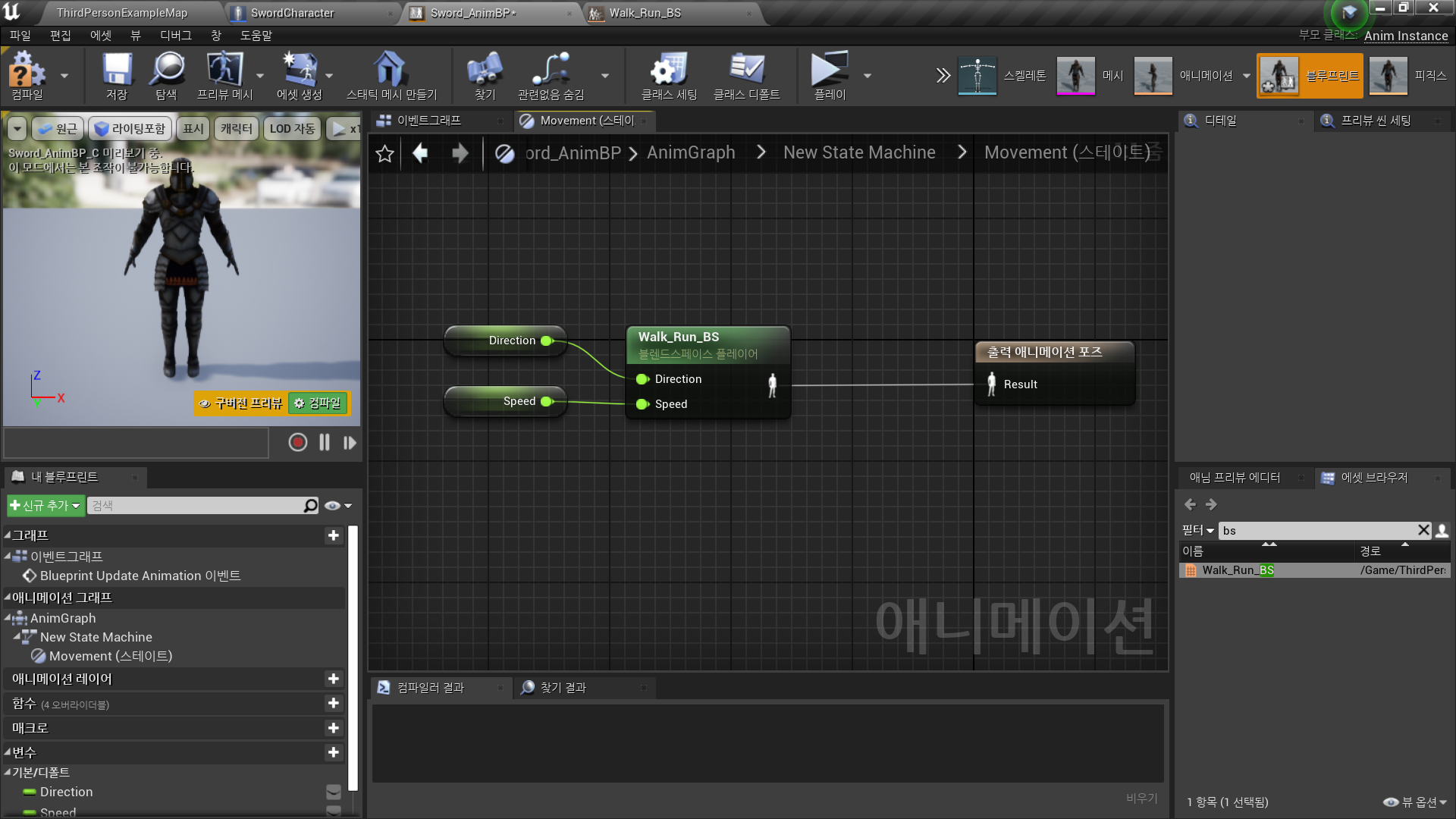
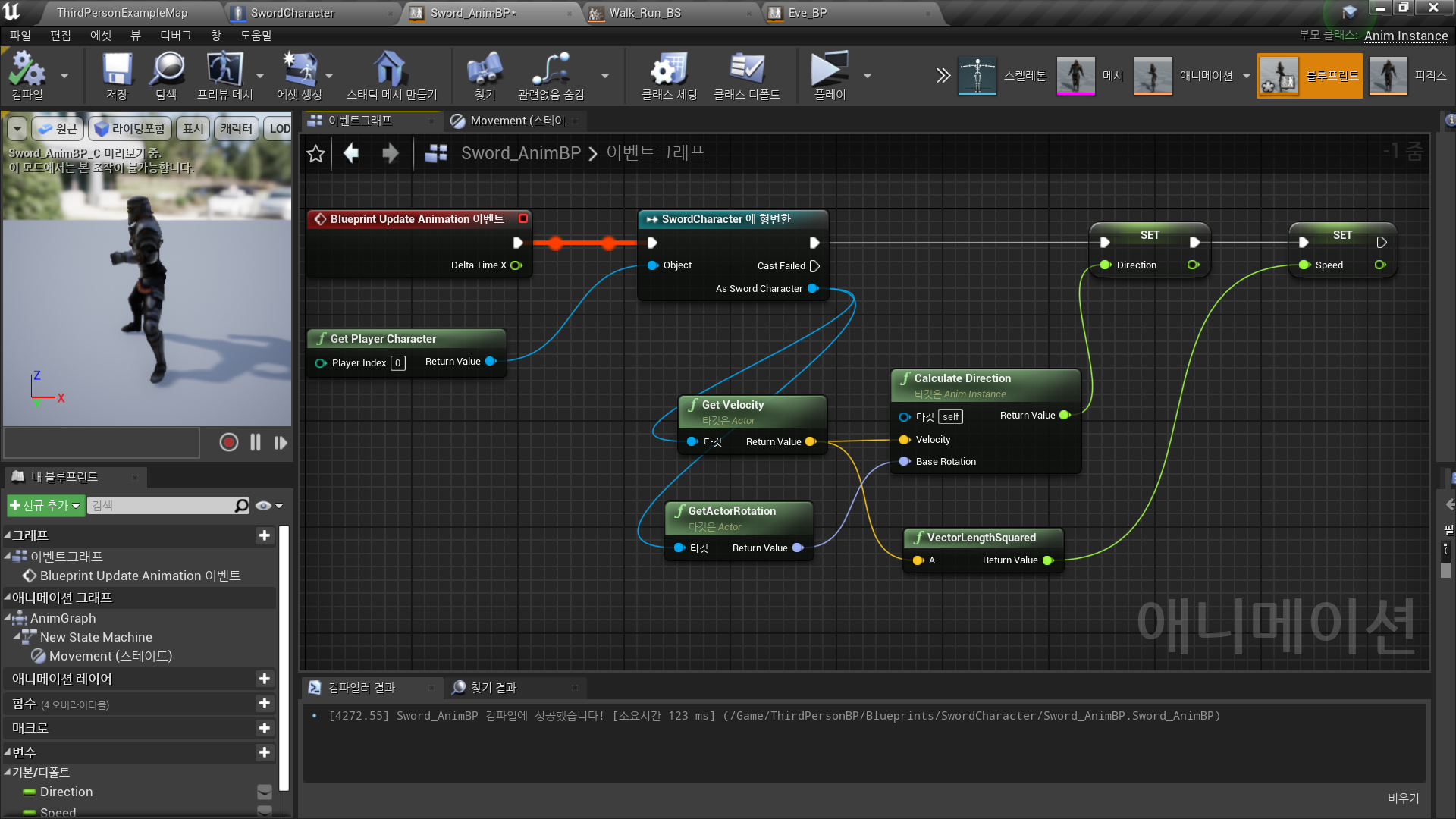
- Direction, Speed 값을 받아오기 위해 변수로 승격
- In Event Graph
Sword Character BP로부터 Direction, Speed 할당 받기
✅ 시작 캐릭터 지정
◼️ World Settings
- Game Mode Override: ThirdPersonGameMode
- Selected GameMode
- Default Pawn Class: Sword_Character
✅ Result
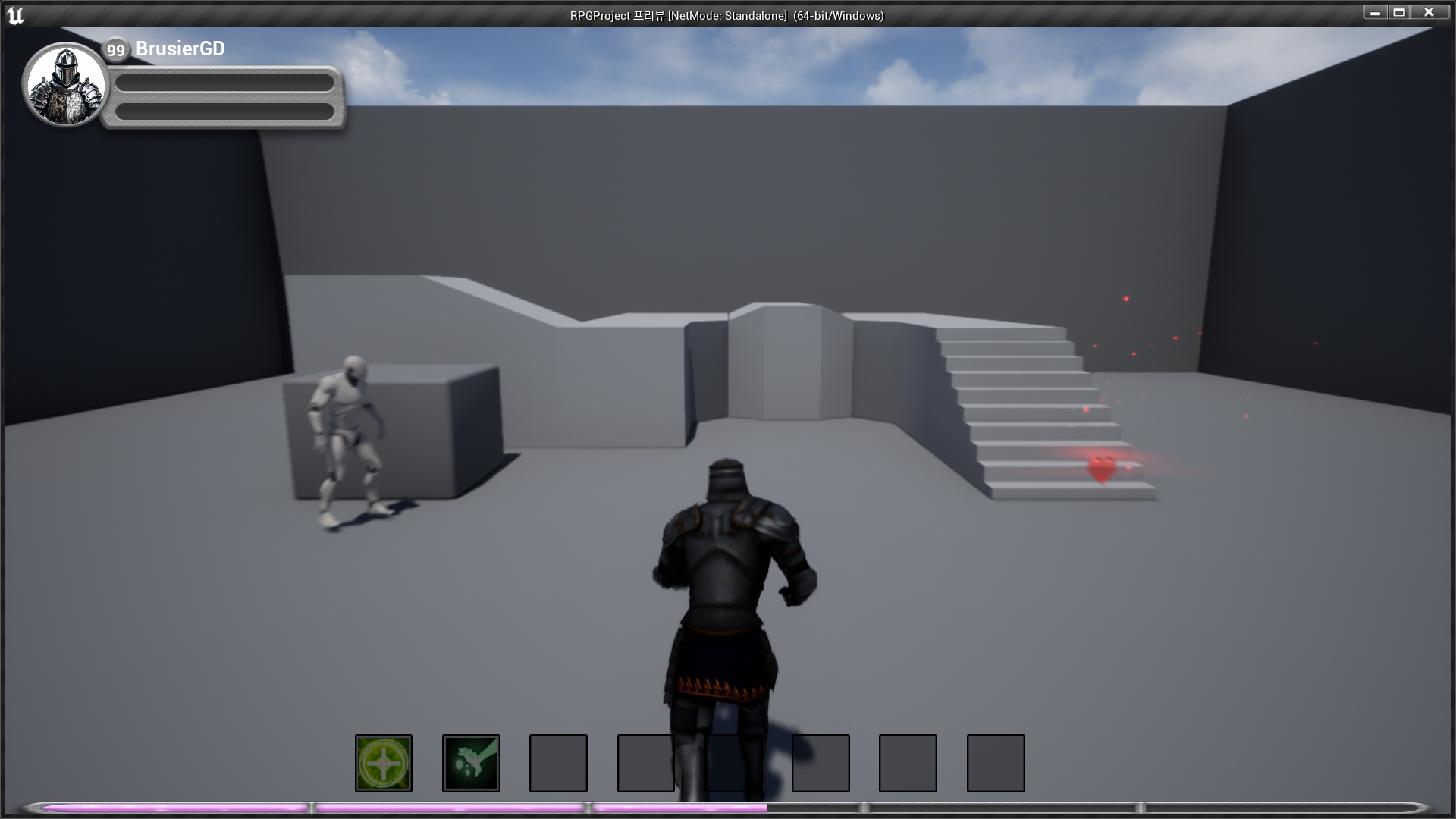
- Paladin Character, Animation

RPG 기획자 지망생