스탯 적용(플레이어)
이번에는 플레이어가 쓸 스탯을 정의 하고, 적용 해보자
🎮 UBFPlayerAttributeSet.h
#define ATTRIBUTE_ACCESSORS(ClassName, PropertyName) \
GAMEPLAYATTRIBUTE_PROPERTY_GETTER(ClassName, PropertyName) \
GAMEPLAYATTRIBUTE_VALUE_GETTER(PropertyName) \
GAMEPLAYATTRIBUTE_VALUE_SETTER(PropertyName) \
GAMEPLAYATTRIBUTE_VALUE_INITTER(PropertyName)

UCLASS()
class BOSSFIGHT_API UBFPlayerAttributeSet : public UAttributeSet
{
	GENERATED_BODY()

public:
	UBFPlayerAttributeSet();
	virtual void PostGameplayEffectExecute(const struct FGameplayEffectModCallbackData& Data)override;

	UPROPERTY(BlueprintReadOnly, Category = "Stamina")
	FGameplayAttributeData CurrentSP;
	ATTRIBUTE_ACCESSORS(UBFPlayerAttributeSet, CurrentSP)

	UPROPERTY(BlueprintReadOnly, Category = "Stamina")
	FGameplayAttributeData MaxSP;
	ATTRIBUTE_ACCESSORS(UBFPlayerAttributeSet, MaxSP)

	UPROPERTY(BlueprintReadOnly, Category = "Weapon")
	FGameplayAttributeData WeaponGage;
	ATTRIBUTE_ACCESSORS(UBFPlayerAttributeSet, WeaponGage)

	UPROPERTY(BlueprintReadOnly, Category = "Weapon")
	FGameplayAttributeData WeaponCount;
	ATTRIBUTE_ACCESSORS(UBFPlayerAttributeSet, WeaponCount)

	UPROPERTY(BlueprintReadOnly, Category = "Weapon")
	FGameplayAttributeData ShieldGage;
	ATTRIBUTE_ACCESSORS(UBFPlayerAttributeSet, ShieldGage)
};
🎮 UBFPlayerAttributeSet.cpp
UBFPlayerAttributeSet::UBFPlayerAttributeSet()
{
	InitCurrentSP(0.0f);
	InitMaxSP(0.0f);
	InitWeaponGage(0.0f);
	InitWeaponCount(0.0f);
	InitShieldGage(0.0f);
}

void UBFPlayerAttributeSet::PostGameplayEffectExecute(const FGameplayEffectModCallbackData& Data)
{
	if (Data.EvaluatedData.Attribute == GetCurrentSPAttribute())
	{
		const float NewCurrentSP = FMath::Clamp(GetCurrentSP(), 0.0f, GetMaxSP());
		SetCurrentSP(NewCurrentSP);
	}
	if (Data.EvaluatedData.Attribute == GetMaxSPAttribute())
	{
		const float NewMaxSP = FMath::Clamp(GetMaxSP(), 0.0f, 200.0f);
		SetMaxSP(NewMaxSP);
	}
	if (Data.EvaluatedData.Attribute == GetWeaponCountAttribute())
	{
		const int NewWeaponCount = FMath::Clamp(GetWeaponCount(), 0.0f, 3.0f);
		SetWeaponCount(NewWeaponCount);
	}
	if (Data.EvaluatedData.Attribute == GetWeaponGageAttribute())
	{
		const float NewWeaponGage = FMath::Clamp(GetWeaponGage(), 0.0f, 100.0f);
		SetWeaponGage(NewWeaponGage);
	}
	if (Data.EvaluatedData.Attribute == GetShieldGageAttribute())
	{
		const float NewShieldGage = FMath::Clamp(GetShieldGage(), 0.0f, 100.0f);
		SetShieldGage(NewShieldGage);
	}
}
필요한 스탯을 정리하고, PostGameplayEffectExecute()함수에서 값을 Clamp해주는 기능을 추가 해주었다.
위의 BFPlayerAttributeSet을 PlayerCharacter에 적용 해보자.
🎮 ABFPlayerCharacter.h
UCLASS()
class BOSSFIGHT_API ABFPlayerCharacter : public ABFBaseCharacter
{
	GENERATED_BODY()
//중략
#pragma region PlayerAttributeSet
	UPROPERTY(VisibleAnywhere, BlueprintReadOnly, Category = "AbilitySystem", meta = (AllowPrivateAccess = "true"))
	UBFPlayerAttributeSet* BFPlayerAttributeSet;
#pragma endregion
};
🎮 ABFPlayerCharacter.cpp
ABFPlayerCharacter::ABFPlayerCharacter()
{
	// 중략
	BFPlayerAttributeSet = CreateDefaultSubobject<UBFPlayerAttributeSet>(TEXT("BFPlayerAttributeSet"));
}
Attribute는 CreateDefaultSubobject를통해 생성 해주면 AbilityComponent가 자동으로 적용 시켜주기 때문에 PlayerCharacter의 생성자에서 생성해주는 것으로 구현 하였다.
다음으로 SP(스태미나)를 초기화 해주자 기존의 GE_Player_Basic에 MaxSP를 추가하고 값을 100으로 초기화 해주자.
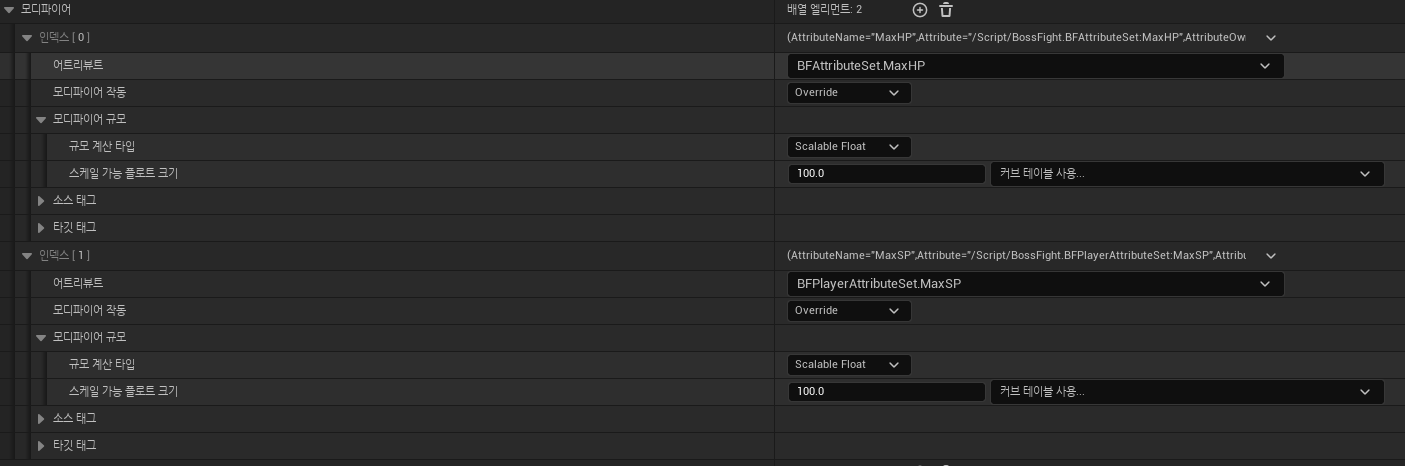
그다음 SP를 MaxSP로 적용 시켜주는 GameplayEffect를 작성하고 DA_StartUp_Player에 추가하고 테스트 해보자
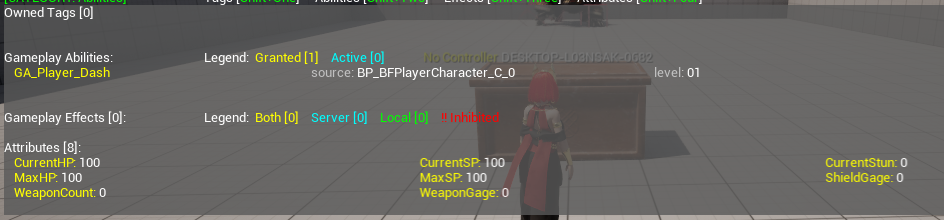
위와 같이 SP도 초기화 되었다.
다음으로 무기를 장착 할때마다 기존의 WeaponGage, WeaponCount, ShieldGage를 초기화 시켜주는 GameplayEffect를 추가하고, GA_WeaponSeleted에서 적용 시키도록 구현 해보자.
테스트를 위해 WeaponGage와 ShieldGage를 20으로 WeaponCount를 1로 변경 하도록 해보았다.
작동 영상
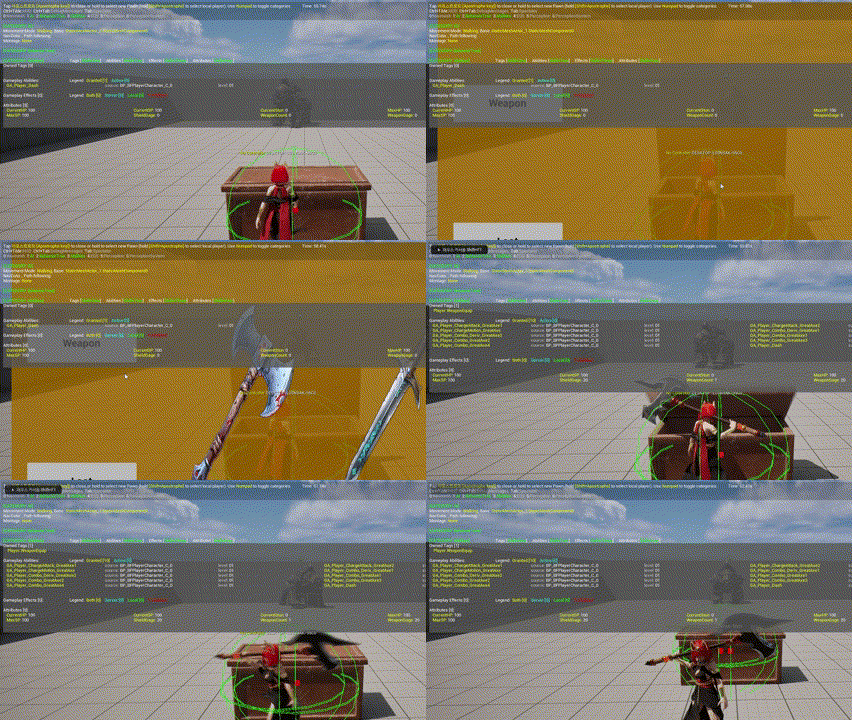
테스트 결과 수치가 변동 되는 것을 확인 하였다.
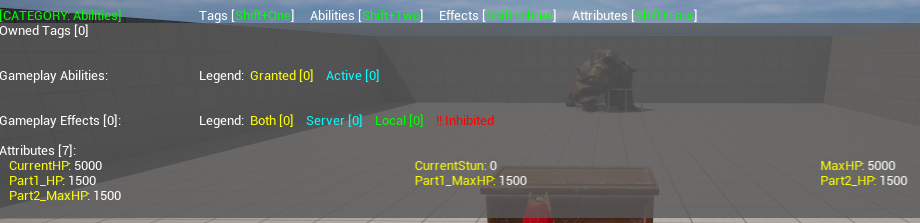
위와 같은 방식으로 BFEnemyAttributeSet을 작성하고 부위 파괴에 필요한 Part1_HP, Part1_MaxHP, Part2_HP, Part2_MaxHP를 정의 및 초기화 하고 EnemyCharacter에 BFEnemyAttributeSet을 추가 및 생성해주었다.
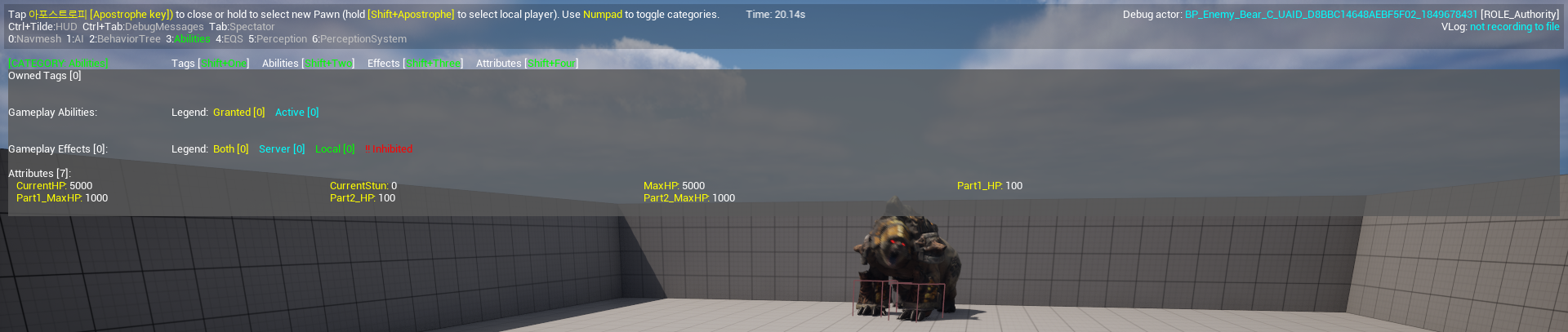
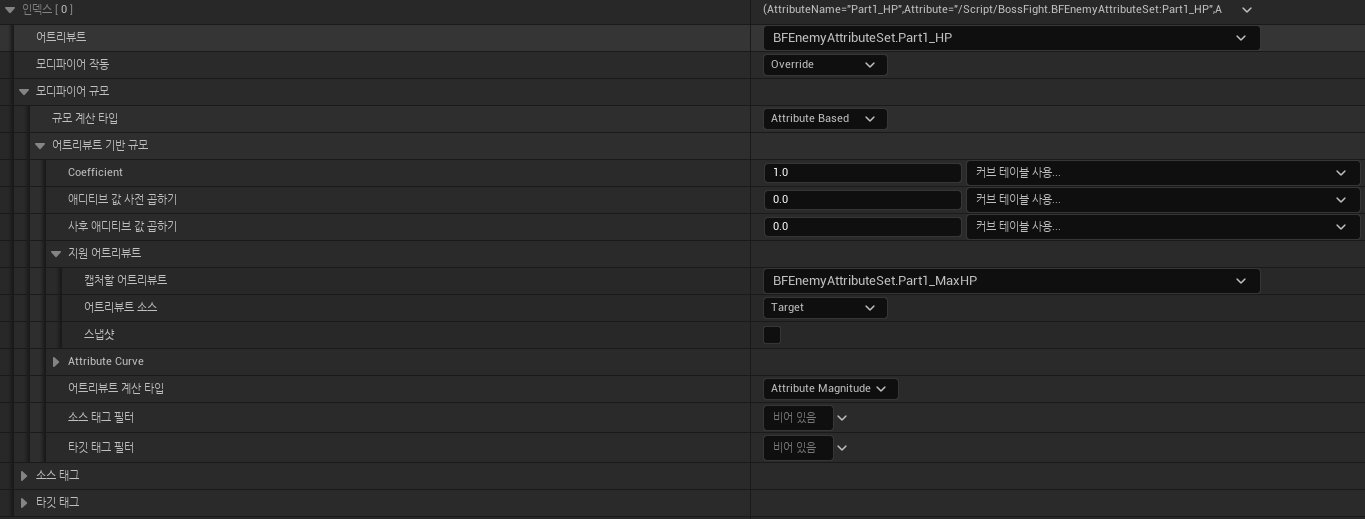
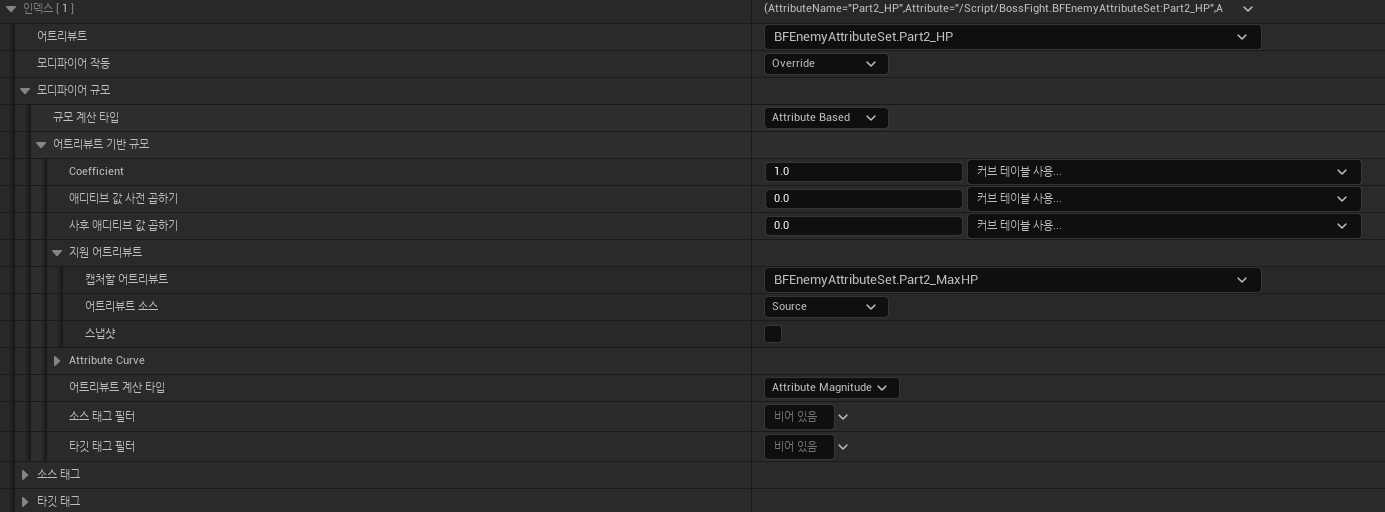
그다음 GE_Bear_Basic에서 Part1_MaxHP, Part2_MaxHP의 값을 수정하고, 새로운 GameplayEffect를 작성하여 Part1_HP, Part2_HP를 각각의 MaxHP값과 같게 적용 시켜 주었다.
GE_Bear_Basic
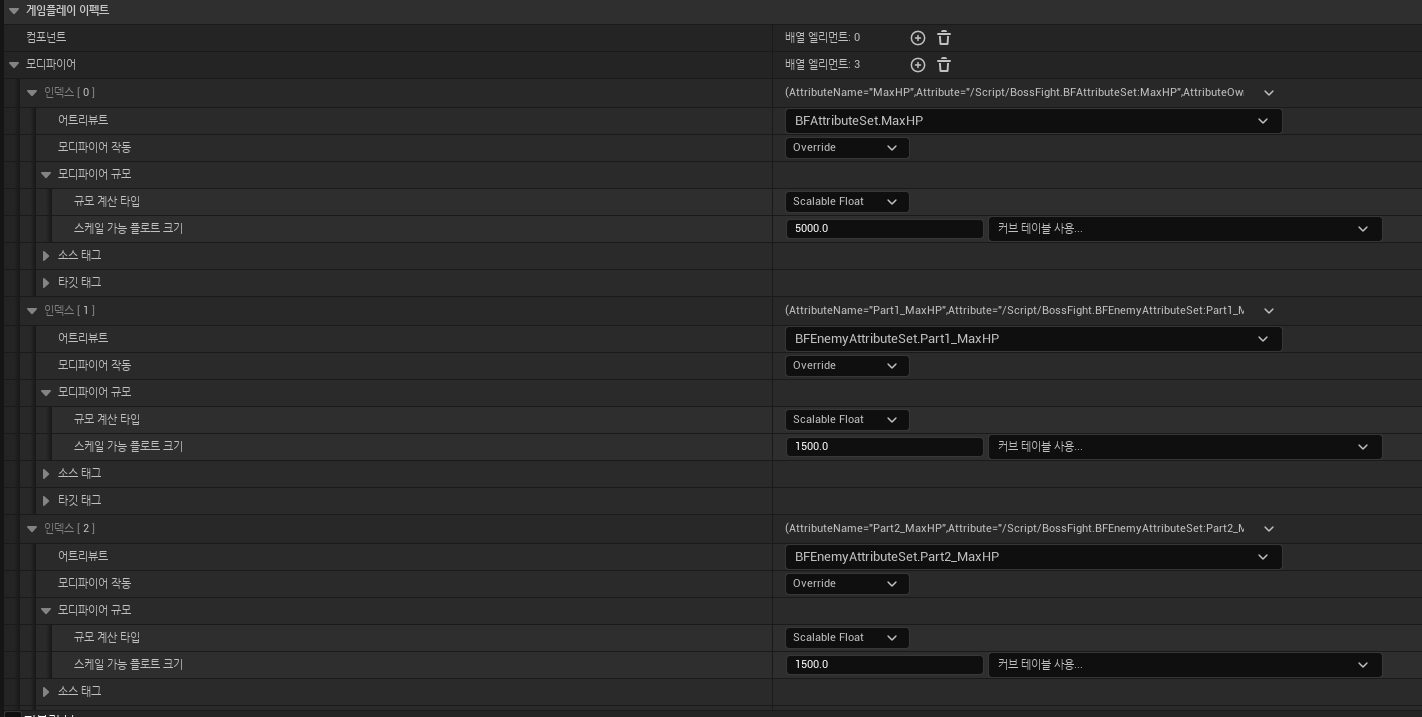
GE_Bear_Part_Init