
⚙️ R 설치
- 환경 : Ubuntu 18.04
- 다운로드 페이지 (https://ftp.harukasan.org/CRAN/)에 들어가서 Ubuntu에 들어가면 R설치 관련 명령어가 나온다.
- 우분투 터미널에서 아래의 명령(또는 위 링크의 명령)을 순서대로 실행하면 설치할 수 있다.
-
패키지 인덱스 업데이트
$ sudo apt update -qq
-
헬퍼 패키지 2개 설치
$ sudo apt install --no-install-recommends software-properties-common dirmngr
<결과>
Reading package lists... Done
Building dependency tree
Reading state information... Done
(...)
-
CRAN 레파지토리 활성화, CRNA GPG 키 시스템에 추가
$ wget -qO- https://cloud.r-project.org/bin/linux/ubuntu/marutter_pubkey.asc | sudo tee -a /etc/apt/trusted.gpg.d/cran_ubuntu_key.asc
<결과> -----BEGIN PGP PUBLIC KEY BLOCK----- mQENBEy9tcUBCACnWQfqdrcz7tQL/iCeWDYSYPwXpPMUMLE721HfFH7d8ErunPKP (...) -----END PGP PUBLIC KEY BLOCK----- -
R 4.0 레파지토리 등록
$ sudo add-apt-repository "deb https://cloud.r-project.org/bin/linux/ubuntu $(lsb_release -cs)-cran40/"
<결과> Hit:1 https://dl.winehq.org/wine-builds/ubuntu bionic InRelease Hit:2 https://linux.teamviewer.com/deb stable InRelease (...) -
R 설치
$ sudo apt install --no-install-recommends r-base
<결과> Reading package lists... Done Building dependency tree Reading state information... Done (...) -
R 설치 확인
$ R --version
<결과>
R version 4.2.1 (2022-06-23) -- "Funny-Looking Kid"
Copyright (C) 2022 The R Foundation for Statistical Computing
Platform: x86_64-pc-linux-gnu (64-bit)
R is free software and comes with ABSOLUTELY NO WARRANTY.
You are welcome to redistribute it under the terms of the
GNU General Public License versions 2 or 3.
For more information about these matters see
https://www.gnu.org/licenses/.
- R 실행 확인
$ sudo -i R
<결과>
R version 4.2.1 (2022-06-23) -- "Funny-Looking Kid"
(...)
Type 'demo()' for some demos, 'help()' for on-line help, or
'help.start()' for an HTML browser interface to help.
Type 'q()' to quit R.
>
⚙️ R Studio 설치
- https://www.rstudio.com/products/rstudio/download/#download 에서
Ubuntu 18+ / Debian 10 +의 Download파일rstudio-~.deb을 다운받는다.
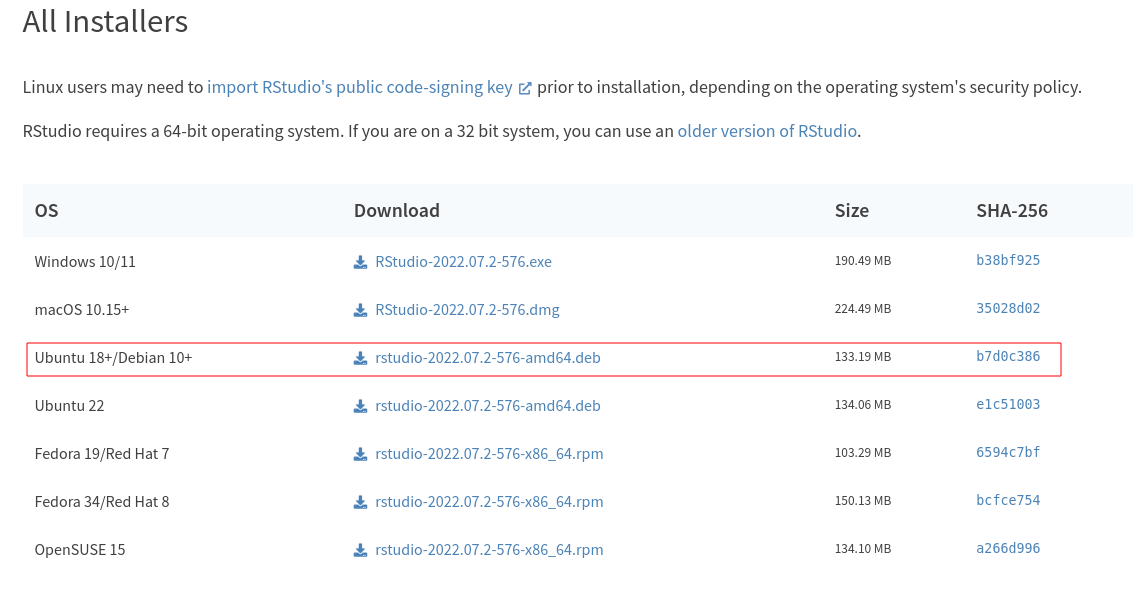
- 리눅스에서 R studio를 설치할 경우 public key를 얻어야 한다.
-
public 키 얻기
$ sudo gpg --keyserver keyserver.ubuntu.com --recv-keys 3F32EE77E331692F
<결과> gpg: key 3F32EE77E331692F: public key "RStudio, Inc. (code signing) <info@rstudio.com>" imported gpg: Total number processed: 1 gpg: imported: 1 -
dpkg-sig 설치
$ sudo apt install dpkg-sig
<결과> Reading package lists... Done Building dependency tree Reading state information... Done (...) -
다운로드 받은 R studio verify
$ sudo dpkg -i rstudio설치파일이름.deb
<결과> Processing rstudio-2022.07.2-576-amd64.deb... GOODSIG _gpgbuilder FE8564CFF1AB93F1728645193F32EE77E331692F 1662475915 -
R studio 설치
$ sudo dpkg -i rstudio설치파일이름!
.deb<결과> Selecting previously unselected package rstudio. (Reading database ... 250011 files and directories currently installed.) Preparing to unpack rstudio-2022.07.2-576-amd64.deb ... (...) -
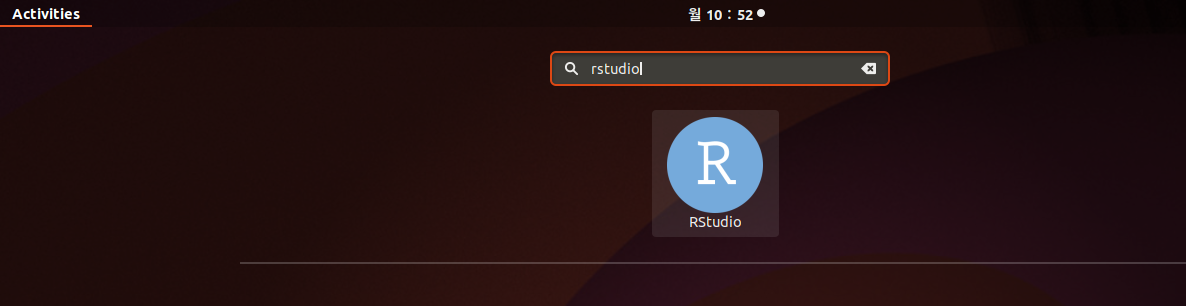
R studio 검색 후 실행
실행!
Ref
👩💻 설치 완료~~~! ^-^

주니어 개발자 주니어발록 주니어예티 주니어레이스