Course
Build Real World AI Applications with Gemini and Imagen
Lab
목록
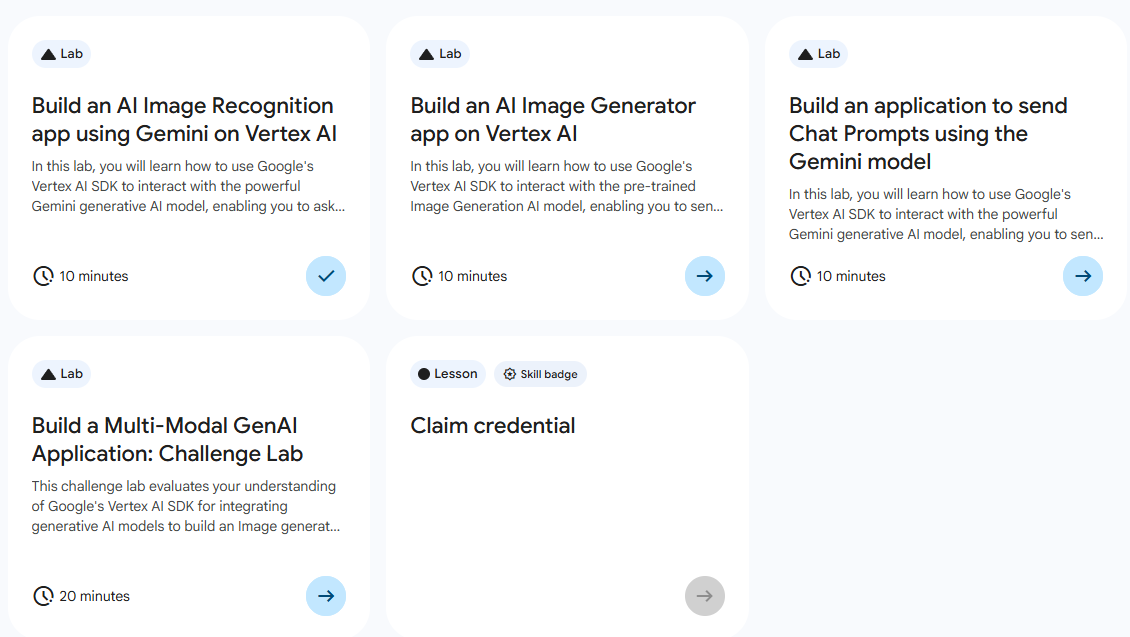
- Build an AI Image Recognition app using Gemini on Vertex AI)
- Build an AI Image Generator app on Vertex AI ⬅️ 오늘의 Lab!
- Build an application to send Chat Prompts using the Gemini model
- Build a Multi-Model GenAI Application: Challenge Lab
🌠Build an AI Image Generator app on Vertex AI
개요
사전 학습된 이미지 생성 모델을 로드 후, AI 모델에 텍스트를 보내서 이미지 기반의 답변을 추출한다.
실습 과정
1. 생성형 AI 사용
import argparse

import vertexai
from vertexai.preview.vision_models import ImageGenerationModel

def generate_image(
    project_id: str, location: str, output_file: str, prompt: str
) -> vertexai.preview.vision_models.ImageGenerationResponse:
    """Generate an image using a text prompt.
    Args:
      project_id: Google Cloud project ID, used to initialize Vertex AI.
      location: Google Cloud region, used to initialize Vertex AI.
      output_file: Local path to the output image file.
      prompt: The text prompt describing what you want to see."""

    vertexai.init(project=project_id, location=location)

    model = ImageGenerationModel.from_pretrained("imagen-3.0-generate-002")

    images = model.generate_images(
        prompt=prompt,
        # Optional parameters
        number_of_images=1,
        seed=1,
        add_watermark=False,
    )

    images[0].save(location=output_file)

    return images

generate_image(
    project_id='"project-id"',
    location='"REGION"',
    output_file='image.jpeg',
    prompt='Create an image of a cricket ground in the heart of Los Angeles',
    )
분석🧐
- Vertex AI에서
ImageGenerationModel(imagen-3.0-generate-002)이라는 선행 학습된 AI 모델을 로드- 로드된 Gemini 모델의
generate_image메서드를 호출model.generate_images(...): 실제로 이미지를 생성하는 함수로, prompt에 내용을 담아 AI가 그릴 이미지를 작성 및 파일명 등을 설정images[0].save(location=output_file): 생성된 이미지 리스트 중 첫 번째 결과물을 지정한 경로에 파일로 저장
2. Python 실행
/usr/bin/python3 /GenerateImage.py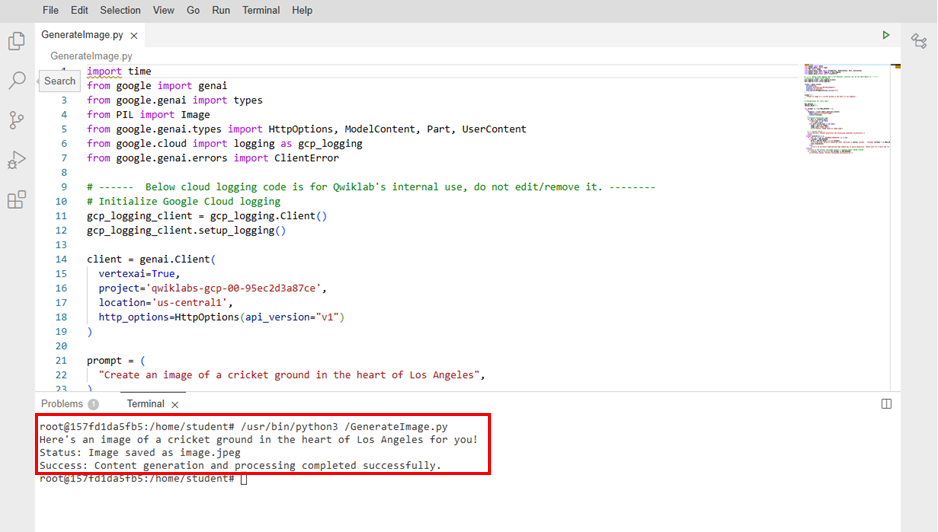
3. 생성된 이미지 파일 확인
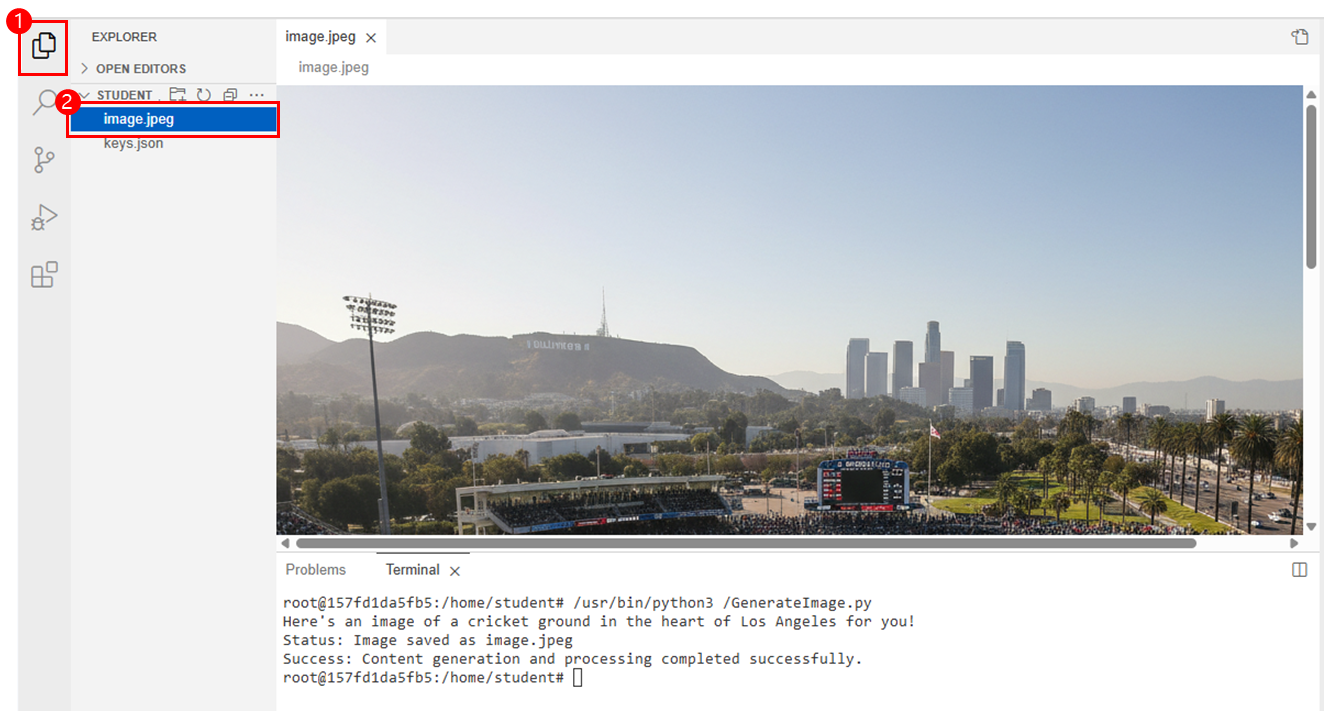
➡️ EXPLORER > image.jpeg

새싹 개발자