(Jetson Project#14)Automating Launch with a Master Launch File with little trouble and concern
Developing Self Driving with Jetson Nano

7.3 Automating Launch with a Master Launch File
To simplify launching all nodes, create a master launch file that includes all necessary components.
Create a New ROS Package for Launching (Optional):
cd ~/catkin_ws/src
catkin_create_pkg robot_bringup rospy
Create the Master Launch File:
mkdir -p ~/catkin_ws/src/robot_bringup/launch
cd ~/catkin_ws/src/robot_bringup/launch
nano bringup.launch
Add the Following Content:
<launch>
  <!-- Launch roscore -->
  <!-- Note: roscore is usually launched separately. Avoid launching multiple roscore instances. -->

  <!-- Launch RPLIDAR -->
  <include file="$(find rplidar_ros)/launch/rplidar_a1.launch" />

  <!-- Launch IMU -->
  <include file="$(find mpu6050_driver)/launch/mpu6050.launch" />

  <!-- Launch TF Broadcaster -->
  <include file="$(find mpu6050_driver)/launch/tf_broadcaster.launch" />

  <!-- Launch Motor Control -->
  <include file="$(find motor_control)/launch/motor_control.launch" />

  <!-- Launch Obstacle Avoidance -->
  <include file="$(find motor_control)/launch/obstacle_avoidance.launch" />

  <!-- Launch RViz -->
  <node name="rviz" pkg="rviz" type="rviz" args="-d $(find robot_bringup)/launch/robot.rviz" required="true" />
</launch>
Notes: Avoid Launching roscore Here: Typically, roscore is started independently. Ensure it's running before launching other nodes. RViz Configuration: You can create a pre-configured RViz file (robot.rviz) to streamline visualization.
- Build the Workspace:
cd ~/catkin_ws
catkin_make
source devel/setup.bash- Launch All Components Together:
roslaunch robot_bringup bringup.launch- But, trouble occur..
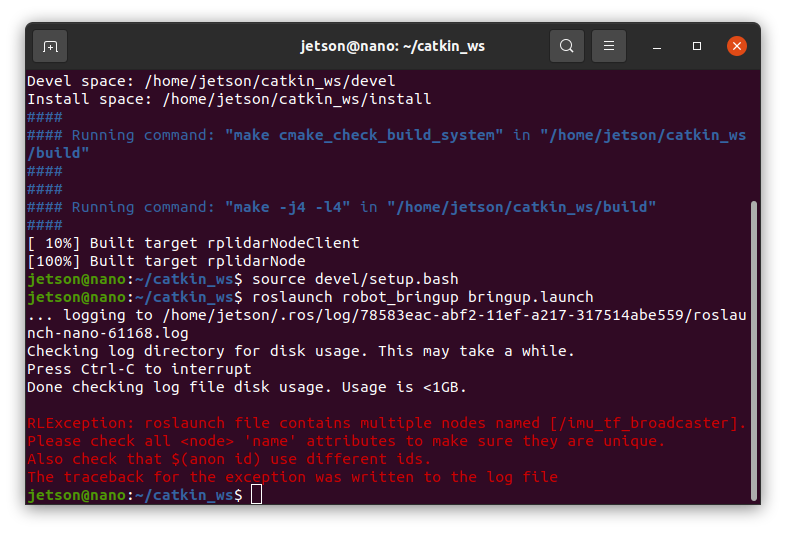
it just little mistake..
In "mpu6050.launch", already include "tf_broadcaster.launch"
So, don't need to add "tf_broadcaster.launch" in bringup.launch file..
Therefore, edit the bringup.launch.
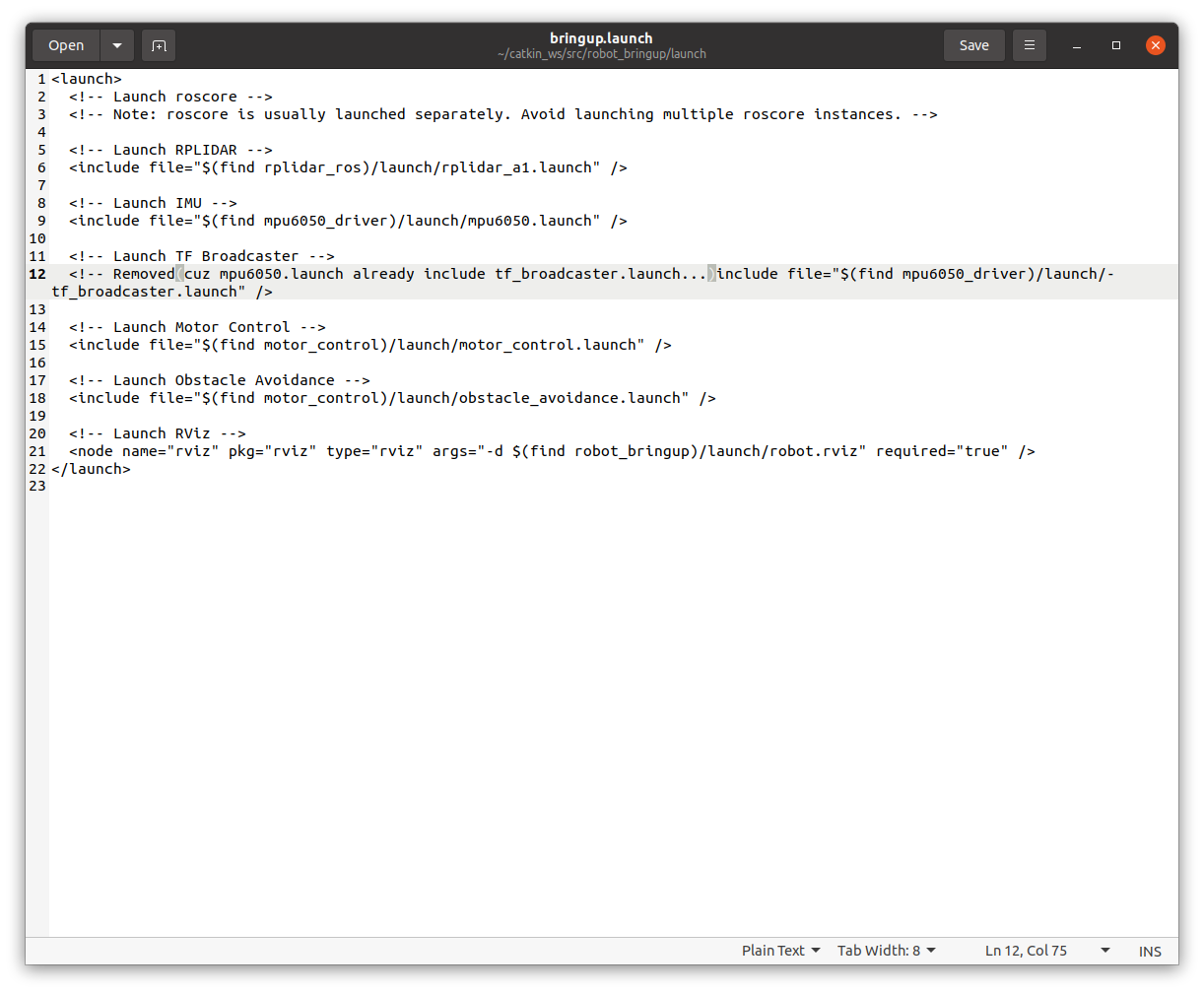
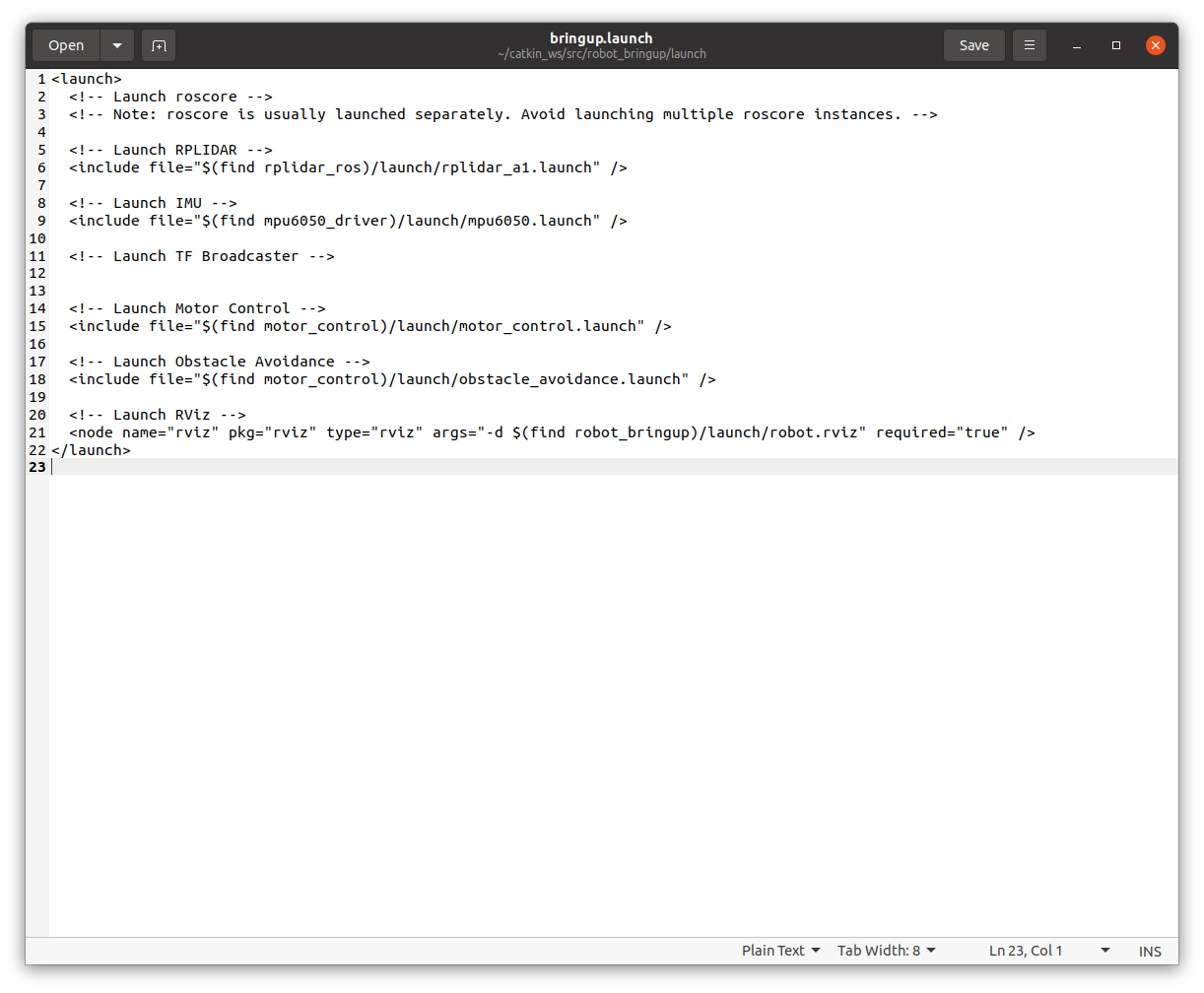
And retry this.
cd ~/catkin_ws
catkin_make
source devel/setup.bash
Relaunch All Components Together:
roslaunch robot_bringup bringup.launch* There's something I'm a little concerned about..
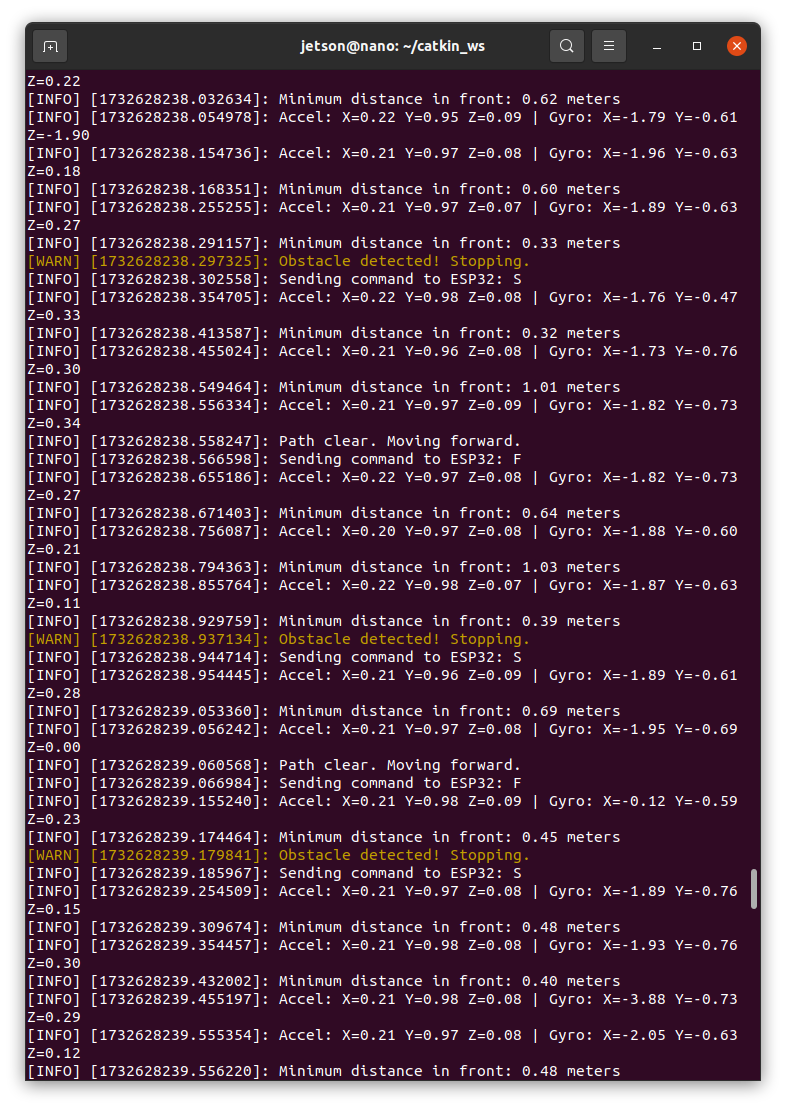
In this terminal, sending just "Stop" not "Forward"
zz.. There's an F command. i didn't notice