출처: 골드 메탈 님의 유튜브 콘텐츠 클론 코딩
00. 스코어와 라이프
UI 세팅
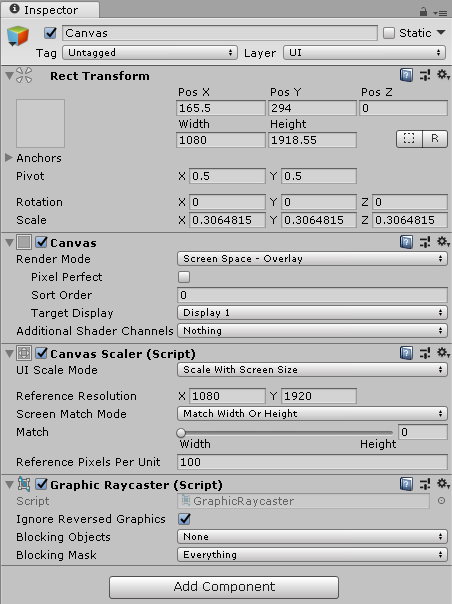
- UI Canvas를 만들고 UI Scale Mode를 설정한다.
- 1080 x 1920의 해상도를 유지한다.
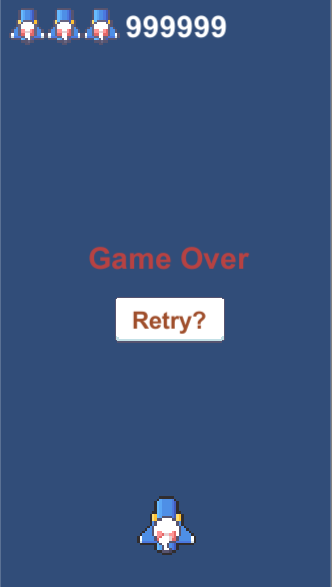
- 제공된 sprite로 라이프 아이콘을 만들고 위와 같은 화면을 구성한다.
- 라이프를 모두 소진하면 Game Over 화면이 나오도록 Game Over 오브젝트는 비활성화 해둔다.
- 라이프를 소진하면 오른쪽에서부터 하나씩 라이프 아이콘을 비활성화한다.
- 적을 제거하면 스코어를 갱신하는 방식을 사용한다.
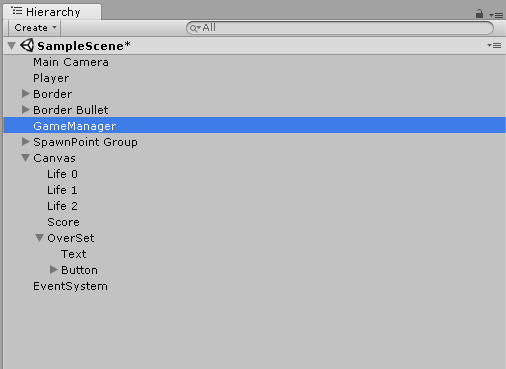
- Hierarchy는 위와 같다.
01. UI로직
Score Script
-
score는 Player가 가지고 있다.
-> Player Script에서 public 변수 score 선언 -
enemy를 처치할 때마다 Player의 score가 상승한다.
-> Enemy Script에서 health가 0이하가 될 때 player의 score를 올려주는 코드를 넣는다. -
GameManager가 Player의 score를 Update하며 Text UI에 표시한다.
-> GameManager Script에서 public 변수로 UI의 Text 추가
1 2 3 4 5 | void UpdateScore() { Player playerScore = player.GetComponent<Player>(); score.text = string.Format("{0:n0}", playerScore.score); } | cs |
Life Icon Script
- Player가 life를 가지고 있다.
-> Player Script에서 public 변수 life 선언 - Icon의 처리는 Game manager에서 이루어진다.
-> Image의 알파값을 0으로 처리.
1 2 3 4 5 6 7 8 9 10 11 12 13 14 15 16 17 18 19 20 21 22 23 24 25 26 27 | private void OnTriggerEnter2D(Collider2D collision) { if(collision.gameObject.tag == "Border") { code } else if(collision.gameObject.tag == "EnemyBullet" || collision.gameObject.tag == "Enemy") { life--; GameManager manager = gameManager.GetComponent<GameManager>(); manager.UpdateLife(life); gameObject.SetActive(false); Destroy(collision.gameObject); if (life == 0) { manager.GameOver(); } else { manager.PlayerActiveOff(); } } } | cs |
- Player가 적에게 부딪쳤을 때 로직.
- life를 감소시키고 Life Icon을 변경하는 메소드를 호출.
- life가 0이면 게임 종료.
1 2 3 4 | public void UpdateLife(int life) { lifeImage[life].color = new Color(1, 1, 1, 0); } | cs |
- Game Manager의 Script
- 인자로 전달받은 life를 인덱스로 하여 image의 알파값을 0으로 변경해 화면에 보이지 않도록 한다.
Game Over
1 2 3 4 | public void GameOver() { gameOverSet.SetActive(true); } | cs |
- life를 모두 소진시 gameOverSet을 활성화.
Game Retry
1 2 3 4 | public void GameRetry() { SceneManager.LoadScene(0); } | cs |
- Scene을 다시 불러오는 방식으로 게임을 재시작한다.
02. 결과
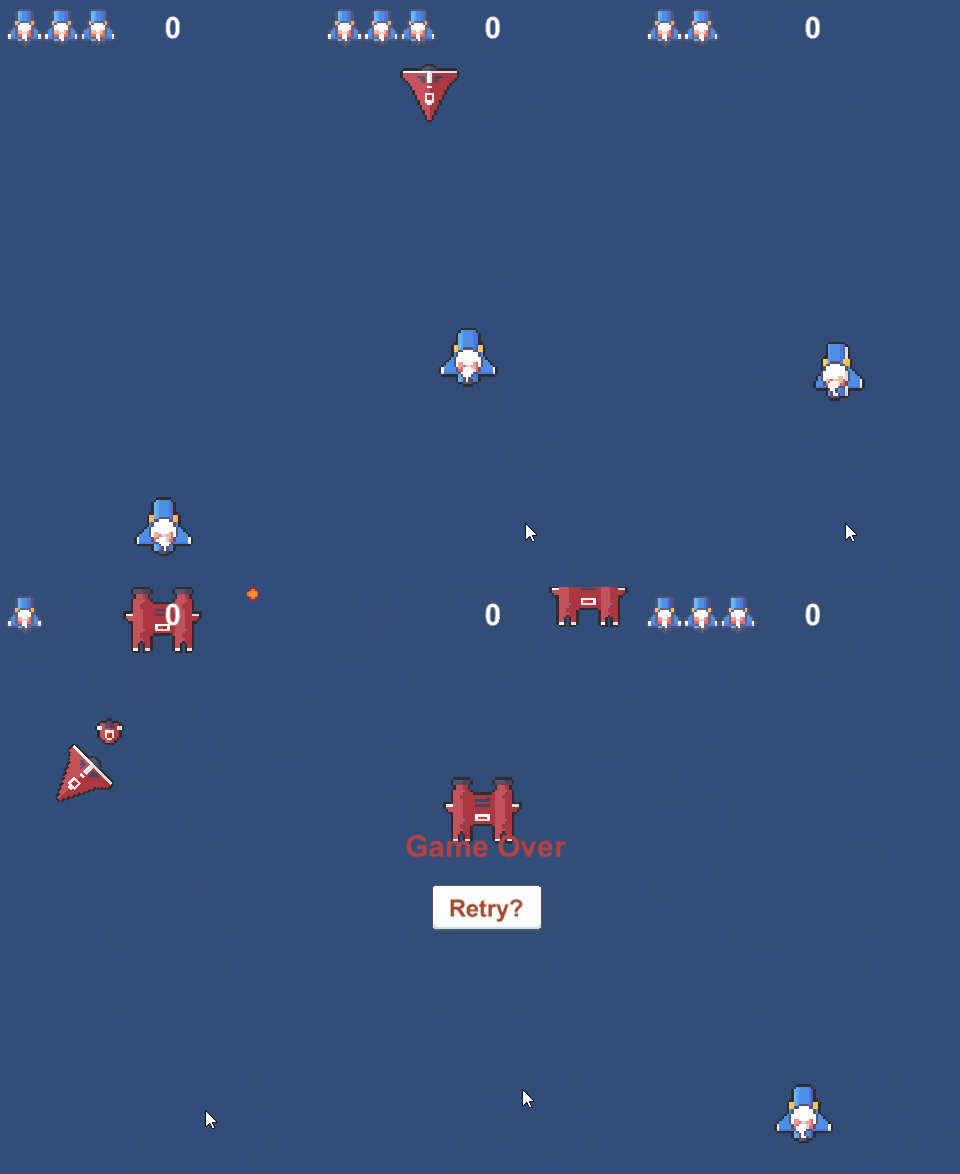

코 익 인 간
What started as a casual session soon turned into an exhilarating rollercoaster ride. The slot machine’s bonus features activated frequently, and Sophie found herself winning small amounts consistently. Just when she thought her https://7bitcasinopokies.com/ luck might be running out, the game’s jackpot feature triggered, and she was stunned to see the jackpot amount increase rapidly. In a matter of minutes, Sophie’s modest stake had transformed into a substantial jackpot win. Her unexpected success turned an ordinary evening into a thrilling and unforgettable experience.