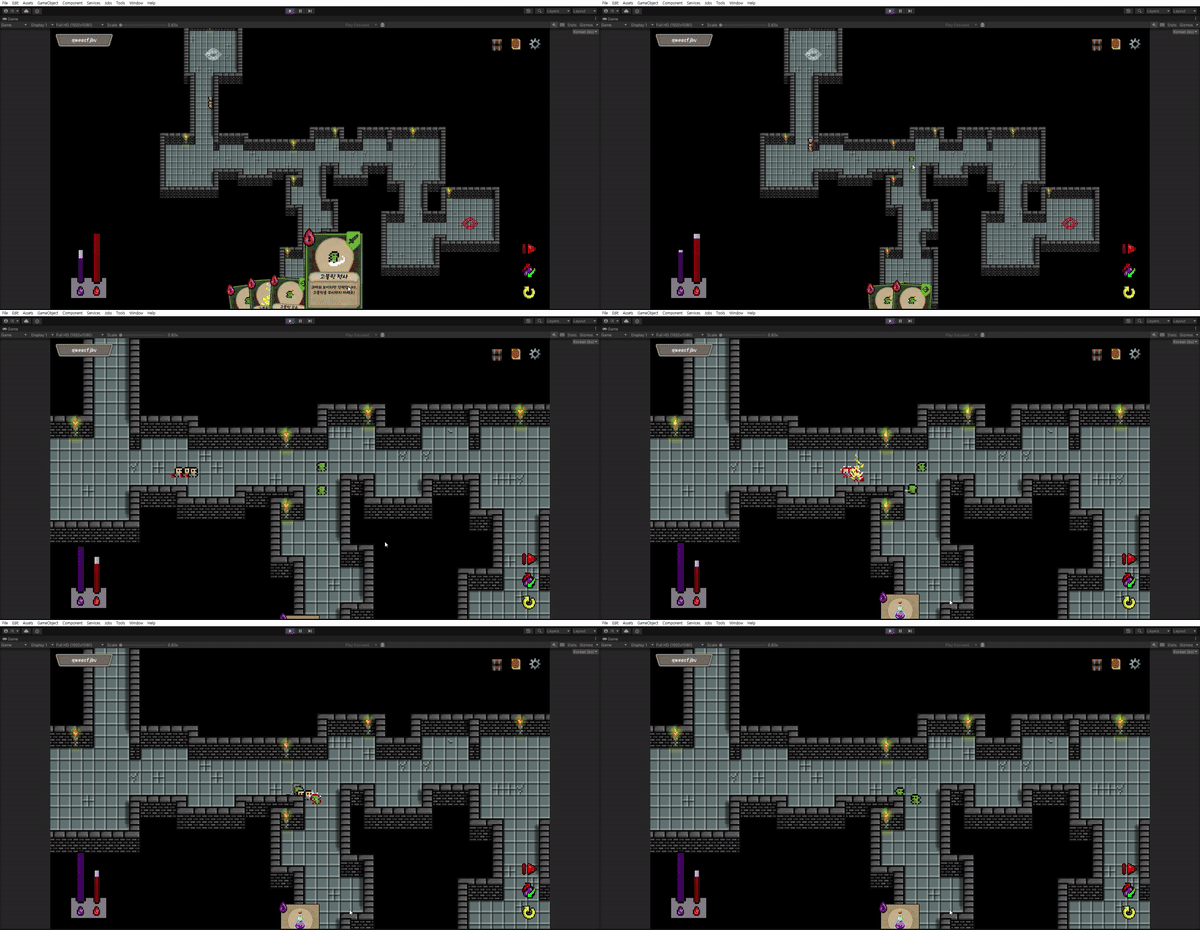
개요
제가 썼던 글의 EnemyBT 수정 부분에 보시면 String과 float 변수를 매직 넘버로 사용하고 있습니다.
처음 만들때에는 전부 외우고있기 때문에 문제가 없었지만, 시간이 지나고 여러 다른 스크립트를 만들다 보니 오류를 수정할 때 어려운 점이 있었습니다.
이번에 가독성을 위해 수정할 부분은 다음과 같습니다.
- 매직 넘버 삭제
- 한 줄짜리 제어문도 중괄호 생략 X
- 불필요한 연산 수정
- 주석을 추가하여 어떤 일을 하려는지 명시
제가 모든 과정을 포스팅하는게 아니다보니, 위 링크와 아래에 작성한 코드들은 기능적으로 다른 부분이 있을 수 있습니다.
정확히 수정하기 직전의 코드를 보시려면 Github링크를 참고하시기 바랍니다.
commit 헤더에 style 이라 적은만큼 기능적으로 바뀐 부분은 없지만 가독성이 좋아진 걸 느낄 수 있습니다.
구현
Constants.cs
public static class Constants
{

    // Layers (int)
    public const int LAYER_ENEMY          = (1 << 8);

    // Tag Names
    public const string TAG_ENEMY         = "Human";
    public const string TAG_MONSTER       = "Monster";
    public const string TAG_DYING         = "Dying";

    // Enemy/Monster Animation Names
    public const string ANIM_PARAM_ATK    = "Attack";
    public const string ANIM_PARAM_WALK   = "Walk";
    public const string ANIM_PARAM_IDLE   = "Idle";
    public const string ANIM_PARAM_DIE    = "Die";
    public const string ANIM_PARAM_DMG    = "Damage";

    // Animation Name for IsName func
    public const string DIE_ANIM_NAME     = "Die Blend Tree";
    public const string ATK_ANIM_NAME     = "Attack Blend Tree";
    public const string THUNDER_ANIM_NAME = "ThunderFall";
    public const string ICECRIS_ANIM_NAME = "IceCrystal";

    // Behavior Tree NodeData Names
    public const string NDATA_ATK         = "atkFlag";
    public const string NDATA_TARGET      = "Target";
    public const string NDATA_PATH        = "pathFlag";
    public const string NDATA_TRACK       = "isTracked";

    // Animation Time
    public const float DMG_ANIM_TIME      = 0.4f;

}
static 클래스 안에 필요한 상수들을 전부 저장해둡니다.
원래 사용하던 곳에서 매직 넘버 대신 Constants.상수이름 으로 변경하기만 하면 됩니다.
EnemyBT 클래스 자체는 변한게 없으니 각 노드의 Evaluate 함수를 보겠습니다.
IsDead.Evaluate()
public override NodeState Evaluate()
{

    // 데미지를 받은 상태 (애니메이션이 실행중인 상태)
    if (transform.GetComponent<Animator>().GetBool(Constants.ANIM_PARAM_DMG))
    {
        // 애니메이션이 끝났다면 IDLE로 바꿔주고 Failure 반환
        damageTrigger += Time.deltaTime;
        if(damageTrigger >= Constants.DMG_ANIM_TIME)
        {
            damageTrigger = 0f;
            BTree.SetAnimatior(transform.GetComponent<Animator>(), Constants.ANIM_PARAM_IDLE);
            return NodeState.Failure;
        }

        // 애니메이션이 진행중이라면 Success반환
        // -> Selector에서 다음 노드로 진행이 안되므로 Move가 안됨
        return NodeState.Success;
    }

    // 죽는 경우 애니메이션 실행 후 Success 반환
    if (stat.Hp <= 0)
    {
        if (!transform.GetComponent<Animator>().GetBool(Constants.ANIM_PARAM_DIE))
        {
            BTree.SetAnimatior(transform.GetComponent<Animator>(), Constants.ANIM_PARAM_DIE);
        }

        return NodeState.Success;
    }
    else
    {
        return NodeState.Failure;
    }
}
적이 죽었는지/살았는지 계속 확인해야 하기 때문에 제일 처음 실행되는 Action Node입니다.
이미 설명한 부분이기도 하고, 주석도 자세히 달아놨으니 자세한 설명은 건너뛰겠습니다.
Disappear.Evaluate()
public override NodeState Evaluate()
{
    // 죽었을때 Destroy로 삭제
    // TODO : 카드 Pooling 구현하고 나서 SetActive(false)로 교체
    if (animator.GetBool(Constants.ANIM_PARAM_DIE) && stat.Hp <= 0)
    {
        if (animator.GetCurrentAnimatorStateInfo(0).IsName(Constants.DIE_ANIM_NAME) && animator.GetCurrentAnimatorStateInfo(0).normalizedTime >= 1)
        {
            GameObject.Destroy(transform.gameObject);
        }
    }
    return NodeState.Success;
}
적이 죽는 애니메이션을 실행하는 중입니다. 애니메이션이 다 끝나면 Destroy를 호출해줍니다.
후에 오브젝트 풀링을 구현하면서 Destroy는 Setactive(false)로 바꿔주겠습니다.
Search.Evaluate()
public override NodeState Evaluate()
{
    // 공격 쿨타임을 잽니다.
    if (GetNodeData(Constants.NDATA_ATK) != null)
    {
        coolTime += Time.deltaTime;
    }

    // 쿨타임만큼 기다렸으면 다시 Atk이 가능합니다.
    // NDATA_ATK을 지워서 공격할 수 있도록 합니다.
    if (coolTime >= stat.Cooltime)
    {
        coolTime = 0;
        BTree.SetAnimatior(animator, Constants.ANIM_PARAM_IDLE);
        RemoveNodeData(Constants.NDATA_ATK);
    }


    // 가장 가까운 적 찾기

    var target = (GameObject)GetNodeData(Constants.NDATA_TARGET);
    GameObject nearGo = null;

    if (target == null || target.CompareTag(Constants.TAG_DYING))
    {
        nearGo = BTree.SearchEnemy(transform, Physics2D.OverlapCircleAll(transform.position, searchRange), tagName);
    }

    // 근처에 적이 있으면 Target을 설정, Path 재설정을 해야한다고 알려줍니다.
    // Failure를 리턴하기 때문에 적이 사라진 후에 Move에서 Path를 재설정하고,
    // Track하느라 움직인 경로에서 다시 Path가 재설정됩니다.
    if (nearGo != null)
    {
        parent.parent.SetNodeData(Constants.NDATA_TARGET, nearGo);
        parent.SetNodeData(Constants.NDATA_PATH, true);
        return NodeState.Failure;
    }

    // Track 중이거나 ATK 중이면 움직이면 안되므로 Failure 반환
    if (GetNodeData(Constants.NDATA_TRACK) != null || GetNodeData(Constants.NDATA_ATK) != null)
    {
        return NodeState.Failure;
    }

    // Success 반환해서 움직이도록 설정
    return NodeState.Success;
}
적이 죽지 않았다면 searchRange 안에 있는 적을 찾습니다.
Evaluate 은 항상 Update 안에서 실행되기 때문에 연산을 최대한 줄여야합니다.
성능을 위해 수정한 부분은 다음과 같습니다.
- target이 null이 아닌지 확인해서
SearchEnemy가 매 프레임 실행되지 않도록 했습니다.
이렇게 보면 간단해 보이지만, 불필요한 연산이 있다는걸 주석달면서 알았습니다.
또 null 이 많이 보이는데, GetNodeData(string) 에 데이터가 없으면 null을 반환해서 그렇습니다.
특히, target은 값이 없거나 ( null ), target이 죽어서 Destroy 된 경우 ( fake null ) 전부 == null 로 컨트롤할 수 있습니다.
Move.Evaluate()
 public override NodeState Evaluate()
 {

     // 경로를 재설정하라는 DATA를 받으면 재설정하고 관련 변수를 초기화합니다.
     if (GetNodeData(Constants.NDATA_PATH) != null)
     {
         RemoveNodeData(Constants.NDATA_PATH);
         path = MapGenerator.Instance.PreprocessPath(new Vector2Int((int)transform.position.y, (int)transform.position.x),
     new Vector2Int((int)dest.y, (int)dest.x));
         currentPointIndex = 0;
     }

     // path가 없는 경우 바로 return
     if (path == null || path.Count == 0)
     {
         return NodeState.Success;
     }

     // 애니메이션 실행
     if (!animator.GetBool(Constants.ANIM_PARAM_WALK))
     {
         BTree.SetAnimatior(animator, Constants.ANIM_PARAM_WALK);
     }

     Vector2 currentTarget = path[currentPointIndex];
     var step = stat.MoveSpeed* new Vector3(currentTarget.x - transform.position.x, currentTarget.y - transform.position.y, 0).normalized;
     rigid.MovePosition(transform.position + new Vector3(step.x, step.y, 0));

     animator.SetFloat("X", step.x);
     animator.SetFloat("Y", step.y);

     // 웨이포인트들을 따라가게 만들기 위해
     // 어느 거리 안으로 들어오면 다음 목적지를 웨이포인트를 향해 갑니다.
     if (Vector2.Distance(transform.position, currentTarget) < 0.2f)
     {
         currentPointIndex++;

         if (currentPointIndex >= path.Count)
         {
             transform.gameObject.SetActive(false);
         }
     }
     return NodeState.Running;
 }
길어서 복잡해보이지만 주석마다 한 덩어리로 보면 알아보기 쉽습니다.
JPS알고리즘으로 길을 찾고, 그 길을 따라가는 노드입니다.
IsAttacking.Evaluate()
public override NodeState Evaluate()
{
    var isAtt= animator.GetBool(Constants.ANIM_PARAM_ATK);
    if (isAtt)
    {
        // 애니메이션이 끝날 때까지 기다림
        if (animator.GetCurrentAnimatorStateInfo(0).IsName(Constants.ATK_ANIM_NAME) && animator.GetCurrentAnimatorStateInfo(0).normalizedTime >= 1)
        {
            BTree.SetAnimatior(animator, Constants.ANIM_PARAM_IDLE);
        }

        return NodeState.Failure;
    }
    else
        return NodeState.Success;
}
IsAttacking 노드는 공격모션이 진행중인 동안 Track 노드에 의해 움직이지 않도록 제어하는 역할입니다.
Track.Evaluate()
public override NodeState Evaluate()
{
    var enemy = (GameObject)GetNodeData(Constants.NDATA_TARGET);

    // 보스가 죽었거나 사라진 경우
    // TRACK, TARGET을 제거하고 Failure를 반환합니다.
    if(enemy == null || enemy.CompareTag(Constants.TAG_DYING))
    {
        RemoveNodeData(Constants.NDATA_TRACK);
        RemoveNodeData(Constants.NDATA_TARGET);
        return NodeState.Failure;
    }

    // 성능을 위해 JPS를 매 프레임 호출하지 않습니다.
    // NDATA_TRACK이 설정되어있지 않으면 경로가 없으므로 경로를 생성합니다.
    if (GetNodeData(Constants.NDATA_TRACK) == null)
    {
        path = MapGenerator.Instance.PreprocessPath(new Vector2Int((int)transform.position.y, (int)transform.position.x),
    new Vector2Int((int)enemy.transform.position.y, (int)enemy.transform.position.x));
        currentPointIndex = 0;
        parent.parent.SetNodeData(Constants.NDATA_TRACK, true);
    }

    // Attack Range안에 들어온 경우입니다.
    // Success를 반환해서 Attack노드를 실행하도록 합니다.
    Vector3 dir = enemy.transform.position - transform.position;
    float dis2 = dir.x * dir.x + dir.y * dir.y;
    if (dis2 < attackRange * attackRange) {
        animator.SetBool(Constants.ANIM_PARAM_WALK, false);
        return NodeState.Success;
    }

    // 도착했지만 적이 없는 경우이므로 NDATA_TRACK을 제거합니다.
    if (currentPointIndex >= path.Count) {
        RemoveNodeData(Constants.NDATA_TRACK);
        return NodeState.Failure;
    }

    // 물리 이동 및 애니메이션 구현입니다.
    Vector2 currentTarget = path[currentPointIndex];
    var step = stat.MoveSpeed * new Vector3(currentTarget.x - transform.position.x, currentTarget.y - transform.position.y, 0).normalized;
    rigid.MovePosition(transform.position + new Vector3(step.x, step.y, 0));
    animator.SetFloat("X", step.x);
    animator.SetFloat("Y", step.y);
    BTree.SetAnimatior(animator, Constants.ANIM_PARAM_WALK);


    // Move와 동일하게 웨이포인트 근처에서 웨이포인트를 바꿔줍니다.
    // Index의 범위는 위에서 확인하므로 여기서는 따로 확인하지 않습니다.
    if (Vector2.Distance(transform.position, currentTarget) < 0.2f)
    {
        currentPointIndex++;
    }

    return NodeState.Running;
}
Track 노드가 가장 복잡한 노드입니다.
주변의 적을 탐지했을때에만 실행되는 노드로, 해당 적의 위치와 JPS 알고리즘으로 경로를 따라갑니다.
Attack.Evaluate()
public override NodeState Evaluate()
{
    if (GetNodeData(Constants.NDATA_ATK) == null)
    {

        // 타겟 확인
        var tr = (GameObject)GetNodeData(Constants.NDATA_TARGET);
        if (tr == null || tr.CompareTag(Constants.TAG_DYING))
        {
            RemoveNodeData(Constants.NDATA_TARGET);
            return NodeState.Failure;
        }

        // 때렸다는 flag를 띄우면 search 노드에서 쿨타임을 세줍니다
        parent.parent.SetNodeData(Constants.NDATA_ATK, true);
        BTree.SetAnimatior(animator, Constants.ANIM_PARAM_ATK);

        // AtkRange에 따라 Slash/Bow 구분 가능
        if (tr.GetComponent<BTree>() != null && tr.GetComponent<BTree>().OnDamaged(stat.Attack, Define.AtkType.Slash))
        {
            // 적을 때려서 죽였을 때 실행하는 부분입니다.
            // 추가적인 기능을 구현할 수 있을 것 같아 남겨뒀습니다.
            // ex. 적을 죽이면 일정 시간동안 데미지 상승
        }
    }
    return NodeState.Success;
}
마지막 Action Node 입니다. 타겟을 확인하고 데미지를 입힙니다.
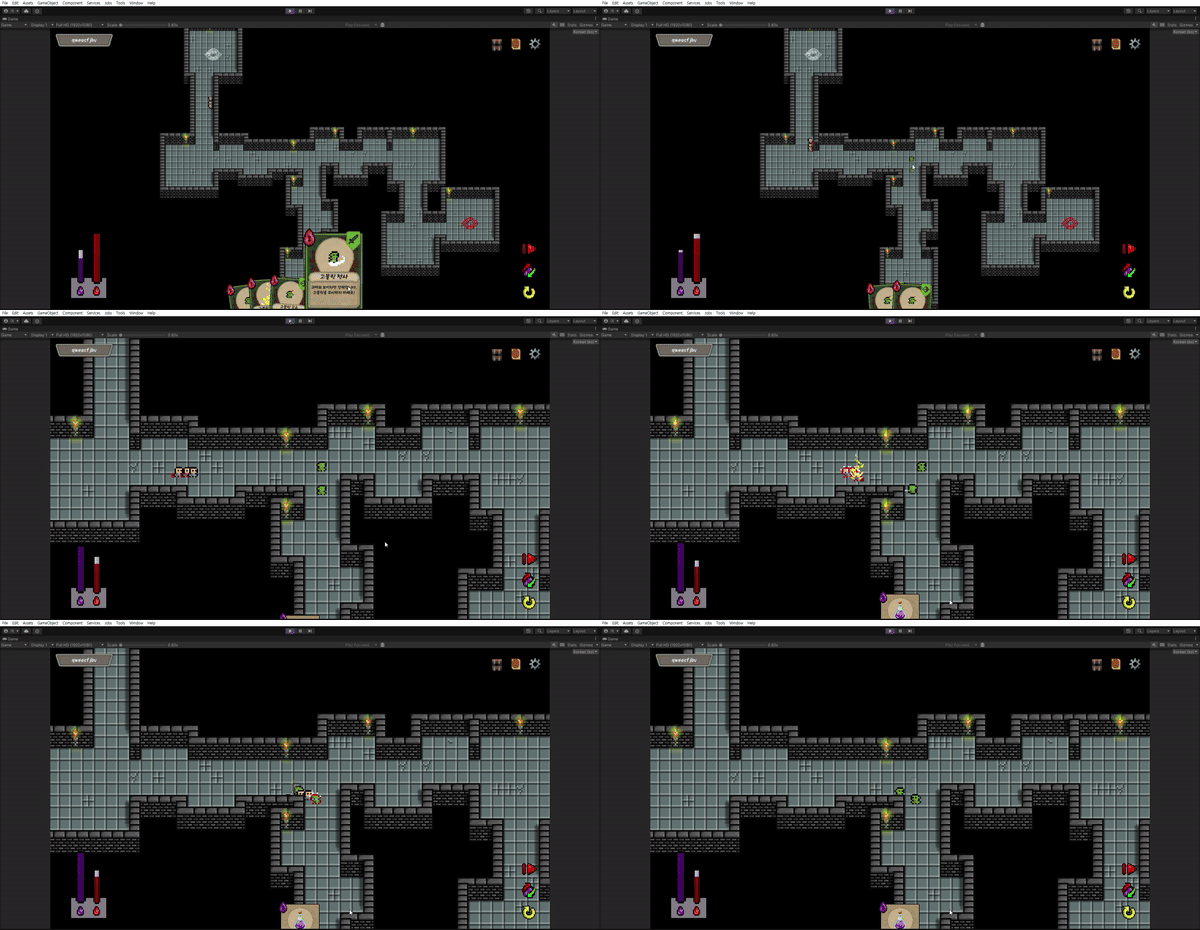
아래는 수정 후의 간단한 실행 영상입니다.
마무리
오류를 이미 다 고치고나서 가독성을 챙기는것도 아이러니할 수 있겠습니다만, 제가 StateMachine 대신에 Behavior Tree 를 선택한건 재활용할 수 있다는 점 때문입니다.
막상 저 위에 고친 노드들만 해도 7개 중 Track 노드를 제외한 6개가 GoblinBT 에 그대로 쓰이고 있고,
그 중 Attack 노드를 제외한 5개는 GoblinMagicBT 에 까지 사용되고 있습니다.
여기서 공격 대상의 tagName을 바꿔주고 Attack노드 대신 Heal노드로 갈아껴주면 힐러도 바로 만들 수 있습니다.
특히 매직 넘버를 고치고 주석을 사용하다보니, 부족한 부분들이 눈에 띄어 불필요한 함수의 호출을 줄일 수 있었습니다.
부족한 점
-
각 액션 노드간의 커플링이 심합니다.
예를 들면,Search노드에서 공격 쿨타임을 재거나,IsDead에서 데미지를 관리하는 것은 바람직하지 않습니다.
다음에는 이러한 부분을 분리하고, 이를 통해 더 다양한 적을 만들어보겠습니다. -
적이 죽은 후에도 공격을 합니다.
이런 부분도 고려해서 EnemyBT를 다시 수정해보겠습니다.