Serve an Object Detection Model
이번 포스트에서는 Ray Serve를 이용하여 object detection를 실행해 볼 것이다.
우선 ray가 설치되어 있지 않다면 설치해준다
pip install "ray[serve]" requests torch
이번 포스트에선 ultralytics/yolov5 모델과 FastAPI를 사용하며 아래와 같은 코드를 포함하는 object_detection.py를 저장한다.
import torch
from PIL import Image
import numpy as np
from io import BytesIO
from fastapi.responses import Response
from fastapi import FastAPI

from ray import serve
from ray.serve.handle import DeploymentHandle


app = FastAPI()


@serve.deployment(num_replicas=1)
@serve.ingress(app)
class APIIngress:
    def __init__(self, object_detection_handle: DeploymentHandle):
        self.handle = object_detection_handle

    @app.get(
        "/detect",
        responses={200: {"content": {"image/jpeg": {}}}},
        response_class=Response,
    )
    async def detect(self, image_url: str):
        image = await self.handle.detect.remote(image_url)
        file_stream = BytesIO()
        image.save(file_stream, "jpeg")
        return Response(content=file_stream.getvalue(), media_type="image/jpeg")


@serve.deployment(
    ray_actor_options={"num_gpus": 1},
    autoscaling_config={"min_replicas": 1, "max_replicas": 2},
)
class ObjectDetection:
    def __init__(self):
        self.model = torch.hub.load("ultralytics/yolov5", "yolov5s")
        self.model.cuda()
        self.model.to(torch.device(0))

    def detect(self, image_url: str):
        result_im = self.model(image_url)
        return Image.fromarray(result_im.render()[0].astype(np.uint8))


entrypoint = APIIngress.bind(ObjectDetection.bind())
위의 코드를 서빙하기 위해 아래와 같은 명령어를 입력한다
serve run object_detection:entrypoint
실행시 현재 코드에서는 min_replicas가 0으로 설정되어 있다. 즉 deployment가 어떠한 ObjectDetection replica 없이 시작되며, 오직 request가 있을 때만 실행된다. 잠시 동안 어떠한 request도 오지 않으면 Ray-Serve는 다시 ObjectDetection을 0-replica 로 다운시켜 GPU 자원을 절약한다.
Ray-Serve 실행 시 아래와 같은 메세지를 볼 수 있을 것이다.
(ServeReplica:ObjectDection pid=4747)   warnings.warn(
(ServeReplica:ObjectDection pid=4747) Downloading: "https://github.com/ultralytics/yolov5/zipball/master" to /home/ray/.cache/torch/hub/master.zip
(ServeReplica:ObjectDection pid=4747) YOLOv5 🚀 2023-3-8 Python-3.9.16 torch-1.13.0+cu116 CUDA:0 (Tesla T4, 15110MiB)
(ServeReplica:ObjectDection pid=4747)
(ServeReplica:ObjectDection pid=4747) Fusing layers...
(ServeReplica:ObjectDection pid=4747) YOLOv5s summary: 213 layers, 7225885 parameters, 0 gradients
(ServeReplica:ObjectDection pid=4747) Adding AutoShape...
2023-03-08 21:10:21,685 SUCC <string>:93 -- Deployed Serve app successfully.
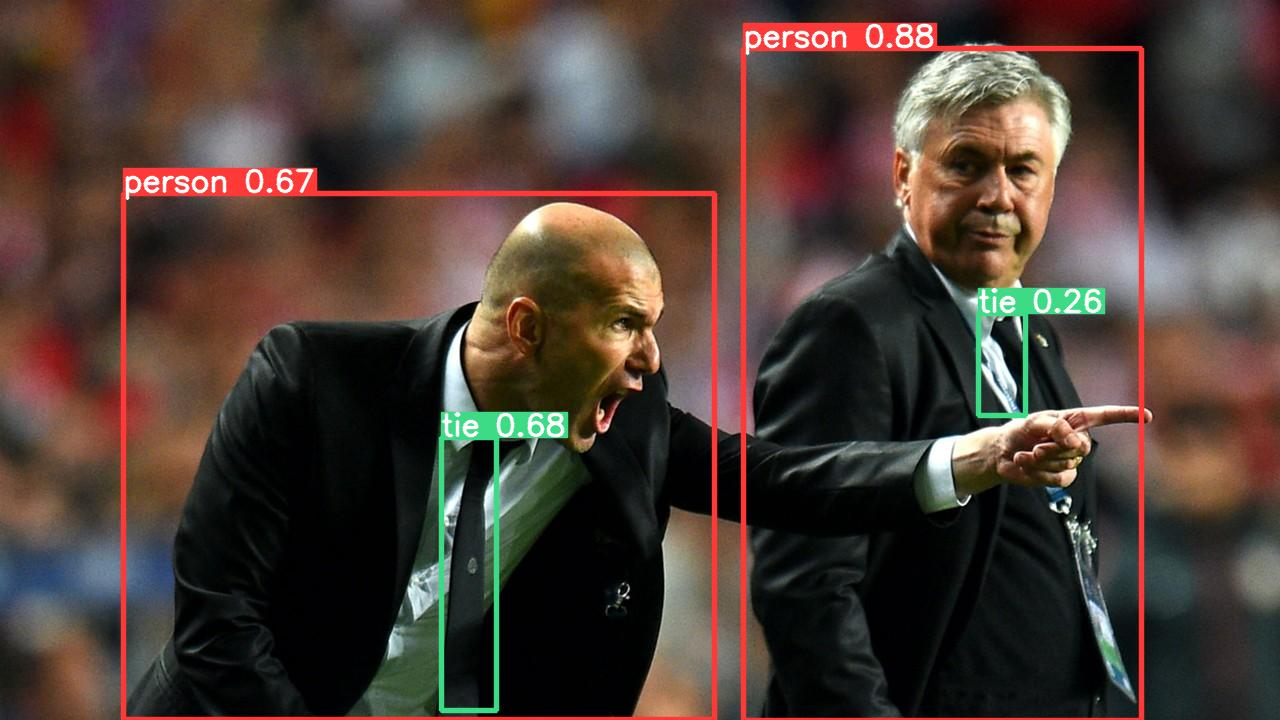
다음과 같은 코드를 app.py에 저장하고 실행시켜 Ray-Serve에 요청을 보낸다.
import requests

image_url = "https://ultralytics.com/images/zidane.jpg"
resp = requests.get(f"http://127.0.0.1:8000/detect?image_url={image_url}")

with open("output.jpeg", 'wb') as f:
    f.write(resp.content)
상기 app.py를 실행하면 output.png로 로컬에 아래와 같은 결과가 저장된다.

따라가기도 벅찬 AI Engineer 겸 부앙단