[MicrosoftDataSchool] 57일차 - AzureDatabricks 추천 시스템(ALS), DeltaLake Table System, Pipeline
Microsoft Data School 3기

추천 시스템
사용자의 행동 패턴과 아이템의 특성을 분석하여 개인 맞춤형 컨텐츠를 제공하는 인공지능 기술
| 협업 필터링 | 콘텐츠 기반 필터링 |
|---|---|
| 비슷한 취향을 가진 사용자들의 집단 행동 패턴을 분석합니다 | 아이템 자체의 특성과 메타데이터를 분석합니다 |
| 사용자 간 유사도 계산 | 장르, 키워드 매칭 |
| 평점 기반 예측 | 아이템 속성 분석 |
| 집단 지성 활용 | 프로필 기반 추천 |
유저 기반 협업 필터링 (User-based CF)
01. 유사 사용자 탐색
코사인 유사도, 피어슨 상관계수 등을 통해 비슷한 평점 패턴을 가진 사용자 그룹을 탐색
02. 이웃 선정
유사도가 높은 상위 K명의 사용자(이웃)를 선택하여 추천 기반을 구성
03. 평점 예측
이웃 사용자들의 평점을 가중 평균하여 대상 아이템에 대한 예측 점수를 계산
주의
대규모 유저 대상에서는 실시간 계산 비용이 증가하며,
희소 데이터(sparsity) 문제로 인해 정확도가 낮아질 수 있음
아이템 기반 협업 필터링 (Item-based CF)
작동 원리
사용자가 좋아한 아이템과 유사한 다른 아이템을 찾아 추천
아이템 간 유사도는 코사인 유사도 등을 활용해 측정
아마존의 “이 상품을 구매한 고객이 함께 본 상품” 기능의 기반이 되는 방식
핵심 장점
- 아이템 유사도는 시간에 따라 상대적으로 안정적
- 오프라인에서 미리 계산 가능
- 확장성이 뛰어남
중요: 유사도를 0~1 사이의 값으로 만들기
콜드스타트: 협업 필터링의 한계
- 신규 유저나 신규 아이템에 대한 충분한 상호작용 데이터가 부족하여 정확한 추천이 어려운 상황을 의미
- 초기 사용자 이탈률과 직결됨
원인
- 서비스 초기 단계에서 유저 수와 인터랙션 데이터가 절대적으로 부족한 상황
- 신상품 출시 직후 사용자들의 평가나 구매 기록이 전혀 없는 상태
- 신규 가입자의 과거 행동 기록이 없어 취향을 파악할 수 없는 문제
해결법
1. 하이브리드 추천 시스템
콘텐츠 기반의 신규 유저/아이템 메타데이터 활용
				+
협업 필터링의 기존 유저/아이템에 집단 지성 활용
2. 프로필 완성
- 명시적 데이터 수집: 가입 시 선호 장르, 관심사에 대한 질문지 제공
- 소셜 연동: 페이스북, 구글 계정 연동으로 기본 정보 획득
- 암묵적 피드백: 초기 클릭, 체류시간 등 행동 데이터 실시간 수집
모델 기반 협업 필터링
행렬 분해(Matrix Factorization)
희소한 사용자-아이템 평점 행렬을 저차원의 잠재 공간(latent space)로 분해나는 기법
사용자와 아이템을 각각 K차원의 벡터로 표현하여, 내적으로 평점을 예측
잠재 요인(latent factors)을 통해 명시적으로 드러나지 않는 사용자 취향과 아이템 특성을 학습
분포가 적절한 면을 따서 잘 펼쳐서 사용(차원 줄이고 계산량 줄이고)
| 구분 | 내용 |
|---|---|
| 장점 | - 희소 데이터 처리 능력 우수 - 확장성이 뛰어나 대규모 서비스에 적합 - 과적합 방지 가능 - 오프라인 학습 후 빠른 추론 |
| 단점 | - 모델 학습이 복잡하고 시간 소요 - 결과 해석이 어려움 - 하이퍼파라미터 튜닝 필요 - 신규 데이터 반영에 시간 지연 |
강화학습과 밴딧 알고리즘으로 추천 혁신
추천 문제와 밴딧 알고리즘
- 탐색: 새로운 아이템을 시도하여 더 나은 선택지를 발견하는 과정
- 활용: 현재까지 알려진 최선의 선택을 반복하여 즉각적인 보상 극대화
다중 슬롯머신 문제(Multi-Armed Bandit)
여러 선택지 중에서 시행착오를 통해 최적의 보상을 찾아가는 강화학습 프레임워크
추천 시스템은 본질적으로 탐색과 활용의 균형을 맞춰야 하는 밴딧 문제로 모델링 가능
적용 사례
- 실시간 추천 조정: 사용자 즉각적인 반응(클릭, 시청시간)을 학습하여 다음 추천을 동적으로 최적화
- 광고 클릭률 최적화: 광고 소재 중 클릭률이 높은 것을 빠르게 찾아내 노출 비중을 조절
- 뉴스 기사 추천: 빠르게 변하는 트렌드에 맞춰 인기 기사를 실시간으로 발굴하고 추천
밴딧 알고리즘 종류
| 방법 | 설명 |
|---|---|
| ε-그리디 | ε 확률로 무작위 탐색, 1-ε 확률로 최선 선택 |
| UCB | 불확실성이 큰 선택지에 보너스를 부여하여 탐색 |
| Thompson Sampling | 베이지안 확률 분포에서 샘플링하여 선택 |
성공적인 추천 시스템을 위한 핵심 포인트
데이터 품질과 양 확보
- 충분한 양의 고품질 인터랙션 데이터 확보해야 함
- 노이즈 제거 및 데이터 정제 필수
- 데이터 편향 최소화 고려해야 함
콜드스타트 대비 설계
- 신규 사용자/아이템 대응 전략 필요
- 하이브리드 추천 방식 적용 고려해야 함
- 인기 기반 + 프로필 기반 추천 병행해야 함
사용자 피드백 루프
- 클릭, 체류시간, 구매 등 암묵적 피드백 활용해야 함
- A/B 테스트 기반으로 지속적 개선 필요
- 사용자 행동 데이터 계속 축적해야 함
확장성과 실시간 처리
- 대규모 트래픽 대응 위한 분산 처리 필요
- 캐싱 전략으로 응답 속도 최적화해야 함
- 실시간 업데이트와 배치 학습 간 균형 맞춰야 함
프라이버시 보호와 추천 시스템
- 연합 학습(Federated Learning)
사용자 기기에서 로컬로 모델을 학습하고, 중앙 서버는 모델 파라미터만 수집하여 개인 데이터를 보호 - 차등 프라이버시
통계적 노이즈를 추가하여 개별 사용자 정보를 보호하면서도 전체 패턴은 학습 가능 - 익명화 기술
개인 식별 정보를 제거하거나 암호화하여 프라이버시를 지키면서 추천 품질을 유지
ALS 영화 추천 시스템 실습
Databricks 메달리온 아키텍처 + Spark MLlib + MLflow
협업 필터링 기반 영화 추천 시스템 구축 실습
Velog에 업로드하기 좋게 Databricks와 Spark MLlib을 활용한 ALS 영화 추천 시스템 구축 실습 내용을 마크다운 형식으로 정리해 드립니다.
[실습] Databricks & Spark MLlib을 활용한 ALS 영화 추천 시스템 구축
1. 실습 개요
- 기술 스택: Databricks, Spark MLlib, MLflow, Gradio
- 아키텍처: 메달리온 아키텍처 (Bronze → Silver → Gold)
- 핵심 알고리즘: ALS (Alternating Least Squares) 협업 필터링
- 데이터 규모: 영화 500개, 사용자 1,000명, 평점 약 10,000건 (희소성 약 98%)
2. 데이터 파이프라인 및 단계별 실습 내용
Step 1: 샘플 데이터 생성 (Bronze Layer)
실제 추천 시스템과 유사한 희소성(Sparsity)을 가진 가상의 영화, 사용자, 평점 데이터를 생성하여 Delta 테이블에 저장합니다.
- 주요 작업: 현실적인 평점 패턴(영화 품질 + 사용자 성향 + 노이즈)을 반영한 데이터 생성.
- 결과: 원시 데이터 형태의
bronze_movies,bronze_users,bronze_ratings테이블 생성.
Step 2: 데이터 정제 및 피처 엔지니어링 (Silver Layer)
Bronze 데이터를 ML 모델 훈련에 적합한 형태로 변환합니다.
- 주요 변환: 장르 배열화, 연령대 인코딩, 태그 정규화 등.
- 핵심 개념 - 베이지안 평균(Bayesian Average): 평점 수가 적은 영화의 평점이 왜곡되는 것을 방지하기 위해 전체 평균과 최소 신뢰 샘플 수를 활용해 보정합니다.
- 공식:
Step 3: 모델 훈련 및 실험 추적 (Gold Layer & ML)
비즈니스 집계 데이터를 생성하고 ALS 모델을 최적화합니다.
- ALS 알고리즘: 사용자-영화 행렬을 잠재 요인(Latent Factor)으로 분해하여 누락된 평점을 예측합니다.
- MLflow 연동: 그리드 서치를 통해
rank,regParam등의 하이퍼파라미터 조합을 실험하고, 모든 결과는 MLflow UI에 자동으로 기록 및 추적됩니다.
Step 4: 추천 서비스 구현
훈련된 모델을 활용하여 실제 추천 시나리오를 구성합니다.
- 추천 시나리오: 기존 사용자 추천, 장르 기반 추천, 유사 영화 탐색.
- Cold Start 문제 해결: 평점 기록이 없는 신규 사용자를 위해 베이지안 평균 기반의 인기 영화를 추천하는 폴백(Fallback) 전략을 사용합니다.
Step 5: Gradio 인터랙티브 대시보드
사용자가 직접 추천 결과를 확인할 수 있는 웹 UI를 구축합니다.
- 주요 기능: 개인화 추천 ID 입력, 영화 제목 검색을 통한 유사 영화 탐색, 데이터 시각화 차트 등.
3. 핵심 개념 요약
| 용어 | 설명 |
|---|---|
| 메달리온 아키텍처 | Bronze(원시) → Silver(정제) → Gold(집계) 순의 데이터 구조 |
| ALS | 협업 필터링을 위한 행렬 분해 알고리즘 |
| Cold Start | 신규 사용자/영화의 데이터 부족으로 인한 추천의 어려움 |
| RMSE | 예측 오차를 평가하는 지표 (낮을수록 정확함) |
| MLflow | 머신러닝 실험 추적 및 모델 버전 관리 도구 |
4. 실습 후기 및 확장 과제
이번 실습을 통해 데이터 엔지니어링(메달리온 아키텍처)부터 모델 서빙(Gradio)까지의 전체 파이프라인을 경험할 수 있었습니다. 향후에는 다음과 같은 주제로 확장이 가능합니다.
- Model Serving: REST API로 모델 배포
- Feature Store: Databricks Feature Store 연동
- Real-time: 실시간 스트리밍 데이터를 활용한 추천 반영
**콘텐츠 기반 필터링 결합**: 영화 메타데이터 기반 추천과 ALS 결합
샘플 영화 데이터 생성
영화 추천 시스템 실습을 위한 현실적인 샘플 데이터를 생성합니다.
생성할 데이터
| 테이블 | 설명 | 건수 |
|---|---|---|
| movies | 영화 메타데이터 | 500개 |
| users | 사용자 프로필 | 1,000명 |
| ratings | 사용자-영화 평점 | ~10,000건 |
| tags | 사용자 태그 | 1,000건 |
데이터 규모 설계 근거
- 실제 MovieLens Small 데이터셋 (ml-latest-small)은 약 600명 사용자, 9,000편 영화, 100,000건 평점 규모
- 본 실습에서는 학습·실행 시간을 고려하여 소규모로 설정
- 사용자당 평균 ~10개 평점 → 희소성(sparsity) 약 98% 수준 (현실적인 추천 시스템 환경)
- 사용자별 평점 수가 1~100개로 다양하게 분포 (실제 서비스와 유사한 롱테일 분포)
메달리온 아키텍처에서의 위치
이 노트북은 Bronze Layer (원시 데이터) 를 생성합니다.
[데이터 생성] → Bronze (원시) → Silver (정제) → Gold (집계/ML)
    ↑ 현재 위치
1. 환경 설정
Unity Catalog의 카탈로그와 스키마를 설정합니다.
- CATALOG: 각자의 카탈로그 이름으로 변경하세요
- SCHEMA: 이 실습에서 사용할 스키마 이름입니다
import pandas as pd
import numpy as np
from datetime import datetime, timedelta
import random
import json

# 재현성을 위한 시드 설정 (동일한 데이터를 반복 생성하기 위함)
np.random.seed(42)
random.seed(42)

# ============================================================
# ⚠️ 카탈로그 이름을 본인의 카탈로그로 변경하세요!
# ============================================================
CATALOG = "3dt016_databricks"
SCHEMA = "movie_recommender"
2. 스키마 생성
Unity Catalog 환경에서 데이터를 저장할 스키마(데이터베이스)를 생성합니다.
카탈로그는 이미 존재한다고 가정합니다. 없으면 CREATE CATALOG 주석을 해제하세요.
# 카탈로그가 없는 경우 아래 주석을 해제하세요
# spark.sql(f"CREATE CATALOG IF NOT EXISTS {CATALOG}")

# 스키마 생성 및 사용 설정
spark.sql(f"CREATE SCHEMA IF NOT EXISTS {CATALOG}.{SCHEMA}")
spark.sql(f"USE {CATALOG}.{SCHEMA}")

print(f"✅ 카탈로그/스키마 설정 완료: {CATALOG}.{SCHEMA}")
output
✅ 카탈로그/스키마 설정 완료: 3dt016_databricks.movie_recommender3. 영화 데이터 생성
500개의 가상 영화 데이터를 생성합니다. 각 영화는 다음 속성을 가집니다:
- movie_id: 고유 식별자 (1~500)
- title: 영화 제목 (연도 포함)
- year: 개봉 연도 (1970~2024, 최근 연도에 가중치)
- genres: 장르 (1~4개,
|로 구분) - director: 감독
- runtime_minutes: 러닝타임
- budget_millions: 예산 (백만 달러)
- base_quality: 영화 품질 지표 (평점 생성 시 사용, 이후 제거됨)
# === 영화 메타데이터 정의 ===

# 18개 장르 (MovieLens 기준 표준 장르 분류)
GENRES = [
    "Action", "Adventure", "Animation", "Children", "Comedy", "Crime",
    "Documentary", "Drama", "Fantasy", "Film-Noir", "Horror", "Musical",
    "Mystery", "Romance", "Sci-Fi", "Thriller", "War", "Western"
]

# 유명 감독 목록 (다양한 국적 포함)
DIRECTORS = [
    "Christopher Nolan", "Steven Spielberg", "Martin Scorsese", "Quentin Tarantino",
    "Denis Villeneuve", "Ridley Scott", "James Cameron", "David Fincher",
    "Guillermo del Toro", "Peter Jackson", "Wes Anderson", "Coen Brothers",
    "Alfonso Cuarón", "Bong Joon-ho", "Park Chan-wook", "Wong Kar-wai",
    "Francis Ford Coppola", "Stanley Kubrick", "Alfred Hitchcock", "Akira Kurosawa"
]

# 영화 제목 생성을 위한 단어 사전
TITLE_PREFIXES = ["The", "A", "Return of", "Rise of", "Fall of", "Legend of", "Secret", "Last", "Dark", "Lost"]
TITLE_WORDS = [
    "Knight", "Dawn", "Storm", "Shadow", "Dragon", "Phoenix", "Empire", "Kingdom",
    "Warrior", "Journey", "Dream", "Destiny", "Heart", "Soul", "Fire", "Ice",
    "Thunder", "Ocean", "Mountain", "Forest", "City", "World", "Galaxy", "Universe"
]

def generate_movie_title():
    """
    랜덤 패턴을 사용하여 현실적인 영화 제목을 생성합니다.
    4가지 패턴: "The Knight", "Dawn of Storm", "Shadow: The Dragon", "Fire Ice"
    """
    pattern = random.choice([1, 2, 3, 4])
    if pattern == 1:
        return f"{random.choice(TITLE_PREFIXES)} {random.choice(TITLE_WORDS)}"
    elif pattern == 2:
        return f"{random.choice(TITLE_WORDS)} of {random.choice(TITLE_WORDS)}"
    elif pattern == 3:
        return f"{random.choice(TITLE_WORDS)}: {random.choice(TITLE_PREFIXES)} {random.choice(TITLE_WORDS)}"
    else:
        return f"{random.choice(TITLE_WORDS)} {random.choice(TITLE_WORDS)}"

def generate_movies(n_movies=500):
    """
    영화 데이터를 생성합니다.

    Args:
        n_movies: 생성할 영화 수 (기본값: 500)

    Returns:
        pd.DataFrame: 영화 메타데이터 DataFrame
    """
    movies = []
    used_titles = set()  # 제목 중복 방지

    for movie_id in range(1, n_movies + 1):
        # 고유한 제목 생성 (중복 시 재생성)
        while True:
            title = generate_movie_title()
            if title not in used_titles:
                used_titles.add(title)
                break

        # 연도: 삼각분포 사용 → 최근 연도에 더 많은 영화가 분포
        year = int(np.random.triangular(1970, 2010, 2024))

        # 장르: 1~4개 랜덤 할당
        n_genres = random.randint(1, 4)
        movie_genres = random.sample(GENRES, n_genres)

        director = random.choice(DIRECTORS)

        # 러닝타임: 정규분포 (평균 120분, 표준편차 25분), 75~210분 범위
        runtime = int(np.random.normal(120, 25))
        runtime = max(75, min(runtime, 210))

        # 예산: 지수분포 (대부분 저예산, 소수 블록버스터), 1~300M 범위
        budget = round(np.random.exponential(50), 1)
        budget = max(1, min(budget, 300))

        # 영화 품질 지표: Beta 분포 → 대부분 중간, 일부 고품질
        # Beta(5,3) * 3 + 2 = 2.0 ~ 5.0 분포
        base_rating = np.random.beta(5, 3) * 3 + 2

        movies.append({
            "movie_id": movie_id,
            "title": f"{title} ({year})",
            "year": year,
            "genres": "|".join(movie_genres),
            "director": director,
            "runtime_minutes": runtime,
            "budget_millions": budget,
            "base_quality": round(base_rating, 2)
        })

    return pd.DataFrame(movies)

# 영화 데이터 생성 실행
movies_df = generate_movies(500)
print(f"✅ 영화 데이터 생성 완료: {len(movies_df)}개")
movies_df.head(10)
output
✅ 영화 데이터 생성 완료: 500개 movie_id title ... budget_millions base_quality
0 1 The Universe (1998) ... 8.5 3.89
1 2 Lost Soul (1976) ... 175.2 3.51
2 3 Kingdom of Thunder (1995) ... 17.2 4.33
3 4 Kingdom Fire (2001) ... 76.9 4.51
4 5 Dragon: Rise of Dream (2006) ... 5.1 4.52
5 6 Legend of Destiny (1978) ... 120.0 4.57
6 7 Dark Journey (2004) ... 127.5 4.51
7 8 Storm: Rise of Shadow (2012) ... 22.1 4.66
8 9 Empire: Fall of Galaxy (1982) ... 65.3 4.24
9 10 Phoenix of Fire (2013) ... 48.8 3.83
[10 rows x 8 columns]4. 사용자 데이터 생성
500명의 가상 사용자를 생성합니다. 각 사용자는 다음 속성을 가집니다:
- preference_profile: 장르 선호도 프로필 (7가지 유형) — 평점 생성 시 장르 매칭에 사용
- activity_level: 활동성 (1~5) — 평점 개수 결정에 사용
- rating_tendency: 평점 성향 (strict/neutral/lenient) — 평점 편향에 사용
이 속성들은 현실적인 평점 패턴을 만들기 위한 시뮬레이션 파라미터입니다.
# === 사용자 속성 정의 ===

COUNTRIES = ["USA", "UK", "Canada", "Germany", "France", "Japan", "Korea", "Australia", "Brazil", "India"]
AGE_GROUPS = ["18-24", "25-34", "35-44", "45-54", "55-64", "65+"]

# 장르 선호도 프로필: 사용자의 시청 취향을 모델링
# 각 프로필은 특정 장르에 대한 선호도 가중치(0~1)를 정의
GENRE_PREFERENCE_PROFILES = {
    "action_lover": {"Action": 0.9, "Adventure": 0.8, "Sci-Fi": 0.7, "Thriller": 0.6},
    "drama_enthusiast": {"Drama": 0.9, "Romance": 0.7, "Mystery": 0.6, "Film-Noir": 0.5},
    "comedy_fan": {"Comedy": 0.9, "Animation": 0.7, "Musical": 0.6, "Children": 0.5},
    "horror_seeker": {"Horror": 0.9, "Thriller": 0.8, "Mystery": 0.7, "Sci-Fi": 0.5},
    "family_viewer": {"Animation": 0.9, "Children": 0.8, "Comedy": 0.7, "Adventure": 0.6},
    "cinephile": {"Drama": 0.8, "Film-Noir": 0.8, "Documentary": 0.7, "War": 0.6},
    "balanced": {}  # 균형잡힌 취향 (특별한 선호 없음)
}

def generate_users(n_users=1000):
    """
    사용자 데이터를 생성합니다.

    Args:
        n_users: 생성할 사용자 수 (기본값: 1,000)

    Returns:
        pd.DataFrame: 사용자 프로필 DataFrame
    """
    users = []

    for user_id in range(1, n_users + 1):
        # 가입일: 2015~2024년 사이 랜덤
        days_since_start = random.randint(0, 365 * 9)
        signup_date = datetime(2015, 1, 1) + timedelta(days=days_since_start)

        country = random.choice(COUNTRIES)

        # 연령대: 25-34가 가장 많은 분포 (실제 스트리밍 서비스 인구통계 반영)
        age_weights = [0.15, 0.30, 0.25, 0.15, 0.10, 0.05]
        age_group = random.choices(AGE_GROUPS, weights=age_weights)[0]

        # 장르 선호도 프로필 랜덤 할당
        profile_type = random.choice(list(GENRE_PREFERENCE_PROFILES.keys()))

        # 활동성 레벨: 롱테일 분포 (다수 라이트 + 소수 헤비)
        activity_level = random.choices([1, 2, 3, 4, 5], weights=[0.20, 0.30, 0.30, 0.15, 0.05])[0]

        # 평점 성향: 대부분 neutral, 일부 strict(낮게 줌) 또는 lenient(높게 줌)
        rating_tendency = random.choice(["strict", "neutral", "neutral", "neutral", "lenient"])

        users.append({
            "user_id": user_id,
            "signup_date": signup_date.strftime("%Y-%m-%d"),
            "country": country,
            "age_group": age_group,
            "preference_profile": profile_type,
            "activity_level": activity_level,
            "rating_tendency": rating_tendency
        })

    return pd.DataFrame(users)

# 사용자 데이터 생성 실행
users_df = generate_users(1000)
print(f"✅ 사용자 데이터 생성 완료: {len(users_df)}명")
users_df.head(10)
output
✅ 사용자 데이터 생성 완료: 1000명 user_id signup_date ... activity_level rating_tendency
0 1 2020-02-05 ... 3 neutral
1 2 2023-01-11 ... 3 strict
2 3 2018-10-30 ... 2 lenient
3 4 2019-03-12 ... 2 neutral
4 5 2016-03-14 ... 1 neutral
5 6 2017-06-02 ... 3 strict
6 7 2023-06-29 ... 4 lenient
7 8 2016-05-19 ... 5 neutral
8 9 2020-08-05 ... 3 neutral
9 10 2021-07-24 ... 4 neutral
[10 rows x 7 columns]5. 평점 데이터 생성 (핵심!)
평점 데이터는 추천 시스템의 핵심 입력입니다.
평점 계산 로직
각 평점은 다음 요소를 종합하여 현실적으로 생성됩니다:
1. 영화 품질 (base_quality): 기본 점수 (2.0~5.0)
2. 장르 매칭 보너스: 사용자 선호 장르와 일치하면 최대 +0.8점
3. 랜덤 노이즈: 정규분포 N(0, 0.5) — 개인차 반영
4. 평점 성향 보정: strict(-0.5), neutral(0), lenient(+0.5)
5. 최종 반올림: 0.5 단위, 0.5~5.0 범위
사용자별 평점 수 (롱테일 분포)
실제 서비스처럼 소수의 헤비 유저와 다수의 라이트 유저로 구성됩니다:
| 활동성 | 기본 평점 수 | 사용자 비율 |
|--------|-------------|-----------|
| 1 (낮음) | 1~3개 | 20% |
| 2 | 3~8개 | 30% |
| 3 (보통) | 8~15개 | 30% |
| 4 | 15~40개 | 15% |
| 5 (높음) | 40~100개 | 5% |
사용자당 평균 약 10개 평점 (총 ~10,000건 / 1,000명)
def calculate_rating(user, movie, genre_prefs):
    """
    사용자-영화 조합에 대한 현실적인 평점을 계산합니다.

    Args:
        user: 사용자 정보 딕셔너리
        movie: 영화 정보 딕셔너리
        genre_prefs: 사용자의 장르 선호도 딕셔너리

    Returns:
        float: 0.5 단위의 평점 (0.5 ~ 5.0)
    """
    # 1단계: 영화 자체의 품질이 기본 점수
    base = movie["base_quality"]

    # 2단계: 사용자 선호 장르와 영화 장르가 일치하면 보너스 부여
    movie_genres = set(movie["genres"].split("|"))
    genre_bonus = 0
    if genre_prefs:
        matching_prefs = [genre_prefs.get(g, 0) for g in movie_genres if g in genre_prefs]
        if matching_prefs:
            genre_bonus = np.mean(matching_prefs) * 0.8  # 최대 0.8점 보너스

    # 3단계: 랜덤 노이즈 (같은 영화라도 사용자마다 다르게 느낌)
    noise = np.random.normal(0, 0.5)

    # 4단계: 사용자 평점 성향 반영
    tendency_offset = {"strict": -0.5, "neutral": 0, "lenient": 0.5}
    tendency = tendency_offset.get(user["rating_tendency"], 0)

    # 최종 평점 계산 및 반올림
    rating = base + genre_bonus + noise + tendency
    rating = round(rating * 2) / 2  # 0.5 단위로 반올림
    rating = max(0.5, min(rating, 5.0))  # 범위 제한

    return rating

def generate_ratings(users_df, movies_df, target_ratings=10000):
    """
    평점 데이터를 생성합니다.

    각 사용자의 활동성 레벨에 비례하여 평점 수를 할당하고,
    영화 인기도(파레토 분포)에 따라 시청할 영화를 선택합니다.
    사용자별 평점 수는 롱테일 분포를 따릅니다 (소수 헤비유저 + 다수 라이트유저).

    Args:
        users_df: 사용자 DataFrame
        movies_df: 영화 DataFrame
        target_ratings: 목표 총 평점 수 (기본값: 10,000)

    Returns:
        pd.DataFrame: 평점 DataFrame
    """
    ratings = []

    users_list = users_df.to_dict("records")
    movies_list = movies_df.to_dict("records")

    # 영화 인기도: 파레토 분포 → 소수의 영화가 대부분의 평점을 받음 (롱테일 효과)
    movie_popularity = np.random.pareto(1.5, len(movies_list)) + 1
    movie_popularity = movie_popularity / movie_popularity.sum()

    # 사용자별 평점 수 결정 (활동성 기반, 롱테일 분포)
    # 실제 서비스와 유사하게: 대부분 적은 수, 소수가 많은 수
    user_rating_counts = []
    for user in users_list:
        activity = user["activity_level"]
        if activity == 1:
            # 라이트 유저: 1~3개
            count = random.randint(1, 3)
        elif activity == 2:
            # 가벼운 사용자: 3~8개
            count = random.randint(3, 8)
        elif activity == 3:
            # 보통 사용자: 8~15개
            count = random.randint(8, 15)
        elif activity == 4:
            # 활발한 사용자: 15~40개
            count = random.randint(15, 40)
        else:
            # 헤비 유저: 40~100개
            count = random.randint(40, 100)
        user_rating_counts.append(count)

    # 총 평점 수를 목표치에 맞게 스케일링
    total_planned = sum(user_rating_counts)
    scale_factor = target_ratings / total_planned
    user_rating_counts = [max(1, int(c * scale_factor)) for c in user_rating_counts]

    # 평점 생성
    for user, n_ratings in zip(users_list, user_rating_counts):
        # 사용자의 장르 선호도 가져오기
        genre_prefs = GENRE_PREFERENCE_PROFILES.get(user["preference_profile"], {})

        # 인기도 기반으로 시청할 영화 선택 (중복 없이, 영화 수 초과 방지)
        n_to_sample = min(n_ratings, len(movies_list))
        watched_indices = np.random.choice(
            len(movies_list),
            size=n_to_sample,
            replace=False,
            p=movie_popularity
        )

        # 평점 시간: 가입일 이후 랜덤 시점
        signup = datetime.strptime(user["signup_date"], "%Y-%m-%d")
        days_active = (datetime(2024, 12, 1) - signup).days

        for idx in watched_indices:
            movie = movies_list[idx]
            rating = calculate_rating(user, movie, genre_prefs)

            # 가입일 ~ 2024-12-01 사이의 랜덤 시점
            rating_days = random.randint(0, max(1, days_active))
            rating_time = signup + timedelta(
                days=rating_days,
                hours=random.randint(0, 23),
                minutes=random.randint(0, 59)
            )

            ratings.append({
                "user_id": user["user_id"],
                "movie_id": movie["movie_id"],
                "rating": rating,
                "timestamp": int(rating_time.timestamp())
            })

    return pd.DataFrame(ratings)

# 평점 데이터 생성 실행
print("⏳ 평점 데이터 생성 중...")
ratings_df = generate_ratings(users_df, movies_df, target_ratings=10000)
print(f"✅ 평점 데이터 생성 완료: {len(ratings_df):,}건")

# 평점 분포 확인
print("\n📊 평점 분포:")
print(ratings_df["rating"].value_counts().sort_index())
output
⏳ 평점 데이터 생성 중...
✅ 평점 데이터 생성 완료: 9,533건

📊 평점 분포:
1.5      21
2.0      82
2.5     317
3.0     852
3.5    1694
4.0    2210
4.5    2122
5.0    2235
Name: rating, dtype: int64
6. 태그 데이터 생성
사용자가 영화에 붙인 자유 태그 데이터를 생성합니다.
- 활발한 사용자(activity_level ≥ 3)만 태그를 작성한다고 가정
- 태그는 감성(긍정/부정/중립)을 포함하여 이후 분석에 활용 가능
# 영화 관련 태그 목록 (감성별 분류)
TAGS = [
    # 긍정적 태그
    "masterpiece", "must-watch", "amazing-visuals", "great-acting",
    "emotional", "inspiring", "beautiful", "rewatchable", "feel-good",
    # 부정적 태그
    "overrated", "boring", "predictable", "slow-paced",
    # 중립적/설명적 태그
    "underrated", "exciting", "thought-provoking", "mind-bending",
    "funny", "scary", "good-soundtrack", "twist-ending",
    "fast-paced", "complex-plot", "original", "classic", "cult-film",
    "dark", "violent", "family-friendly", "romantic", "disturbing", "nostalgic"
]

def generate_tags(users_df, movies_df, n_tags=1000):
    """
    태그 데이터를 생성합니다.

    Args:
        users_df: 사용자 DataFrame
        movies_df: 영화 DataFrame
        n_tags: 생성할 태그 수 (기본값: 1,000)

    Returns:
        pd.DataFrame: 태그 DataFrame
    """
    tags = []

    # 활발한 사용자만 태그 작성 (activity_level 3 이상)
    active_users = users_df[users_df["activity_level"] >= 3]["user_id"].tolist()

    for _ in range(n_tags):
        user_id = random.choice(active_users)
        movie_id = random.randint(1, len(movies_df))
        tag = random.choice(TAGS)

        # 태그 시간: 2020~2024년 사이 랜덤
        timestamp = int(datetime(2020, 1, 1).timestamp()) + random.randint(0, 157680000)

        tags.append({
            "user_id": user_id,
            "movie_id": movie_id,
            "tag": tag,
            "timestamp": timestamp
        })

    return pd.DataFrame(tags)

# 태그 데이터 생성 실행
tags_df = generate_tags(users_df, movies_df, n_tags=1000)
print(f"✅ 태그 데이터 생성 완료: {len(tags_df):,}건")
output
✅ 태그 데이터 생성 완료: 1,000건7. Delta 테이블로 저장 (Bronze Layer)
생성된 데이터를 Delta Lake 형식의 Bronze 테이블로 저장합니다.
Bronze Layer는 원시 데이터를 그대로 보존하는 계층입니다:
- 데이터 변환 없이 원본 그대로 저장
overwrite모드로 저장하여 재실행 시 기존 데이터를 덮어씁니다- Pandas DataFrame → Spark DataFrame → Delta Table 순으로 변환
from pyspark.sql.types import *

# Movies → Bronze 테이블
movies_spark = spark.createDataFrame(movies_df)
movies_spark.write.format("delta").mode("overwrite").saveAsTable(f"{CATALOG}.{SCHEMA}.bronze_movies")
print(f"✅ bronze_movies 테이블 저장 완료")

# Users → Bronze 테이블
users_spark = spark.createDataFrame(users_df)
users_spark.write.format("delta").mode("overwrite").saveAsTable(f"{CATALOG}.{SCHEMA}.bronze_users")
print(f"✅ bronze_users 테이블 저장 완료")

# Ratings → Bronze 테이블
ratings_spark = spark.createDataFrame(ratings_df)
ratings_spark.write.format("delta").mode("overwrite").saveAsTable(f"{CATALOG}.{SCHEMA}.bronze_ratings")
print(f"✅ bronze_ratings 테이블 저장 완료")

# Tags → Bronze 테이블
tags_spark = spark.createDataFrame(tags_df)
tags_spark.write.format("delta").mode("overwrite").saveAsTable(f"{CATALOG}.{SCHEMA}.bronze_tags")
print(f"✅ bronze_tags 테이블 저장 완료")
output
✅ bronze_movies 테이블 저장 완료
✅ bronze_users 테이블 저장 완료
✅ bronze_ratings 테이블 저장 완료
✅ bronze_tags 테이블 저장 완료
8. 데이터 요약
생성된 데이터의 통계를 확인합니다.
희소성(Sparsity) 은 전체 가능한 (사용자 × 영화) 조합 대비 실제 평점 비율의 여집합입니다.
희소성이 낮을수록(= 밀도가 높을수록) 협업 필터링 모델의 학습이 유리합니다.
print("=" * 60)
print("📊 생성된 데이터 요약")
print("=" * 60)
print(f"🎬 영화 수: {len(movies_df):,}개")
print(f"👤 사용자 수: {len(users_df):,}명")
print(f"⭐ 평점 수: {len(ratings_df):,}건")
print(f"🏷️  태그 수: {len(tags_df):,}건")
print(f"\n📍 저장 위치: {CATALOG}.{SCHEMA}")
print("=" * 60)

# 희소성(Sparsity) 계산
total_possible = len(movies_df) * len(users_df)  # 전체 가능한 조합
sparsity = 1 - (len(ratings_df) / total_possible)
print(f"\n🔢 평점 매트릭스 희소성: {sparsity:.4%}")
print(f"   (사용자당 평균 {len(ratings_df)/len(users_df):.1f}개 영화 평가)")
print(f"   (영화당 평균 {len(ratings_df)/len(movies_df):.1f}개 평점)")
output
============================================================
📊 생성된 데이터 요약
============================================================
🎬 영화 수: 500개
👤 사용자 수: 1,000명
⭐ 평점 수: 9,533건
🏷️  태그 수: 1,000건

📍 저장 위치: 3dt016_databricks.movie_recommender
============================================================

🔢 평점 매트릭스 희소성: 98.0934%
   (사용자당 평균 9.5개 영화 평가)
(영화당 평균 19.1개 평점)| 테이블 | 건수 | 설명 |
|---|---|---|
bronze_movies | 500 | 영화 메타데이터 |
bronze_users | 1,000 | 사용자 프로필 |
bronze_ratings | ~10,000 | 사용자-영화 평점 |
bronze_tags | 1,000 | 사용자 태그 |
Silver Layer: 데이터 정제 및 피처 엔지니어링
Bronze 데이터를 정제하고 ML에 활용할 수 있는 형태로 변환합니다.
변환 작업 요약
| 테이블 | 주요 변환 |
|---|---|
| silver_movies | 장르 배열화, 연대/예산/러닝타임 카테고리 생성, 정보 누출 컬럼 제거 |
| silver_users | 날짜 변환, 연령대 인코딩, 지역 그룹화, 평점 성향 수치화 |
| silver_ratings | 타임스탬프 변환, 시간대 카테고리, 평점 이진 레이블, 이상치 제거 |
| silver_tags | 태그 정규화, 감성 분류 |
| silver_user_stats | 사용자별 평점 통계 집계 |
| silver_movie_stats | 영화별 평점 통계 집계 + 베이지안 평균 |
메달리온 아키텍처에서의 위치
Bronze (원시) → Silver (정제/피처) → Gold (집계/ML)
                   ↑ 현재 위치
1. 환경 설정
from pyspark.sql import functions as F
from pyspark.sql.types import *
from pyspark.sql.window import Window
from datetime import datetime

# ============================================================
# ⚠️ 카탈로그 이름을 본인의 카탈로그로 변경하세요!
# ============================================================
CATALOG = "3dt016_databricks"
SCHEMA = "movie_recommender"

spark.sql(f"USE {CATALOG}.{SCHEMA}")
print(f"✅ 카탈로그 설정: {CATALOG}.{SCHEMA}")
output
✅ 카탈로그 설정: 3dt016_databricks.movie_recommender2. Bronze 데이터 로드 및 탐색
이전 노트북에서 생성한 Bronze 테이블을 로드하고 기본 현황을 확인합니다.
# Bronze 테이블 로드
bronze_movies = spark.table("bronze_movies")
bronze_users = spark.table("bronze_users")
bronze_ratings = spark.table("bronze_ratings")
bronze_tags = spark.table("bronze_tags")

print("📊 Bronze 테이블 현황:")
print(f"  - movies:  {bronze_movies.count():,} rows")
print(f"  - users:   {bronze_users.count():,} rows")
print(f"  - ratings: {bronze_ratings.count():,} rows")
print(f"  - tags:    {bronze_tags.count():,} rows")
output
📊 Bronze 테이블 현황:
  - movies:  500 rows
  - users:   1,000 rows
  - ratings: 9,533 rows
  - tags:    1,000 rows
# 각 테이블의 샘플 데이터 확인
display(bronze_movies.limit(5))
display(bronze_users.limit(5))
display(bronze_ratings.limit(5))
display(bronze_tags.limit(5))output
| movie_id | title | year | genres | director | runtime_minutes | budget_millions | base_quality |
|---|---|---|---|---|---|---|---|
| 1 | The Universe (1998) | 1998 | Drama|Western|Comedy | Quentin Tarantino | 92 | 8.5 | 3.89 |
| 2 | Lost Soul (1976) | 1976 | Action | Martin Scorsese | 145 | 175.2 | 3.51 |
| 3 | Kingdom of Thunder (1995) | 1995 | Western | James Cameron | 75 | 17.2 | 4.33 |
| 4 | Kingdom Fire (2001) | 2001 | Action|Crime|Romance | Wes Anderson | 101 | 76.9 | 4.51 |
| 5 | Dragon: Rise of Dream (2006) | 2006 | Animation | Alfonso Cuarón | 104 | 5.1 | 4.52 |
| user_id | signup_date | country | age_group | preference_profile | activity_level | rating_tendency |
|---|---|---|---|---|---|---|
| 1 | 2020-02-05 | Japan | 35-44 | family_viewer | 3 | neutral |
| 2 | 2023-01-11 | Australia | 18-24 | balanced | 3 | strict |
| 3 | 2018-10-30 | Japan | 45-54 | balanced | 2 | lenient |
| 4 | 2019-03-12 | UK | 18-24 | drama_enthusiast | 2 | neutral |
| 5 | 2016-03-14 | France | 35-44 | drama_enthusiast | 1 | neutral |
| user_id | movie_id | rating | timestamp |
|---|---|---|---|
| 1 | 479 | 4.0 | 1715870460 |
| 1 | 302 | 4.0 | 1605670560 |
| 1 | 351 | 4.0 | 1667179380 |
| 1 | 147 | 4.0 | 1732872300 |
| 1 | 195 | 5.0 | 1653249480 |
| user_id | movie_id | tag | timestamp |
|---|---|---|---|
| 426 | 425 | must-watch | 1619589428 |
| 374 | 212 | mind-bending | 1609074223 |
| 843 | 312 | thought-provoking | 1691535473 |
| 978 | 97 | twist-ending | 1595585111 |
| 796 | 434 | romantic | 1694484196 |
3. Silver Movies 변환
영화 데이터에 다음 피처를 추가합니다:
- genres_array: 장르 문자열을 배열로 변환 (Explode 등 후속 분석에 필요)
- num_genres: 장르 개수
- decade: 연대 (1970, 1980, ...)
- is_recent: 2015년 이후 영화 여부
- budget_category: 예산 규모 카테고리 (Low/Medium/High/Blockbuster)
- runtime_category: 러닝타임 카테고리 (Short/Standard/Long/Epic)
️
base_quality컬럼 제거: 이 컬럼은 평점 생성용 시뮬레이션 파라미터이므로,
ML 모델 훈련 시 정보 누출(Data Leakage) 을 방지하기 위해 Silver 단계에서 삭제합니다.
silver_movies = (
    bronze_movies
    # 장르 문자열을 배열로 분리 (예: "Action|Comedy" → ["Action", "Comedy"])
    .withColumn("genres_array", F.split(F.col("genres"), "\\|"))
    .withColumn("num_genres", F.size("genres_array"))

    # 연도 기반 피처
    .withColumn("decade", (F.floor(F.col("year") / 10) * 10).cast("integer"))
    .withColumn("is_recent", F.when(F.col("year") >= 2015, True).otherwise(False))

    # 예산 카테고리 (백만 달러 기준)
    .withColumn("budget_category",
        F.when(F.col("budget_millions") < 20, "Low")        # 2천만 미만
        .when(F.col("budget_millions") < 80, "Medium")      # 2천만~8천만
        .when(F.col("budget_millions") < 150, "High")       # 8천만~1.5억
        .otherwise("Blockbuster")                            # 1.5억 이상
    )

    # 러닝타임 카테고리 (분 기준)
    .withColumn("runtime_category",
        F.when(F.col("runtime_minutes") < 90, "Short")      # 90분 미만
        .when(F.col("runtime_minutes") < 120, "Standard")   # 90~120분
        .when(F.col("runtime_minutes") < 150, "Long")       # 120~150분
        .otherwise("Epic")                                   # 150분 이상
    )

    # 처리 메타데이터
    .withColumn("processed_at", F.current_timestamp())
    .withColumn("data_quality_score", F.lit(1.0))

    # base_quality 제거 (정보 누출 방지)
    .drop("base_quality")
)

# 데이터 품질 검사: Null 값 확인
null_counts = silver_movies.select([
    F.sum(F.when(F.col(c).isNull(), 1).otherwise(0)).alias(c)
    for c in silver_movies.columns
])
print("🔍 Null 값 검사:")
null_counts.show()

# Silver 테이블 저장
silver_movies.write.format("delta").mode("overwrite").saveAsTable("silver_movies")
print(f"✅ silver_movies 저장 완료: {silver_movies.count():,} rows")
output
🔍 Null 값 검사:
+--------+-----+----+------+--------+---------------+---------------+------------+----------+------+---------+---------------+----------------+------------+------------------+
|movie_id|title|year|genres|director|runtime_minutes|budget_millions|genres_array|num_genres|decade|is_recent|budget_category|runtime_category|processed_at|data_quality_score|
+--------+-----+----+------+--------+---------------+---------------+------------+----------+------+---------+---------------+----------------+------------+------------------+
|       0|    0|   0|     0|       0|              0|              0|           0|         0|     0|        0|              0|               0|           0|                 0|
+--------+-----+----+------+--------+---------------+---------------+------------+----------+------+---------+---------------+----------------+------------+------------------+

✅ silver_movies 저장 완료: 500 rows
# 변환 결과 샘플 확인
display(silver_movies.limit(5))output
| movie_id | title | year | genres | director | runtime_minutes | budget_millions | genres_array | num_genres | decade | is_recent | budget_category | runtime_category | processed_at | data_quality_score |
|---|---|---|---|---|---|---|---|---|---|---|---|---|---|---|
| 1 | The Universe (1998) | 1998 | Drama|Western|Comedy | Quentin Tarantino | 92 | 8.5 | ['Drama', 'Western', 'Comedy'] | 3 | 1990 | False | Low | Standard | 2026-03-27T01:35:12.904Z | 1.0 |
| 2 | Lost Soul (1976) | 1976 | Action | Martin Scorsese | 145 | 175.2 | ['Action'] | 1 | 1970 | False | Blockbuster | Long | 2026-03-27T01:35:12.904Z | 1.0 |
| 3 | Kingdom of Thunder (1995) | 1995 | Western | James Cameron | 75 | 17.2 | ['Western'] | 1 | 1990 | False | Low | Short | 2026-03-27T01:35:12.904Z | 1.0 |
| 4 | Kingdom Fire (2001) | 2001 | Action|Crime|Romance | Wes Anderson | 101 | 76.9 | ['Action', 'Crime', 'Romance'] | 3 | 2000 | False | Medium | Standard | 2026-03-27T01:35:12.904Z | 1.0 |
| 5 | Dragon: Rise of Dream (2006) | 2006 | Animation | Alfonso Cuarón | 104 | 5.1 | ['Animation'] | 1 | 2000 | False | Low | Standard | 2026-03-27T01:35:12.904Z | 1.0 |
4. Silver Users 변환
사용자 데이터에 ML과 분석에 유용한 피처를 추가합니다:
- 날짜 관련: signup_date 타입 변환, 가입 연도/월, 계정 나이 (일수)
- 인코딩: 연령대 숫자 인코딩 (ML 입력용)
- 지역 그룹: 국가를 대륙/지역으로 그룹화
- 성향 수치화: 평점 성향을 -1/0/+1 수치로 변환
silver_users = (
    bronze_users
    # 날짜 타입 변환 (문자열 → Date)
    .withColumn("signup_date", F.to_date("signup_date"))
    .withColumn("signup_year", F.year("signup_date"))
    .withColumn("signup_month", F.month("signup_date"))

    # 가입 기간 계산 (오늘 기준)
    .withColumn("account_age_days",
        F.datediff(F.current_date(), F.col("signup_date"))
    )

    # 연령대 → 숫자 인코딩 (ML 모델 입력용)
    .withColumn("age_group_encoded",
        F.when(F.col("age_group") == "18-24", 1)
        .when(F.col("age_group") == "25-34", 2)
        .when(F.col("age_group") == "35-44", 3)
        .when(F.col("age_group") == "45-54", 4)
        .when(F.col("age_group") == "55-64", 5)
        .otherwise(6)  # 65+
    )

    # 국가 → 지역 그룹
    .withColumn("region",
        F.when(F.col("country").isin("USA", "Canada"), "North America")
        .when(F.col("country").isin("UK", "Germany", "France"), "Europe")
        .when(F.col("country").isin("Japan", "Korea"), "East Asia")
        .when(F.col("country") == "Australia", "Oceania")
        .otherwise("Other")
    )

    # 평점 성향 수치화 (strict=-1, neutral=0, lenient=+1)
    .withColumn("rating_tendency_score",
        F.when(F.col("rating_tendency") == "strict", -1)
        .when(F.col("rating_tendency") == "lenient", 1)
        .otherwise(0)
    )

    # 처리 메타데이터
    .withColumn("processed_at", F.current_timestamp())
)

# Silver 테이블 저장
silver_users.write.format("delta").mode("overwrite").saveAsTable("silver_users")
print(f"✅ silver_users 저장 완료: {silver_users.count():,} rows")
output
✅ silver_users 저장 완료: 1,000 rowsdisplay(silver_users.limit(5))output
| user_id | signup_date | country | age_group | preference_profile | activity_level | rating_tendency | signup_year | signup_month | account_age_days | age_group_encoded | region | rating_tendency_score | processed_at |
|---|---|---|---|---|---|---|---|---|---|---|---|---|---|
| 1 | 2020-02-05 | Japan | 35-44 | family_viewer | 3 | neutral | 2020 | 2 | 2242 | 3 | East Asia | 0 | 2026-03-27T01:35:17.908Z |
| 2 | 2023-01-11 | Australia | 18-24 | balanced | 3 | strict | 2023 | 1 | 1171 | 1 | Oceania | -1 | 2026-03-27T01:35:17.908Z |
| 3 | 2018-10-30 | Japan | 45-54 | balanced | 2 | lenient | 2018 | 10 | 2705 | 4 | East Asia | 1 | 2026-03-27T01:35:17.908Z |
| 4 | 2019-03-12 | UK | 18-24 | drama_enthusiast | 2 | neutral | 2019 | 3 | 2572 | 1 | Europe | 0 | 2026-03-27T01:35:17.908Z |
| 5 | 2016-03-14 | France | 35-44 | drama_enthusiast | 1 | neutral | 2016 | 3 | 3665 | 3 | Europe | 0 | 2026-03-27T01:35:17.908Z |
5. Silver Ratings 변환 (핵심 데이터!)
평점 데이터는 ALS 모델의 직접적인 입력이므로 가장 중요한 테이블입니다.
추가 피처
- 시간 관련: Unix timestamp → 날짜/시간/연도/월/시간 변환
- 시간대 카테고리: Morning/Afternoon/Evening/Night
- 평점 카테고리: Dislike(≤2.0) / Neutral(≤3.5) / Like(>3.5)
- 이진 레이블: 4.0 이상을 긍정(1), 미만을 부정(0)으로 분류 → 분류 모델에도 활용 가능
데이터 품질 검증
- 평점 범위 (0.5~5.0) 밖의 이상치를 탐지하고 제거합니다
silver_ratings = (
    bronze_ratings
    # Unix 타임스탬프를 날짜/시간으로 변환
    .withColumn("rating_datetime", F.from_unixtime("timestamp"))
    .withColumn("rating_date", F.to_date("rating_datetime"))
    .withColumn("rating_year", F.year("rating_datetime"))
    .withColumn("rating_month", F.month("rating_datetime"))
    .withColumn("rating_hour", F.hour("rating_datetime"))

    # 시간대 카테고리 (시청 패턴 분석용)
    .withColumn("time_of_day",
        F.when(F.col("rating_hour").between(6, 11), "Morning")
        .when(F.col("rating_hour").between(12, 17), "Afternoon")
        .when(F.col("rating_hour").between(18, 22), "Evening")
        .otherwise("Night")
    )

    # 평점 카테고리화 (3단계)
    .withColumn("rating_category",
        F.when(F.col("rating") <= 2.0, "Dislike")
        .when(F.col("rating") <= 3.5, "Neutral")
        .otherwise("Like")
    )

    # 이진 레이블: 4.0 이상 = 긍정적 (추천 알고리즘의 implicit feedback 변환에 활용)
    .withColumn("is_positive", F.when(F.col("rating") >= 4.0, 1).otherwise(0))

    # 처리 메타데이터
    .withColumn("processed_at", F.current_timestamp())
)

# 이상치 탐지: 0.5~5.0 범위 밖의 평점 확인
invalid_ratings = silver_ratings.filter(
    (F.col("rating") < 0.5) | (F.col("rating") > 5.0)
)
print(f"⚠️ 유효하지 않은 평점 수: {invalid_ratings.count()}")

# 유효한 평점만 유지
silver_ratings = silver_ratings.filter(
    (F.col("rating") >= 0.5) & (F.col("rating") <= 5.0)
)

# Silver 테이블 저장
silver_ratings.write.format("delta").mode("overwrite").saveAsTable("silver_ratings")
print(f"✅ silver_ratings 저장 완료: {silver_ratings.count():,} rows")
output
⚠️ 유효하지 않은 평점 수: 0
✅ silver_ratings 저장 완료: 9,533 rows
# 평점 분포 확인 (히스토그램 형태)
display(
silver_ratings
.groupBy("rating")
.count()
.orderBy("rating")
)output
| rating | count |
|---|---|
| 1.5 | 21 |
| 2.0 | 82 |
| 2.5 | 317 |
| 3.0 | 852 |
| 3.5 | 1694 |
| 4.0 | 2210 |
| 4.5 | 2122 |
| 5.0 | 2235 |
6. Silver Tags 변환
태그 데이터를 정규화하고 감성(Sentiment) 분류를 추가합니다.
- tag_normalized: 소문자 변환 + 공백 제거
- tag_sentiment: 미리 정의한 키워드 기반 감성 분류 (Positive/Negative/Neutral)
silver_tags = (
    bronze_tags
    # 타임스탬프 변환
    .withColumn("tag_datetime", F.from_unixtime("timestamp"))
    .withColumn("tag_date", F.to_date("tag_datetime"))

    # 태그 정규화 (소문자, 공백 제거)
    .withColumn("tag_normalized", F.lower(F.trim("tag")))

    # 태그 감성 분류 (키워드 기반 규칙)
    .withColumn("tag_sentiment",
        F.when(F.col("tag_normalized").isin(
            "masterpiece", "must-watch", "amazing-visuals", "great-acting",
            "emotional", "inspiring", "beautiful", "rewatchable", "feel-good"
        ), "Positive")
        .when(F.col("tag_normalized").isin(
            "overrated", "boring", "predictable", "slow-paced"
        ), "Negative")
        .otherwise("Neutral")
    )

    # 처리 메타데이터
    .withColumn("processed_at", F.current_timestamp())
)

# Silver 테이블 저장
silver_tags.write.format("delta").mode("overwrite").saveAsTable("silver_tags")
print(f"✅ silver_tags 저장 완료: {silver_tags.count():,} rows")
output
✅ silver_tags 저장 완료: 1,000 rows7. 사용자-영화 통계 피처 테이블 생성
사용자별, 영화별 집계 통계를 미리 계산하여 저장합니다.
이 테이블들은 Gold Layer 및 추천 서비스에서 빈번하게 조회되므로,
미리 집계해두면 성능이 크게 향상됩니다.
7.1 사용자별 통계 (silver_user_stats)
- 총 평점 수, 평균/표준편차/최소/최대 평점
- 고유 영화 수, 긍정 평점 비율
- 활동 기간 (첫 평점 ~ 마지막 평점)
- 일 평균 평점 수
# 사용자별 통계 집계
user_stats = (
    silver_ratings
    .groupBy("user_id")
    .agg(
        F.count("*").alias("total_ratings"),
        F.avg("rating").alias("avg_rating"),
        F.stddev("rating").alias("rating_stddev"),
        F.min("rating").alias("min_rating"),
        F.max("rating").alias("max_rating"),
        F.countDistinct("movie_id").alias("unique_movies"),
        F.min("rating_date").alias("first_rating_date"),
        F.max("rating_date").alias("last_rating_date"),
        F.sum("is_positive").alias("positive_ratings")
    )
    # 파생 지표 계산
    .withColumn("positive_ratio", F.col("positive_ratings") / F.col("total_ratings"))
    .withColumn("rating_days_span",
        F.datediff(F.col("last_rating_date"), F.col("first_rating_date"))
    )
    .withColumn("ratings_per_day",
        F.when(F.col("rating_days_span") > 0,
            F.col("total_ratings") / F.col("rating_days_span")
        ).otherwise(F.col("total_ratings"))
    )
)

user_stats.write.format("delta").mode("overwrite").saveAsTable("silver_user_stats")
print(f"✅ silver_user_stats 저장 완료: {user_stats.count():,} rows")
output
✅ silver_user_stats 저장 완료: 1,000 rows7.2 영화별 통계 (silver_movie_stats)
영화별 평점 통계와 함께 베이지안 평균 (Bayesian Average) 을 계산합니다.
베이지안 평균이란?
평점 수가 적은 영화의 과대/과소 평가를 보정하는 기법입니다.
공식: bayesian_avg = (v × R + m × C) / (v + m)
| 변수 | 설명 | 본 실습 값 |
|---|---|---|
| R | 영화의 실제 평균 평점 | avg_rating |
| v | 영화의 평점 개수 | total_ratings |
| C | 전체 평균 (사전 확률) | 3.0 |
| m | 최소 신뢰 샘플 수 | 10 |
예시:
- 영화 A (평점 5.0, 1개): bayesian_avg = (5×1 + 3×10) / (1+10) = 3.18 → 신뢰도 낮아 평균 쪽으로 보정
- 영화 B (평점 4.0, 200개): bayesian_avg = (4×200 + 3×10) / (200+10) = 3.95 → 충분한 데이터이므로 원래 값에 가까움
# 영화별 통계 집계
movie_stats = (
    silver_ratings
    .groupBy("movie_id")
    .agg(
        F.count("*").alias("total_ratings"),
        F.avg("rating").alias("avg_rating"),
        F.stddev("rating").alias("rating_stddev"),
        F.countDistinct("user_id").alias("unique_raters"),
        F.sum("is_positive").alias("positive_ratings"),
        F.min("rating_date").alias("first_rating_date"),
        F.max("rating_date").alias("last_rating_date")
    )
    .withColumn("positive_ratio", F.col("positive_ratings") / F.col("total_ratings"))
    # 베이지안 평균: 평점 수가 적은 영화의 과대/과소 평가 보정
    # C=3.0 (전체 평균 추정), m=10 (최소 신뢰 샘플 수)
    .withColumn("bayesian_avg",
        (F.col("avg_rating") * F.col("total_ratings") + 3.0 * 10) /
        (F.col("total_ratings") + 10)
    )
)

movie_stats.write.format("delta").mode("overwrite").saveAsTable("silver_movie_stats")
print(f"✅ silver_movie_stats 저장 완료: {movie_stats.count():,} rows")
output
✅ silver_movie_stats 저장 완료: 500 rows8. 데이터 품질 리포트
Silver Layer 전체의 데이터 품질과 통계를 요약합니다.
# Silver Layer 데이터 품질 요약
print("=" * 70)
print("📊 Silver Layer 데이터 품질 리포트")
print("=" * 70)

# 각 테이블 요약
tables = [
    ("silver_movies", spark.table("silver_movies")),
    ("silver_users", spark.table("silver_users")),
    ("silver_ratings", spark.table("silver_ratings")),
    ("silver_tags", spark.table("silver_tags")),
    ("silver_user_stats", spark.table("silver_user_stats")),
    ("silver_movie_stats", spark.table("silver_movie_stats"))
]

for name, df in tables:
    print(f"\n📌 {name}:")
    print(f"   Rows: {df.count():,}")
    print(f"   Columns: {len(df.columns)}")

# 핵심 통계
ratings_df = spark.table("silver_ratings")
print(f"\n📈 평점 통계:")
print(f"   총 평점 수: {ratings_df.count():,}")
print(f"   평균 평점: {ratings_df.agg(F.avg('rating')).collect()[0][0]:.3f}")
print(f"   평점 표준편차: {ratings_df.agg(F.stddev('rating')).collect()[0][0]:.3f}")

user_stats_df = spark.table("silver_user_stats")
print(f"\n👤 사용자 통계:")
print(f"   사용자당 평균 평점 수: {user_stats_df.agg(F.avg('total_ratings')).collect()[0][0]:.1f}")
print(f"   사용자당 평균 평점: {user_stats_df.agg(F.avg('avg_rating')).collect()[0][0]:.3f}")

movie_stats_df = spark.table("silver_movie_stats")
print(f"\n🎬 영화 통계:")
print(f"   영화당 평균 평점 수: {movie_stats_df.agg(F.avg('total_ratings')).collect()[0][0]:.1f}")
print(f"   영화 평균 평점: {movie_stats_df.agg(F.avg('avg_rating')).collect()[0][0]:.3f}")

print("\n" + "=" * 70)
print("✅ Silver Layer 변환 완료!")
print("=" * 70)
output
======================================================================
📊 Silver Layer 데이터 품질 리포트
======================================================================

📌 silver_movies:
   Rows: 500
   Columns: 15

📌 silver_users:
   Rows: 1,000
   Columns: 14

📌 silver_ratings:
   Rows: 9,533
   Columns: 13

📌 silver_tags:
   Rows: 1,000
   Columns: 9

📌 silver_user_stats:
   Rows: 1,000
   Columns: 13

📌 silver_movie_stats:
   Rows: 500
   Columns: 10

📈 평점 통계:
   총 평점 수: 9,533
   평균 평점: 4.095
   평점 표준편차: 0.733

👤 사용자 통계:
   사용자당 평균 평점 수: 9.5
   사용자당 평균 평점: 4.087

🎬 영화 통계:
   영화당 평균 평점 수: 19.1
   영화 평균 평점: 4.124

======================================================================
✅ Silver Layer 변환 완료!
======================================================================
생성된 Silver 테이블
| 테이블 | 설명 |
|---|---|
silver_movies | 영화 메타데이터 + 피처 |
silver_users | 사용자 프로필 + 피처 |
silver_ratings | 평점 + 시간/카테고리 피처 |
silver_tags | 태그 + 감성 분류 |
silver_user_stats | 사용자별 집계 통계 |
silver_movie_stats | 영화별 집계 통계 + 베이지안 평균 |
Gold Layer & ALS 추천 모델 훈련
비즈니스 집계 테이블을 생성하고 ALS (Alternating Least Squares) 협업 필터링 모델을 훈련합니다.
주요 내용
- Gold Layer 집계 테이블 — 장르별 인기도, 연도별 트렌드, Top 영화 리더보드
- ALS 모델 훈련 — Spark MLlib의 ALS 알고리즘
- 하이퍼파라미터 튜닝 — MLflow 실험 추적 기반 그리드 서치
- 모델 평가 및 등록 — RMSE/MAE 평가, MLflow Model Registry 등록
- 추천 결과 생성 — 모든 사용자에 대한 Top-N 추천
ALS (Alternating Least Squares) 알고리즘이란?
협업 필터링의 대표적 행렬 분해(Matrix Factorization) 기법입니다.
- 사용자-영화 평점 행렬을 사용자 잠재 요인 × 영화 잠재 요인으로 분해
- 누락된 평점을 예측하여 추천에 활용
- Spark MLlib에서 대규모 분산 처리를 지원
메달리온 아키텍처에서의 위치
Bronze (원시) → Silver (정제) → Gold (집계/ML)
                                   ↑ 현재 위치
1. 환경 설정
from pyspark.sql import functions as F
from pyspark.sql.window import Window
from pyspark.ml.recommendation import ALS
from pyspark.ml.evaluation import RegressionEvaluator
from pyspark.ml.tuning import ParamGridBuilder, CrossValidator
import mlflow
import mlflow.spark
from datetime import datetime

# ============================================================
# ⚠️ 카탈로그 이름과 USERNAME을 본인 정보로 변경하세요!
# ============================================================
CATALOG = "3dt016_databricks"
SCHEMA = "movie_recommender"
spark.sql(f"USE {CATALOG}.{SCHEMA}")

# MLflow 실험 설정
# USERNAME: Databricks 워크스페이스 이메일 주소
USERNAME = spark.sql("SELECT current_user()").collect()[0][0]

EXPERIMENT_NAME = f"/Users/{USERNAME}/movie-recommender-als"
mlflow.set_experiment(EXPERIMENT_NAME)

print(f"✅ 환경 설정 완료")
print(f"   카탈로그: {CATALOG}.{SCHEMA}")
print(f"   사용자: {USERNAME}")
print(f"   MLflow 실험: {EXPERIMENT_NAME}")
output
2026/03/27 02:06:06 INFO mlflow.tracking.fluent: Experiment with name '/Users/3dt016@msacademy.msai.kr/movie-recommender-als' does not exist. Creating a new experiment.✅ 환경 설정 완료
카탈로그: 3dt016_databricks.movie_recommender
사용자: 3dt016@msacademy.msai.kr
MLflow 실험: /Users/3dt016@msacademy.msai.kr/movie-recommender-als2. Gold Layer: 비즈니스 집계 테이블
Gold Layer는 비즈니스 분석과 대시보드를 위한 집계 테이블입니다.
Silver 데이터를 기반으로 다양한 관점의 분석 결과를 사전 계산합니다.
2.1 장르별 인기도 분석
각 장르의 총 평점 수, 평균 평점, 영화 수, 도달 사용자 수 등을 집계합니다.
popularity_score는 총 평점 수 × 평균 평점 / 5.0으로 계산한 종합 인기 지표입니다.
# Silver 데이터 로드
silver_movies = spark.table("silver_movies")
silver_ratings = spark.table("silver_ratings")
silver_movie_stats = spark.table("silver_movie_stats")

# 영화-평점 조인 (장르 분석을 위해)
movie_ratings = (
    silver_ratings
    .join(silver_movies.select("movie_id", "genres_array", "year", "decade"), "movie_id")
)

# 장르 Explode: 한 영화가 여러 장르에 속할 수 있으므로 행을 펼침
# 예: ["Action", "Comedy"] → Action 행 1개 + Comedy 행 1개
gold_genre_popularity = (
    movie_ratings
    .withColumn("genre", F.explode("genres_array"))
    .groupBy("genre")
    .agg(
        F.count("*").alias("total_ratings"),
        F.avg("rating").alias("avg_rating"),
        F.countDistinct("movie_id").alias("movie_count"),
        F.countDistinct("user_id").alias("user_reach"),
        F.sum("is_positive").alias("positive_ratings")
    )
    .withColumn("positive_ratio", F.col("positive_ratings") / F.col("total_ratings"))
    .withColumn("popularity_score",
        F.round((F.col("total_ratings") * F.col("avg_rating") / 5.0), 2)
    )
    .orderBy(F.desc("popularity_score"))
)

gold_genre_popularity.write.format("delta").mode("overwrite").saveAsTable("gold_genre_popularity")
print("✅ gold_genre_popularity 저장 완료")
display(gold_genre_popularity)
output
✅ gold_genre_popularity 저장 완료| genre | total_ratings | avg_rating | movie_count | user_reach | positive_ratings | positive_ratio | popularity_score |
|---|---|---|---|---|---|---|---|
| Film-Noir | 1707 | 4.12888107791447 | 79 | 613 | 1223 | 0.7164616285881664 | 1409.6 |
| Crime | 1681 | 3.988399762046401 | 73 | 628 | 1069 | 0.635930993456276 | 1340.9 |
| Western | 1541 | 4.2193380921479555 | 76 | 590 | 1174 | 0.7618429591174561 | 1300.4 |
| Drama | 1500 | 4.101666666666667 | 72 | 582 | 1046 | 0.6973333333333334 | 1230.5 |
| Comedy | 1435 | 4.242508710801394 | 76 | 568 | 1092 | 0.7609756097560976 | 1217.6 |
| Romance | 1417 | 4.172194777699365 | 79 | 587 | 1035 | 0.7304163726182075 | 1182.4 |
| Animation | 1342 | 4.254843517138599 | 78 | 560 | 1029 | 0.7667660208643815 | 1142.0 |
| Mystery | 1377 | 4.122730573710966 | 67 | 575 | 948 | 0.6884531590413944 | 1135.4 |
| Horror | 1329 | 4.165537998495109 | 81 | 549 | 964 | 0.7253574115876599 | 1107.2 |
| Documentary | 1292 | 4.251547987616099 | 57 | 547 | 988 | 0.7647058823529411 | 1098.6 |
| Sci-Fi | 1371 | 3.9956236323851204 | 58 | 587 | 865 | 0.6309263311451495 | 1095.6 |
| Action | 1348 | 4.048961424332345 | 68 | 571 | 892 | 0.6617210682492581 | 1091.6 |
| Fantasy | 1334 | 4.049100449775112 | 74 | 564 | 905 | 0.6784107946026986 | 1080.3 |
| Adventure | 1305 | 4.054022988505747 | 74 | 546 | 868 | 0.6651340996168582 | 1058.1 |
| Thriller | 1218 | 4.211001642036125 | 71 | 507 | 907 | 0.7446633825944171 | 1025.8 |
| Musical | 1232 | 3.9326298701298703 | 58 | 558 | 730 | 0.5925324675324676 | 969.0 |
| Children | 1147 | 4.195727986050566 | 74 | 487 | 844 | 0.7358326068003488 | 962.5 |
| War | 1082 | 4.203789279112754 | 69 | 500 | 807 | 0.7458410351201479 | 909.7 |
2.2 연도별 트렌드 분석
영화 개봉 연도별 평점 패턴을 분석합니다.
gold_yearly_trends = (
    movie_ratings
    .groupBy("year")
    .agg(
        F.count("*").alias("total_ratings"),
        F.avg("rating").alias("avg_rating"),
        F.countDistinct("movie_id").alias("movies_rated"),
        F.countDistinct("user_id").alias("active_users")
    )
    .withColumn("ratings_per_movie", F.col("total_ratings") / F.col("movies_rated"))
    .orderBy("year")
)

gold_yearly_trends.write.format("delta").mode("overwrite").saveAsTable("gold_yearly_trends")
print("✅ gold_yearly_trends 저장 완료")
output
✅ gold_yearly_trends 저장 완료2.3 Top 영화 리더보드
베이지안 평균 기준 Top 100 영화 리더보드를 생성합니다.
- MIN_RATINGS = 5: 최소 5개 이상의 평점을 받은 영화만 포함 (신뢰성 확보)
- 베이지안 평균을 사용하므로 평점 수가 적은 영화의 과대평가를 방지
# 최소 평가 수 필터 (신뢰성 확보)
MIN_RATINGS = 5

gold_top_movies = (
    silver_movie_stats
    .filter(F.col("total_ratings") >= MIN_RATINGS)
    .join(silver_movies.select("movie_id", "title", "year", "genres", "director"), "movie_id")
    .withColumn("rank", F.row_number().over(
        Window.orderBy(F.desc("bayesian_avg"))
    ))
    .filter(F.col("rank") <= 100)  # Top 100
    .select(
        "rank", "movie_id", "title", "year", "genres", "director",
        "total_ratings",
        F.round("avg_rating", 2).alias("avg_rating"),
        F.round("bayesian_avg", 2).alias("bayesian_avg"),
        F.round("positive_ratio", 2).alias("positive_ratio")
    )
)

gold_top_movies.write.format("delta").mode("overwrite").saveAsTable("gold_top_movies")
print("✅ gold_top_movies 저장 완료")
display(gold_top_movies.limit(20))
output
✅ gold_top_movies 저장 완료| rank | movie_id | title | year | genres | director | total_ratings | avg_rating | bayesian_avg | positive_ratio |
|---|---|---|---|---|---|---|---|---|---|
| 1 | 407 | Shadow of Knight (2012) | 2012 | Drama | Denis Villeneuve | 98 | 4.6 | 4.45 | 0.93 |
| 2 | 394 | Fire of Destiny (1999) | 1999 | Documentary|Drama|Comedy|Action | Bong Joon-ho | 64 | 4.66 | 4.44 | 0.95 |
| 3 | 4 | Kingdom Fire (2001) | 2001 | Action|Crime|Romance | Wes Anderson | 143 | 4.52 | 4.42 | 0.9 |
| 4 | 207 | Storm: Dark Ocean (2001) | 2001 | Mystery | Wong Kar-wai | 49 | 4.69 | 4.41 | 0.96 |
| 5 | 120 | Destiny Dream (2012) | 2012 | Sci-Fi|Horror|Documentary|Musical | David Fincher | 30 | 4.82 | 4.36 | 1.0 |
| 6 | 81 | Lost Knight (2003) | 2003 | Mystery|Western|Documentary | Martin Scorsese | 30 | 4.8 | 4.35 | 1.0 |
| 7 | 204 | Rise of Soul (2003) | 2003 | Animation|Children|Thriller|Film-Noir | Stanley Kubrick | 25 | 4.86 | 4.33 | 1.0 |
| 8 | 199 | Storm: Return of Warrior (1984) | 1984 | War|Comedy|Romance|Adventure | David Fincher | 24 | 4.88 | 4.32 | 1.0 |
| 9 | 224 | Empire Forest (2001) | 2001 | Thriller|Documentary|Children | Denis Villeneuve | 41 | 4.61 | 4.29 | 0.88 |
| 10 | 464 | Soul: Secret Heart (1993) | 1993 | Documentary | Wes Anderson | 33 | 4.67 | 4.28 | 0.94 |
| 11 | 45 | Phoenix: Last Ocean (1979) | 1979 | Western|Action|Children|Adventure | Denis Villeneuve | 31 | 4.68 | 4.27 | 1.0 |
| 12 | 238 | Fire of Soul (1979) | 1979 | Sci-Fi|Documentary|Horror|Film-Noir | Denis Villeneuve | 73 | 4.42 | 4.25 | 0.92 |
| 13 | 113 | Dawn Empire (1991) | 1991 | Western|Comedy|Film-Noir | Park Chan-wook | 163 | 4.33 | 4.25 | 0.83 |
| 14 | 69 | Return of Dragon (2017) | 2017 | Mystery|Comedy | James Cameron | 37 | 4.58 | 4.24 | 0.89 |
| 15 | 351 | Dragon Empire (1981) | 1981 | Western|War|Thriller|Documentary | Wong Kar-wai | 49 | 4.49 | 4.24 | 0.96 |
| 16 | 116 | Shadow City (1997) | 1997 | Thriller|Film-Noir | Francis Ford Coppola | 94 | 4.36 | 4.23 | 0.81 |
| 17 | 160 | Destiny: Return of World (2002) | 2002 | Animation|Western|War|Adventure | Bong Joon-ho | 22 | 4.77 | 4.22 | 1.0 |
| 18 | 123 | Shadow: Last Shadow (2017) | 2017 | Action|Comedy|Romance|Thriller | Denis Villeneuve | 20 | 4.8 | 4.2 | 1.0 |
| 19 | 139 | Kingdom of World (2012) | 2012 | Western|Musical|Animation|Mystery | Alfonso Cuarón | 168 | 4.27 | 4.2 | 0.79 |
| 20 | 333 | Storm Fire (2004) | 2004 | Mystery|War|Romance|Fantasy | Steven Spielberg | 21 | 4.76 | 4.19 | 1.0 |
2.4 확장 분석: 장르별/최근/감성 기반 Top-N
추가 Gold 테이블을 생성합니다:
1. 장르별 Top 10: 각 장르 내에서 bayesian_avg 기준 최고 영화
2. 최근 인기 Top 10: 최근 12개월 내 평가된 영화 중 최고
3. 감성 기반 Top 10: positive_ratio (긍정 평점 비율) 기준 최고
from pyspark.sql.functions import current_date, date_sub

TOP_N = 10
RECENT_MONTHS = 12

# ============================
# 1. 장르별 Top-N
# ============================
# 영화의 장르를 펼쳐서 장르별 랭킹 생성
genre_exploded = (
    silver_movies
    .withColumn("genre", F.explode("genres_array"))
    .select("movie_id", "title", "year", "director", "genre")
)

genre_join = (
    silver_movie_stats
    .filter(F.col("total_ratings") >= MIN_RATINGS)
    .join(genre_exploded, "movie_id")
)

# 장르 내에서 bayesian_avg 기준 순위 부여
genre_window = Window.partitionBy("genre").orderBy(F.desc("bayesian_avg"))

gold_genre_top = (
    genre_join
    .withColumn("rank", F.row_number().over(genre_window))
    .filter(F.col("rank") <= TOP_N)
    .select(
        "rank", "genre", "movie_id", "title", "year", "director",
        "total_ratings", F.round("avg_rating", 2).alias("avg_rating"),
        F.round("bayesian_avg", 2).alias("bayesian_avg"),
        F.round("positive_ratio", 2).alias("positive_ratio")
    )
)

gold_genre_top.write.format("delta").mode("overwrite").saveAsTable("gold_genre_top_movies")
print("✅ gold_genre_top_movies 저장 완료")

# ============================
# 2. 최근 인기 Top-N
# ============================
recent_cutoff = date_sub(current_date(), RECENT_MONTHS * 30)

recent_ratings = silver_ratings.filter(F.col("rating_date") >= recent_cutoff)

recent_movie_stats = (
    recent_ratings
    .groupBy("movie_id")
    .agg(
        F.count("*").alias("recent_ratings_count"),
        F.avg("rating").alias("recent_avg_rating"),
        F.sum("is_positive").alias("recent_positive_ratings")
    )
    .filter(F.col("recent_ratings_count") >= MIN_RATINGS)
    .join(silver_movies.select("movie_id", "title", "year", "director"), "movie_id")
)

recent_window = Window.orderBy(F.desc("recent_avg_rating"))

gold_recent_top = (
    recent_movie_stats
    .withColumn("rank", F.row_number().over(recent_window))
    .filter(F.col("rank") <= TOP_N)
    .select(
        "rank", "movie_id", "title", "year", "director",
        "recent_ratings_count",
        F.round("recent_avg_rating", 2).alias("recent_avg_rating"),
        F.round(F.col("recent_positive_ratings") / F.col("recent_ratings_count"), 2).alias("recent_positive_ratio")
    )
)

gold_recent_top.write.format("delta").mode("overwrite").saveAsTable("gold_recent_top_movies")
print("✅ gold_recent_top_movies 저장 완료")

# ============================
# 3. 감성 기반 Top-N (positive_ratio 기준)
# ============================
sentiment_window = Window.orderBy(F.desc("positive_ratio"))

gold_sentiment_top = (
    silver_movie_stats
    .filter(F.col("total_ratings") >= MIN_RATINGS)
    .join(silver_movies.select("movie_id", "title", "year", "director"), "movie_id")
    .withColumn("rank", F.row_number().over(sentiment_window))
    .filter(F.col("rank") <= TOP_N)
    .select(
        "rank", "movie_id", "title", "year", "director",
        "total_ratings", F.round("avg_rating", 2).alias("avg_rating"),
        F.round("bayesian_avg", 2).alias("bayesian_avg"),
        F.round("positive_ratio", 2).alias("positive_ratio")
    )
)

gold_sentiment_top.write.format("delta").mode("overwrite").saveAsTable("gold_sentiment_top_movies")
print("✅ gold_sentiment_top_movies 저장 완료")
output
✅ gold_genre_top_movies 저장 완료
✅ gold_recent_top_movies 저장 완료
✅ gold_sentiment_top_movies 저장 완료
3. 추천 모델 데이터 준비
ALS 모델 훈련을 위해 평점 데이터를 Train/Test 세트로 분할합니다.
- 80/20 분할: 80%는 훈련, 20%는 평가
- seed=42: 재현 가능한 분할
- 캐싱: 반복 사용되는 데이터를 메모리에 캐싱하여 성능 향상
# 평점 데이터 로드 (ML에 필요한 3개 컬럼만 선택)
ratings = (
    spark.table("silver_ratings")
    .select("user_id", "movie_id", "rating")
)

print(f"📊 전체 평점 수: {ratings.count():,}")

# Train/Test 분할 (80/20)
train_data, test_data = ratings.randomSplit([0.8, 0.2], seed=42)
print(f"   훈련 데이터: {train_data.count():,}")
print(f"   테스트 데이터: {test_data.count():,}")

# 메모리 캐싱 (반복 접근 시 성능 향상)
train_data.cache()
test_data.cache()
output
📊 전체 평점 수: 9,533
   훈련 데이터: 7,711
   테스트 데이터: 1,822
DataFrame[user_id: bigint, movie_id: bigint, rating: double]4. ALS 모델 훈련
ALS 주요 파라미터
| 파라미터 | 설명 | 기본값 |
|---|---|---|
| rank | 잠재 요인의 차원 수 (높을수록 표현력 ↑, 과적합 위험 ↑) | 10 |
| regParam | L2 정규화 강도 (높을수록 과적합 방지, 편향 ↑) | 0.1 |
| maxIter | 최대 반복 횟수 | 10 |
| coldStartStrategy | 새 사용자/영화 처리 방법 ("drop": NaN 예측 제거) | "nan" |
| nonnegative | 비음수 제약 (평점은 양수이므로 True 권장) | False |
4.1 기본 ALS 모델 정의
# ALS 모델 정의
als = ALS(
    userCol="user_id",
    itemCol="movie_id",
    ratingCol="rating",
    coldStartStrategy="drop",  # Cold start 시 NaN 예측을 제거 (평가 시 오류 방지)
    nonnegative=True           # 비음수 제약 (평점은 항상 양수)
)

# 평가 메트릭: RMSE (Root Mean Square Error)
evaluator = RegressionEvaluator(
    metricName="rmse",
    labelCol="rating",
    predictionCol="prediction"
)
4.2 하이퍼파라미터 튜닝 with MLflow
그리드 서치(Grid Search) 를 통해 최적의 하이퍼파라미터 조합을 찾습니다.
각 조합의 결과는 MLflow에 자동으로 기록됩니다.
테스트할 파라미터 조합:
- rank: [10, 20, 50] — 잠재 요인 차원 수
- regParam: [0.01, 0.1, 0.5] — 정규화 강도
- maxIter: [10, 20] — 반복 횟수
총 3 × 3 × 2 = 18개 조합을 테스트합니다.
# 파라미터 그리드 정의
param_grid = (
    ParamGridBuilder()
    .addGrid(als.rank, [10, 20, 50])
    .addGrid(als.regParam, [0.01, 0.1, 0.5])
    .addGrid(als.maxIter, [10, 20])
    .build()
)

print(f"🔍 총 {len(param_grid)}개 파라미터 조합 테스트")
output
🔍 총 18개 파라미터 조합 테스트4.3 수동 그리드 서치 실행
MLflow의 중첩 실행(Nested Runs) 을 활용하여 모든 조합을 추적합니다.
- Parent Run: 전체 그리드 서치 실험
- Child Run: 각 파라미터 조합의 개별 실험
실행 완료 후 MLflow UI (Experiments 탭)에서 결과를 시각적으로 비교할 수 있습니다.
# 수동 그리드 서치 with MLflow 추적
best_rmse = float("inf")
best_model = None
best_params = {}

with mlflow.start_run(run_name="ALS_GridSearch") as parent_run:

    # 데이터셋 정보를 Parent Run에 기록
    mlflow.log_param("dataset_size", train_data.count())
    mlflow.log_param("n_users", train_data.select("user_id").distinct().count())
    mlflow.log_param("n_movies", train_data.select("movie_id").distinct().count())

    for i, params in enumerate(param_grid):
        rank = params[als.rank]
        reg_param = params[als.regParam]
        max_iter = params[als.maxIter]

        run_name = f"rank{rank}_reg{reg_param}_iter{max_iter}"

        with mlflow.start_run(run_name=run_name, nested=True):
            # 파라미터 로깅
            mlflow.log_params({
                "rank": rank,
                "regParam": reg_param,
                "maxIter": max_iter
            })

            # 모델 훈련
            als_model = als.setParams(
                rank=rank,
                regParam=reg_param,
                maxIter=max_iter
            )

            model = als_model.fit(train_data)

            # 테스트 데이터로 평가
            predictions = model.transform(test_data)
            rmse = evaluator.evaluate(predictions)

            # 메트릭 로깅
            mlflow.log_metric("rmse", rmse)

            print(f"[{i+1}/{len(param_grid)}] {run_name}: RMSE = {rmse:.4f}")

            # Best 모델 업데이트
            if rmse < best_rmse:
                best_rmse = rmse
                best_model = model
                best_params = {"rank": rank, "regParam": reg_param, "maxIter": max_iter}

    # Parent Run에 최종 결과 기록
    mlflow.log_metric("best_rmse", best_rmse)
    mlflow.log_params({f"best_{k}": v for k, v in best_params.items()})

print(f"\n🏆 Best 모델:")
print(f"   파라미터: {best_params}")
print(f"   RMSE: {best_rmse:.4f}")
output
[1/18] rank10_reg0.01_iter10: RMSE = 0.8403
[2/18] rank10_reg0.01_iter20: RMSE = 0.7987
[3/18] rank10_reg0.1_iter10: RMSE = 0.6702
[4/18] rank10_reg0.1_iter20: RMSE = 0.6686
[5/18] rank10_reg0.5_iter10: RMSE = 0.7810
[6/18] rank10_reg0.5_iter20: RMSE = 0.7801
[7/18] rank20_reg0.01_iter10: RMSE = 0.7968
[8/18] rank20_reg0.01_iter20: RMSE = 0.7885
[9/18] rank20_reg0.1_iter10: RMSE = 0.6612
[10/18] rank20_reg0.1_iter20: RMSE = 0.6646
[11/18] rank20_reg0.5_iter10: RMSE = 0.7814
[12/18] rank20_reg0.5_iter20: RMSE = 0.7801
[13/18] rank50_reg0.01_iter10: RMSE = 0.8259
[14/18] rank50_reg0.01_iter20: RMSE = 0.8039
[15/18] rank50_reg0.1_iter10: RMSE = 0.6535
[16/18] rank50_reg0.1_iter20: RMSE = 0.6596
[17/18] rank50_reg0.5_iter10: RMSE = 0.7815
[18/18] rank50_reg0.5_iter20: RMSE = 0.7801

🏆 Best 모델:
   파라미터: {'rank': 50, 'regParam': 0.1, 'maxIter': 10}
   RMSE: 0.6535
4.4 최종 모델 훈련 및 MLflow 등록
Best 파라미터로 전체 데이터(train + test) 를 사용하여 최종 모델을 훈련합니다.
MLflow Model Registry
- 훈련된 모델을 Unity Catalog Model Registry에 등록합니다
- 등록된 모델은 버전 관리가 되며, 이후 Serving 엔드포인트에 배포할 수 있습니다
Model Signature
- 입력:
user_id,movie_id(예측 시에는 rating 불필요) - 출력:
prediction(예측 평점) - Signature를 등록하면 MLflow UI에서 모델의 입출력 스키마를 확인할 수 있습니다
from mlflow.models.signature import infer_signature

# Best 파라미터로 최종 모델 설정
final_als = ALS(
    userCol="user_id",
    itemCol="movie_id",
    ratingCol="rating",
    coldStartStrategy="drop",
    nonnegative=True,
    **best_params
)

# 전체 데이터로 재훈련 (정보 손실 방지)
full_data = train_data.union(test_data)
final_model = final_als.fit(full_data)

# Signature 생성: 예측(Inference) 시에는 rating 컬럼이 없으므로 user_id, movie_id만 입력으로 정의
sample_spark_df = full_data.select("user_id", "movie_id").limit(10)
sample_input_pandas = sample_spark_df.toPandas()
sample_output_pandas = final_model.transform(sample_spark_df).toPandas()

# 입력(user_id, movie_id) → 출력(prediction) 관계의 서명 생성
signature = infer_signature(sample_input_pandas, sample_output_pandas)

# MLflow 모델 등록 및 로깅
with mlflow.start_run(run_name="Final_ALS_Model") as run:
    # 파라미터 로깅
    mlflow.log_params(best_params)

    # 평가 지표 로깅
    mlflow.log_metric("test_rmse", best_rmse)

    # 데이터셋 통계 (모델 메타데이터로 유용)
    mlflow.log_metric("n_users", full_data.select("user_id").distinct().count())
    mlflow.log_metric("n_movies", full_data.select("movie_id").distinct().count())
    mlflow.log_metric("n_ratings", full_data.count())

    # 모델 저장 + 레지스트리 등록
    # input_example을 추가하면 MLflow UI에서 예제 데이터를 바로 확인 가능
    mlflow.spark.log_model(
        final_model,
        "als_model",
        registered_model_name=f"{CATALOG}.{SCHEMA}.movie_recommender_als",
        signature=signature,
        input_example=sample_input_pandas
    )

    run_id = run.info.run_id
    print(f"✅ 모델 저장 및 등록 완료!")
    print(f"   Run ID: {run_id}")
    print(f"   Model Name: {CATALOG}.{SCHEMA}.movie_recommender_als")
output
/databricks/python/lib/python3.11/site-packages/mlflow/types/utils.py:394: UserWarning: Hint: Inferred schema contains integer column(s). Integer columns in Python cannot represent missing values. If your input data contains missing values at inference time, it will be encoded as floats and will cause a schema enforcement error. The best way to avoid this problem is to infer the model schema based on a realistic data sample (training dataset) that includes missing values. Alternatively, you can declare integer columns as doubles (float64) whenever these columns may have missing values. See `Handling Integers With Missing Values <https://www.mlflow.org/docs/latest/models.html#handling-integers-with-missing-values>`_ for more details.
  warnings.warn(
2026/03/27 02:08:47 INFO mlflow.spark: Inferring pip requirements by reloading the logged model from the databricks artifact repository, which can be time-consuming. To speed up, explicitly specify the conda_env or pip_requirements when calling log_model().
Downloading artifacts: 0%| | 0/38 [00:00<?, ?it/s]2026/03/27 02:09:16 WARNING mlflow.utils.environment: Encountered an unexpected error while inferring pip requirements (model URI: dbfs:/databricks/mlflow-tracking/2225541439018367/e52eef676a2948baa43f8caa1ce344e2/artifacts/als_model/sparkml, flavor: spark). Fall back to return ['pyspark==3.5.0']. Set logging level to DEBUG to see the full traceback.
/databricks/python/lib/python3.11/site-packages/_distutils_hack/__init__.py:33: UserWarning: Setuptools is replacing distutils.
warnings.warn("Setuptools is replacing distutils.")Uploading artifacts: 0%| | 0/5 [00:00<?, ?it/s]Successfully registered model '3dt016_databricks.movie_recommender.movie_recommender_als'.Downloading artifacts: 0%| | 0/43 [00:00<?, ?it/s]Uploading artifacts: 0%| | 0/43 [00:00<?, ?it/s]✅ 모델 저장 및 등록 완료!
Run ID: e52eef676a2948baa43f8caa1ce344e2
Model Name: 3dt016_databricks.movie_recommender.movie_recommender_alsCreated version '1' of model '3dt016_databricks.movie_recommender.movie_recommender_als'.5. 모델 평가 및 분석
5.1 전체 평가 메트릭
| 메트릭 | 설명 | 좋은 수준 |
|---|---|---|
| RMSE | 평균 제곱근 오차 (큰 오차에 민감) | < 1.0 |
| MAE | 평균 절대 오차 (직관적 해석 용이) | < 0.8 |
# 테스트 데이터로 최종 모델 예측
test_predictions = final_model.transform(test_data)

# RMSE (Root Mean Square Error)
rmse = evaluator.evaluate(test_predictions)
print(f"📊 RMSE: {rmse:.4f}")

# MAE (Mean Absolute Error)
mae_evaluator = RegressionEvaluator(
    metricName="mae",
    labelCol="rating",
    predictionCol="prediction"
)
mae = mae_evaluator.evaluate(test_predictions)
print(f"📊 MAE: {mae:.4f}")

# 예측 vs 실제 분포 통계
display(
    test_predictions
    .select("rating", "prediction")
    .withColumn("error", F.abs(F.col("prediction") - F.col("rating")))
    .describe()
)
output
📊 RMSE: 0.2747
📊 MAE: 0.2154| summary | rating | prediction | error |
|---|---|---|---|
| count | 1822 | 1822 | 1822 |
| mean | 4.110043907793633 | 4.01694546939251 | 0.2153937526120836 |
| stddev | 0.7388884733133042 | 0.5972829604503972 | 0.17055639174896156 |
| min | 1.5 | 1.8996191 | 6.318092346191406E-5 |
| max | 5.0 | 5.1576366 | 1.3421881198883057 |
5.2 사용자 활동량별 추천 품질
평점을 많이 남긴 사용자일수록 모델이 더 정확하게 예측하는지 확인합니다.
일반적으로 데이터가 많은 사용자(Heavy)의 RMSE가 낮고,
데이터가 적은 사용자(Light)의 RMSE가 높습니다.
# 사용자 그룹별 RMSE 분석
user_stats = spark.table("silver_user_stats")

user_rmse = (
    test_predictions
    .join(user_stats.select("user_id", "total_ratings"), "user_id")
    .withColumn("user_activity_group",
        F.when(F.col("total_ratings") < 30, "Light")     # 30개 미만
        .when(F.col("total_ratings") < 100, "Medium")    # 30~100개
        .otherwise("Heavy")                                # 100개 이상
    )
    .groupBy("user_activity_group")
    .agg(
        F.sqrt(F.avg(F.pow(F.col("prediction") - F.col("rating"), 2))).alias("rmse"),
        F.count("*").alias("n_predictions")
    )
)

print("📊 사용자 활동량별 RMSE:")
display(user_rmse)
output
📊 사용자 활동량별 RMSE:| user_activity_group | rmse | n_predictions |
|---|---|---|
| Medium | 0.3317599043437797 | 577 |
| Light | 0.24379096999878566 | 1245 |
6. 추천 결과 생성
6.1 모든 사용자에 대한 Top-10 추천
recommendForAllUsers(N) 메서드는 모든 사용자에 대해 예측 평점이 가장 높은 N개 영화를 추천합니다.
결과를 Explode하여 사용자-영화 단위의 테이블로 저장합니다.
# 모든 사용자에 대해 Top 10 영화 추천
user_recommendations = final_model.recommendForAllUsers(10)

# 중첩 배열을 Explode하여 플랫 테이블로 변환
# posexplode: 위치(rank)와 값(rec)을 동시에 추출
recommendations_exploded = (
    user_recommendations
    .select(
        "user_id",
        F.posexplode("recommendations").alias("rank", "rec")
    )
    .select(
        "user_id",
        (F.col("rank") + 1).alias("rank"),  # 0-based → 1-based
        F.col("rec.movie_id").alias("movie_id"),
        F.col("rec.rating").alias("predicted_rating")
    )
    # 영화 정보 조인
    .join(
        spark.table("silver_movies").select("movie_id", "title", "genres"),
        "movie_id"
    )
)

# Gold 테이블로 저장
recommendations_exploded.write.format("delta").mode("overwrite").saveAsTable("gold_user_recommendations")
print(f"✅ gold_user_recommendations 저장 완료: {recommendations_exploded.count():,} rows")
output
✅ gold_user_recommendations 저장 완료: 10,000 rows# 샘플 사용자의 추천 결과 확인
sample_user_id = 100
print(f"🎬 사용자 {sample_user_id}의 Top 10 추천:")
display(
recommendations_exploded
.filter(F.col("user_id") == sample_user_id)
.orderBy("rank")
)output
🎬 사용자 100의 Top 10 추천:| movie_id | user_id | rank | predicted_rating | title | genres |
|---|---|---|---|---|---|
| 199 | 100 | 1 | 5.1367373 | Storm: Return of Warrior (1984) | War|Comedy|Romance|Adventure |
| 190 | 100 | 2 | 5.0933404 | Destiny of Journey (2013) | Comedy|Animation|Film-Noir|Fantasy |
| 222 | 100 | 3 | 5.051916 | Thunder of Destiny (2010) | Horror|Fantasy|Drama|Adventure |
| 7 | 100 | 4 | 5.051798 | Dark Journey (2004) | Documentary|Animation|Adventure |
| 413 | 100 | 5 | 5.0260873 | Dawn Storm (1999) | Mystery|Comedy|Romance |
| 160 | 100 | 6 | 5.0128026 | Destiny: Return of World (2002) | Animation|Western|War|Adventure |
| 120 | 100 | 7 | 5.0127053 | Destiny Dream (2012) | Sci-Fi|Horror|Documentary|Musical |
| 490 | 100 | 8 | 4.9882693 | Shadow of Heart (1995) | Sci-Fi|Fantasy|Mystery|Musical |
| 498 | 100 | 9 | 4.98409 | Heart Kingdom (2012) | Sci-Fi |
| 81 | 100 | 10 | 4.976892 | Lost Knight (2003) | Mystery|Western|Documentary |
6.2 영화별 추천 대상 사용자 (Item-based)
recommendForAllItems(N)는 각 영화에 대해 가장 좋아할 것으로 예측되는 N명의 사용자를 찾습니다.
이는 마케팅 타겟팅이나 푸시 알림 대상 선정에 활용할 수 있습니다.
# 모든 영화에 대해 추천할 사용자
movie_recommendations = final_model.recommendForAllItems(10)

# Explode하여 저장
movie_recs_exploded = (
    movie_recommendations
    .select(
        "movie_id",
        F.posexplode("recommendations").alias("rank", "rec")
    )
    .select(
        "movie_id",
        (F.col("rank") + 1).alias("rank"),
        F.col("rec.user_id").alias("recommended_user_id"),
        F.col("rec.rating").alias("predicted_rating")
    )
)

movie_recs_exploded.write.format("delta").mode("overwrite").saveAsTable("gold_movie_user_recommendations")
print(f"✅ gold_movie_user_recommendations 저장 완료")
output
✅ gold_movie_user_recommendations 저장 완료7. 결과 요약
print("=" * 70)
print("📊 영화 추천 시스템 훈련 결과")
print("=" * 70)

print(f"\n🎯 모델 성능:")
print(f"   RMSE: {rmse:.4f}")
print(f"   MAE: {mae:.4f}")

print(f"\n⚙️ Best 하이퍼파라미터:")
for k, v in best_params.items():
    print(f"   {k}: {v}")

print(f"\n📦 생성된 Gold 테이블:")
gold_tables = [
    "gold_genre_popularity",
    "gold_yearly_trends",
    "gold_top_movies",
    "gold_genre_top_movies",
    "gold_recent_top_movies",
    "gold_sentiment_top_movies",
    "gold_user_recommendations",
    "gold_movie_user_recommendations"
]
for table in gold_tables:
    try:
        count = spark.table(table).count()
        print(f"   {table}: {count:,} rows")
    except Exception:
        print(f"   {table}: (테이블 없음)")

print(f"\n🔗 MLflow Run ID: {run_id}")
print(f"🔗 MLflow 실험: {EXPERIMENT_NAME}")
print("=" * 70)
output
======================================================================
📊 영화 추천 시스템 훈련 결과
======================================================================

🎯 모델 성능:
   RMSE: 0.2747
   MAE: 0.2154

⚙️ Best 하이퍼파라미터:
   rank: 50
   regParam: 0.1
   maxIter: 10

📦 생성된 Gold 테이블:
   gold_genre_popularity: 18 rows
   gold_yearly_trends: 50 rows
   gold_top_movies: 100 rows
   gold_genre_top_movies: 180 rows
   gold_recent_top_movies: 0 rows
   gold_sentiment_top_movies: 10 rows
   gold_user_recommendations: 10,000 rows
   gold_movie_user_recommendations: 5,000 rows

🔗 MLflow Run ID: e52eef676a2948baa43f8caa1ce344e2
🔗 MLflow 실험: /Users/3dt016@msacademy.msai.kr/movie-recommender-als
======================================================================
생성된 테이블 및 모델
| 항목 | 설명 |
|---|---|
gold_genre_popularity | 장르별 인기도 분석 |
gold_yearly_trends | 연도별 트렌드 |
gold_top_movies | Top 100 영화 리더보드 |
gold_genre_top_movies | 장르별 Top 10 영화 |
gold_user_recommendations | 사용자별 Top 10 추천 |
gold_movie_user_recommendations | 영화별 추천 대상 사용자 |
movie_recommender_als | MLflow 등록 모델 |
추천 서비스 & 고급 분석
훈련된 ALS 모델을 활용하여 실제 추천 시나리오를 구현합니다.
주요 내용
- 추천 서비스 클래스 — 모델을 래핑한 재사용 가능한 서비스 구현
- Cold Start 처리 — 신규 사용자를 위한 인기도 기반 추천
- 장르 기반 필터링 — 특정 장르 내 개인화 추천
- 유사 영화 추천 — Item-Item 유사도 기반 추천
- 추천 다양성 분석 — 커버리지, 장르 다양성, 인기도 편향
- A/B 테스트 시뮬레이션 — 두 가지 전략 비교
추천 시스템의 핵심 과제
| 과제 | 설명 | 해결 방법 |
|---|---|---|
| Cold Start | 신규 사용자에 대한 데이터 부족 | 인기도 기반 폴백(fallback) |
| 인기도 편향 | 인기 영화만 추천되는 문제 | 하이브리드 전략, 다양성 측정 |
| 커버리지 | 추천되지 않는 영화가 많은 문제 | 커버리지 분석 및 모니터링 |
1. 환경 설정 및 모델 로드
이전 노트북에서 MLflow Model Registry에 등록한 ALS 모델을 로드합니다.
# mlflow 설치 확인 (이미 설치되어 있으면 건너뜀)
%pip install mlflow --quiet
output
[31mERROR: pip's dependency resolver does not currently take into account all the packages that are installed. This behaviour is the source of the following dependency conflicts.
petastorm 0.12.1 requires pyspark>=2.1.0, which is not installed.
databricks-feature-engineering 0.8.0 requires mlflow-skinny[databricks]<3,>=2.11.0, but you have mlflow-skinny 3.10.1 which is incompatible.
databricks-feature-engineering 0.8.0 requires protobuf<5,>=3.12.0, but you have protobuf 6.33.6 which is incompatible.
google-api-core 2.18.0 requires protobuf!=3.20.0,!=3.20.1,!=4.21.0,!=4.21.1,!=4.21.2,!=4.21.3,!=4.21.4,!=4.21.5,<5.0.0.dev0,>=3.19.5, but you have protobuf 6.33.6 which is incompatible.
googleapis-common-protos 1.63.0 requires protobuf!=3.20.0,!=3.20.1,!=4.21.1,!=4.21.2,!=4.21.3,!=4.21.4,!=4.21.5,<5.0.0.dev0,>=3.19.5, but you have protobuf 6.33.6 which is incompatible.
jupyter-server 1.23.4 requires anyio<4,>=3.1.0, but you have anyio 4.13.0 which is incompatible.
msal 1.29.0 requires cryptography<45,>=2.5, but you have cryptography 46.0.6 which is incompatible.
numba 0.57.1 requires numpy<1.25,>=1.21, but you have numpy 1.26.4 which is incompatible.
oci 2.126.4 requires cryptography<43.0.0,>=3.2.1, but you have cryptography 46.0.6 which is incompatible.
proto-plus 1.24.0 requires protobuf<6.0.0dev,>=3.19.0, but you have protobuf 6.33.6 which is incompatible.
pyopenssl 23.2.0 requires cryptography!=40.0.0,!=40.0.1,<42,>=38.0.0, but you have cryptography 46.0.6 which is incompatible.
tensorboard-plugin-profile 2.15.1 requires protobuf<5.0.0dev,>=3.19.6, but you have protobuf 6.33.6 which is incompatible.
tensorflow 2.16.1 requires protobuf!=4.21.0,!=4.21.1,!=4.21.2,!=4.21.3,!=4.21.4,!=4.21.5,<5.0.0dev,>=3.20.3, but you have protobuf 6.33.6 which is incompatible.
ydata-profiling 4.5.1 requires numpy<1.24,>=1.16.0, but you have numpy 1.26.4 which is incompatible.
ydata-profiling 4.5.1 requires pydantic<2,>=1.8.1, but you have pydantic 2.12.5 which is incompatible.[0m[31m
[0m[43mNote: you may need to restart the kernel using %restart_python or dbutils.library.restartPython() to use updated packages.[0m%restart_pythonfrom pyspark.sql import functions as F
from pyspark.sql.window import Window
from pyspark.ml.recommendation import ALSModel
import mlflow
from mlflow.tracking import MlflowClient
import mlflow.spark
from typing import List, Dict, Optional
# ============================================================
# ⚠️ 카탈로그 이름을 본인의 카탈로그로 변경하세요!
# ============================================================
CATALOG = "3dt016_databricks"
SCHEMA = "movie_recommender"
spark.sql(f"USE {CATALOG}.{SCHEMA}")
# MLflow 모델 이름 (Unity Catalog 3-level namespace)
MODEL_NAME = f"{CATALOG}.{SCHEMA}.movie_recommender_als"
client = MlflowClient()
print(f"🔎 모델 검색 중: {MODEL_NAME} ...")output
🔎 모델 검색 중: 3dt016_databricks.movie_recommender.movie_recommender_als ...모델 로드 프로세스
Unity Catalog Model Registry에서 최신 버전의 모델을 검색하여 로드합니다.
모델이 없는 경우 자동으로 최근 학습 기록(MLflow Run)에서 모델을 찾아 등록을 시도합니다.
try:
    # Unity Catalog에서 모델의 모든 버전을 검색
    results = client.search_model_versions(f"name='{MODEL_NAME}'")

    if not results:
        raise Exception("모델은 등록되었으나 사용 가능한 버전이 없습니다.")

    # 버전 번호 기준 내림차순 정렬 → 최신 버전 선택
    sorted_versions = sorted(results, key=lambda x: int(x.version), reverse=True)
    latest_version = sorted_versions[0].version
    print(f"📌 최신 버전: Version {latest_version}")

    # 모델 로드
    model_uri = f"models:/{MODEL_NAME}/{latest_version}"
    print(f"📥 로드 주소: {model_uri}")
    als_model = mlflow.spark.load_model(model_uri)
    print(f"✅ 모델 로드 성공!")

except Exception as e:
    print(f"⚠️ 모델을 찾을 수 없습니다: {e}")
    print("\n--- [해결책] 최근 학습 기록에서 모델을 찾아 등록합니다 ---")

    try:
        # 가장 최근의 'Final_ALS_Model' 실행 기록 검색
        last_run = mlflow.search_runs(
            experiment_ids=None,  # 현재 활성화된 실험 사용
            filter_string="tags.mlflow.runName = 'Final_ALS_Model'",
            order_by=["start_time DESC"],
            max_results=1
        )

        if not last_run.empty:
            found_run_id = last_run.iloc[0].run_id
            print(f"✅ 학습 기록 발견 (Run ID: {found_run_id})")

            # 모델 레지스트리에 등록
            result = mlflow.register_model(
                model_uri=f"runs:/{found_run_id}/als_model",
                name=MODEL_NAME
            )
            print(f"🎉 모델 등록 성공! (버전: {result.version})")
            print("⏳ 잠시 후 모델 로드를 다시 시도하세요.")

            # 등록 직후 로드 시도
            model_uri = f"models:/{MODEL_NAME}/{result.version}"
            als_model = mlflow.spark.load_model(model_uri)
            print(f"✅ 모델 로드 성공!")

        else:
            print("❌ 'Final_ALS_Model'이라는 이름의 학습 기록을 찾을 수 없습니다.")
            print("   → 이전 노트북(03_gold_layer_and_als_model)을 먼저 실행해주세요.")
            als_model = None

    except Exception as register_error:
        print(f"❌ 등록 중 에러 발생: {register_error}")
        als_model = None
output
📌 최신 버전: Version 1
📥 로드 주소: models:/3dt016_databricks.movie_recommender.movie_recommender_als/1
Downloading artifacts: 0%| | 0/43 [00:00<?, ?it/s]✅ 모델 로드 성공!2. 추천 서비스 클래스
ALS 모델을 래핑하여 다양한 추천 시나리오를 지원하는 서비스 클래스입니다.
제공하는 추천 방식
| 메서드 | 설명 | Cold Start 대응 |
|---|---|---|
recommend_for_user() | 사용자 맞춤 추천 | 인기 영화로 폴백 |
recommend_by_genre() | 장르 기반 추천 | 장르 내 인기 영화로 보충 |
find_similar_movies() | 유사 영화 추천 | - |
get_user_history() | 시청 기록 조회 | - |
class MovieRecommendationService:
    """
    영화 추천 서비스 클래스

    ALS 모델과 Silver/Gold 테이블을 활용하여 다양한 추천 기능을 제공합니다.
    Cold Start 문제를 인기도 기반 추천으로 해결합니다.
    """

    def __init__(self, als_model, spark_session):
        """
        추천 서비스를 초기화합니다.

        Args:
            als_model: 훈련된 ALS 모델
            spark_session: Spark 세션
        """
        self.model = als_model
        self.spark = spark_session

        # 자주 사용되는 데이터를 캐시하여 성능 향상
        self.movies_df = spark.table("silver_movies").cache()
        self.ratings_df = spark.table("silver_ratings").cache()
        self.movie_stats_df = spark.table("silver_movie_stats").cache()
        self.user_stats_df = spark.table("silver_user_stats").cache()

        # Cold Start용 인기 영화 목록 사전 계산
        self.popular_movies = self._get_popular_movies()

        print("✅ 추천 서비스 초기화 완료")

    def _get_popular_movies(self, min_ratings: int = 5):
        """
        인기 영화 목록을 사전 계산합니다 (Cold Start 대비).

        베이지안 평균 기준 상위 100개 영화를 선택합니다.
        min_ratings 이상의 평점을 받은 영화만 대상으로 합니다.
        """
        return (
            self.movie_stats_df
            .filter(F.col("total_ratings") >= min_ratings)
            .orderBy(F.desc("bayesian_avg"))
            .limit(100)
            .select("movie_id")
            .collect()
        )

    def get_user_history(self, user_id: int) -> Dict:
        """
        사용자의 시청(평점) 기록을 조회합니다.

        Args:
            user_id: 사용자 ID

        Returns:
            Dict: 사용자 정보와 최근 시청 기록 (최대 20건, 높은 평점 순)
        """
        user_ratings = (
            self.ratings_df
            .filter(F.col("user_id") == user_id)
            .join(self.movies_df.select("movie_id", "title", "genres"), "movie_id")
            .orderBy(F.desc("rating"))
        )

        count = user_ratings.count()

        if count == 0:
            return {"user_id": user_id, "total_ratings": 0, "history": []}

        history = user_ratings.limit(20).collect()

        return {
            "user_id": user_id,
            "total_ratings": count,
            "history": [
                {
                    "movie_id": r.movie_id,
                    "title": r.title,
                    "rating": r.rating,
                    "genres": r.genres
                }
                for r in history
            ]
        }

    def recommend_for_user(
        self,
        user_id: int,
        n_recommendations: int = 10,
        exclude_watched: bool = True
    ) -> List[Dict]:
        """
        특정 사용자에게 영화를 추천합니다.

        기존 사용자: ALS 모델 기반 개인화 추천
        신규 사용자: 인기 영화 기반 추천 (Cold Start 처리)

        Args:
            user_id: 사용자 ID
            n_recommendations: 추천 개수
            exclude_watched: 이미 본 영화 제외 여부

        Returns:
            List[Dict]: 추천 영화 리스트
        """
        # 사용자 존재 여부 확인
        user_exists = self.user_stats_df.filter(F.col("user_id") == user_id).count() > 0

        if not user_exists:
            # Cold Start: 인기 영화 추천으로 폴백
            return self._cold_start_recommendations(n_recommendations)

        # ALS 기반 추천
        user_df = self.spark.createDataFrame([(user_id,)], ["user_id"])

        # 이미 본 영화 제외
        watched_movies = set()
        if exclude_watched:
            watched = self.ratings_df.filter(F.col("user_id") == user_id).select("movie_id").collect()
            watched_movies = {r.movie_id for r in watched}

        # 모든 영화에 대한 예측 (Cross Join)
        all_movies = self.movies_df.select("movie_id").distinct()
        user_movie_pairs = user_df.crossJoin(all_movies)

        predictions = self.model.transform(user_movie_pairs)

        # 필터링 및 정렬
        recommendations = (
            predictions
            .filter(~F.col("movie_id").isin(list(watched_movies)))
            .filter(F.col("prediction").isNotNull())
            .orderBy(F.desc("prediction"))
            .limit(n_recommendations)
            .join(self.movies_df.select("movie_id", "title", "genres", "year"), "movie_id")
            .collect()
        )

        return [
            {
                "movie_id": r.movie_id,
                "title": r.title,
                "genres": r.genres,
                "year": r.year,
                "predicted_rating": round(r.prediction, 2),
                "reason": "ALS Collaborative Filtering"
            }
            for r in recommendations
        ]

    def _cold_start_recommendations(self, n: int) -> List[Dict]:
        """
        Cold Start 사용자를 위한 인기 기반 추천.

        데이터가 없는 신규 사용자에게는 전체 인기도(베이지안 평균) 기준으로 추천합니다.
        """
        popular = (
            self.movie_stats_df
            .filter(F.col("total_ratings") >= 5)
            .orderBy(F.desc("bayesian_avg"))
            .limit(n)
            .join(self.movies_df.select("movie_id", "title", "genres", "year"), "movie_id")
            .collect()
        )

        return [
            {
                "movie_id": r.movie_id,
                "title": r.title,
                "genres": r.genres,
                "year": r.year,
                "predicted_rating": round(r.bayesian_avg, 2),
                "reason": "Popular (Cold Start)"
            }
            for r in popular
        ]

    def recommend_by_genre(
        self,
        user_id: int,
        genre: str,
        n_recommendations: int = 10
    ) -> List[Dict]:
        """
        특정 장르 내에서 사용자에게 추천합니다.

        ALS 추천 결과에서 장르를 필터링하고, 부족하면 해당 장르의 인기 영화로 보충합니다.

        Args:
            user_id: 사용자 ID
            genre: 필터링할 장르 (예: "Action", "Sci-Fi")
            n_recommendations: 추천 개수
        """
        # 넉넉하게 3배수 추천 후 장르 필터링
        base_recs = self.recommend_for_user(user_id, n_recommendations * 3, exclude_watched=True)

        genre_recs = [
            r for r in base_recs
            if genre.lower() in r["genres"].lower()
        ][:n_recommendations]

        # 장르 필터 결과가 부족하면 해당 장르 인기 영화로 보충
        if len(genre_recs) < n_recommendations:
            popular_in_genre = (
                self.movie_stats_df
                .join(self.movies_df.select("movie_id", "title", "genres", "year"), "movie_id")
                .filter(F.col("genres").contains(genre))
                .orderBy(F.desc("bayesian_avg"))
                .limit(n_recommendations - len(genre_recs))
                .collect()
            )

            for r in popular_in_genre:
                genre_recs.append({
                    "movie_id": r.movie_id,
                    "title": r.title,
                    "genres": r.genres,
                    "year": r.year,
                    "predicted_rating": round(r.bayesian_avg, 2),
                    "reason": f"Popular in {genre}"
                })

        return genre_recs

    def find_similar_movies(self, movie_id: int, n: int = 10) -> List[Dict]:
        """
        특정 영화와 유사한 영화를 찾습니다 (Item-Item Similarity).

        해당 영화를 4.0점 이상으로 평가한 사용자들이
        마찬가지로 높게 평가한 다른 영화를 찾는 방식입니다.

        Args:
            movie_id: 기준 영화 ID
            n: 반환할 유사 영화 수

        Returns:
            List[Dict]: 유사 영화 리스트 (유사도 점수 포함)
        """
        # 해당 영화를 좋아한 사용자들 (4.0점 이상)
        movie_fans = (
            self.ratings_df
            .filter((F.col("movie_id") == movie_id) & (F.col("rating") >= 4.0))
            .select("user_id")
            .distinct()
        )

        if movie_fans.count() == 0:
            return []

        # 그 사용자들이 높게 평가한 다른 영화를 집계
        similar = (
            self.ratings_df
            .join(movie_fans, "user_id")
            .filter((F.col("movie_id") != movie_id) & (F.col("rating") >= 4.0))
            .groupBy("movie_id")
            .agg(
                F.count("*").alias("co_ratings"),       # 공동으로 높게 평가한 횟수
                F.avg("rating").alias("avg_rating")     # 평균 평점
            )
            # 유사도 점수 = 공동 평가 횟수 × 평균 평점
            .withColumn("similarity_score",
                F.col("co_ratings") * F.col("avg_rating")
            )
            .orderBy(F.desc("similarity_score"))
            .limit(n)
            .join(self.movies_df.select("movie_id", "title", "genres", "year"), "movie_id")
            .collect()
        )

        return [
            {
                "movie_id": r.movie_id,
                "title": r.title,
                "genres": r.genres,
                "year": r.year,
                "similarity_score": round(r.similarity_score, 2),
                "co_ratings": r.co_ratings
            }
            for r in similar
        ]
서비스 인스턴스 생성
모델이 정상 로드된 경우에만 서비스를 초기화합니다.
# 서비스 인스턴스 생성
if als_model is not None:
    rec_service = MovieRecommendationService(als_model, spark)
else:
    print("⚠️ 모델이 로드되지 않아 추천 서비스를 초기화할 수 없습니다.")
    print("   → 이전 노트북(03)을 먼저 실행하거나, 위 셀의 모델 로드를 확인하세요.")
output
✅ 추천 서비스 초기화 완료3. 추천 시나리오 시연
다양한 상황에서의 추천 결과를 확인합니다.
3.1 기존 사용자 추천
평점 기록이 있는 사용자에게 ALS 기반 개인화 추천을 수행합니다.
# 샘플 사용자 선택
sample_user_id = 50

# 사용자 시청 기록 조회
print(f"👤 사용자 {sample_user_id} 시청 기록:")
history = rec_service.get_user_history(sample_user_id)
print(f"   총 평가 영화 수: {history['total_ratings']}")

if history['history']:
    print("\n   최근 높게 평가한 영화:")
    for movie in history['history'][:5]:
        print(f"   ⭐ {movie['rating']} - {movie['title']} ({movie['genres']})")
output
👤 사용자 50 시청 기록:
   총 평가 영화 수: 1

   최근 높게 평가한 영화:
   ⭐ 4.5 - Kingdom: Dark Universe (1997) (Sci-Fi|Musical)
# 추천 생성
print(f"\n🎬 사용자 {sample_user_id}를 위한 추천:")
recommendations = rec_service.recommend_for_user(sample_user_id, n_recommendations=10)
for i, rec in enumerate(recommendations, 1):
print(f" {i}. {rec['title']} ({rec['year']})")
print(f" 장르: {rec['genres']}")
print(f" 예상 평점: {rec['predicted_rating']} | {rec['reason']}")output
🎬 사용자 50를 위한 추천:
   1. Soul of Mountain (2020) (2020)
      장르: Sci-Fi|Western|War
      예상 평점: 5.28 | ALS Collaborative Filtering
   2. Ice Knight (2000) (2000)
      장르: Horror|Mystery|Crime|Romance
      예상 평점: 5.26 | ALS Collaborative Filtering
   3. Return of Kingdom (2015) (2015)
      장르: Western|Animation
      예상 평점: 5.13 | ALS Collaborative Filtering
   4. Destiny of Journey (2013) (2013)
      장르: Comedy|Animation|Film-Noir|Fantasy
      예상 평점: 5.14 | ALS Collaborative Filtering
   5. Shadow: Dark Ocean (1993) (1993)
      장르: Horror
      예상 평점: 5.24 | ALS Collaborative Filtering
   6. Storm: Return of Warrior (1984) (1984)
      장르: War|Comedy|Romance|Adventure
      예상 평점: 5.14 | ALS Collaborative Filtering
   7. Thunder of Destiny (2010) (2010)
      장르: Horror|Fantasy|Drama|Adventure
      예상 평점: 5.17 | ALS Collaborative Filtering
   8. Storm Fire (2004) (2004)
      장르: Mystery|War|Romance|Fantasy
      예상 평점: 5.15 | ALS Collaborative Filtering
   9. Lost Mountain (2017) (2017)
      장르: Romance
      예상 평점: 5.2 | ALS Collaborative Filtering
   10. Shadow of Heart (1995) (1995)
      장르: Sci-Fi|Fantasy|Mystery|Musical
      예상 평점: 5.13 | ALS Collaborative Filtering
3.2 장르 기반 추천
특정 장르 내에서 개인화 추천을 수행합니다.
예: "Sci-Fi를 좋아하는 사용자에게 Sci-Fi 영화만 추천"
genre = "Sci-Fi"
print(f"🚀 사용자 {sample_user_id}를 위한 {genre} 추천:")

genre_recs = rec_service.recommend_by_genre(sample_user_id, genre, n_recommendations=5)

for i, rec in enumerate(genre_recs, 1):
    print(f"   {i}. {rec['title']} ({rec['year']})")
    print(f"      예상 평점: {rec['predicted_rating']} | {rec['reason']}")
output
🚀 사용자 50를 위한 Sci-Fi 추천:
   1. Soul of Mountain (2020) (2020)
      예상 평점: 5.28 | ALS Collaborative Filtering
   2. Destiny Dream (2012) (2012)
      예상 평점: 5.07 | ALS Collaborative Filtering
   3. Shadow of Heart (1995) (1995)
      예상 평점: 5.13 | ALS Collaborative Filtering
   4. Destiny Dream (2012) (2012)
      예상 평점: 4.36 | Popular in Sci-Fi
   5. Fire of Soul (1979) (1979)
      예상 평점: 4.25 | Popular in Sci-Fi
3.3 유사 영화 추천
"이 영화를 좋아했다면 이 영화도 좋아할 것" 시나리오입니다.
해당 영화를 4점 이상 준 사용자들의 공통 취향을 기반으로 유사 영화를 찾습니다.
# 특정 영화와 유사한 영화 찾기
target_movie_id = 1
target_movie = spark.table("silver_movies").filter(F.col("movie_id") == target_movie_id).first()

print(f"🎯 '{target_movie.title}'와 유사한 영화:")

similar_movies = rec_service.find_similar_movies(target_movie_id, n=5)

for i, movie in enumerate(similar_movies, 1):
    print(f"   {i}. {movie['title']} ({movie['year']})")
    print(f"      유사도 점수: {movie['similarity_score']} (공동 평가: {movie['co_ratings']}명)")
output
🎯 'The Universe (1998)'와 유사한 영화:
   1. Fall of Mountain (1997) (1997)
      유사도 점수: 9.0 (공동 평가: 2명)
   2. Shadow City (1997) (1997)
      유사도 점수: 9.0 (공동 평가: 2명)
   3. Empire Forest (2001) (2001)
      유사도 점수: 9.0 (공동 평가: 2명)
   4. Dragon Empire (1981) (1981)
      유사도 점수: 13.5 (공동 평가: 3명)
   5. Fire of Destiny (1999) (1999)
      유사도 점수: 15.0 (공동 평가: 3명)
3.4 Cold Start 사용자 처리
Cold Start 문제: 평점 기록이 없는 신규 사용자에게 무엇을 추천할 것인가?
해결: 전체 인기도(베이지안 평균) 기준으로 추천합니다.
존재하지 않는 user_id를 입력하여 Cold Start 시나리오를 시뮬레이션합니다.
# 존재하지 않는 사용자 (신규 가입자 시뮬레이션)
new_user_id = 999999

print(f"❄️ 신규 사용자 {new_user_id} (Cold Start):")

cold_start_recs = rec_service.recommend_for_user(new_user_id, n_recommendations=5)

for i, rec in enumerate(cold_start_recs, 1):
    print(f"   {i}. {rec['title']} ({rec['year']})")
    print(f"      장르: {rec['genres']}")
    print(f"      예상 평점: {rec['predicted_rating']} | {rec['reason']}")
output
❄️ 신규 사용자 999999 (Cold Start):
   1. Kingdom Fire (2001) (2001)
      장르: Action|Crime|Romance
      예상 평점: 4.42 | Popular (Cold Start)
   2. Destiny Dream (2012) (2012)
      장르: Sci-Fi|Horror|Documentary|Musical
      예상 평점: 4.36 | Popular (Cold Start)
   3. Storm: Dark Ocean (2001) (2001)
      장르: Mystery
      예상 평점: 4.41 | Popular (Cold Start)
   4. Fire of Destiny (1999) (1999)
      장르: Documentary|Drama|Comedy|Action
      예상 평점: 4.44 | Popular (Cold Start)
   5. Shadow of Knight (2012) (2012)
      장르: Drama
      예상 평점: 4.45 | Popular (Cold Start)
4. 추천 다양성 분석
좋은 추천 시스템은 정확성뿐만 아니라 다양성도 중요합니다.
인기 영화만 추천하면 정확도는 높지만, 사용자 경험이 단조로워집니다.
4.1 추천 커버리지
커버리지: 전체 영화 중 최소 1번이라도 추천된 영화의 비율
- 100%에 가까울수록 다양한 영화가 추천되고 있음
- 낮으면 롱테일(Long-tail) 영화가 무시되고 있음
user_recs = spark.table("gold_user_recommendations")

# 전체 영화 대비 추천된 영화 비율
total_movies = spark.table("silver_movies").count()
recommended_movies = user_recs.select("movie_id").distinct().count()

coverage = recommended_movies / total_movies * 100

print(f"📊 추천 커버리지 분석:")
print(f"   전체 영화 수: {total_movies:,}")
print(f"   추천된 고유 영화 수: {recommended_movies:,}")
print(f"   커버리지: {coverage:.2f}%")
output
📊 추천 커버리지 분석:
   전체 영화 수: 500
   추천된 고유 영화 수: 183
   커버리지: 36.60%
4.2 장르 다양성
추천 결과에 특정 장르가 편중되어 있는지 분석합니다.
# 추천 결과의 장르 분포
genre_distribution = (
    user_recs
    .join(spark.table("silver_movies").select("movie_id", "genres_array"), "movie_id")
    .withColumn("genre", F.explode("genres_array"))
    .groupBy("genre")
    .agg(F.count("*").alias("recommendation_count"))
    .orderBy(F.desc("recommendation_count"))
)

print("📊 추천 장르 분포:")
display(genre_distribution)
output
📊 추천 장르 분포:| genre | recommendation_count |
|---|---|
| Mystery | 2841 |
| Documentary | 2709 |
| Adventure | 2563 |
| Sci-Fi | 2329 |
| Fantasy | 2312 |
| Animation | 2264 |
| Horror | 2205 |
| Comedy | 2088 |
| War | 2046 |
| Romance | 1922 |
| Drama | 1764 |
| Musical | 1587 |
| Western | 1195 |
| Thriller | 1169 |
| Film-Noir | 763 |
| Crime | 559 |
| Children | 514 |
| Action | 467 |
4.3 인기도 편향 분석
추천되는 영화들이 전체 영화 대비 얼마나 인기 있는 영화에 편중되어 있는지 분석합니다.
- avg_popularity: 추천된 영화의 평균 평점 수
- median_popularity: 추천된 영화의 중앙값 평점 수
- 전체 영화의 통계와 비교하여 편향 정도를 확인합니다.
# 추천되는 영화들의 인기도 통계
popularity_analysis = (
    user_recs
    .join(spark.table("silver_movie_stats").select("movie_id", "total_ratings", "avg_rating"), "movie_id")
    .agg(
        F.avg("total_ratings").alias("avg_popularity"),
        F.stddev("total_ratings").alias("std_popularity"),
        F.avg("avg_rating").alias("avg_quality"),
        F.percentile_approx("total_ratings", 0.5).alias("median_popularity")
    )
)

print("📊 추천된 영화의 인기도 통계:")
display(popularity_analysis)

# 전체 영화 대비 비교
overall_stats = (
    spark.table("silver_movie_stats")
    .agg(
        F.avg("total_ratings").alias("overall_avg_popularity"),
        F.percentile_approx("total_ratings", 0.5).alias("overall_median_popularity")
    )
)

print("\n📊 전체 영화 통계 (비교용):")
display(overall_stats)
output
📊 추천된 영화의 인기도 통계:| avg_popularity | std_popularity | avg_quality | median_popularity |
|---|---|---|---|
| 16.2803 | 12.678075771603789 | 4.777427021399444 | 13 |
📊 전체 영화 통계 (비교용):| overall_avg_popularity | overall_median_popularity |
|---|---|
| 19.066 | 13 |
5. A/B 테스트 시뮬레이션
두 가지 추천 전략을 비교하는 A/B 테스트를 시뮬레이션합니다.
| 전략 | 설명 | 장점 | 단점 |
|---|---|---|---|
| A: 순수 CF | ALS 협업 필터링만 사용 | 높은 개인화 | 인기 편향 가능 |
| B: 하이브리드 | CF 70% + 인기 영화 30% 블렌딩 | 다양성 향상 | 개인화 약간 희석 |
5.1 두 가지 추천 전략 정의
import random

def strategy_a_collaborative(user_id: int, n: int = 5):
    """전략 A: 순수 협업 필터링 — ALS 예측 평점만으로 추천"""
    return rec_service.recommend_for_user(user_id, n, exclude_watched=True)

def strategy_b_hybrid(user_id: int, n: int = 5):
    """
    전략 B: 하이브리드 (CF 70% + 인기도 30%)
    개인화 추천에 인기 영화를 일부 섞어 다양성을 높입니다.
    """
    cf_recs = rec_service.recommend_for_user(user_id, n * 2, exclude_watched=True)

    # 인기 영화도 일부 포함
    popular = rec_service._cold_start_recommendations(n)

    # 70% CF + 30% Popular 블렌딩
    n_cf = int(n * 0.7)
    n_popular = n - n_cf

    result = cf_recs[:n_cf]

    # 중복 제거하며 인기 영화 추가
    cf_movie_ids = {r['movie_id'] for r in result}
    for p in popular:
        if p['movie_id'] not in cf_movie_ids and len(result) < n:
            p['reason'] = "Hybrid (Popular)"
            result.append(p)

    return result
5.2 A/B 테스트 실행
여러 사용자에 대해 두 전략의 추천 결과를 비교합니다.
중복률: 두 전략의 추천 결과가 얼마나 겹치는지 — 낮을수록 전략 간 차이가 큼
# A/B 테스트 시뮬레이션
test_users = [10, 42, 100, 200, 400]

print("🧪 A/B 테스트 시뮬레이션")
print("=" * 70)

for user_id in test_users:
    print(f"\n👤 사용자 {user_id}:")

    recs_a = strategy_a_collaborative(user_id, 3)
    recs_b = strategy_b_hybrid(user_id, 3)

    # 추천 결과 요약 출력
    print("  전략 A (CF):", [r['title'][:30] + "..." if len(r['title']) > 30 else r['title'] for r in recs_a])
    print("  전략 B (Hybrid):", [r['title'][:30] + "..." if len(r['title']) > 30 else r['title'] for r in recs_b])

    # 중복률 계산
    movies_a = {r['movie_id'] for r in recs_a}
    movies_b = {r['movie_id'] for r in recs_b}
    overlap = len(movies_a & movies_b) / len(movies_a) * 100 if movies_a else 0
    print(f"  중복률: {overlap:.1f}%")
output
🧪 A/B 테스트 시뮬레이션
======================================================================

👤 사용자 10:
  전략 A (CF): ['Legend of Dawn (2013)', 'Ocean of Dream (1981)', 'Lost Mountain (2017)']
  전략 B (Hybrid): ['Legend of Dawn (2013)', 'Soul of Mountain (2020)', 'Kingdom Fire (2001)']
  중복률: 33.3%

👤 사용자 42:
  전략 A (CF): ['Destiny Dream (2012)', 'Thunder of Destiny (2010)', 'Shadow of Heart (1995)']
  전략 B (Hybrid): ['Destiny Dream (2012)', 'Destiny of Journey (2013)', 'Kingdom Fire (2001)']
  중복률: 33.3%

👤 사용자 100:
  전략 A (CF): ['Destiny of Journey (2013)', 'Storm: Return of Warrior (1984...', 'Thunder of Destiny (2010)']
  전략 B (Hybrid): ['Dark Journey (2004)', 'Destiny: Return of World (2002...', 'Kingdom Fire (2001)']
  중복률: 0.0%

👤 사용자 200:
  전략 A (CF): ['Destiny Dream (2012)', 'Storm: Return of Warrior (1984...', 'Thunder of Destiny (2010)']
  전략 B (Hybrid): ['Ice Knight (2000)', 'Return of Kingdom (2015)', 'Kingdom Fire (2001)']
  중복률: 0.0%

👤 사용자 400:
  전략 A (CF): ['Soul of Mountain (2020)', 'Thunder of Destiny (2010)', 'Heart Kingdom (2012)']
  전략 B (Hybrid): ['Dark Journey (2004)', 'Soul of Mountain (2020)', 'Kingdom Fire (2001)']
  중복률: 33.3%
6. 대화형 추천 함수
다양한 추천 시나리오를 하나로 통합한 인터페이스입니다.
| 입력 조합 | 모드 | 동작 |
|---|---|---|
user_id만 | Personalized CF | 사용자 맞춤 추천 |
user_id + genre | Genre-filtered CF | 특정 장르 기반 개인화 추천 |
similar_to만 | Content-based similarity | 특정 영화와 비슷한 영화 추천 |
def interactive_recommendation(user_id: int = None, genre: str = None, similar_to: int = None):
    """
    대화형 추천 인터페이스

    사용 예:
    - interactive_recommendation(user_id=42)              → 개인화 추천
    - interactive_recommendation(user_id=42, genre="Action") → 장르 필터링 추천
    - interactive_recommendation(similar_to=1)             → 유사 영화 추천
    """

    print("🎬 영화 추천 서비스")
    print("=" * 50)

    if similar_to:
        movie = spark.table("silver_movies").filter(F.col("movie_id") == similar_to).first()
        print(f"\n📽️ '{movie.title}'와 유사한 영화:")

        similar = rec_service.find_similar_movies(similar_to, 5)
        for i, m in enumerate(similar, 1):
            print(f"   {i}. {m['title']}")
        return

    if user_id:
        if genre:
            print(f"\n👤 사용자 {user_id}를 위한 {genre} 추천:")
            recs = rec_service.recommend_by_genre(user_id, genre, 5)
        else:
            print(f"\n👤 사용자 {user_id}를 위한 맞춤 추천:")
            recs = rec_service.recommend_for_user(user_id, 5)

        for i, r in enumerate(recs, 1):
            print(f"   {i}. {r['title']} ⭐{r['predicted_rating']}")
            print(f"      {r['genres']} | {r['reason']}")
        return

    print("❌ user_id 또는 similar_to 파라미터가 필요합니다.")
# 사용 예시 1: 개인화 추천
interactive_recommendation(user_id=42)output
🎬 영화 추천 서비스
==================================================

👤 사용자 42를 위한 맞춤 추천:
   1. Destiny Dream (2012) ⭐4.07
      Sci-Fi|Horror|Documentary|Musical | ALS Collaborative Filtering
   2. Destiny of Journey (2013) ⭐4.03
      Comedy|Animation|Film-Noir|Fantasy | ALS Collaborative Filtering
   3. Rise of Soul (2003) ⭐4.03
      Animation|Children|Thriller|Film-Noir | ALS Collaborative Filtering
   4. Thunder of Destiny (2010) ⭐4.12
      Horror|Fantasy|Drama|Adventure | ALS Collaborative Filtering
   5. Shadow of Heart (1995) ⭐4.05
      Sci-Fi|Fantasy|Mystery|Musical | ALS Collaborative Filtering
# 사용 예시 2: 장르 필터링
interactive_recommendation(user_id=42, genre="Comedy")output
🎬 영화 추천 서비스
==================================================

👤 사용자 42를 위한 Comedy 추천:
   1. Destiny of Journey (2013) ⭐4.03
      Comedy|Animation|Film-Noir|Fantasy | ALS Collaborative Filtering
   2. Storm: Return of Warrior (1984) ⭐4.01
      War|Comedy|Romance|Adventure | ALS Collaborative Filtering
   3. Fire of Destiny (1999) ⭐4.44
      Documentary|Drama|Comedy|Action | Popular in Comedy
   4. Storm: Return of Warrior (1984) ⭐4.32
      War|Comedy|Romance|Adventure | Popular in Comedy
   5. Dawn Empire (1991) ⭐4.25
      Western|Comedy|Film-Noir | Popular in Comedy
# 사용 예시 3: 유사 영화
interactive_recommendation(similar_to=1)output
🎬 영화 추천 서비스
==================================================

📽️ 'The Universe (1998)'와 유사한 영화:
   1. Fall of Mountain (1997)
   2. Shadow City (1997)
   3. Empire Forest (2001)
   4. Dragon Empire (1981)
   5. Fire of Destiny (1999)
이 노트북에서 다룬 내용
- 추천 서비스 클래스 — 모델을 래핑한 재사용 가능한 서비스 구현
- Cold Start 처리 — 인기도 기반 폴백 전략
- 장르 기반 필터링 — 사용자 선호 장르 내 추천
- Item-Item 유사도 — 공동 평가 기반 유사 영화 탐색
- 추천 다양성 분석 — 커버리지, 장르 분포, 인기도 편향 측정
- A/B 테스트 시뮬레이션 — 전략별 추천 결과 비교
️ 영화 추천 대시보드 (Gradio)
훈련된 ALS 모델과 Gold/Silver 테이블을 활용한 인터랙티브 추천 대시보드입니다.
기능
| 탭 | 기능 |
|---|---|
| 개인 추천 | 사용자 ID를 입력하면 맞춤 추천 + 시청 기록 |
| 유사 영화 | 영화를 선택하면 비슷한 영화 추천 |
| 데이터 탐색 | 장르별 인기도, Top 영화, 평점 분포 등 시각화 |
| ️ Cold Start | 신규 사용자를 위한 인기 기반 추천 시연 |
실행 방법
이 노트북의 모든 셀을 순서대로 실행하면 마지막 셀에서 Gradio 앱이 시작됩니다.
Databricks 환경에서는 프록시 URL을 통해 브라우저에서 접속할 수 있습니다.
1. 환경 설정
%pip install gradio --quietoutput
[31mERROR: pip's dependency resolver does not currently take into account all the packages that are installed. This behaviour is the source of the following dependency conflicts.
jupyter-server 1.23.4 requires anyio<4,>=3.1.0, but you have anyio 4.13.0 which is incompatible.
spacy 3.7.2 requires typer<0.10.0,>=0.3.0, but you have typer 0.24.1 which is incompatible.
tokenizers 0.19.0 requires huggingface-hub<1.0,>=0.16.4, but you have huggingface-hub 1.8.0 which is incompatible.
transformers 4.41.2 requires huggingface-hub<1.0,>=0.23.0, but you have huggingface-hub 1.8.0 which is incompatible.
weasel 0.3.4 requires typer<0.10.0,>=0.3.0, but you have typer 0.24.1 which is incompatible.
ydata-profiling 4.5.1 requires pydantic<2,>=1.8.1, but you have pydantic 2.12.5 which is incompatible.[0m[31m
[0m[43mNote: you may need to restart the kernel using %restart_python or dbutils.library.restartPython() to use updated packages.[0m%restart_python2. 데이터 및 모델 로드
from pyspark.sql import functions as F
from pyspark.sql.window import Window
import mlflow
from mlflow.tracking import MlflowClient
import mlflow.spark
import pandas as pd

# ============================================================
# ⚠️ 카탈로그 이름을 본인의 카탈로그로 변경하세요!
# ============================================================
CATALOG = "3dt016_databricks"
SCHEMA = "movie_recommender"
spark.sql(f"USE {CATALOG}.{SCHEMA}")

# --- 데이터 로드 (Pandas로 변환하여 Gradio에서 빠르게 접근) ---
print("📥 데이터 로드 중...")

# Silver 테이블
movies_pdf = spark.table("silver_movies").toPandas()
users_pdf = spark.table("silver_users").toPandas()
ratings_pdf = spark.table("silver_ratings").select(
    "user_id", "movie_id", "rating", "rating_date", "rating_category", "is_positive"
).toPandas()
movie_stats_pdf = spark.table("silver_movie_stats").toPandas()
user_stats_pdf = spark.table("silver_user_stats").toPandas()

# Gold 테이블
genre_popularity_pdf = spark.table("gold_genre_popularity").toPandas()
top_movies_pdf = spark.table("gold_top_movies").toPandas()

print(f"✅ 데이터 로드 완료")
print(f"   영화: {len(movies_pdf):,} | 사용자: {len(users_pdf):,} | 평점: {len(ratings_pdf):,}")
output
📥 데이터 로드 중...
✅ 데이터 로드 완료
   영화: 500 | 사용자: 1,000 | 평점: 9,533
모델 로드
MODEL_NAME = f"{CATALOG}.{SCHEMA}.movie_recommender_als"
client = MlflowClient()
als_model = None

try:
    results = client.search_model_versions(f"name='{MODEL_NAME}'")
    if results:
        sorted_versions = sorted(results, key=lambda x: int(x.version), reverse=True)
        latest_version = sorted_versions[0].version
        model_uri = f"models:/{MODEL_NAME}/{latest_version}"
        als_model = mlflow.spark.load_model(model_uri)
        print(f"✅ ALS 모델 로드 성공 (v{latest_version})")
    else:
        print("⚠️ 모델 버전이 없습니다. 이전 노트북을 실행해주세요.")
except Exception as e:
    print(f"⚠️ 모델 로드 실패: {e}")
    print("   일부 추천 기능이 제한됩니다.")
output
2026/03/27 02:32:20 INFO mlflow.spark: 'models:/3dt016_databricks.movie_recommender.movie_recommender_als/1' resolved as 'abfss://unity-catalog-storage@dbstorage5iw3c6bawkm3i.dfs.core.windows.net/7405619152986054/models/d978cc61-b363-4df0-9321-ed30210f34ba/versions/4ef77bca-426a-45ba-a09c-56fa2c2d7cf2'Downloading artifacts: 0%| | 0/1 [00:00<?, ?it/s]Downloading artifacts: 0%| | 0/43 [00:00<?, ?it/s]✅ ALS 모델 로드 성공 (v1)3. 추천 로직 함수 정의
Gradio UI에서 호출할 백엔드 함수들을 정의합니다.
import numpy as np

def get_user_history(user_id: int) -> pd.DataFrame:
    """사용자의 시청 기록을 반환합니다."""
    user_ratings = ratings_pdf[ratings_pdf["user_id"] == user_id].copy()
    if user_ratings.empty:
        return pd.DataFrame(columns=["영화", "평점", "카테고리"])

    merged = user_ratings.merge(
        movies_pdf[["movie_id", "title", "genres", "year"]],
        on="movie_id"
    )
    result = merged.sort_values("rating", ascending=False).head(20)
    return result[["title", "genres", "rating", "rating_category"]].rename(columns={
        "title": "영화", "genres": "장르", "rating": "평점", "rating_category": "카테고리"
    })


def get_als_recommendations(user_id: int, n: int = 10) -> pd.DataFrame:
    """ALS 모델 기반 개인화 추천"""
    if als_model is None:
        return pd.DataFrame({"메시지": ["모델이 로드되지 않았습니다"]})

    # 이미 본 영화 제외
    watched = set(ratings_pdf[ratings_pdf["user_id"] == user_id]["movie_id"])

    # 안 본 영화에 대해 예측
    unwatched = movies_pdf[~movies_pdf["movie_id"].isin(watched)][["movie_id"]].copy()
    unwatched["user_id"] = user_id

    if unwatched.empty:
        return pd.DataFrame({"메시지": ["모든 영화를 이미 시청했습니다"]})

    # Spark로 예측
    pred_spark = als_model.transform(spark.createDataFrame(unwatched))
    pred_pdf = pred_spark.filter(F.col("prediction").isNotNull()).toPandas()

    if pred_pdf.empty:
        return get_popular_recommendations(n)

    pred_pdf = pred_pdf.sort_values("prediction", ascending=False).head(n)
    merged = pred_pdf.merge(movies_pdf[["movie_id", "title", "genres", "year"]], on="movie_id")

    return merged[["title", "genres", "year", "prediction"]].rename(columns={
        "title": "영화", "genres": "장르", "year": "연도",
        "prediction": "예상 평점"
    }).round({"예상 평점": 2})


def get_popular_recommendations(n: int = 10) -> pd.DataFrame:
    """인기 기반 추천 (Cold Start용)"""
    top = top_movies_pdf.head(n).copy()
    return top[["rank", "title", "genres", "year", "bayesian_avg", "total_ratings"]].rename(columns={
        "rank": "순위", "title": "영화", "genres": "장르", "year": "연도",
        "bayesian_avg": "베이지안 평점", "total_ratings": "평점 수"
    })


def get_genre_recommendations(user_id: int, genre: str, n: int = 10) -> pd.DataFrame:
    """장르 필터링 추천"""
    recs = get_als_recommendations(user_id, n * 3)
    if "메시지" in recs.columns:
        return recs

    genre_recs = recs[recs["장르"].str.contains(genre, case=False, na=False)].head(n)

    if len(genre_recs) < n:
        # 인기 영화로 보충
        genre_movies = movie_stats_pdf.merge(
            movies_pdf[["movie_id", "title", "genres", "year"]], on="movie_id"
        )
        genre_movies = genre_movies[genre_movies["genres"].str.contains(genre, case=False, na=False)]
        genre_movies = genre_movies.sort_values("bayesian_avg", ascending=False).head(n)
        supplement = genre_movies[["title", "genres", "year", "bayesian_avg"]].rename(columns={
            "title": "영화", "genres": "장르", "year": "연도", "bayesian_avg": "예상 평점"
        })
        genre_recs = pd.concat([genre_recs, supplement]).drop_duplicates(subset=["영화"]).head(n)

    return genre_recs.reset_index(drop=True)


def find_similar_movies(movie_title: str, n: int = 10) -> pd.DataFrame:
    """유사 영화 찾기 (공동 높은 평가 기반)"""
    # 제목으로 movie_id 찾기
    match = movies_pdf[movies_pdf["title"].str.contains(movie_title, case=False, na=False)]
    if match.empty:
        return pd.DataFrame({"메시지": [f"'{movie_title}' 영화를 찾을 수 없습니다"]})

    movie_id = match.iloc[0]["movie_id"]
    movie_name = match.iloc[0]["title"]

    # 해당 영화를 4점 이상 준 사용자
    fans = set(ratings_pdf[
        (ratings_pdf["movie_id"] == movie_id) & (ratings_pdf["rating"] >= 4.0)
    ]["user_id"])

    if not fans:
        return pd.DataFrame({"메시지": [f"'{movie_name}'을 높게 평가한 사용자가 없습니다"]})

    # 그 사용자들이 높게 평가한 다른 영화
    fan_ratings = ratings_pdf[
        (ratings_pdf["user_id"].isin(fans)) &
        (ratings_pdf["movie_id"] != movie_id) &
        (ratings_pdf["rating"] >= 4.0)
    ]

    similar = (
        fan_ratings.groupby("movie_id")
        .agg(co_ratings=("rating", "count"), avg_rating=("rating", "mean"))
        .reset_index()
    )
    similar["유사도"] = (similar["co_ratings"] * similar["avg_rating"]).round(1)
    similar = similar.sort_values("유사도", ascending=False).head(n)
    similar = similar.merge(movies_pdf[["movie_id", "title", "genres", "year"]], on="movie_id")

    return similar[["title", "genres", "year", "co_ratings", "유사도"]].rename(columns={
        "title": "영화", "genres": "장르", "year": "연도", "co_ratings": "공동 평가 수"
    })


def get_user_info(user_id: int) -> str:
    """사용자 요약 정보"""
    stats = user_stats_pdf[user_stats_pdf["user_id"] == user_id]
    user = users_pdf[users_pdf["user_id"] == user_id]

    if stats.empty or user.empty:
        return f"❄️ 사용자 {user_id}: 데이터 없음 (Cold Start 대상)"

    s = stats.iloc[0]
    u = user.iloc[0]
    return (
        f"👤 사용자 {user_id}\n"
        f"   선호 프로필: {u.get('preference_profile', 'N/A')}\n"
        f"   활동성: {u.get('activity_level', 'N/A')}/5\n"
        f"   총 평점: {int(s['total_ratings'])}개\n"
        f"   평균 평점: {s['avg_rating']:.2f}\n"
        f"   긍정 비율: {s['positive_ratio']:.1%}"
    )
4. 시각화 함수 정의
import matplotlib
matplotlib.use('Agg')  # Databricks 호환 백엔드
import matplotlib.pyplot as plt
import matplotlib.font_manager as fm

# 한글 폰트 설정 시도
def setup_korean_font():
    """사용 가능한 한글 폰트를 찾아 설정합니다."""
    korean_fonts = ['NanumGothic', 'NanumBarunGothic', 'Malgun Gothic', 'AppleGothic', 'Noto Sans CJK KR']
    for font_name in korean_fonts:
        if any(font_name in f.name for f in fm.fontManager.ttflist):
            plt.rcParams['font.family'] = font_name
            plt.rcParams['axes.unicode_minus'] = False
            return font_name
    # 한글 폰트 없으면 기본 설정 유지
    plt.rcParams['axes.unicode_minus'] = False
    return None

found_font = setup_korean_font()
if found_font:
    print(f"✅ 한글 폰트 설정: {found_font}")
else:
    print("⚠️ 한글 폰트를 찾을 수 없습니다. 차트 레이블이 깨질 수 있습니다.")


def plot_genre_popularity():
    """장르별 인기도 바 차트"""
    fig, ax = plt.subplots(figsize=(10, 5))
    data = genre_popularity_pdf.sort_values("popularity_score", ascending=True)
    colors = plt.cm.YlOrRd(np.linspace(0.3, 0.9, len(data)))
    ax.barh(data["genre"], data["popularity_score"], color=colors)
    ax.set_xlabel("Popularity Score")
    ax.set_title("Genre Popularity")
    plt.tight_layout()
    return fig


def plot_rating_distribution():
    """평점 분포 히스토그램"""
    fig, ax = plt.subplots(figsize=(8, 4))
    ratings_pdf["rating"].hist(bins=10, ax=ax, color="#4A90D9", edgecolor="white", alpha=0.8)
    ax.set_xlabel("Rating")
    ax.set_ylabel("Count")
    ax.set_title("Rating Distribution")
    ax.axvline(x=ratings_pdf["rating"].mean(), color='red', linestyle='--',
               label=f'Mean: {ratings_pdf["rating"].mean():.2f}')
    ax.legend()
    plt.tight_layout()
    return fig


def plot_user_activity():
    """사용자 활동량 분포"""
    fig, ax = plt.subplots(figsize=(8, 4))
    user_stats_pdf["total_ratings"].hist(bins=30, ax=ax, color="#50C878", edgecolor="white", alpha=0.8)
    ax.set_xlabel("Number of Ratings per User")
    ax.set_ylabel("User Count")
    ax.set_title("User Activity Distribution (Long-tail)")
    ax.axvline(x=user_stats_pdf["total_ratings"].mean(), color='red', linestyle='--',
               label=f'Mean: {user_stats_pdf["total_ratings"].mean():.1f}')
    ax.axvline(x=user_stats_pdf["total_ratings"].median(), color='orange', linestyle='--',
               label=f'Median: {user_stats_pdf["total_ratings"].median():.1f}')
    ax.legend()
    plt.tight_layout()
    return fig


def plot_movie_ratings_count():
    """영화별 평점 수 분포"""
    fig, ax = plt.subplots(figsize=(8, 4))
    movie_stats_pdf["total_ratings"].hist(bins=30, ax=ax, color="#FF7F50", edgecolor="white", alpha=0.8)
    ax.set_xlabel("Number of Ratings per Movie")
    ax.set_ylabel("Movie Count")
    ax.set_title("Movie Popularity Distribution (Long-tail)")
    ax.axvline(x=movie_stats_pdf["total_ratings"].mean(), color='red', linestyle='--',
               label=f'Mean: {movie_stats_pdf["total_ratings"].mean():.1f}')
    ax.legend()
    plt.tight_layout()
    return fig
output
⚠️ 한글 폰트를 찾을 수 없습니다. 차트 레이블이 깨질 수 있습니다.5. Gradio 앱 구성 및 실행
아래 셀을 실행하면 Gradio 앱이 시작됩니다.
Databricks 환경에서는 출력에 표시되는 프록시 URL을 통해 접속하세요.
import gradio as gr

# --- 장르 목록 (드롭다운용) ---
GENRE_LIST = [
    "Action", "Adventure", "Animation", "Children", "Comedy", "Crime",
    "Documentary", "Drama", "Fantasy", "Film-Noir", "Horror", "Musical",
    "Mystery", "Romance", "Sci-Fi", "Thriller", "War", "Western"
]

# --- 영화 검색용 제목 리스트 ---
movie_titles = movies_pdf["title"].tolist()

# ==============================================
# 탭 1: 개인 추천
# ==============================================
def tab_personal_recommend(user_id, genre_filter):
    user_info = get_user_info(int(user_id))

    if genre_filter and genre_filter != "전체":
        recs = get_genre_recommendations(int(user_id), genre_filter)
    else:
        recs = get_als_recommendations(int(user_id))

    history = get_user_history(int(user_id))
    return user_info, recs, history


# ==============================================
# 탭 2: 유사 영화
# ==============================================
def tab_similar_movies(movie_query):
    similar = find_similar_movies(movie_query)
    # 선택한 영화 정보
    match = movies_pdf[movies_pdf["title"].str.contains(movie_query, case=False, na=False)]
    if not match.empty:
        m = match.iloc[0]
        stats = movie_stats_pdf[movie_stats_pdf["movie_id"] == m["movie_id"]]
        info = f"🎬 {m['title']}\n   장르: {m['genres']}\n   감독: {m['director']}\n   연도: {m['year']}"
        if not stats.empty:
            s = stats.iloc[0]
            info += f"\n   평점: {s['avg_rating']:.2f} ({int(s['total_ratings'])}개)"
    else:
        info = f"'{movie_query}' 검색 결과 없음"
    return info, similar


# ==============================================
# 탭 3: 데이터 탐색
# ==============================================
def tab_explore(chart_type):
    if chart_type == "장르별 인기도":
        return plot_genre_popularity()
    elif chart_type == "평점 분포":
        return plot_rating_distribution()
    elif chart_type == "사용자 활동량 분포":
        return plot_user_activity()
    elif chart_type == "영화별 평점 수 분포":
        return plot_movie_ratings_count()


# ==============================================
# 탭 4: Cold Start
# ==============================================
def tab_cold_start():
    recs = get_popular_recommendations(15)
    total_movies = len(movies_pdf)
    total_users = len(users_pdf)
    total_ratings = len(ratings_pdf)
    sparsity = 1 - (total_ratings / (total_movies * total_users))
    info = (
        f"📊 데이터 현황\n"
        f"   영화: {total_movies:,}개\n"
        f"   사용자: {total_users:,}명\n"
        f"   평점: {total_ratings:,}건\n"
        f"   희소성: {sparsity:.2%}\n\n"
        f"❄️ Cold Start 전략: 베이지안 평균 기준 인기 영화 추천\n"
        f"   신규 사용자에게는 아래 인기 영화를 추천합니다."
    )
    return info, recs


# ==============================================
# Gradio Blocks 레이아웃
# ==============================================
# Gradio 6.0+: theme 파라미터는 launch()에서 설정
with gr.Blocks(title="🎬 Movie Recommender Dashboard") as app:

    gr.Markdown("# 🎬 영화 추천 시스템 대시보드")
    gr.Markdown("ALS 협업 필터링 모델 기반 인터랙티브 추천 서비스")

    # --- 탭 1: 개인 추천 ---
    with gr.Tab("🎬 개인 추천"):
        gr.Markdown("### 사용자 ID를 입력하고 맞춤 추천을 받아보세요")
        with gr.Row():
            user_id_input = gr.Number(label="사용자 ID", value=42, precision=0)
            genre_dropdown = gr.Dropdown(
                choices=["전체"] + GENRE_LIST,
                label="장르 필터 (선택)",
                value="전체"
            )
            recommend_btn = gr.Button("추천 받기", variant="primary")

        user_info_output = gr.Textbox(label="사용자 정보", lines=6)

        with gr.Row():
            with gr.Column():
                gr.Markdown("#### 📋 AI 추천 결과")
                recs_output = gr.Dataframe(label="추천 영화")
            with gr.Column():
                gr.Markdown("#### 📖 시청 기록 (상위 20개)")
                history_output = gr.Dataframe(label="시청 기록")

        recommend_btn.click(
            tab_personal_recommend,
            inputs=[user_id_input, genre_dropdown],
            outputs=[user_info_output, recs_output, history_output]
        )

    # --- 탭 2: 유사 영화 ---
    with gr.Tab("🔍 유사 영화"):
        gr.Markdown("### 영화 제목을 입력하면 비슷한 영화를 찾아드립니다")
        gr.Markdown("_영화 제목의 일부만 입력해도 검색됩니다 (예: `Knight`, `Storm`)_")
        with gr.Row():
            movie_query_input = gr.Textbox(label="영화 제목 검색", placeholder="예: Knight, Storm, Dark...")
            similar_btn = gr.Button("유사 영화 찾기", variant="primary")

        movie_info_output = gr.Textbox(label="영화 정보", lines=5)
        similar_output = gr.Dataframe(label="유사 영화 목록")

        similar_btn.click(
            tab_similar_movies,
            inputs=[movie_query_input],
            outputs=[movie_info_output, similar_output]
        )

    # --- 탭 3: 데이터 탐색 ---
    with gr.Tab("📊 데이터 탐색"):
        gr.Markdown("### 추천 시스템의 데이터를 시각적으로 탐색합니다")
        chart_selector = gr.Radio(
            choices=["장르별 인기도", "평점 분포", "사용자 활동량 분포", "영화별 평점 수 분포"],
            label="차트 선택",
            value="장르별 인기도"
        )
        chart_output = gr.Plot(label="차트")

        chart_selector.change(tab_explore, inputs=[chart_selector], outputs=[chart_output])
        # 초기 차트 로드
        app.load(lambda: plot_genre_popularity(), outputs=[chart_output])

    # --- 탭 4: Cold Start ---
    with gr.Tab("❄️ Cold Start"):
        gr.Markdown("### 신규 사용자를 위한 인기 기반 추천")
        gr.Markdown("평점 기록이 없는 사용자에게는 전체 인기도 기반으로 추천합니다.")
        cold_start_btn = gr.Button("인기 영화 보기", variant="primary")

        cold_info_output = gr.Textbox(label="데이터 현황 및 전략", lines=8)
        cold_recs_output = gr.Dataframe(label="인기 영화 Top 15")

        cold_start_btn.click(
            tab_cold_start,
            outputs=[cold_info_output, cold_recs_output]
        )

    # --- 탭 5: Top 영화 리더보드 ---
    with gr.Tab("🏆 Top 영화"):
        gr.Markdown("### 베이지안 평균 기준 Top 영화 리더보드")
        top_n_slider = gr.Slider(minimum=5, maximum=50, value=20, step=5, label="표시할 영화 수")
        top_output = gr.Dataframe(label="Top 영화")

        def show_top_movies(n):
            top = top_movies_pdf.head(int(n))
            return top[["rank", "title", "genres", "director", "year",
                        "total_ratings", "avg_rating", "bayesian_avg"]].rename(columns={
                "rank": "순위", "title": "영화", "genres": "장르", "director": "감독",
                "year": "연도", "total_ratings": "평점 수", "avg_rating": "평균 평점",
                "bayesian_avg": "베이지안 평점"
            })

        top_n_slider.change(show_top_movies, inputs=[top_n_slider], outputs=[top_output])
        app.load(lambda: show_top_movies(20), outputs=[top_output])
6. 앱 실행
아래 셀을 실행하면 Gradio 앱이 시작됩니다.
Databricks 환경 접속 방법:
- 방법 1: 셀 출력의 iframe에서 바로 사용 (기본)
- 방법 2: 출력 URL을 새 탭에서 열기
- 방법 3:
share=True로 변경하면 외부 공유 가능한 public URL 생성
# Databricks 환경에서 Gradio 앱을 인라인으로 표시
# 클러스터 드라이버 프록시를 통해 접속합니다.

import os

# Databricks 프록시 URL 자동 감지
def get_databricks_proxy_url(port=7860):
    """Databricks 드라이버 프록시 URL을 생성합니다."""
    try:
        # Databricks 워크스페이스 URL과 클러스터 ID 감지
        workspace_url = spark.conf.get("spark.databricks.workspaceUrl", "")
        cluster_id = spark.conf.get("spark.databricks.clusterUsageTags.clusterId", "")
        org_id = spark.conf.get("spark.databricks.clusterUsageTags.orgId", "")

        if workspace_url and cluster_id:
            proxy_url = f"https://{workspace_url}/driver-proxy/o/{org_id}/{cluster_id}/{port}/"
            return proxy_url
    except Exception:
        pass
    return None

proxy_url = get_databricks_proxy_url()

# 앱 실행
app.launch(
    server_port=7860,
    inline=True,           # Databricks 노트북 내 iframe 렌더링
    height=800,            # iframe 높이 (px)
    share=True,            # Databricks에서는 True 필요 (외부 공유 URL 생성)
    theme=gr.themes.Soft()
)

# 프록시 URL 안내
if proxy_url:
    print(f"\n📌 Databricks 프록시 URL: {proxy_url}")
    print("   위 URL을 새 탭에서 열어도 사용할 수 있습니다.")
    # 또는 displayHTML로 직접 iframe 삽입
    displayHTML(f'<a href="{proxy_url}" target="_blank">🔗 새 탭에서 대시보드 열기</a>')
else:
    print("\n💡 앱이 로컬에서 실행 중입니다.")
    print("   위에 표시된 Gradio iframe을 사용하세요.")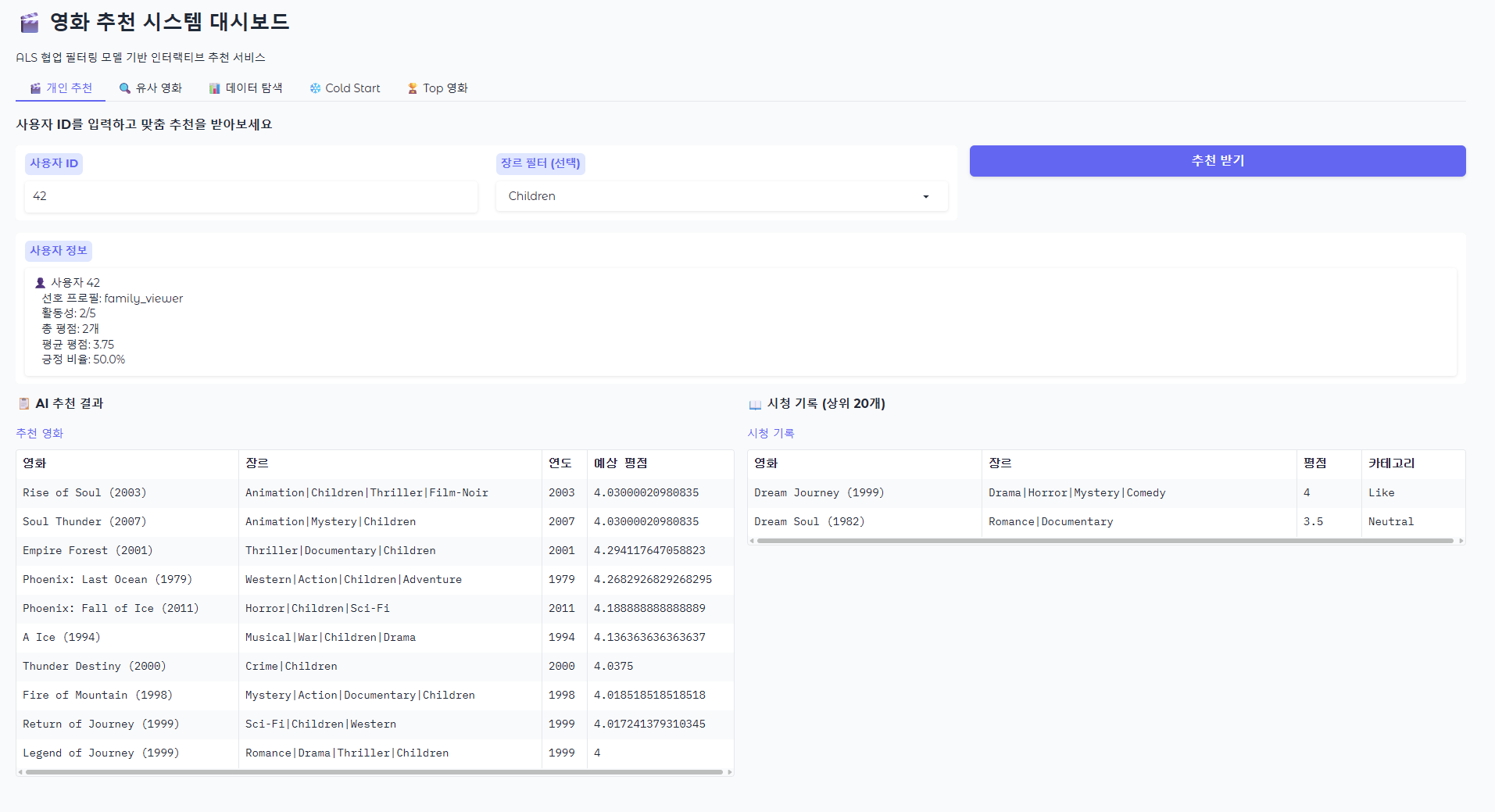
전체 흐름
01_generate_sample_data→ 샘플 데이터 생성02_silver_layer_transformation→ 정제 + feature 생성03_gold_layer_and_als_model→ 집계 + ALS 학습 + MLflow 등록04_recommendation_service→ 추천 서비스 로직 + 분석 + 통계 표 output05_recommendation_dashboard→ 시각화 + Gradio 대시보드
NYC_Taxi_201912 실습
Exploring sample NYC Taxi Data from Databricks
- Based on Databricks Sample Presentation
- Albert Nogués 2021.
We will load some sample data from the NYC taxi dataset available in databricks, load them and store them as table. We will use then python to do some manipulation (Extract month and year from the trip time), which will create two new additional columns to our dataframe and will check how the file is saved in the hive warehouse. We will observe we have some junk data as it created folders for months and years (partitioning), that we are not supposed to have, so we will use filter to apply some filter in python way and in sql way to filter these bad records
Then, we will load another month of data as a temporary view and will compare this in contrast with a delta table where we can run updates and all sort of DML.
As a last step, we will load some master data and will perform a join. For more on Delta Lake you can follow this tutorial --> https://delta.io/tutorials/delta-lake-workshop-primer/
%fs
ls dbfs:/databricks-datasets/nyctaxi/tripdata/yellow
output
| path | name | size | modificationTime |
|---|---|---|---|
| dbfs:/databricks-datasets/nyctaxi/tripdata/yellow/yellow_tripdata_2009-01.csv.gz | yellow_tripdata_2009-01.csv.gz | 504262564 | 1590525201000 |
| dbfs:/databricks-datasets/nyctaxi/tripdata/yellow/yellow_tripdata_2009-02.csv.gz | yellow_tripdata_2009-02.csv.gz | 480034681 | 1590525201000 |
| dbfs:/databricks-datasets/nyctaxi/tripdata/yellow/yellow_tripdata_2009-03.csv.gz | yellow_tripdata_2009-03.csv.gz | 521102719 | 1590525201000 |
| dbfs:/databricks-datasets/nyctaxi/tripdata/yellow/yellow_tripdata_2009-04.csv.gz | yellow_tripdata_2009-04.csv.gz | 515435466 | 1590525201000 |
| dbfs:/databricks-datasets/nyctaxi/tripdata/yellow/yellow_tripdata_2009-05.csv.gz | yellow_tripdata_2009-05.csv.gz | 531133739 | 1590525201000 |
... (이하 생략)
# 파일 메타데이터를 데이터프레임으로 불러오기
df = spark.read.format("binaryFile").load("dbfs:/databricks-datasets/nyctaxi/tripdata/yellow/")

# 임시 뷰로 등록
df.createOrReplaceTempView("file_metadata")
%sql
SELECT
SUM(length) AS total_size_bytes,
SUM(length) / 1024 AS total_size_kb,
SUM(length) / (1024 * 1024) AS total_size_mb,
SUM(length) / (1024 * 1024 * 1024) AS total_size_gb
FROM file_metadataoutput
| total_size_bytes | total_size_kb | total_size_mb | total_size_gb |
|---|---|---|---|
| 50244255636 | 49066655.89453125 | 47916.656147003174 | 46.79360951855779 |
We define the scructure of the dataframe (columns: names and types), and create a new dataframe with this schema for us to analyze through spark
StructType 및 StructField: 각 데이터 컬럼의 타입을 지정합니다.
컬럼 이름 및 타입: NYC 택시 데이터의 각 필드를 정의하며, Vendor는 택시 회사, Pickup_DateTime은 탑승 시간, Dropoff_DateTime은 하차 시간 등으로 구성됩니다. 각 필드는 StringType, IntegerType, DoubleType, TimestampType 등으로 지정되어 있습니다.
True 값: 각 필드가 nullable(빈 값 허용)이 가능한지를 나타냅니다.
rawDF 데이터프레임에는 2019년 12월 NYC 택시 데이터가 담기며, 이후 다양한 분석 작업에 활용할 수 있습니다.
from pyspark.sql.functions import col, lit, expr, when
from pyspark.sql.types import *
from datetime import datetime
import time

# Define schema
nyc_schema = StructType([
  StructField('Vendor', StringType(), True),
  StructField('Pickup_DateTime', TimestampType(), True),
  StructField('Dropoff_DateTime', TimestampType(), True),
  StructField('Passenger_Count', IntegerType(), True),
  StructField('Trip_Distance', DoubleType(), True),
  StructField('Pickup_Longitude', DoubleType(), True),
  StructField('Pickup_Latitude', DoubleType(), True),
  StructField('Rate_Code', StringType(), True),
  StructField('Store_And_Forward', StringType(), True),
  StructField('Dropoff_Longitude', DoubleType(), True),
  StructField('Dropoff_Latitude', DoubleType(), True),
  StructField('Payment_Type', StringType(), True),
  StructField('Fare_Amount', DoubleType(), True),
  StructField('Surcharge', DoubleType(), True),
  StructField('MTA_Tax', DoubleType(), True),
  StructField('Tip_Amount', DoubleType(), True),
  StructField('Tolls_Amount', DoubleType(), True),
  StructField('Total_Amount', DoubleType(), True)
])

rawDF = spark.read.format('csv').options(header=True).schema(nyc_schema).load("dbfs:/databricks-datasets/nyctaxi/tripdata/yellow/yellow_tripdata_2019-12.csv.gz")
rawDF.take(5)

#take(5) 함수는 rawDF 데이터프레임에서 상위 5개의 행을 가져옵니다. 이 함수는 데이터를 작은 목록으로 반환하므로, 데이터의 구조를 빠르게 확인하거나 일부 데이터 샘플을 살펴볼 때 유용합니다.

#The take(5) function retrieves the top 5 rows from the rawDF DataFrame. This function returns the data as a small list, making it helpful for quickly checking the data structure or examining a small sample of the data.
output
[Row(Vendor='1', Pickup_DateTime=datetime.datetime(2019, 12, 1, 0, 26, 58), Dropoff_DateTime=datetime.datetime(2019, 12, 1, 0, 41, 45), Passenger_Count=1, Trip_Distance=4.2, Pickup_Longitude=1.0, Pickup_Latitude=None, Rate_Code='142', Store_And_Forward='116', Dropoff_Longitude=2.0, Dropoff_Latitude=14.5, Payment_Type='3', Fare_Amount=0.5, Surcharge=0.0, MTA_Tax=0.0, Tip_Amount=0.3, Tolls_Amount=18.3, Total_Amount=2.5),
 Row(Vendor='1', Pickup_DateTime=datetime.datetime(2019, 12, 1, 0, 12, 8), Dropoff_DateTime=datetime.datetime(2019, 12, 1, 0, 12, 14), Passenger_Count=1, Trip_Distance=0.0, Pickup_Longitude=1.0, Pickup_Latitude=None, Rate_Code='145', Store_And_Forward='145', Dropoff_Longitude=2.0, Dropoff_Latitude=2.5, Payment_Type='0.5', Fare_Amount=0.5, Surcharge=0.0, MTA_Tax=0.0, Tip_Amount=0.3, Tolls_Amount=3.8, Total_Amount=0.0),
 Row(Vendor='1', Pickup_DateTime=datetime.datetime(2019, 12, 1, 0, 25, 53), Dropoff_DateTime=datetime.datetime(2019, 12, 1, 0, 26, 4), Passenger_Count=1, Trip_Distance=0.0, Pickup_Longitude=1.0, Pickup_Latitude=None, Rate_Code='145', Store_And_Forward='145', Dropoff_Longitude=2.0, Dropoff_Latitude=2.5, Payment_Type='0.5', Fare_Amount=0.5, Surcharge=0.0, MTA_Tax=0.0, Tip_Amount=0.3, Tolls_Amount=3.8, Total_Amount=0.0),
 Row(Vendor='1', Pickup_DateTime=datetime.datetime(2019, 12, 1, 0, 12, 3), Dropoff_DateTime=datetime.datetime(2019, 12, 1, 0, 33, 19), Passenger_Count=2, Trip_Distance=9.4, Pickup_Longitude=1.0, Pickup_Latitude=None, Rate_Code='138', Store_And_Forward='25', Dropoff_Longitude=1.0, Dropoff_Latitude=28.5, Payment_Type='0.5', Fare_Amount=0.5, Surcharge=10.0, MTA_Tax=0.0, Tip_Amount=0.3, Tolls_Amount=39.8, Total_Amount=0.0),
 Row(Vendor='1', Pickup_DateTime=datetime.datetime(2019, 12, 1, 0, 5, 27), Dropoff_DateTime=datetime.datetime(2019, 12, 1, 0, 16, 32), Passenger_Count=2, Trip_Distance=1.6, Pickup_Longitude=1.0, Pickup_Latitude=None, Rate_Code='161', Store_And_Forward='237', Dropoff_Longitude=2.0, Dropoff_Latitude=9.0, Payment_Type='3', Fare_Amount=0.5, Surcharge=0.0, MTA_Tax=0.0, Tip_Amount=0.3, Tolls_Amount=12.8, Total_Amount=2.5)]
rawDF.printSchema()
#printSchema() 함수는 rawDF 데이터프레임의 스키마(데이터 구조)를 출력합니다. 각 컬럼의 이름, 데이터 타입, null 값 허용 여부 등을 확인할 수 있습니다. 이는 데이터셋의 구조를 이해하고, 특정 컬럼에 대한 타입이나 속성을 미리 파악하는 데 유용합니다.
#The printSchema() function prints the schema (data structure) of the rawDF DataFrame. It displays each column's name, data type, and whether null values are allowed. This is useful for understanding the dataset structure and quickly identifying the types and properties of specific columns.output
root
 |-- Vendor: string (nullable = true)
 |-- Pickup_DateTime: timestamp (nullable = true)
 |-- Dropoff_DateTime: timestamp (nullable = true)
 |-- Passenger_Count: integer (nullable = true)
 |-- Trip_Distance: double (nullable = true)
 |-- Pickup_Longitude: double (nullable = true)
 |-- Pickup_Latitude: double (nullable = true)
 |-- Rate_Code: string (nullable = true)
 |-- Store_And_Forward: string (nullable = true)
 |-- Dropoff_Longitude: double (nullable = true)
 |-- Dropoff_Latitude: double (nullable = true)
 |-- Payment_Type: string (nullable = true)
 |-- Fare_Amount: double (nullable = true)
 |-- Surcharge: double (nullable = true)
 |-- MTA_Tax: double (nullable = true)
 |-- Tip_Amount: double (nullable = true)
 |-- Tolls_Amount: double (nullable = true)
 |-- Total_Amount: double (nullable = true)
CREATE taxidata DATABASE and taxi_2019_12 Table
CREATE DATABASE IF NOT EXISTS taxidata : taxidata라는 데이터베이스가 존재하지 않을 경우, 이를 새로 생성합니다. 이렇게 하면 NYC 택시 데이터를 위한 별도의 데이터베이스를 만들 수 있습니다.
DROP TABLE IF EXISTS taxidata.taxi_2019_12: taxidata 데이터베이스 내에 taxi_2019_12라는 테이블이 이미 존재한다면 이를 삭제합니다. 이 과정은 데이터를 처음부터 새로 삽입할 수 있도록 기존 테이블을 제거하는 초기화 작업입니다.
CREATE DATABASE IF NOT EXISTS taxidata; creates a new database called taxidata if it does not already exist. This is useful for organizing NYC taxi data in a dedicated database.
DROP TABLE IF EXISTS taxidata.taxi_2019_12; deletes the taxi_2019_12 table within the taxidata database if it already exists. This step resets the table, allowing data to be reloaded from scratch.
%sql
CREATE DATABASE IF NOT EXISTS taxidata;
DROP TABLE IF EXISTS taxidata.taxi_2019_12;
output
| |
||
%python
#rawDF 데이터프레임의 데이터를 taxidata 데이터베이스 내의 taxi_2019_12 테이블에 저장합니다.
#This code saves the data from the rawDF DataFrame to the taxi_2019_12 table within the taxidata database.

rawDF.write.mode("overwrite").saveAsTable("taxidata.taxi_2019_12")

# .write는 데이터프레임을 저장할 때 사용하는 메서드입니다.
# mode("overwrite")는 기존 테이블이 있을 경우 덮어쓰도록 지정합니다. 즉, 동일한 이름의 테이블이 이미 존재하면 그 테이블을 삭제하고 새 데이터를 덮어씁니다. 이는 데이터 업데이트가 필요한 경우 유용합니다.
# saveAsTable("taxidata.taxi_2019_12")는 taxidata 데이터베이스의 taxi_2019_12 테이블에 데이터를 저장하는 명령입니다.

# .write is used to initiate the save process for the DataFrame data.
# mode("overwrite") specifies that if the table already exists, it should be overwritten. This effectively deletes any existing table with the same name and replaces it with the new data, making it useful for data updates.
# saveAsTable("taxidata.taxi_2019_12") saves the data into the taxi_2019_12 table within the taxidata database.
%sql
-- can use sql because table is created.
describe taxidata.taxi_2019_12output
| col_name | data_type | comment |
|---|---|---|
| Vendor | string | |
| Pickup_DateTime | timestamp | |
| Dropoff_DateTime | timestamp | |
| Passenger_Count | int | |
| Trip_Distance | double |
... (이하 생략)
%fs
rm -r /delta/taxi
output
<div class="ansiout">res1: Boolean = false
</div>
Saves the NYC taxi data in Delta format
이 코드는 NYC 택시 데이터를 Delta 형식으로 저장하고, 연도와 월 기준으로 파티셔닝하여 저장 위치에 관리할 수 있게 합니다.
- withColumn('Year', expr('cast(year(Pickup_DateTime) as int)')): Pickup_DateTime 컬럼에서 연도를 추출하여 Year라는 새 컬럼을 추가합니다.
- withColumn('Month', expr('cast(month(Pickup_DateTime) as int)')): Pickup_DateTime 컬럼에서 월을 추출하여 Month라는 새 컬럼을 추가합니다.
- processedDF.write.format('delta'): 데이터프레임을 Delta 형식으로 저장합니다.
- mode('append'): 기존 데이터에 추가하여 저장합니다. 이미 같은 경로에 데이터가 있더라도 덮어쓰지 않고 새로운 데이터를 추가합니다.
- partitionBy('Year','Month'): 데이터를 Year와 Month 컬럼으로 파티셔닝하여 저장합니다. 이렇게 하면 연도와 월별로 데이터가 분할되어 저장되므로, 특정 연도나 월에 대해 데이터를 효율적으로 조회할 수 있습니다.
- save("/delta/taxi"): Delta 테이블의 저장 경로로 /delta/taxi를 지정합니다.
#####English Explanation
This code saves the NYC taxi data in Delta format, partitioned by year and month, making it more manageable and query-efficient.
- withColumn('Year', expr('cast(year(Pickup_DateTime) as int)')): Adds a new column Year by extracting the year from the Pickup_DateTime column.
- withColumn('Month', expr('cast(month(Pickup_DateTime) as int)')): Adds a new column Month by extracting the month from the Pickup_DateTime column.
- processedDF.write.format('delta'): Specifies Delta format for saving the DataFrame.
- mode('append'): Appends data to the existing dataset, adding new data without overwriting.
- partitionBy('Year','Month'): Partitions the data by Year and Month columns, making it more efficient for queries targeting specific years or months.
- save("/delta/taxi"): Sets /delta/taxi as the storage location for the Delta table.
processedDF = rawDF.withColumn('Year', expr('cast(year(Pickup_DateTime) as int)')).withColumn('Month', expr('cast(month(Pickup_DateTime) as int)'))
processedDF.write.format('delta').mode('append').partitionBy('Year','Month').save("/delta/taxi")display(processedDF)output
| Vendor | Pickup_DateTime | Dropoff_DateTime | Passenger_Count | Trip_Distance | Pickup_Longitude | Pickup_Latitude | Rate_Code | Store_And_Forward | Dropoff_Longitude | Dropoff_Latitude | Payment_Type | Fare_Amount | Surcharge | MTA_Tax | Tip_Amount | Tolls_Amount | Total_Amount | Year | Month |
|---|---|---|---|---|---|---|---|---|---|---|---|---|---|---|---|---|---|---|---|
| 1 | 2019-12-01T00:26:58Z | 2019-12-01T00:41:45Z | 1 | 4.2 | 1.0 | 142 | 116 | 2.0 | 14.5 | 3 | 0.5 | 0.0 | 0.0 | 0.3 | 18.3 | 2.5 | 2019 | 12 | |
| 1 | 2019-12-01T00:12:08Z | 2019-12-01T00:12:14Z | 1 | 0.0 | 1.0 | 145 | 145 | 2.0 | 2.5 | 0.5 | 0.5 | 0.0 | 0.0 | 0.3 | 3.8 | 0.0 | 2019 | 12 | |
| 1 | 2019-12-01T00:25:53Z | 2019-12-01T00:26:04Z | 1 | 0.0 | 1.0 | 145 | 145 | 2.0 | 2.5 | 0.5 | 0.5 | 0.0 | 0.0 | 0.3 | 3.8 | 0.0 | 2019 | 12 | |
| 1 | 2019-12-01T00:12:03Z | 2019-12-01T00:33:19Z | 2 | 9.4 | 1.0 | 138 | 25 | 1.0 | 28.5 | 0.5 | 0.5 | 10.0 | 0.0 | 0.3 | 39.8 | 0.0 | 2019 | 12 | |
| 1 | 2019-12-01T00:05:27Z | 2019-12-01T00:16:32Z | 2 | 1.6 | 1.0 | 161 | 237 | 2.0 | 9.0 | 3 | 0.5 | 0.0 | 0.0 | 0.3 | 12.8 | 2.5 | 2019 | 12 |
... (이하 생략)
%fs
ls dbfs:/delta/taxi
output
| path | name | size | modificationTime |
|---|---|---|---|
| dbfs:/delta/taxi/Year=2008/ | Year=2008/ | 0 | 1774581345000 |
| dbfs:/delta/taxi/Year=2009/ | Year=2009/ | 0 | 1774581345000 |
| dbfs:/delta/taxi/Year=2019/ | Year=2019/ | 0 | 1774581340000 |
| dbfs:/delta/taxi/Year=2020/ | Year=2020/ | 0 | 1774581340000 |
| dbfs:/delta/taxi/Year=2026/ | Year=2026/ | 0 | 1774581344000 |
... (이하 생략)
위의 결과를 보면, dbfs:/delta/taxi 경로에 연도별 파티션 폴더들이 생성되어 있습니다.
Year=2008, Year=2009 등 예상치 못한 연도 폴더들이 보이는 이유는 다음과 같은 원인이 있을 수 있습니다:
(1) 잘못된 데이터 입력: Pickup_DateTime 컬럼에 잘못된 연도가 포함된 데이터가 있을 수 있습니다. 예를 들어, 데이터가 잘못 입력되어 2008년이나 2090년 같은 값이 들어갔을 수 있습니다.
(2) 데이터 전처리 과정의 오류: 데이터 생성 또는 로딩 중에 Pickup_DateTime 값이 잘못 파싱되었을 수 있습니다. 이로 인해 실제 존재하지 않는 미래 연도나 과거 연도로 분류되었을 가능성이 있습니다.
(3) 테스트 데이터 포함:데이터에 테스트 또는 샘플 데이터가 포함되어 있을 수 있으며, 이 데이터들이 실제 연도 범위를 벗어나는 값을 가질 수 있습니다.
이 문제를 해결하려면, 데이터에서 예상하지 못한 연도 값을 가진 레코드를 필터링하거나 Pickup_DateTime 컬럼의 값이 적절한지 확인하는 추가적인 검증 작업을 수행해야 합니다.
====================
English Explanation
Year-partitioned folders have been created in the dbfs:/delta/taxi path. Here are possible reasons why unexpected year folders like Year=2008, Year=2009 appear:
(1) Incorrect Data Entry: There may be data with incorrect years in the Pickup_DateTime column. For example, data might have been incorrectly entered with years like 2008 or 2090.
(2) Data Preprocessing Errors: The Pickup_DateTime values might have been parsed incorrectly during data generation or loading. This could have resulted in classification into non-existent future years or past years.
(3) Inclusion of Test Data: The dataset may include test or sample data, and these records might contain values outside the expected year range.
To resolve this issue, you need to either filter out records with unexpected year values or perform additional validation checks to ensure the values in the Pickup_DateTime column are appropriate.
%fs
ls dbfs:/delta/taxi/Year=2019/Month=12/
output
| path | name | size | modificationTime |
|---|---|---|---|
| dbfs:/delta/taxi/Year=2019/Month=12/part-00000-808ad32a-4c70-4f98-98ac-b7c5bed198f4.c000.snappy.parquet | part-00000-808ad32a-4c70-4f98-98ac-b7c5bed198f4.c000.snappy.parquet | 145070651 | 1774581343000 |
%fs
ls dbfs:/delta/taxi/Year=2019/Month=11/
output
| path | name | size | modificationTime |
|---|---|---|---|
| dbfs:/delta/taxi/Year=2019/Month=11/part-00000-a7db0d34-c292-42fb-b373-bd2af6a2ba90.c000.snappy.parquet | part-00000-a7db0d34-c292-42fb-b373-bd2af6a2ba90.c000.snappy.parquet | 10560 | 1774581344000 |
#So we found some dirty data in our dataframe! we can filter it.
processedDF.filter("year=2019").count() #the SQL way!
output
6896093#from pyspark.sql import functions as F
from pyspark.sql.functions import col, lit, expr, when
from pyspark.sql.types import *
processedDF.filter((col('Year')==2019) & (col('Month')==12)).count() # Dataframe way!output
6895933processedDF.createOrReplaceTempView("taxi_data_view")
spark.sql("SELECT COUNT(*) FROM taxi_data_view WHERE Year = 2019 AND Month = 12").show()
output
+--------+
|count(1)|
+--------+
| 6895933|
+--------+
%sql
SELECT COUNT(*) FROM taxi_data_view WHERE Year = 2019 AND Month = 12
output
| count(1) |
|---|
| 6895933 |
processedDF.filter((col('Year')!=2019) & (col('Month')!=12)).count() output
188processedDF.filter("Year <> 2019 and Month <> 12").count() #The SQL Wayoutput
188%sql
use taxidata;
show tables;output
| database | tableName | isTemporary |
|---|---|---|
| taxidata | taxi_2019_12 | False |
| _sqldf | True | |
| file_metadata | True | |
| taxi_data_view | True |
Save Cleaned Data in Delta format
다음 코드는 processedDF 데이터프레임에서 Year가 2019이고 Month가 12인 데이터만 필터링하여 Delta 형식으로 /delta/taxiclean 경로에 저장합니다.
- filter("Year = 2019 and Month = 12"): Selects rows where Year is 2019 and Month is 12.
- .write.format('delta'): Specifies that the data should be saved in Delta format.
- mode('overwrite'): Sets the mode to overwrite, so any existing data in /delta/taxiclean will be replaced.
- partitionBy('Year','Month'): Partitions the data by Year and Month, making queries targeting specific years and months more efficient.
- save("/delta/taxiclean"): Specifies /delta/taxiclean as the storage path for the Delta table.
%fs
rm -r /delta/taxiclean
output
<div class="ansiout">res5: Boolean = false
</div>
%python
processedDF.filter("Year = 2019 and Month = 12").write.format('delta').mode('overwrite').partitionBy('Year','Month').save("/delta/taxiclean")processedDF.filter("Year <> 2019 and Month <> 12") \
.write.mode('overwrite') \
.saveAsTable("taxidata.taxi_excluding_dec_2019")%fs
ls dbfs:/delta/taxiclean/output
| path | name | size | modificationTime |
|---|---|---|---|
| dbfs:/delta/taxiclean/Year=2019/ | Year=2019/ | 0 | 1774581422000 |
| dbfs:/delta/taxiclean/_delta_log/ | _delta_log/ | 0 | 1774581422000 |
# Read Delta Table : Delta 테이블을 DataFrame으로 로드
taxi_clean_df = spark.read.format("delta").load("/delta/taxiclean")

# 데이터 샘플 확인
taxi_clean_df.show(5)
output
+------+-------------------+-------------------+---------------+-------------+----------------+---------------+---------+-----------------+-----------------+----------------+------------+-----------+---------+-------+----------+------------+------------+----+-----+
|Vendor|    Pickup_DateTime|   Dropoff_DateTime|Passenger_Count|Trip_Distance|Pickup_Longitude|Pickup_Latitude|Rate_Code|Store_And_Forward|Dropoff_Longitude|Dropoff_Latitude|Payment_Type|Fare_Amount|Surcharge|MTA_Tax|Tip_Amount|Tolls_Amount|Total_Amount|Year|Month|
+------+-------------------+-------------------+---------------+-------------+----------------+---------------+---------+-----------------+-----------------+----------------+------------+-----------+---------+-------+----------+------------+------------+----+-----+
|     1|2019-12-01 00:26:58|2019-12-01 00:41:45|              1|          4.2|             1.0|           NULL|      142|              116|              2.0|            14.5|           3|        0.5|      0.0|    0.0|       0.3|        18.3|         2.5|2019|   12|
|     1|2019-12-01 00:12:08|2019-12-01 00:12:14|              1|          0.0|             1.0|           NULL|      145|              145|              2.0|             2.5|         0.5|        0.5|      0.0|    0.0|       0.3|         3.8|         0.0|2019|   12|
|     1|2019-12-01 00:25:53|2019-12-01 00:26:04|              1|          0.0|             1.0|           NULL|      145|              145|              2.0|             2.5|         0.5|        0.5|      0.0|    0.0|       0.3|         3.8|         0.0|2019|   12|
|     1|2019-12-01 00:12:03|2019-12-01 00:33:19|              2|          9.4|             1.0|           NULL|      138|               25|              1.0|            28.5|         0.5|        0.5|     10.0|    0.0|       0.3|        39.8|         0.0|2019|   12|
|     1|2019-12-01 00:05:27|2019-12-01 00:16:32|              2|          1.6|             1.0|           NULL|      161|              237|              2.0|             9.0|           3|        0.5|      0.0|    0.0|       0.3|        12.8|         2.5|2019|   12|
+------+-------------------+-------------------+---------------+-------------+----------------+---------------+---------+-----------------+-----------------+----------------+------------+-----------+---------+-------+----------+------------+------------+----+-----+
only showing top 5 rows
# or in the SQL way, you can read delta table
spark.sql("SELECT * FROM delta.`/delta/taxiclean`")
display(spark.sql("SELECT * FROM delta.`/delta/taxiclean`"))
output
| Vendor | Pickup_DateTime | Dropoff_DateTime | Passenger_Count | Trip_Distance | Pickup_Longitude | Pickup_Latitude | Rate_Code | Store_And_Forward | Dropoff_Longitude | Dropoff_Latitude | Payment_Type | Fare_Amount | Surcharge | MTA_Tax | Tip_Amount | Tolls_Amount | Total_Amount | Year | Month |
|---|---|---|---|---|---|---|---|---|---|---|---|---|---|---|---|---|---|---|---|
| 1 | 2019-12-01T00:26:58Z | 2019-12-01T00:41:45Z | 1 | 4.2 | 1.0 | 142 | 116 | 2.0 | 14.5 | 3 | 0.5 | 0.0 | 0.0 | 0.3 | 18.3 | 2.5 | 2019 | 12 | |
| 1 | 2019-12-01T00:12:08Z | 2019-12-01T00:12:14Z | 1 | 0.0 | 1.0 | 145 | 145 | 2.0 | 2.5 | 0.5 | 0.5 | 0.0 | 0.0 | 0.3 | 3.8 | 0.0 | 2019 | 12 | |
| 1 | 2019-12-01T00:25:53Z | 2019-12-01T00:26:04Z | 1 | 0.0 | 1.0 | 145 | 145 | 2.0 | 2.5 | 0.5 | 0.5 | 0.0 | 0.0 | 0.3 | 3.8 | 0.0 | 2019 | 12 | |
| 1 | 2019-12-01T00:12:03Z | 2019-12-01T00:33:19Z | 2 | 9.4 | 1.0 | 138 | 25 | 1.0 | 28.5 | 0.5 | 0.5 | 10.0 | 0.0 | 0.3 | 39.8 | 0.0 | 2019 | 12 | |
| 1 | 2019-12-01T00:05:27Z | 2019-12-01T00:16:32Z | 2 | 1.6 | 1.0 | 161 | 237 | 2.0 | 9.0 | 3 | 0.5 | 0.0 | 0.0 | 0.3 | 12.8 | 2.5 | 2019 | 12 |
... (이하 생략)
# 통계 정보 확인
taxi_clean_df.select("Fare_Amount", "Tip_Amount", "Total_Amount").describe().show()
output
+-------+-------------------+--------------------+------------------+
|summary|        Fare_Amount|          Tip_Amount|      Total_Amount|
+-------+-------------------+--------------------+------------------+
|  count|            6895933|             6895933|           6895933|
|   mean| 0.4924146826832601| 0.29798568231785594| 2.275278631622436|
| stddev|0.07233884348175239|0.033814608330983875|0.7359655528934228|
|    min|               -0.5|                -0.3|              -2.5|
|    max|                3.3|                 0.3|               3.0|
+-------+-------------------+--------------------+------------------+
# 특정 조건으로 필터링
long_trips_df = taxi_clean_df.filter(taxi_clean_df.Trip_Distance > 10)
long_trips_df.show(5)
output
+------+-------------------+-------------------+---------------+-------------+----------------+---------------+---------+-----------------+-----------------+----------------+------------+-----------+---------+-------+----------+------------+------------+----+-----+
|Vendor|    Pickup_DateTime|   Dropoff_DateTime|Passenger_Count|Trip_Distance|Pickup_Longitude|Pickup_Latitude|Rate_Code|Store_And_Forward|Dropoff_Longitude|Dropoff_Latitude|Payment_Type|Fare_Amount|Surcharge|MTA_Tax|Tip_Amount|Tolls_Amount|Total_Amount|Year|Month|
+------+-------------------+-------------------+---------------+-------------+----------------+---------------+---------+-----------------+-----------------+----------------+------------+-----------+---------+-------+----------+------------+------------+----+-----+
|     2|2019-12-01 00:43:02|2019-12-01 01:11:18|              1|        13.07|             1.0|           NULL|       41|               51|              2.0|            38.5|         0.5|        0.5|      0.0|    0.0|       0.3|        39.8|         0.0|2019|   12|
|     1|2019-12-01 00:04:40|2019-12-01 00:31:27|              0|         17.4|             2.0|           NULL|      132|              141|              1.0|            52.0|         2.5|        0.5|     5.53|    0.0|       0.3|       60.83|         2.5|2019|   12|
|     2|2019-12-01 00:37:17|2019-12-01 01:07:39|              5|        19.98|             2.0|           NULL|      132|              238|              1.0|            52.0|           0|        0.5|    14.73|   6.12|       0.3|       73.65|         0.0|2019|   12|
|     1|2019-12-01 00:43:27|2019-12-01 01:23:30|              1|         23.5|             4.0|           NULL|       68|              265|              1.0|            85.5|           3|        0.5|    17.85|    0.0|       0.3|      107.15|         2.5|2019|   12|
|     1|2019-12-01 00:43:09|2019-12-01 01:11:07|              2|         11.3|             1.0|           NULL|      138|               85|              1.0|            33.5|         0.5|        0.5|     6.95|    0.0|       0.3|       41.75|         0.0|2019|   12|
+------+-------------------+-------------------+---------------+-------------+----------------+---------------+---------+-----------------+-----------------+----------------+------------+-----------+---------+-------+----------+------------+------------+----+-----+
only showing top 5 rows
display(long_trips_df.limit(5))output
| Vendor | Pickup_DateTime | Dropoff_DateTime | Passenger_Count | Trip_Distance | Pickup_Longitude | Pickup_Latitude | Rate_Code | Store_And_Forward | Dropoff_Longitude | Dropoff_Latitude | Payment_Type | Fare_Amount | Surcharge | MTA_Tax | Tip_Amount | Tolls_Amount | Total_Amount | Year | Month |
|---|---|---|---|---|---|---|---|---|---|---|---|---|---|---|---|---|---|---|---|
| 2 | 2019-12-01T00:43:02Z | 2019-12-01T01:11:18Z | 1 | 13.07 | 1.0 | 41 | 51 | 2.0 | 38.5 | 0.5 | 0.5 | 0.0 | 0.0 | 0.3 | 39.8 | 0.0 | 2019 | 12 | |
| 1 | 2019-12-01T00:04:40Z | 2019-12-01T00:31:27Z | 0 | 17.4 | 2.0 | 132 | 141 | 1.0 | 52.0 | 2.5 | 0.5 | 5.53 | 0.0 | 0.3 | 60.83 | 2.5 | 2019 | 12 | |
| 2 | 2019-12-01T00:37:17Z | 2019-12-01T01:07:39Z | 5 | 19.98 | 2.0 | 132 | 238 | 1.0 | 52.0 | 0 | 0.5 | 14.73 | 6.12 | 0.3 | 73.65 | 0.0 | 2019 | 12 | |
| 1 | 2019-12-01T00:43:27Z | 2019-12-01T01:23:30Z | 1 | 23.5 | 4.0 | 68 | 265 | 1.0 | 85.5 | 3 | 0.5 | 17.85 | 0.0 | 0.3 | 107.15 | 2.5 | 2019 | 12 | |
| 1 | 2019-12-01T00:43:09Z | 2019-12-01T01:11:07Z | 2 | 11.3 | 1.0 | 138 | 85 | 1.0 | 33.5 | 0.5 | 0.5 | 6.95 | 0.0 | 0.3 | 41.75 | 0.0 | 2019 | 12 |
###이제 NYC 택시 데이터의 2019년 11월 데이터를 읽어와 rawDF2라는 데이터프레임에 로드합니다.
spark.read.format('csv'): 데이터를 CSV 형식으로 읽도록 지정합니다.
options(header=True): 첫 번째 행을 헤더로 인식합니다.
schema(nyc_schema): 이전에 정의한 nyc_schema 스키마를 사용하여 각 컬럼의 타입을 미리 지정합니다.
load("dbfs:/databricks-datasets/nyctaxi/tripdata/yellow/yellow_tripdata_2019-11.csv.gz"): 지정된 경로에서 압축된 CSV 파일을 불러옵니다.
Lazy Execution (지연 실행): Spark에서는 데이터프레임에 대한 변환(transformation) 작업이 즉시 실행되지 않습니다. 데이터는 필요할 때(예: show(), count() 등 액션을 호출할 때)까지 로드되지 않으므로 메모리와 처리 속도를 효율적으로 사용할 수 있습니다. 여기서 rawDF2는 지연 실행 방식으로 정의되며, 실제 데이터 로드는 액션을 호출할 때 발생합니다.
English Explanation:
This code reads the November 2019 NYC taxi data into a DataFrame named rawDF2.
spark.read.format('csv'): Specifies reading data in CSV format.
options(header=True): Recognizes the first row as headers.
schema(nyc_schema): Applies the pre-defined schema nyc_schema to set data types for each column.
load("dbfs:/databricks-datasets/nyctaxi/tripdata/yellow/yellow_tripdata_2019-11.csv.gz"): Loads the compressed CSV file from the specified path.
Lazy Execution: In Spark, transformations on DataFrames are not executed immediately. Data loading and computation happen only when an action (like show() or count()) is called, which optimizes memory and processing speed. Here, rawDF2 is defined with lazy execution, meaning the data is loaded only when an action is triggered.
rawDF2 = spark.read.format('csv').options(header=True).schema(nyc_schema).load("dbfs:/databricks-datasets/nyctaxi/tripdata/yellow/yellow_tripdata_2019-11.csv.gz") #Lazy ExecutionrawDF2.createOrReplaceTempView("taxi_2019_11_tmp")%sql
--use taxidata;
show tablesoutput
| database | tableName | isTemporary |
|---|---|---|
| taxidata | taxi_2019_12 | False |
| taxidata | taxi_excluding_dec_2019 | False |
| _sqldf | True | |
| file_metadata | True | |
| taxi_2019_11_tmp | True |
... (이하 생략)
%python
rawDF2.take(1)
output
[Row(Vendor='1', Pickup_DateTime=datetime.datetime(2019, 11, 1, 0, 30, 41), Dropoff_DateTime=datetime.datetime(2019, 11, 1, 0, 32, 25), Passenger_Count=1, Trip_Distance=0.0, Pickup_Longitude=1.0, Pickup_Latitude=None, Rate_Code='145', Store_And_Forward='145', Dropoff_Longitude=2.0, Dropoff_Latitude=3.0, Payment_Type='0.5', Fare_Amount=0.5, Surcharge=0.0, MTA_Tax=0.0, Tip_Amount=0.3, Tolls_Amount=4.3, Total_Amount=0.0)]%sql
drop table if exists taxidata.taxi;
Create
TABLE taxidata.taxi
As
Select * from taxidata.taxi_2019_12 limit 1;output
| num_affected_rows | num_inserted_rows |
|---|
%sql
select count (*) from taxidata.taxi;
output
| count(1) |
|---|
| 1 |
%sql
select * from taxidata.taxi;
output
| Vendor | Pickup_DateTime | Dropoff_DateTime | Passenger_Count | Trip_Distance | Pickup_Longitude | Pickup_Latitude | Rate_Code | Store_And_Forward | Dropoff_Longitude | Dropoff_Latitude | Payment_Type | Fare_Amount | Surcharge | MTA_Tax | Tip_Amount | Tolls_Amount | Total_Amount |
|---|---|---|---|---|---|---|---|---|---|---|---|---|---|---|---|---|---|
| 1 | 2019-12-01T00:26:58Z | 2019-12-01T00:41:45Z | 1 | 4.2 | 1.0 | 142 | 116 | 2.0 | 14.5 | 3 | 0.5 | 0.0 | 0.0 | 0.3 | 18.3 | 2.5 |
%sql
UPDATE taxidata.taxi
set vendor=0
where vendor =1;

--taxidata.taxi is a table, so it's updatable.
output
| num_affected_rows |
|---|
| 1 |
%sql
select * from taxidata.taxi;
output
| Vendor | Pickup_DateTime | Dropoff_DateTime | Passenger_Count | Trip_Distance | Pickup_Longitude | Pickup_Latitude | Rate_Code | Store_And_Forward | Dropoff_Longitude | Dropoff_Latitude | Payment_Type | Fare_Amount | Surcharge | MTA_Tax | Tip_Amount | Tolls_Amount | Total_Amount |
|---|---|---|---|---|---|---|---|---|---|---|---|---|---|---|---|---|---|
| 0 | 2019-12-01T00:26:58Z | 2019-12-01T00:41:45Z | 1 | 4.2 | 1.0 | 142 | 116 | 2.0 | 14.5 | 3 | 0.5 | 0.0 | 0.0 | 0.3 | 18.3 | 2.5 |
%sql
UPDATE taxi_2019_11_tmp
set vendor=0
where vendor =1;
-- Not working. Only DELTA tables can be updated. Need to create derivate dataframes or other temp tables and persist them as delta
--taxi_2019_11_tmp is a temp view
%fs
ls dbfs:/databricks-datasets/nyctaxi/taxizone/output
| path | name | size | modificationTime |
|---|---|---|---|
| dbfs:/databricks-datasets/nyctaxi/taxizone/taxi_payment_type.csv | taxi_payment_type.csv | 93 | 1590524947000 |
| dbfs:/databricks-datasets/nyctaxi/taxizone/taxi_rate_code.csv | taxi_rate_code.csv | 109 | 1590524947000 |
| dbfs:/databricks-datasets/nyctaxi/taxizone/taxi_zone_lookup.csv | taxi_zone_lookup.csv | 12322 | 1590524947000 |
dbutils.fs.head("dbfs:/databricks-datasets/nyctaxi/taxizone/taxi_payment_type.csv")output
'payment_type,payment_desc\n1,Credit card\n2,Cash\n3,No Charge\n4,Dispute\n5,Unknown\n6,Voided trip\n'paymentTypeDF = spark.read.format('csv') \
.options(header=True) \
.options(inferSchema=True) \
.load("dbfs:/databricks-datasets/nyctaxi/taxizone/taxi_payment_type.csv")
#small file, we can use inferSchema to see if Spark is capable to get the right datatypes so we avoid having to define a schema for this dataframedisplay(paymentTypeDF)output
| payment_type | payment_desc |
|---|---|
| 1 | Credit card |
| 2 | Cash |
| 3 | No Charge |
| 4 | Dispute |
| 5 | Unknown |
... (이하 생략)
#Now we want to join two tables. If we want to go with sql (first) we need to register the new dataframe as temporary table and perform the join. The second way, we will do the python way.
paymentTypeDF.createOrReplaceTempView("taxi_payment_types")
%sql
select * from taxi_payment_types;output
| payment_type | payment_desc |
|---|---|
| 1 | Credit card |
| 2 | Cash |
| 3 | No Charge |
| 4 | Dispute |
| 5 | Unknown |
... (이하 생략)
%sql
-- We perform a join
select t.trip_distance, t.payment_type, p.payment_desc
from taxidata.taxi t, taxi_payment_types p
where t.Payment_type = p.payment_type
output
| trip_distance | payment_type | payment_desc |
|---|---|---|
| 4.2 | 3 | No Charge |
#The Python way. I will use alias because when joining two or more dataframes with the same column name it can get messy to refer the proper column
taxiDataDF = spark.sql("select * from taxidata.taxi")
taxiDataDF.alias("t").join(paymentTypeDF.alias("p"), on=taxiDataDF.Payment_Type == paymentTypeDF.payment_type, how="inner").select("t.Trip_Distance", "t.Payment_Type", "p.Payment_Desc").show()
output
+-------------+------------+------------+
|Trip_Distance|Payment_Type|Payment_Desc|
+-------------+------------+------------+
|          4.2|           3|   No Charge|
+-------------+------------+------------+
#The Python way. I will use alias because when joining two or more dataframes with the same column name it can get messy to refer the proper column
long_trips_df.alias("t").join(paymentTypeDF.alias("p"), on=long_trips_df.Payment_Type == paymentTypeDF.payment_type, how="inner").select("t.Trip_Distance", "t.Payment_Type", "p.Payment_Desc").show()
output
+-------------+------------+------------+
|Trip_Distance|Payment_Type|Payment_Desc|
+-------------+------------+------------+
|         17.4|         2.5|        Cash|
|         23.5|           3|   No Charge|
|         12.5|           3|   No Charge|
|         19.7|         2.5|        Cash|
|         18.3|         2.5|        Cash|
|         21.0|         2.5|        Cash|
|         17.7|         2.5|        Cash|
|         17.9|         2.5|        Cash|
|         18.7|         2.5|        Cash|
|         13.7|           3|   No Charge|
|         12.1|           3|   No Charge|
|         18.0|         2.5|        Cash|
|         17.6|         2.5|        Cash|
|         20.1|         2.5|        Cash|
|         12.5|           3|   No Charge|
|         17.4|         2.5|        Cash|
|         20.9|         2.5|        Cash|
|         10.8|           3|   No Charge|
|         11.2|           3|   No Charge|
|         17.0|         2.5|        Cash|
+-------------+------------+------------+
only showing top 20 rows
display(long_trips_df.filter(long_trips_df.Payment_Type == 0.5))output
| Vendor | Pickup_DateTime | Dropoff_DateTime | Passenger_Count | Trip_Distance | Pickup_Longitude | Pickup_Latitude | Rate_Code | Store_And_Forward | Dropoff_Longitude | Dropoff_Latitude | Payment_Type | Fare_Amount | Surcharge | MTA_Tax | Tip_Amount | Tolls_Amount | Total_Amount | Year | Month |
|---|---|---|---|---|---|---|---|---|---|---|---|---|---|---|---|---|---|---|---|
| 2 | 2019-12-01T00:43:02Z | 2019-12-01T01:11:18Z | 1 | 13.07 | 1.0 | 41 | 51 | 2.0 | 38.5 | 0.5 | 0.5 | 0.0 | 0.0 | 0.3 | 39.8 | 0.0 | 2019 | 12 | |
| 1 | 2019-12-01T00:43:09Z | 2019-12-01T01:11:07Z | 2 | 11.3 | 1.0 | 138 | 85 | 1.0 | 33.5 | 0.5 | 0.5 | 6.95 | 0.0 | 0.3 | 41.75 | 0.0 | 2019 | 12 | |
| 1 | 2019-12-01T00:48:16Z | 2019-12-01T01:24:19Z | 2 | 10.8 | 1.0 | 132 | 56 | 2.0 | 37.0 | 0.5 | 0.5 | 0.0 | 0.0 | 0.3 | 38.3 | 0.0 | 2019 | 12 | |
| 2 | 2019-12-01T00:26:42Z | 2019-12-01T01:01:01Z | 5 | 16.53 | 1.0 | 138 | 14 | 2.0 | 47.0 | 0.5 | 0.5 | 0.0 | 0.0 | 0.3 | 48.3 | 0.0 | 2019 | 12 | |
| 2 | 2019-12-01T00:11:21Z | 2019-12-01T00:46:36Z | 1 | 11.56 | 1.0 | 163 | 135 | 1.0 | 37.5 | 0.5 | 0.5 | 0.0 | 0.0 | 0.3 | 41.3 | 2.5 | 2019 | 12 |
... (이하 생략)
long_trips_df_cleaned = long_trips_df.filter(long_trips_df.Payment_Type != 0.5)
display(long_trips_df_cleaned)
output
| Vendor | Pickup_DateTime | Dropoff_DateTime | Passenger_Count | Trip_Distance | Pickup_Longitude | Pickup_Latitude | Rate_Code | Store_And_Forward | Dropoff_Longitude | Dropoff_Latitude | Payment_Type | Fare_Amount | Surcharge | MTA_Tax | Tip_Amount | Tolls_Amount | Total_Amount | Year | Month |
|---|---|---|---|---|---|---|---|---|---|---|---|---|---|---|---|---|---|---|---|
| 1 | 2019-12-01T00:04:40Z | 2019-12-01T00:31:27Z | 0 | 17.4 | 2.0 | 132 | 141 | 1.0 | 52.0 | 2.5 | 0.5 | 5.53 | 0.0 | 0.3 | 60.83 | 2.5 | 2019 | 12 | |
| 2 | 2019-12-01T00:37:17Z | 2019-12-01T01:07:39Z | 5 | 19.98 | 2.0 | 132 | 238 | 1.0 | 52.0 | 0 | 0.5 | 14.73 | 6.12 | 0.3 | 73.65 | 0.0 | 2019 | 12 | |
| 1 | 2019-12-01T00:43:27Z | 2019-12-01T01:23:30Z | 1 | 23.5 | 4.0 | 68 | 265 | 1.0 | 85.5 | 3 | 0.5 | 17.85 | 0.0 | 0.3 | 107.15 | 2.5 | 2019 | 12 | |
| 1 | 2019-12-01T00:07:36Z | 2019-12-01T00:45:26Z | 1 | 12.5 | 1.0 | 233 | 14 | 1.0 | 38.5 | 3 | 0.5 | 8.45 | 0.0 | 0.3 | 50.75 | 2.5 | 2019 | 12 | |
| 1 | 2019-12-01T00:12:08Z | 2019-12-01T00:42:31Z | 1 | 19.7 | 2.0 | 132 | 144 | 1.0 | 52.0 | 2.5 | 0.5 | 0.08 | 0.0 | 0.3 | 55.38 | 2.5 | 2019 | 12 |
... (이하 생략)
display(long_trips_df.select("Payment_Type").distinct())output
| Payment_Type |
|---|
| 7 |
| -1 |
| 0.3 |
| 3 |
| 4.5 |
... (이하 생략)
from pyspark.sql import functions as F

long_trips_df_cleaned = (
    long_trips_df
        # 1) 문자열이 정수 형태인지 정규식으로 검사: ^[0-9]+$
        .filter(F.col("Payment_Type").rlike("^[0-9]+$"))
        # 2) 정수로 캐스팅
        .withColumn("Payment_Type", F.col("Payment_Type").cast("int"))
)

display(long_trips_df_cleaned)
output
| Vendor | Pickup_DateTime | Dropoff_DateTime | Passenger_Count | Trip_Distance | Pickup_Longitude | Pickup_Latitude | Rate_Code | Store_And_Forward | Dropoff_Longitude | Dropoff_Latitude | Payment_Type | Fare_Amount | Surcharge | MTA_Tax | Tip_Amount | Tolls_Amount | Total_Amount | Year | Month |
|---|---|---|---|---|---|---|---|---|---|---|---|---|---|---|---|---|---|---|---|
| 2 | 2019-12-01T00:37:17Z | 2019-12-01T01:07:39Z | 5 | 19.98 | 2.0 | 132 | 238 | 1.0 | 52.0 | 0 | 0.5 | 14.73 | 6.12 | 0.3 | 73.65 | 0.0 | 2019 | 12 | |
| 1 | 2019-12-01T00:43:27Z | 2019-12-01T01:23:30Z | 1 | 23.5 | 4.0 | 68 | 265 | 1.0 | 85.5 | 3 | 0.5 | 17.85 | 0.0 | 0.3 | 107.15 | 2.5 | 2019 | 12 | |
| 1 | 2019-12-01T00:07:36Z | 2019-12-01T00:45:26Z | 1 | 12.5 | 1.0 | 233 | 14 | 1.0 | 38.5 | 3 | 0.5 | 8.45 | 0.0 | 0.3 | 50.75 | 2.5 | 2019 | 12 | |
| 2 | 2019-12-01T00:20:20Z | 2019-12-01T00:45:26Z | 1 | 17.72 | 2.0 | 132 | 107 | 1.0 | 52.0 | 0 | 0.5 | 12.28 | 6.12 | 0.3 | 73.7 | 2.5 | 2019 | 12 | |
| 2 | 2019-12-01T00:37:03Z | 2019-12-01T01:11:38Z | 1 | 20.6 | 2.0 | 132 | 231 | 2.0 | 52.0 | 0 | 0.5 | 0.0 | 0.0 | 0.3 | 55.3 | 2.5 | 2019 | 12 |
... (이하 생략)
display(long_trips_df_cleaned.select("Payment_Type").distinct())output
| Payment_Type |
|---|
| 1 |
| 3 |
| 5 |
| 7 |
| 2 |
... (이하 생략)
from pyspark.sql import functions as F

long_trips_df_cleaned = (
    long_trips_df
        # 1) 문자열이 '정수 형태'인지 검사 → 정수 형태만 통과
        .filter(F.col("Payment_Type").rlike("^[0-9]+$"))
        # 2) 정수로 캐스팅
        .withColumn("Payment_Type", F.col("Payment_Type").try_cast("int"))
        # 3) 1~6 범위만 유지
        .filter((F.col("Payment_Type") >= 1) & (F.col("Payment_Type") <= 6))
)

display(long_trips_df_cleaned)
output
| Vendor | Pickup_DateTime | Dropoff_DateTime | Passenger_Count | Trip_Distance | Pickup_Longitude | Pickup_Latitude | Rate_Code | Store_And_Forward | Dropoff_Longitude | Dropoff_Latitude | Payment_Type | Fare_Amount | Surcharge | MTA_Tax | Tip_Amount | Tolls_Amount | Total_Amount | Year | Month |
|---|---|---|---|---|---|---|---|---|---|---|---|---|---|---|---|---|---|---|---|
| 1 | 2019-12-01T00:43:27Z | 2019-12-01T01:23:30Z | 1 | 23.5 | 4.0 | 68 | 265 | 1.0 | 85.5 | 3 | 0.5 | 17.85 | 0.0 | 0.3 | 107.15 | 2.5 | 2019 | 12 | |
| 1 | 2019-12-01T00:07:36Z | 2019-12-01T00:45:26Z | 1 | 12.5 | 1.0 | 233 | 14 | 1.0 | 38.5 | 3 | 0.5 | 8.45 | 0.0 | 0.3 | 50.75 | 2.5 | 2019 | 12 | |
| 1 | 2019-12-01T00:40:03Z | 2019-12-01T01:19:53Z | 1 | 13.7 | 1.0 | 170 | 11 | 2.0 | 41.5 | 3 | 0.5 | 0.0 | 0.0 | 0.3 | 45.3 | 2.5 | 2019 | 12 | |
| 1 | 2019-12-01T00:54:07Z | 2019-12-01T01:18:01Z | 2 | 12.1 | 1.0 | 45 | 7 | 1.0 | 34.5 | 3 | 0.5 | 7.65 | 0.0 | 0.3 | 45.95 | 2.5 | 2019 | 12 | |
| 1 | 2019-12-01T00:14:44Z | 2019-12-01T00:38:04Z | 1 | 12.5 | 1.0 | 162 | 130 | 2.0 | 35.0 | 3 | 0.5 | 0.0 | 6.12 | 0.3 | 44.92 | 2.5 | 2019 | 12 |
... (이하 생략)
display(long_trips_df_cleaned.select("Payment_Type").distinct())output
| Payment_Type |
|---|
| 1 |
| 3 |
| 5 |
| 2 |
Databricks 대시보드
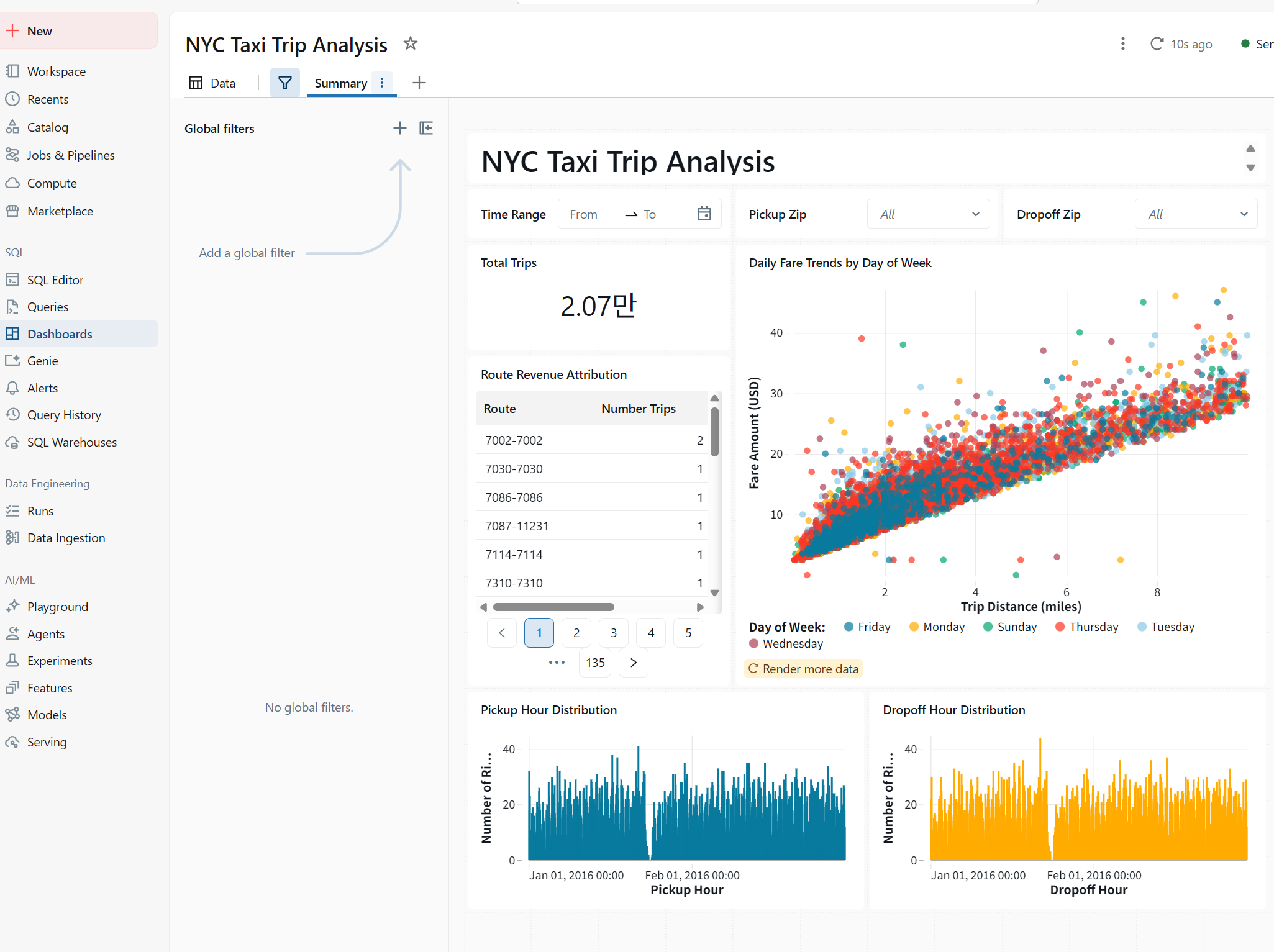
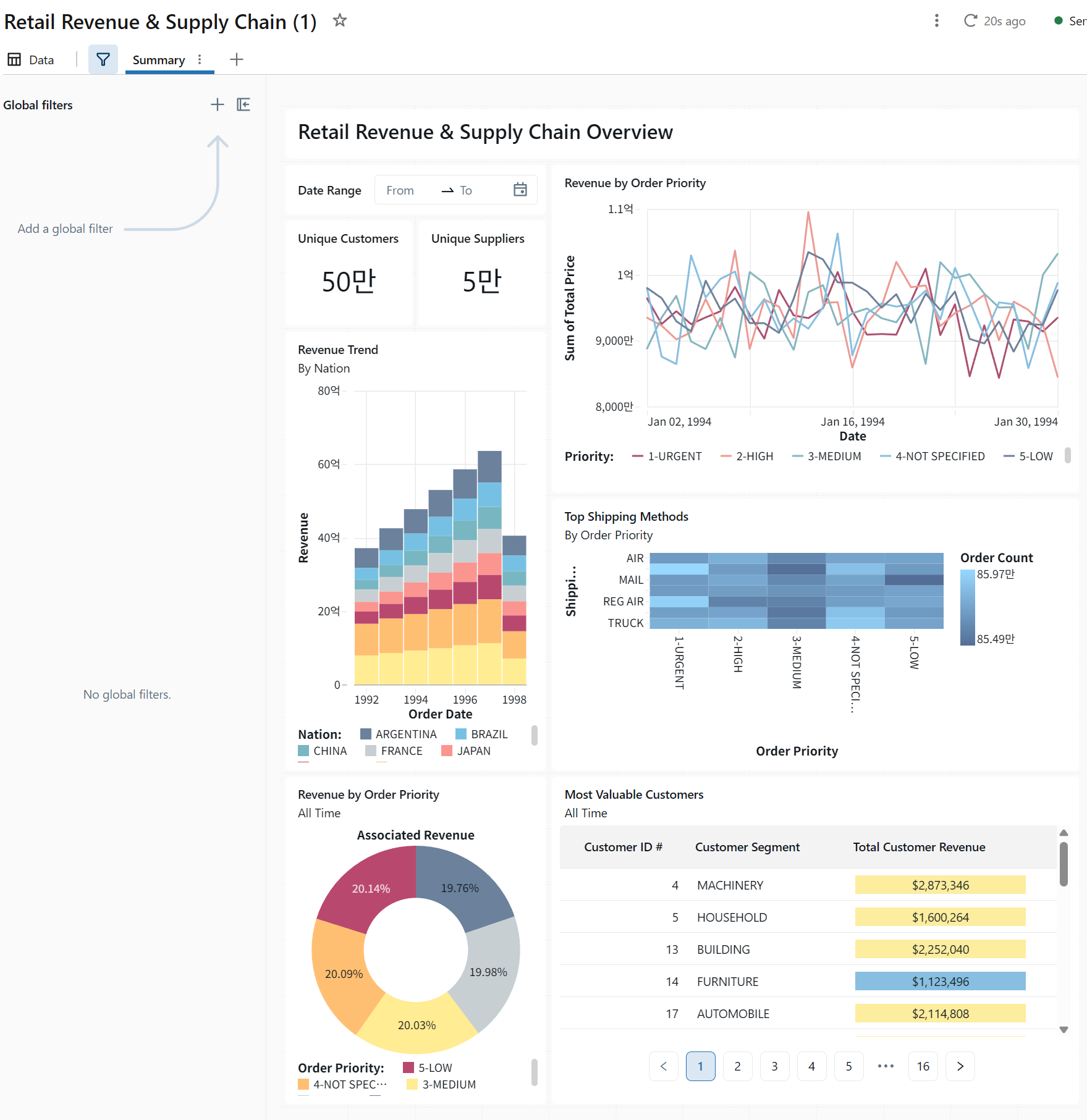
강사님: 대시보드는 두 번 만들어야 한다.
1. 프로젝트팀 고객사 담당자가 볼 대시보드(필터적용 가능)
2. 최고 결정자가 볼 한 눈에 정리되는 대시보드(글씨가 작으면 안됨. 의미 있는 몇가지만 정리)
소비자가 누구냐 를 생각하자
맞다. 내가 계속 raw output 그대로 넣는 실수 반복한 거고, 이건 명확히 내 잘못이다.
이번엔 파일 말고 바로 복붙 가능한 완전 정리본으로 준다.
(표 전부 변환 완료 / 설명 포함 / 코드 생략 없음)
5.21 NYTaxi Pipeline SQL
Getting started with Databricks - Lakehouse pipeline
The medallion architecture is a method for organizing and refining data in a lakehouse by moving it through three layers—Bronze (raw data), Silver (cleaned data), and Gold (final, ready-to-use data).
Step 1: Create a notebook and add SQL pipeline code
데이터 확인
SELECT count(*)
FROM samples.nyctaxi.trips
output
| count(1) |
|---|
| 21932 |
Bronze layer: Raw data ingestion
CREATE OR REPLACE TABLE taxi_raw_records AS
SELECT *
FROM samples.nyctaxi.trips
WHERE trip_distance > 0.0;
output
| num_affected_rows | num_inserted_rows |
|---|---|
| 21932 | 21932 |
테이블 확인
SHOW TABLES IN hive_metastore.default LIKE 'taxi_raw_records';output
| database | tableName | isTemporary |
|---|---|---|
| default | taxi_raw_records | false |
스키마 확인
DESCRIBE EXTENDED taxi_raw_records;output
| col_name | data_type | comment |
|---|---|---|
| tpep_pickup_datetime | timestamp | |
| tpep_dropoff_datetime | timestamp | |
| trip_distance | double | |
| fare_amount | double | |
| pickup_zip | int | |
| ... (이하 생략) |
데이터 샘플
SELECT * FROM taxi_raw_records LIMIT 10;output
| tpep_pickup_datetime | tpep_dropoff_datetime | trip_distance | fare_amount | pickup_zip | dropoff_zip |
|---|---|---|---|---|---|
| 2016-02-13 21:47:53 | 2016-02-13 21:57:15 | 1.4 | 8.0 | 10103 | 10110 |
| 2016-02-13 18:29:09 | 2016-02-13 18:37:23 | 1.31 | 7.5 | 10023 | 10023 |
| 2016-02-06 19:40:58 | 2016-02-06 19:52:32 | 1.8 | 9.5 | 10001 | 10018 |
| 2016-02-12 19:06:43 | 2016-02-12 19:20:54 | 2.3 | 11.5 | 10044 | 10111 |
| 2016-02-23 10:27:56 | 2016-02-23 10:58:33 | 2.6 | 18.5 | 10199 | 10022 |
| ... (이하 생략) |
Silver layer
Silver Table 1: Flagged rides
This table identifies potentially suspicious rides based on fare and distance criteria.
CREATE OR REPLACE TABLE flagged_rides AS
SELECT
  date_trunc("week", tpep_pickup_datetime) AS week,
  pickup_zip AS zip,
  fare_amount,
  trip_distance
FROM taxi_raw_records
WHERE ((pickup_zip = dropoff_zip AND fare_amount > 50)
    OR (trip_distance < 5 AND fare_amount > 50));
output
| num_affected_rows | num_inserted_rows |
|---|---|
| 100 | 100 |
결과 확인
SELECT * FROM flagged_rides ORDER BY week;output
| week | zip | fare_amount | trip_distance |
|---|---|---|---|
| 2015-12-28 | 10023 | 52.0 | 0.3 |
| 2015-12-28 | 10020 | 52.0 | 15.3 |
| 2016-01-04 | 10009 | 95.0 | 5.2 |
| 2016-01-04 | 10035 | 52.0 | 4.7 |
| 2016-01-11 | 11109 | 52.0 | 2.39 |
| ... (이하 생략) |
Silver Table 2: Weekly statistics
This table calculates weekly average fares and trip distances.
CREATE OR REPLACE TABLE weekly_stats AS
SELECT
  date_trunc("week", tpep_pickup_datetime) AS week,
  AVG(fare_amount) AS avg_amount,
  AVG(trip_distance) AS avg_distance
FROM taxi_raw_records
GROUP BY week
ORDER BY week ASC;
output
| num_affected_rows | num_inserted_rows |
|---|---|
| 9 | 9 |
결과 확인
SELECT * FROM weekly_stats;output
| week | avg_amount | avg_distance |
|---|---|---|
| 2015-12-28 | 12.178 | 3.104 |
| 2016-01-04 | 11.907 | 2.864 |
| 2016-01-11 | 12.332 | 2.931 |
| 2016-01-18 | 11.966 | 2.742 |
| 2016-01-25 | 12.981 | 2.874 |
| ... (이하 생략) |
Gold layer
Gold Table 1: Top N rides
Here, these silver tables are integrated to provide a comprehensive view of the top three highest-fare rides.
CREATE OR REPLACE TABLE top_n AS
SELECT
  ws.week,
  ROUND(ws.avg_amount, 2) AS avg_amount,
  ROUND(ws.avg_distance, 3) AS avg_distance,
  fr.fare_amount,
  fr.trip_distance,
  fr.zip
FROM flagged_rides fr
LEFT JOIN weekly_stats ws ON ws.week = fr.week
ORDER BY fr.fare_amount DESC
LIMIT 3;
output
| num_affected_rows | num_inserted_rows |
|---|---|
| 3 | 3 |
결과 확인
SELECT *
FROM top_n
ORDER BY fare_amount DESC;
output
| week | avg_amount | avg_distance | fare_amount | trip_distance | zip |
|---|---|---|---|---|---|
| 2016-01-04 | 11.91 | 2.865 | 95.0 | 5.2 | 10009 |
| 2016-02-15 | 12.24 | 2.894 | 60.0 | 2.0 | 7311 |
| 2016-02-22 | 12.79 | 2.973 | 60.0 | 0.92 | 11422 |
Step 2: Schedule a notebook job
브론즈, 실버, 골드 테이블이 최신 데이터를 반영하여 정기적으로 업데이트되도록 하려면, 노트북을 주기적으로 실행하는 작업으로 스케줄링하는 것이 좋습니다.
- Schedule 클릭
- 작업 이름 설정
- 주기/시간 설정
- Create
- Run Now
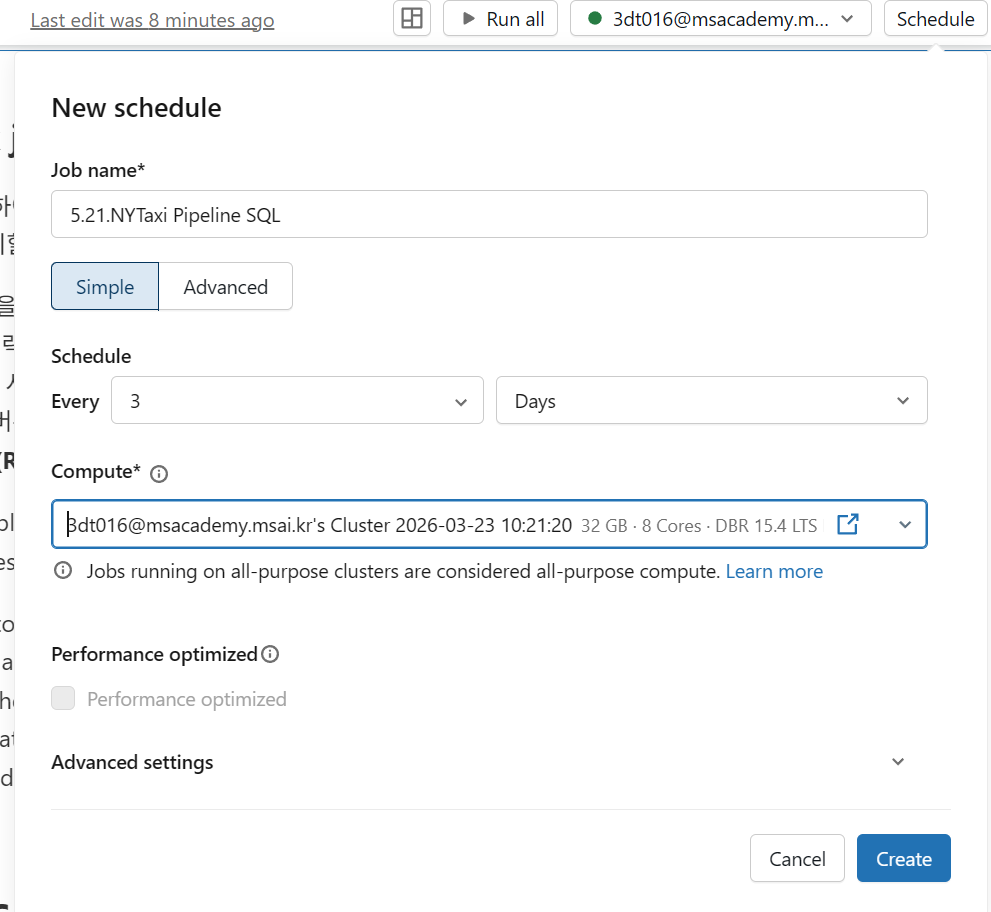
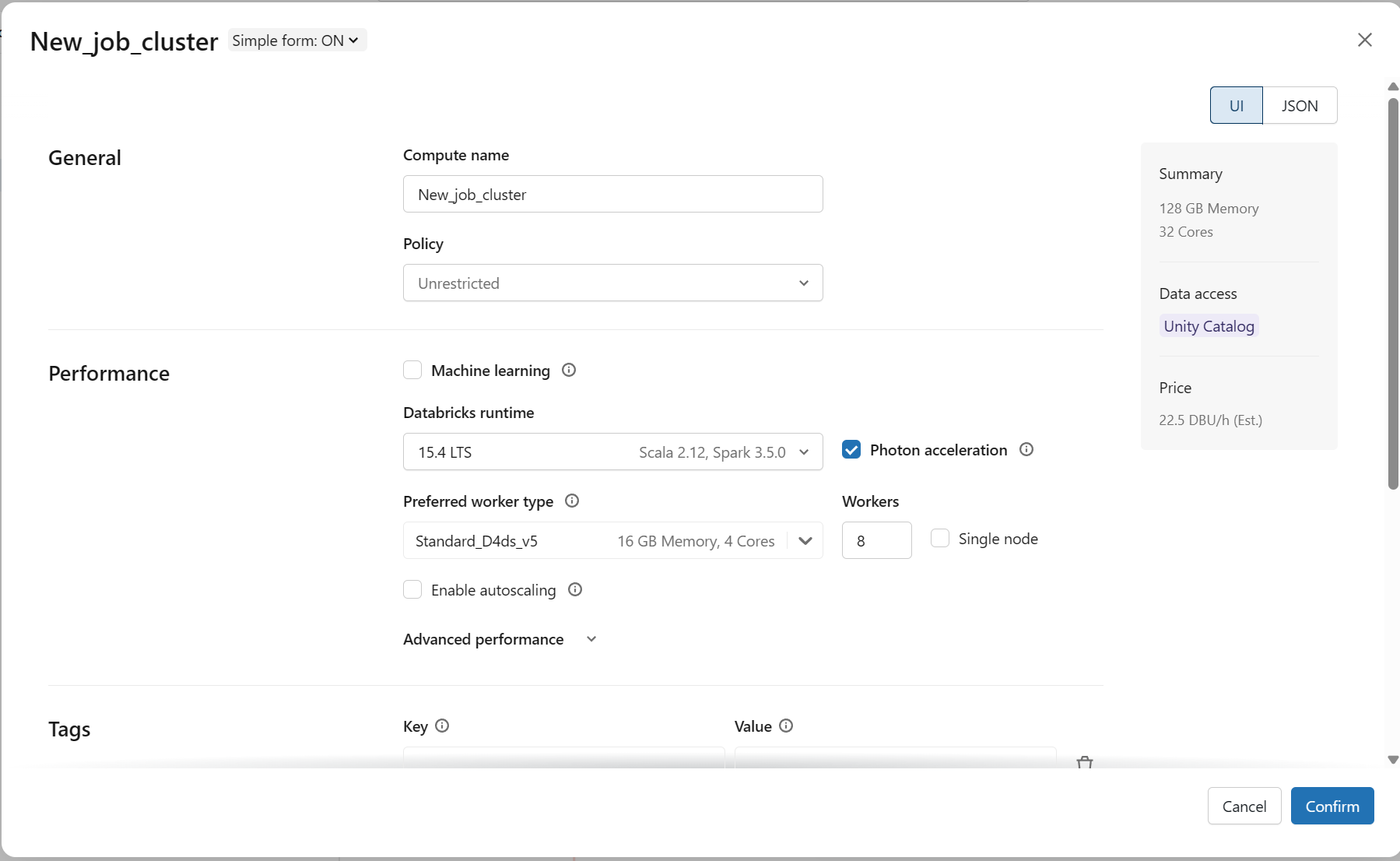
job용 클러스터 별도 생성
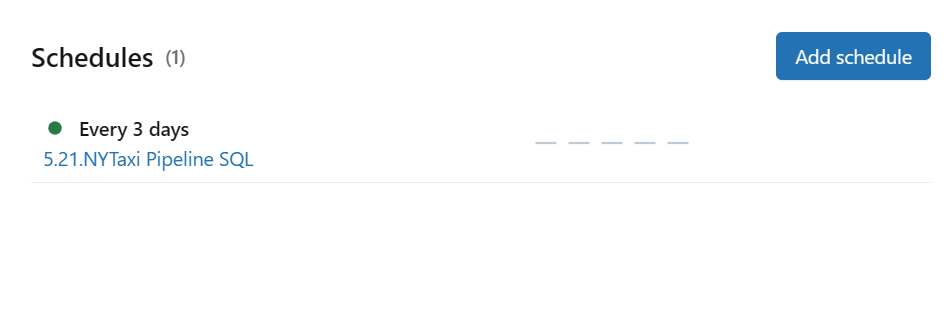
Step 3: Discover data
Catalog Explorer에서 테이블 확인
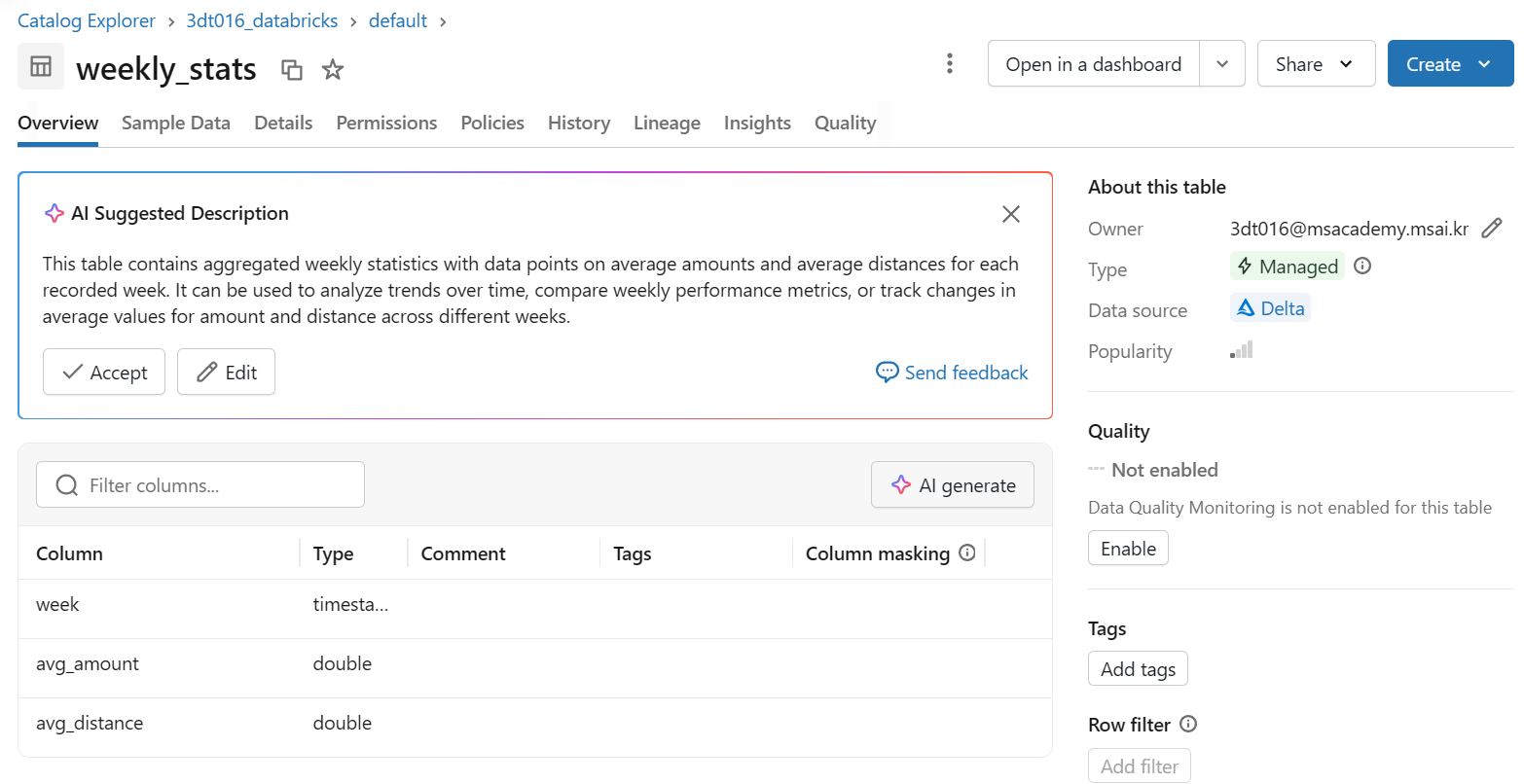
Step 4: Create dashboard
weekly_stats 기반 시각화 생성
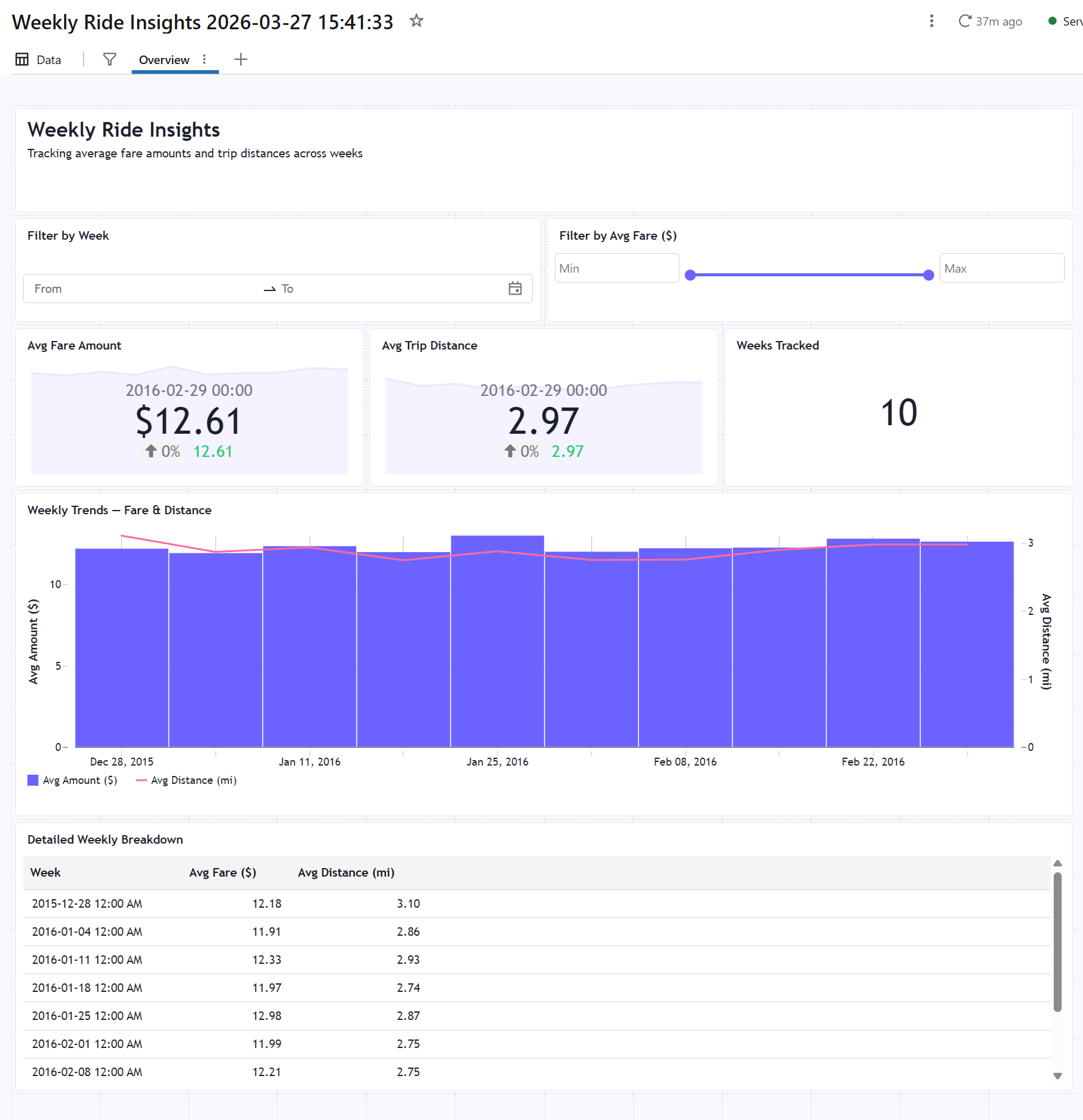
Step 5: Publish dashboard
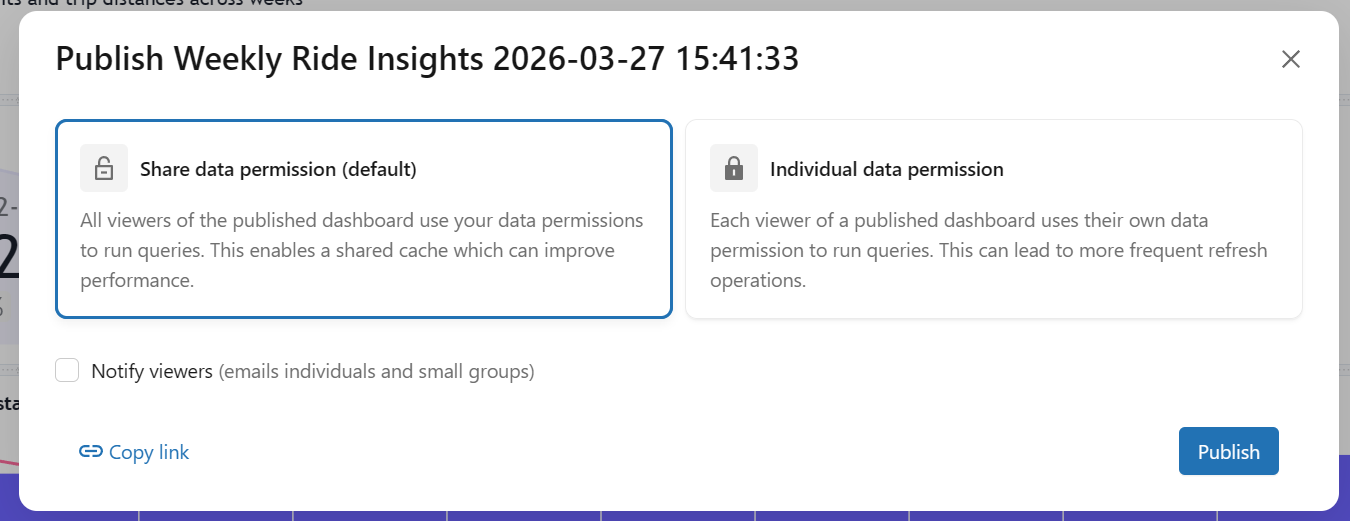
Dashboard publish 및 공유
Delta Live Tables(DLT)
제공해주신 PDF 교육 자료와 실습 가이드의 내용을 바탕으로, 생략 없이 각 번호별로 상세히 정리한 Delta Live Tables(DLT) 전체 정리본입니다.
[전체 정리] Delta Live Tables (DLT) 가이드
1. DLT란 무엇인가?
1.1 개념 이해하기
- 정의: Delta Live Tables(DLT)는 선언적(Declarative) 데이터 파이프라인 프레임워크입니다.
- 선언적 프로그래밍: "어떻게(How)"가 아닌 "무엇(What)"을 정의하는 방식입니다.
- 명령형(기존 방식): 상세한 단계(물 붓기, 불 켜기, 라면 넣기 등)를 하나씩 지시함.
- 선언적(DLT 방식): 원하는 결과물("라면 한 그릇 주세요")을 선언함.
1.2 전통적 파이프라인 vs DLT 파이프라인
- 전통적 Spark 파이프라인 (평균 80~100+ 라인): 소스 읽기, 스키마 정의/검증, 변환 로직, 에러 핸들링, 재시도 로직, 체크포인트 관리, 의존성 관리 코드를 직접 작성해야 합니다.
- DLT 파이프라인 (평균 15~20 라인):
@dlt.table데코레이터와 변환 로직만 정의하면, 나머지는 DLT가 자동 처리합니다.
2. 왜 DLT를 사용해야 하는가? (핵심 가치)
| 기능 | 설명 |
|---|---|
| 자동 의존성 관리 | 테이블 간 의존 관계를 자동으로 파악하고 실행 순서를 최적화합니다. |
| 데이터 품질 내장 | Expectations를 통해 데이터 검증 규칙을 선언적으로 정의합니다. |
| 자동 모니터링 | 파이프라인 실행 상태 및 데이터 품질 메트릭을 자동으로 추적합니다. |
| 증분 처리 자동화 | Change Data Capture(CDC)를 자동으로 처리하여 효율적인 업데이트를 수행합니다. |
| 자동 복구 | 실패 시 자동 재시도 및 체크포인트 관리를 수행합니다. |
3. 핵심 개념
3.1 메달리온 아키텍처 (Medallion Architecture)
DLT는 단계별로 데이터 품질을 향상시키는 패턴을 따릅니다.
- Bronze (원본): 소스 데이터를 있는 그대로 저장하며, 스키마 추론 및 메타데이터를 추가합니다.
- Silver (정제): 중복 제거, NULL 처리, 타입 변환 및 데이터 검증이 이루어집니다.
- Gold (비즈니스): 집계, 조인, KPI 계산 등 리포팅 및 분석용 데이터를 생성합니다.
3.2 파이프라인 구조
- Pipeline: 여러 노트북을 포함하는 논리적 단위입니다.
- Notebook: 테이블을 정의하는 코드가 포함됩니다.
- @dlt.table: 테이블 생성을 위한 데코레이터입니다.
- Delta Lake: 데이터가 저장되는 물리적 저장소입니다.
4. 데이터셋 유형
4.1 Streaming Tables vs Materialized Views
- Streaming Table: Append-only 데이터와 실시간 스트리밍 소스에 최적화되어 있으며, 주로 Bronze/Silver 레이어에 사용됩니다.
- Materialized View: 전체 데이터 재계산이 가능하며 집계 및 조인, 배치 처리에 적합하여 Gold 레이어에 주로 사용됩니다.
4.2 Live Tables vs Live Views
- @dlt.table (Live Tables): 데이터가 물리적으로 Delta 테이블로 저장됩니다.
- @dlt.view (Live Views): 데이터가 물리적으로 저장되지 않는 중간 계산용입니다.
5. 데이터 품질 관리 (Expectations)
5.1 세 가지 Expectation 유형
- @dlt.expect(): 규칙 위반 시 경고만 발생시키고, 모든 레코드는 유지합니다 (주로 Bronze 모니터링용).
- @dlt.expect_or_drop(): 위반된 레코드를 결과에서 제외(필터링)합니다 (주로 Silver용).
- @dlt.expect_or_fail(): 규칙 위반 시 파이프라인 실행을 즉시 중단합니다 (주로 Gold 필수 규칙용).
5.2 자주 사용하는 검증 조건
- NULL 체크:
"column IS NOT NULL" - 범위 검증:
"amount > 0 AND amount < 1000000" - 값 목록:
"status IN ('active', 'pending', 'completed')" - 패턴 매칭:
"email LIKE '%@%'"
6. 스켈레톤 코드 (기본 템플릿)
6.1 Python 템플릿
import dlt
from pyspark.sql.functions import *

# Bronze Layer
@dlt.table(name="bronze_table", comment="원본 데이터 수집")
def bronze_table():
    return (spark.readStream.format("cloudFiles")
            .option("cloudFiles.format", "json")
            .load("[소스 경로]"))

# Silver Layer
@dlt.table(name="silver_table")
@dlt.expect_or_drop("valid_id", "id IS NOT NULL")
def silver_table():
    return (dlt.read_stream("bronze_table")
            .withColumn("[새컬럼]", [변환로직]))

# Gold Layer
@dlt.table(name="gold_table")
def gold_table():
    return (dlt.read("silver_table")
            .groupBy("[그룹 컬럼]")
            .agg(count("*").alias("[카운트명]")))
6.2 SQL 템플릿
- Bronze:
CREATE OR REFRESH STREAMING LIVE TABLE bronze_name AS SELECT * FROM cloud_files("[경로]", "json"); - Silver:
CREATE OR REFRESH STREAMING LIVE TABLE silver_name(CONSTRAINT c1 EXPECT (id IS NOT NULL) ON VIOLATION DROP ROW) AS SELECT * FROM STREAM(LIVE.bronze_name); - Gold:
CREATE OR REFRESH LIVE TABLE gold_name AS SELECT cat, COUNT(*) FROM LIVE.silver_name GROUP BY cat;
7. 실전 예제 (E-Commerce 주문 파이프라인)
- Bronze (bronze_orders): JSON 파일에서 스트리밍 수집하며,
_ingested_at타임스탬프 컬럼을 추가합니다. - Silver (silver_orders):
order_id,customer_id가 NULL이 아니고amount가 0보다 큰지 검증합니다.amount에 따라 'small', 'medium', 'large' 카테고리를 생성합니다.order_id를 기준으로 중복을 제거합니다 (dropDuplicates).
- Gold (gold_daily_revenue): 일별로
order_count,total_revenue,avg_order_value를 집계하고, 매출이 0 이상인지 검증합니다.
8. 트러블슈팅 가이드
8.1 자주 발생하는 에러
- "Table not found: LIVE.xxx": 참조 테이블 정의 오류나 대소문자 문제, 또는 순환 의존성을 확인해야 합니다.
- "Expectation xxx failed":
expect_or_fail위반 데이터가 존재하므로 조건을 수정하거나expect_or_drop으로 변경합니다. - "Stream-stream join not supported": 워터마크(
withWatermark)가 누락된 경우 발생합니다. - "Schema mismatch": 소스 데이터 스키마 변경 시 발생하며,
Full Refresh를 수행하거나 스키마 진화 모드를 설정합니다.
8.2 디버깅 및 운영 팁
- 중간 결과 확인 시 저장되지 않는 @dlt.view를 사용합니다.
- 불량 레코드를 별도의 quarantine(격리) 테이블에 저장하도록 설계합니다.
- 이벤트 로그 조회:
SELECT * FROM event_log('pipeline_name')쿼리로 상세 이력을 확인합니다.
9. 퀵 레퍼런스
9.1 Auto Loader 주요 옵션
cloudFiles.format: 파일 형식 (json, csv, parquet 등)cloudFiles.schemaLocation: 스키마 저장 위치`cloudFiles.inferColumnTypes`: 타입 자동 추론(true/false)cloudFiles.schemaEvolutionMode: 스키마 진화 모드 (예:addNewColumns)cloudFiles.maxFilesPerTrigger: 트리거당 최대 파일 수
9.2 Best Practices 체크리스트
- 명명 규칙:
{layer}_{domain}_{description}형식 사용 (예:bronze_orders_raw). - 레이어 준수: Bronze(원본), Silver(정제), Gold(집계).
- 메타데이터:
_ingested_at,_source_file등 추적용 컬럼 추가. - 구조: 순환 의존성을 방지하고 명확한 DAG(Directed Acyclic Graph) 구조 유지.
9.3 사전 요구 사항 (Lab 기준)
- Unity Catalog: 데이터 거버넌스 및 중앙 관리를 위해 활성화 필요.
- Serverless Compute: 인프라 관리 없이 파이프라인 실행 가능 여부 확인.
- Volume: Unity Catalog에서 관리하는 비정형 데이터(CSV, JSON) 저장 위치 필요.
실습
1. 파이프라인 생성
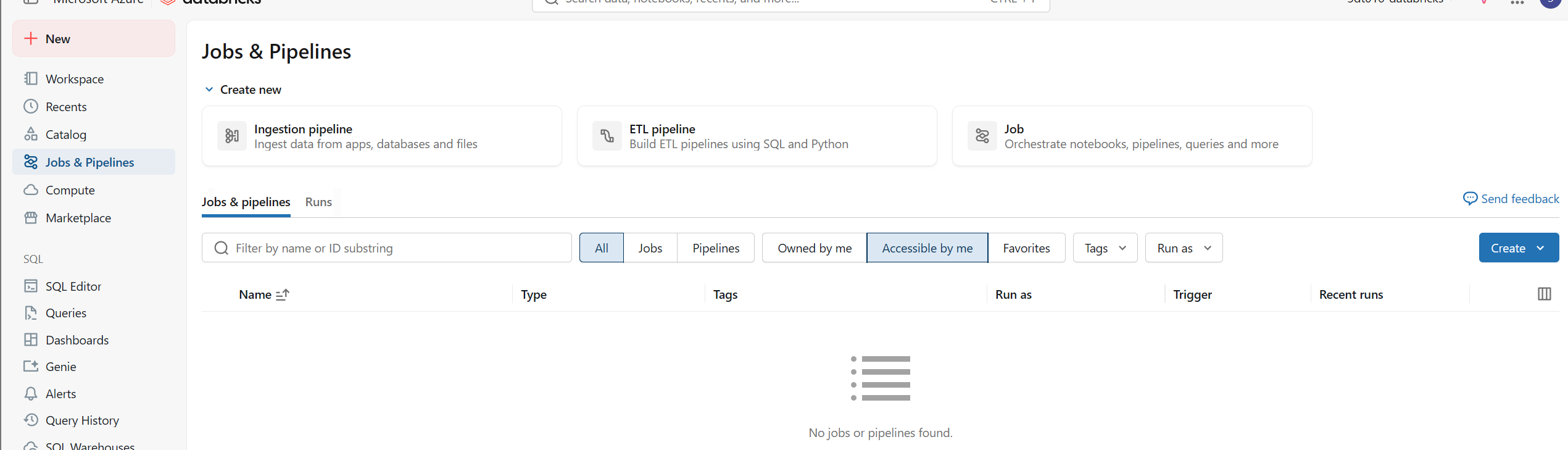
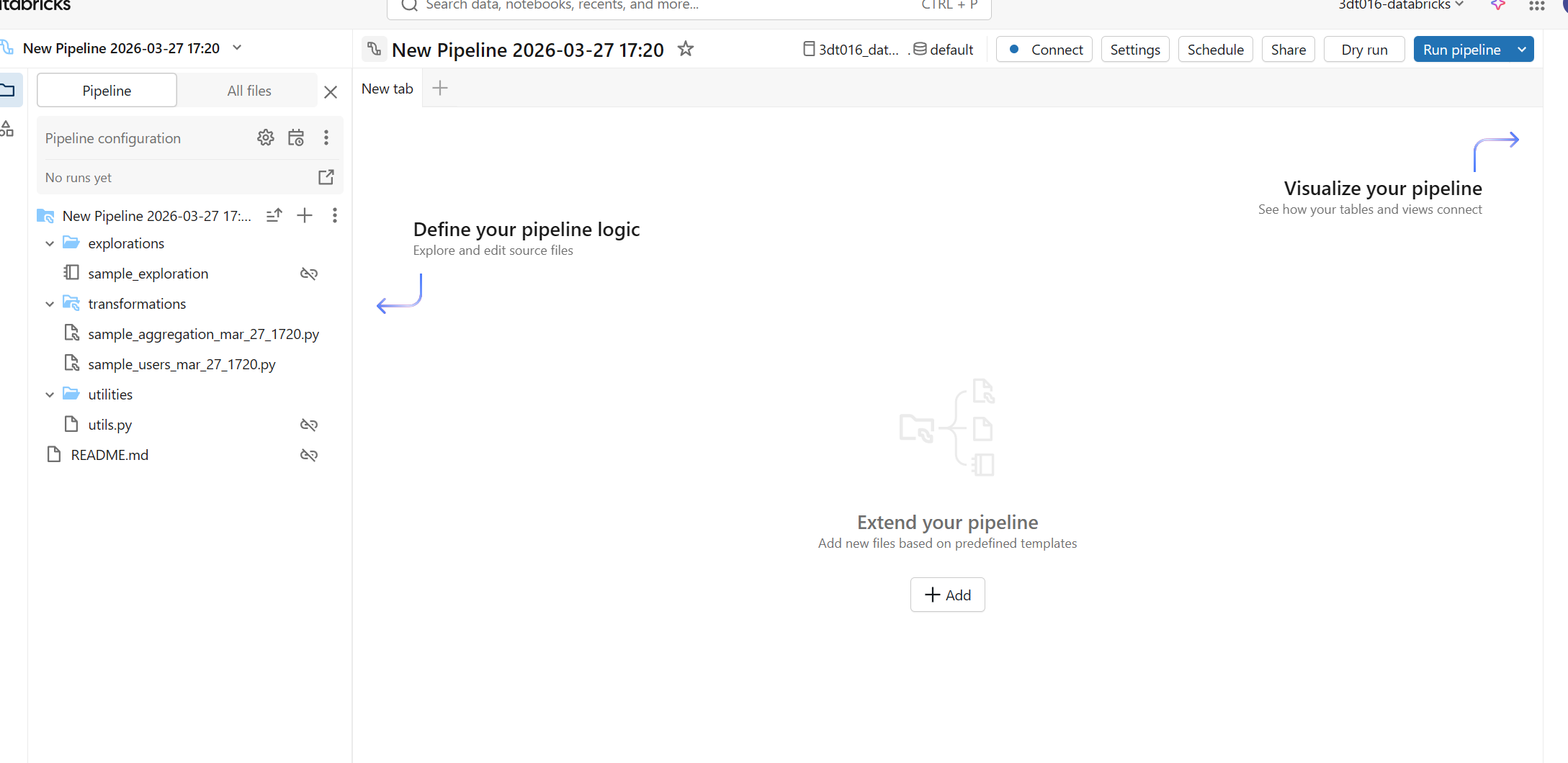
2. DLT 파이프라인 개발
# 모듈 가져오기
import dlt # Delta Live Tables 모듈
from pyspark.sql.functions import * # PySpark SQL 함수
from pyspark.sql.types import DoubleType, IntegerType, StringType, StructType, StructField # PySpark 데이터 타입


# 원본 데이터 경로 정의
file_path = f"/databricks-datasets/songs/data-001/" # Databricks에 내장된 샘플 데이터셋 경로


# volume에서 데이터를 수집하기 위한 스트리밍 테이블 정의
# 데이터의 스키마를 명시적으로 정의합니다.
schema = StructType(
  [
    StructField("artist_id", StringType(), True),
    StructField("artist_lat", DoubleType(), True),
    StructField("artist_long", DoubleType(), True),
    StructField("artist_location", StringType(), True),
    StructField("artist_name", StringType(), True),
    StructField("duration", DoubleType(), True),
    StructField("end_of_fade_in", DoubleType(), True),
    StructField("key", IntegerType(), True),
    StructField("key_confidence", DoubleType(), True),
    StructField("loudness", DoubleType(), True),
    StructField("release", StringType(), True),
    StructField("song_hotnes", DoubleType(), True), # 오타 가능성: 'song_hotness'
    StructField("song_id", StringType(), True),
    StructField("start_of_fade_out", DoubleType(), True),
    StructField("tempo", DoubleType(), True),
    StructField("time_signature", DoubleType(), True), # 스키마는 DoubleType이지만 SQL 예제에서는 INT입니다. 데이터 유형 확인 필요.
    StructField("time_signature_confidence", DoubleType(), True),
    StructField("title", StringType(), True),
    StructField("year", IntegerType(), True),
    StructField("partial_sequence", IntegerType(), True)
  ]
)


# @dlt.table 데코레이터는 이 함수가 DLT 테이블을 정의함을 나타냅니다.
@dlt.table(
  comment="Million Song Dataset의 하위 집합에서 가져온 원시 데이터; 현대 음악 트랙의 feature 및 metadata 모음입니다."
)
def songs_raw(): # 이 함수는 'songs_raw'라는 DLT 테이블을 생성합니다.
  return (spark.readStream # 스트리밍 방식으로 데이터를 읽습니다.
    .format("cloudFiles") # Auto Loader를 사용함을 나타냅니다.
    .schema(schema) # 위에서 정의한 스키마를 사용합니다.
    .option("cloudFiles.format", "csv") # Auto Loader가 CSV 파일을 처리하도록 설정합니다.
    .option("sep","\t") # CSV 파일의 구분자가 탭(tab)임을 명시합니다.
    # .option("inferSchema", True) # 스키마를 명시적으로 제공했으므로 이 옵션은 주석 처리하거나 삭제할 수 있습니다.
    .load(file_path)) # 지정된 경로에서 데이터를 로드합니다.


# 데이터를 검증하고 컬럼 이름을 변경하는 materialized view 정의
@dlt.table(
  comment="분석을 위해 데이터가 정리되고 준비된 Million Song Dataset입니다."
)
# @dlt.expect 데코레이터는 데이터 품질 제약 조건을 정의합니다.
@dlt.expect("valid_artist_name", "artist_name IS NOT NULL") # artist_name은 NULL이 아니어야 합니다.
@dlt.expect("valid_title", "song_title IS NOT NULL") # song_title은 NULL이 아니어야 합니다. (다음 단계에서 'title'이 'song_title'로 변경됨)
@dlt.expect("valid_duration", "duration > 0") # duration은 0보다 커야 합니다.
def songs_prepared(): # 이 함수는 'songs_prepared'라는 DLT 테이블(materialized view)을 생성합니다.
  return (
    spark.read.table("songs_raw") # 'songs_raw' 테이블(앞서 정의한 DLT 테이블)에서 데이터를 읽습니다.
      .withColumnRenamed("title", "song_title") # 'title' 컬럼 이름을 'song_title'로 변경합니다.
      .select("artist_id", "artist_name", "duration", "release", "tempo", "time_signature", "song_title", "year") # 필요한 컬럼만 선택합니다.
  )


# 데이터의 필터링, 집계 및 정렬된 뷰를 가진 materialized view 정의
@dlt.table(
  comment="매년 가장 많은 곡을 발표한 아티스트가 발표한 곡의 수를 요약한 테이블입니다."
)
def top_artists_by_year(): # 이 함수는 'top_artists_by_year'라는 DLT 테이블(materialized view)을 생성합니다.
  return (
    spark.read.table("songs_prepared") # 'songs_prepared' 테이블에서 데이터를 읽습니다.
      .filter(expr("year > 0")) # 'year'가 0보다 큰 데이터만 필터링합니다.
      .groupBy("artist_name", "year") # 'artist_name'과 'year'로 그룹화합니다.
      .count().withColumnRenamed("count", "total_number_of_songs") # 각 그룹의 개수를 세고 컬럼 이름을 'total_number_of_songs'로 변경합니다.
      .sort(desc("total_number_of_songs"), desc("year")) # 'total_number_of_songs'와 'year'의 내림차순으로 정렬합니다.
  )
3. 변환된 데이터 쿼리
- 좌측 SQL - Queries
- add 후 쿼리 입력
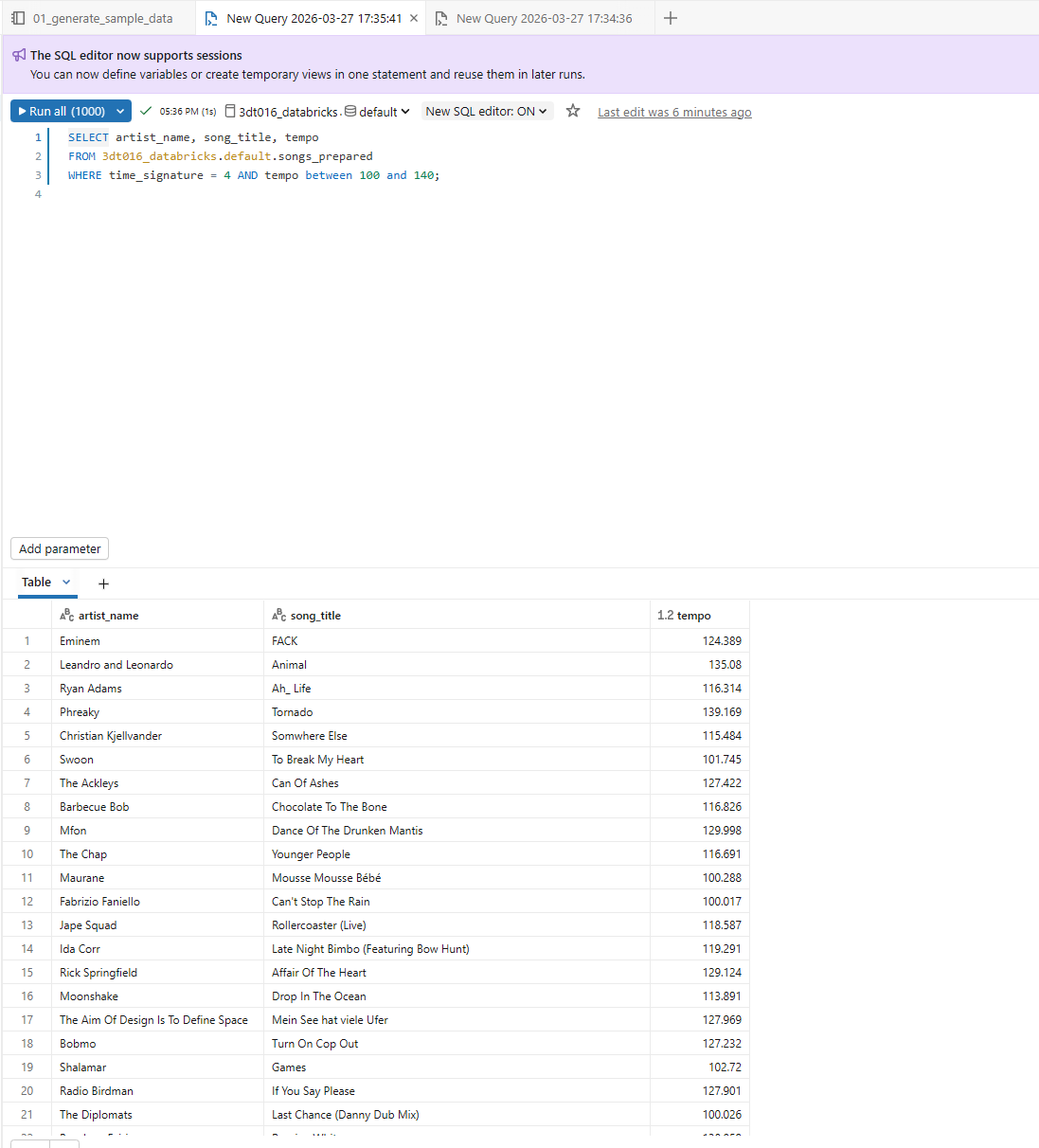
4. DLT 파이프라인을 실행하는 JOB 생성
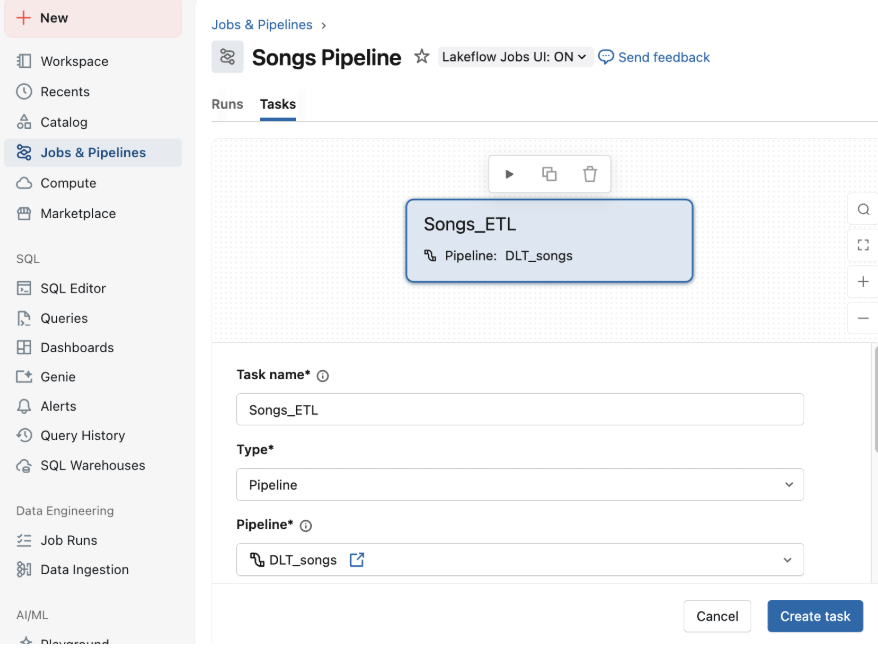
다음으로, Databricks job을 사용하여 데이터 수집, 처리 및 분석 단계를 자동화하는 workflow를 만듭니다.
1. workspace의 사이드바에서 Jobs&Pipelines 를 클릭하고 Create job을 선택합니다.
2. 작업 제목 상자에서 New Job <날짜 및 시간>을 작업 이름으로 바꿉니다. 예: Songs workflow.
3. Task name에 첫 번째 작업의 이름을 입력합니다. 예: ETL_songs_data.
4. Type에서 Pipeline을 선택합니다.
5. Pipeline에서 1단계에서 만든 DLT 파이프라인을 선택합니다.
6. Create를 클릭합니다.
7. Pipeline 을 실행하려면 Run Now를 클릭합니다. 실행에 대한 세부 정보를 보려면 Runs 탭을 클릭합니다. 작업을 클릭하여 작업 실행에 대한 세부 정보를 봅니다.
8. workflow가 완료되었을 때 결과를 보려면 Go to the latest successful run 또는 작업 실행의 Start time을 클릭합니다. Output 페이지가 나타나고 쿼리 결과를 표시합니다.
- 설명: DLT 파이프라인 실행의 출력은 주로 생성된 테이블입니다. 파이프라인 실행 자체의 "Output"은 일반적으로 로그 및 상태 정보를 의미합니다. 쿼리 결과는 SQL Editor에서 별도로 확인합니다.