게시글 목록에서 게시글 클릭 시 게시글 세부 페이지로 이동하는 기능을 구현해보겠다.
React 파트
notice_list.js 일부
return (
        <div style={{ textAlign: 'center', margin: '0 auto'}}>
            <h2>공지 사항</h2>

            <div style={{ display: 'flex', flexDirection: 'column', alignItems: 'center' }}>
                {inputData.map((notice, index) => (
                    <div key={index} style={div_style}>
                        <div style={{ width: '10%' }}><a href={`/notice-detail/${notice.ID}`} style={{ textDecoration: 'none', color: 'black', width : '30%' }}>{index}</a></div>
                        <div style={{ width: '30%' }}><a href={`/notice-detail/${notice.ID}`} style={{ textDecoration: 'none', color: 'black', width : '30%' }}>{notice.title}</a></div>
                        <div style={{ width: '60%' }}><a href={`/notice-detail/${notice.ID}`} style={{ textDecoration: 'none', color: 'black', width : '30%' }}>{notice.content}</a></div>
                    </div>
                ))}
            </div>

            <button type="button" onClick={() => navigate('/Notice_main')}>게시글 작성</button>
        </div>
    );
return의 id, title, content에 a태그를 추가해준다. 클릭 시 저 주소로 이동하는데, 이제 router를 써서 저 주소에 해당하는 컴포넌트를 매핑할 것이다.
우선 매핑할 컴포넌트를 만들자
notice_detail.js
import { useState, useEffect } from "react";
import axios from "axios";
import { useParams } from "react-router-dom";
import Notice_delete from "./Notice_delete";

const NoticeDetail = () => {
    const [detailData, setDetailData] = useState({});
    const { id } = useParams();
    useEffect(() => {
        const fetchData = async () => {
            try {
                const res = await axios.get(`http://localhost:3001/detail/${id}`);
                setDetailData(res.data[0]);
                console.log(res.data[0]);
            } catch (e) {
                console.error(e.message);
            }
        };
        fetchData();
        console.log(id);
    }, []);

    return (
        <div style={{ textAlign: 'center', margin: '0 auto',display : 'flex', flexDirection : 'column', alignItems : 'center', marginTop : '50px'}}>

            <div style={{width : '50%', height : '50px', border : '1px solid black', marginBottom : '10px'}}>{detailData.title}</div>
            <div style={{width : '50%', height : '450px', border : '1px solid black'}}>{detailData.content}</div>
            <button><a href="/" style={{color : 'black', textDecoration : 'none'}}>이전</a></button>
            <button>수정</button>
            <button>삭제</button>
        </div>
    );
}

export default NoticeDetail;
useParams로 현재의 파라미터 값을 가져와 id에 저장한다. 그리고 http://localhost:3001/detail/${id}에 get요청을 보내고 받은 값을 usestate에 json형식으로 저장한다.
이전, 수정, 삭제 버튼을 추가하고 이전은 a태그를 이용해 '/'위치(게시글 목록)로 이동하도록 한다.
App.js
import Notice_main from "./notice_main";
import Header from "./header";
import Notice_list from "./notice_list";
import { Routes, Route} from "react-router-dom";
import NoticeDetail from "./Notice_detail";
import Notice_delete from "./Notice_delete";

function App() {

  return (
    <>
    <Header/>
    <Routes>
    <Route path="/" element={<Notice_list/>}></Route>
    <Route path="/Notice_main" element={<Notice_main/>}></Route>
    <Route path="/notice-detail/:id" element={<NoticeDetail />} />
    </Routes>

    </>
  );
}

export default App;
NoticeDetail을 매핑해준다.
Express 파트
express에서 /detail/id에 관한 get 처리를 추가한다
express의 index.js 일부
router.get('/detail/:id', (req, res) => {
  const sql = "SELECT * from notice_db.notice WHERE ID=?";

  // req.params에서 ID값을 가져옴
  const value = [req.params.id];

  maria.query(sql, value, (err, result) => {
      if (err)
          console.log(err);
      else {
          console.log("result",result);
          res.send(result);
      }
  });
});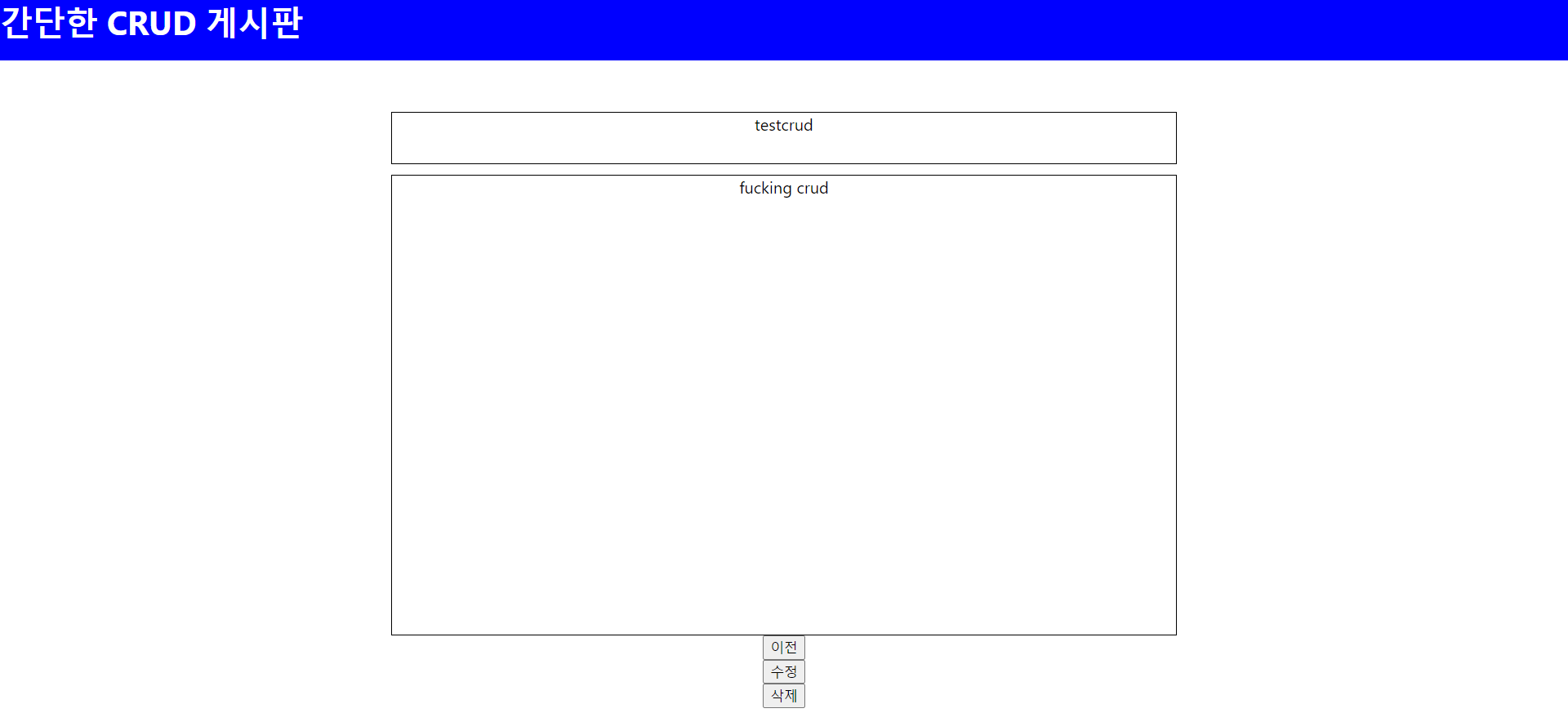
게시글 상세보기와 이전버튼을 구현완료하였다.
근데 이상하게 get요청이 2번 된다 ...왤까..
