IT 카테고리 베스트셀러 크롤링
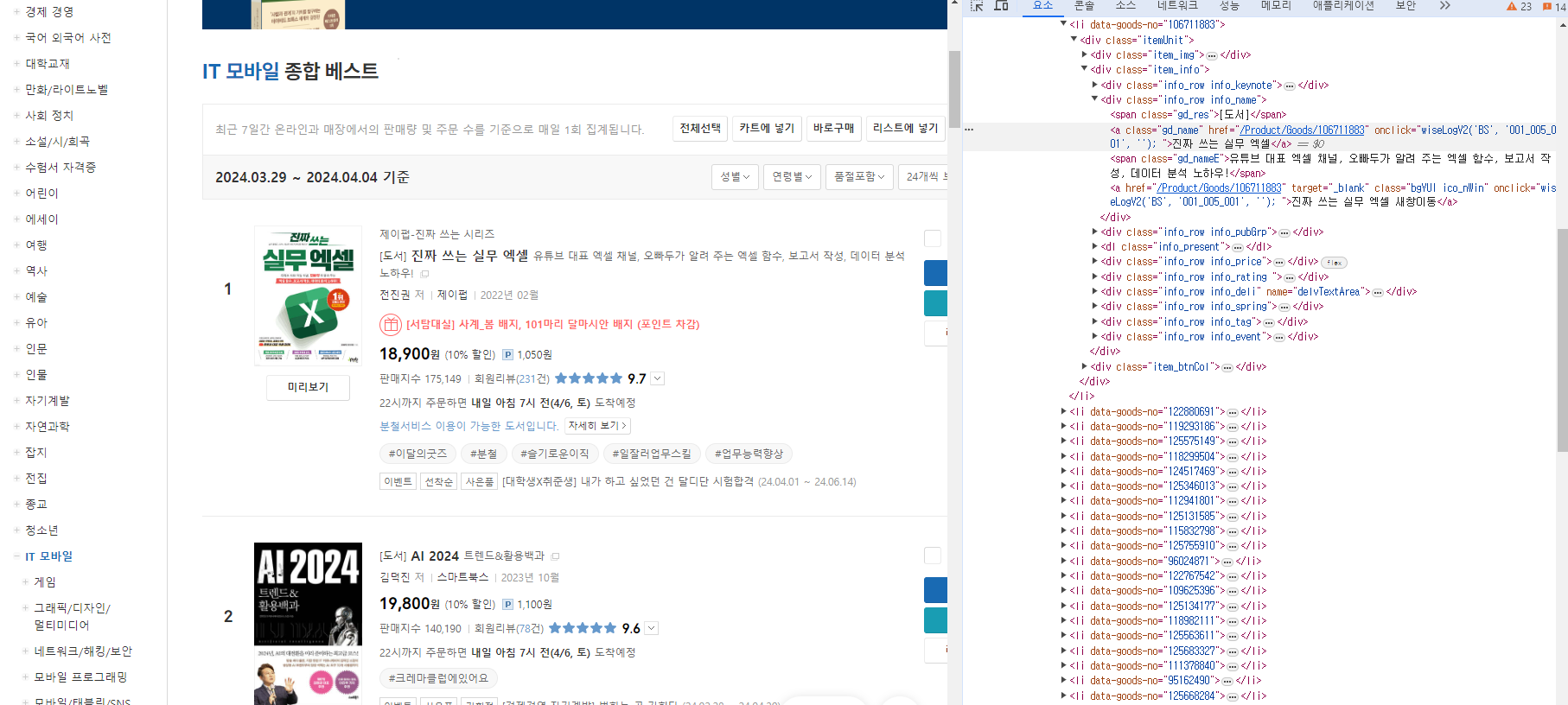
F12를 통해 개발자도구를 열어 확인해보면
url = f'https://www.yes24.com/Product/Category/BestSeller?pageNumber={i}&pageSize=24&categoryNumber=001001003'
browser.get(url)
item_info = browser.find_elements(By.CLASS_NAME,'item_info')

book_containers = browser.find_element(By.ID, 'yesBestList').find_elements(By.CLASS_NAME,'item_info')
ID = 'yesBestList'의 CLASS_NAME = 'item_info'에 베스트셀러 리스트가 담겨 있고
title = book.find_element(By.CLASS_NAME,'gd_name').text
release = book.find_element(By.CLASS_NAME,'info_date').text
author = book.find_element(By.CLASS_NAME,'info_auth').text
price = book.find_element(By.CLASS_NAME,'yes_b').text
sales_index = book.find_element(By.CLASS_NAME,'saleNum').text[4:]
link=book.find_element(By.CLASS_NAME, 'gd_name').get_attribute('href')
제목, 발매일, 저자, 가격, 판매지수, 링크 등의 데이터를 구할 수 있다.
Yes24의 페이지 주소를 확인해보면
이렇게 url단에서 바로 페이지 수와 페이지 사이즈를 조절 가능한 것을 확인할 수 있다.
그럼 반복문을 활용해서 이걸 바꿔가며 쉽게 크롤링이 가능하다.
from selenium import webdriver
from selenium.webdriver.common.by import By
import pandas as pd
bestseller_dict = []
browser = webdriver.Chrome()
for i in range(11):
    url = f'https://www.yes24.com/Product/Category/BestSeller?pageNumber={i}&pageSize=24&categoryNumber=001001003'
    browser.get(url)
    item_info = browser.find_elements(By.CLASS_NAME,'item_info')

    book_containers = browser.find_element(By.ID, 'yesBestList').find_elements(By.CLASS_NAME,'item_info')

    for book in book_containers:
        title = book.find_element(By.CLASS_NAME,'gd_name').text
        release = book.find_element(By.CLASS_NAME,'info_date').text
        author = book.find_element(By.CLASS_NAME,'info_auth').text
        price = book.find_element(By.CLASS_NAME,'yes_b').text
        sales_index = book.find_element(By.CLASS_NAME,'saleNum').text[4:]
        link=book.find_element(By.CLASS_NAME, 'gd_name').get_attribute('href')

        print(title,'\n',release,'\n',author,'\n',price,'\n',sales_index,'\n',link,'\n')
        bestseller_dict.append({
        '제목':title,
        '발매일':release,
        '작가':author,
        '가격':price,
        '판매지수':sales_index,
        '링크':link
        })

df = pd.DataFrame(bestseller_dict)
df.to_csv('best_seller.csv',encoding='EUC-KR',index=False)
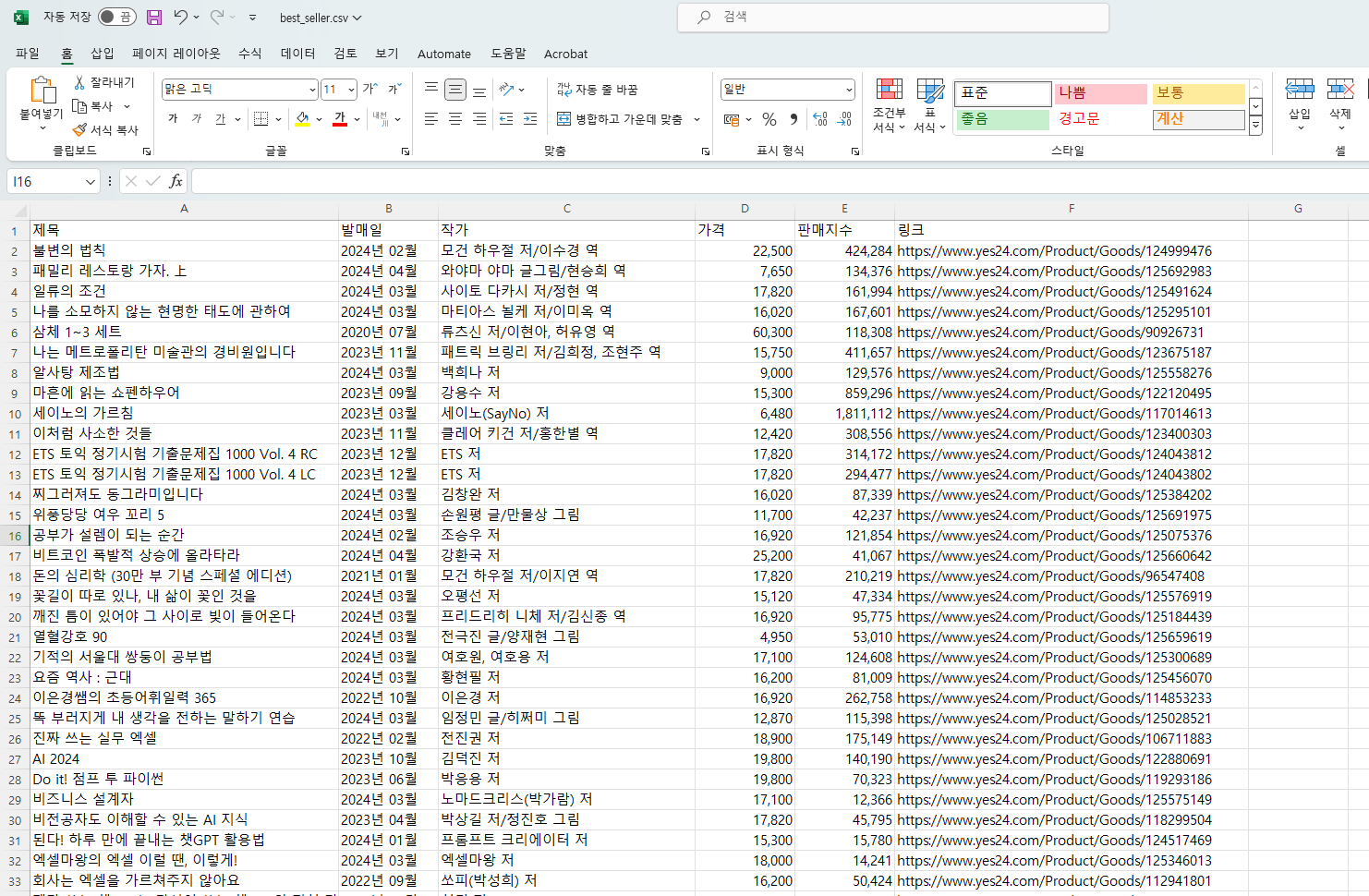
다음과 같은 코드를 통해 베스트셀러 데이터프레임을 만들고 1페이지부터 10페이지까지 베스트셀러 정보를 크롤링해 보았다.
엑셀로 열어보면 결과는 이렇게

AI가 재밌는 걸