YOLOv8
환경 구축 및 코드
환경 - python 3.11.3
base로 깔려있는 버전은 3.10 버전이었는데 가상환경 만들어줬어요.
저는 conda를 사용했기 때문에 콘다 기준임당.
- 가상환경 만들기
yolov8 자리에 자기가 만들고 싶은 가상환경 이름 아무거나 적어주시면 됩니다요.
conda create -n yolov8 python=3.11- 가상환경 활성화
이제 만든 가상환경을 활성화 해줍니다. 마찬가지로 yolov8 자리에 본인이 만든 가상환경 이름 적어주시면 됩니다.
conda activate yolov8 - 필요한 패키지 설치
pip install opencv-python
pip install ultralytics- yolov8 코드 실행
여기부턴 vscode로 실행해주시면 편합니다
video_path 부분에 다운받으신 동영상 경로 넣으시면 됩니다!
혹여 웹캠으로 하시는 분들은 아래에 적은 참조 블로그에서 봐주시면 될 것 같아영
import cv2
from ultralytics import YOLO

# Load the YOLOv8 model
model = YOLO('yolov8n.pt')

# Open the video file
video_path = "C:/Users/(내이름)/Downloads/mountain_-_34779 (720p).mp4"
cap = cv2.VideoCapture(video_path)

# Loop through the video frames
while cap.isOpened():
    # Read a frame from the video
    success, frame = cap.read()

    if success:
        # Run YOLOv8 inference on the frame
        results = model(frame)

        # Visualize the results on the frame
        annotated_frame = results[0].plot()

        # Display the annotated frame
        cv2.imshow("YOLOv8 Inference", annotated_frame)

        # Break the loop if 'q' is pressed
        if cv2.waitKey(1) & 0xFF == ord("q"):
            break
    else:
        # Break the loop if the end of the video is reached
        break

# Release the video capture object and close the display window
cap.release()
cv2.destroyAllWindows()
결과
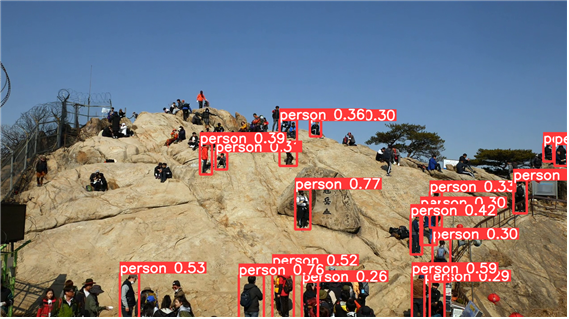
0: 384x640 16 persons, 54.9ms
Speed: 5.0ms preprocess, 54.9ms inference, 1.0ms postprocess per image at shape (1, 3, 640, 640)
- 0 : 현재 처리 중인 프레임의 인덱스
- 384x640 : 프레임 해상도 가로 384 픽셀, 세로 640 픽셀
- 16 persons : 16명 사람 감지
- 5.0ms preprocess : 이미지 전처리에 소요된 시간
- 54.9ms inference : 추론(inference)에 소요된 시간 모델이 입력 이미지에서 객체를 감지하고 분류하는 단계
- 1.0ms postprocess : 후처리에 소요된 시간 추론 결과를 분석하고 가공하는 단계
- per image at shape (1, 3, 640, 640) : 입력 이미지 크기 (배치 크기(이미지 개수), 채널 수(RGB), 세로 픽셀, 가로 픽셀)
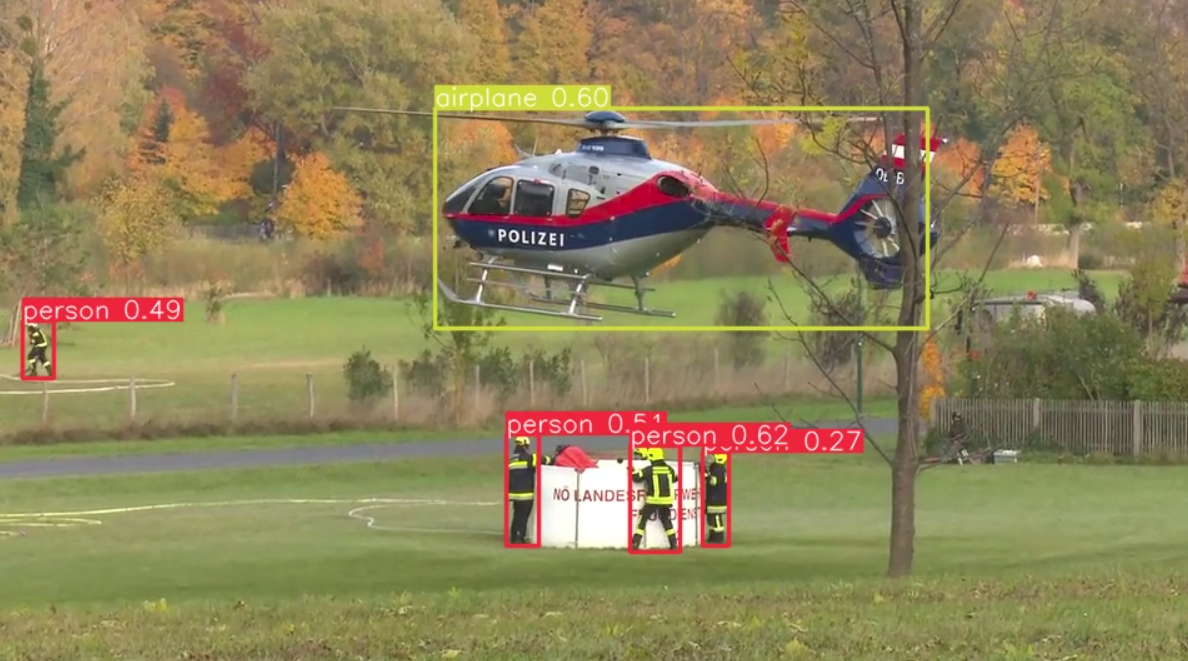
사람도 잘하구 사물도 잘해여 동물도 잘 했음!
애초에 yolov8이 coco dataset으로 학습된 가중치를 사용하는거라 코코셋에 있는 것들이라면 다 검출 잘 할 겁니다잉
아래 블로그에서 참조 했습니다! 감사합니다😊
참조
https://webnautes.tistory.com/1821
https://docs.ultralytics.com/modes/predict/#streaming-source-for-loop

예비닙니당