📋 목차
- 공속 모듈
- 중간 결과
- 체력 자동 회복 모듈
- 투명화 모듈
- 최종 결과
- 오늘의 배운 점
- 다음 계획
⚔️ 공속 모듈
1. 함수 셋팅
공속을 올리려면 ItemData에서 attackSpeed를 들고 와야겠죠? 쿨타임일 경우에는 시행하지 않는단 코드를 일단 짜봅니다.
// ItemData.cs

public float GetAttackSpeed(float amount)
{
	if (itemType != ItemType.Weapon) return 0f;
   return attackSpeed * amount;
}

// UseItem.cs

private float attackCooldown = 0f;
private bool useWeapon = false;

private void Update()
{
	if (playerItemHandler.currentItem)
   {
   	ReloadCharge(playerItemHandler.currentItem);
       if (useWeapon)
       {
       	WeaponAttackCooldown();
       }
   }
   // 기존 코드...
}

private void UseKnife(float damage)
{
	useWeapon = true;
   if (attackCooldown > 0f)
   {
   	Debug.Log("쿰타임이 돌아오지 않았습니다!");
   }
   // 기존 코드...
}

private void WeaponAttackCooldown()
{
   if (playerItemHandler.currentItem.itemData.itemType == ItemType.Weapon)
   {
       if (attackCooldown <= playerItemHandler.currentItem.itemData.attackSpeed)
       {
           attackCooldown += Time.deltaTime;
       }
       else
       {
           Debug.Log("쿨타임이 돌아왔습니다!");
           attackCooldown = 0f;
           useWeapon = false;
       }
   }
}
2. 공속 변경
만약 공속 증가 모듈이 있을 경우, 공속이 빨라지게 합니다.
// PlayerItemHandler.cs

public void UseItem()
{
    if (!currentItem) return;

    if (useItem)
    {
        if (currentItem.itemData.itemType == ItemType.Weapon)
        {
            SetMaxAttackCooldown(useItem);
        }
        useItem.UseItems(currentItem);
    }
}

private void SetMaxAttackCooldown()
{
    ItemInstance armor = playerState.equipmentItems[1];
    if (armor)
    {
        ItemInstance attackSpeedModule = armor.Get<ItemInstance[]>("armorModules")[2];
        if (attackSpeedModule)
        {
            ArmorSkill armorSkill = attackSpeedModule.GetComponent<ArmorSkill>();
            useItem.maxAttackCooldown = currentItem.itemData.attackSpeed * (1 - armorSkill.attackSpeed);
        }
        else
        {
            useItem.maxAttackCooldown = currentItem.itemData.attackSpeed;
        }
    }
}

// UseItem.cs

[HideInInspector] public float maxAttackCooldown;
private bool useWeapon = false;

// 쿨타임 변수를 maxAttackCooldown으로 변경
private void WeaponAttackCooldown()
{
    if (playerItemHandler.currentItem.itemData.itemType == ItemType.Weapon)
    {
        if (attackCooldown <= maxAttackCooldown)
        {
            attackCooldown += Time.deltaTime;
        }
        else
        {
            Debug.Log("쿨타임이 돌아왔습니다!");
            attackCooldown = 0f;
            useWeapon = false;
        }
    }
}
3. 리셋
방어구를 중간에 벗게 되면 공속 또한 원래대로 돌아와야 합니다.
// PlayerItemHandler.cs

public void ResetWeapon()
{
	useItem.maxAttackCooldown = currentItem.itemData.attackSpeed;
}

// PlayerState.cs

public void ResetModuleEffect()
{
    if (isInHotZone)
    {
        ExitFromHotZone();
        EnterInHotZone();
    }
    playerController.SetMoveSpeed(5f);
    if (playerItemHandler.currentItem)
    {
        if (playerItemHandler.currentItem.itemData.itemType == ItemType.Weapon)
        {
            playerItemHandler.ResetWeapon();
        }
    }
}
🎮 중간 결과
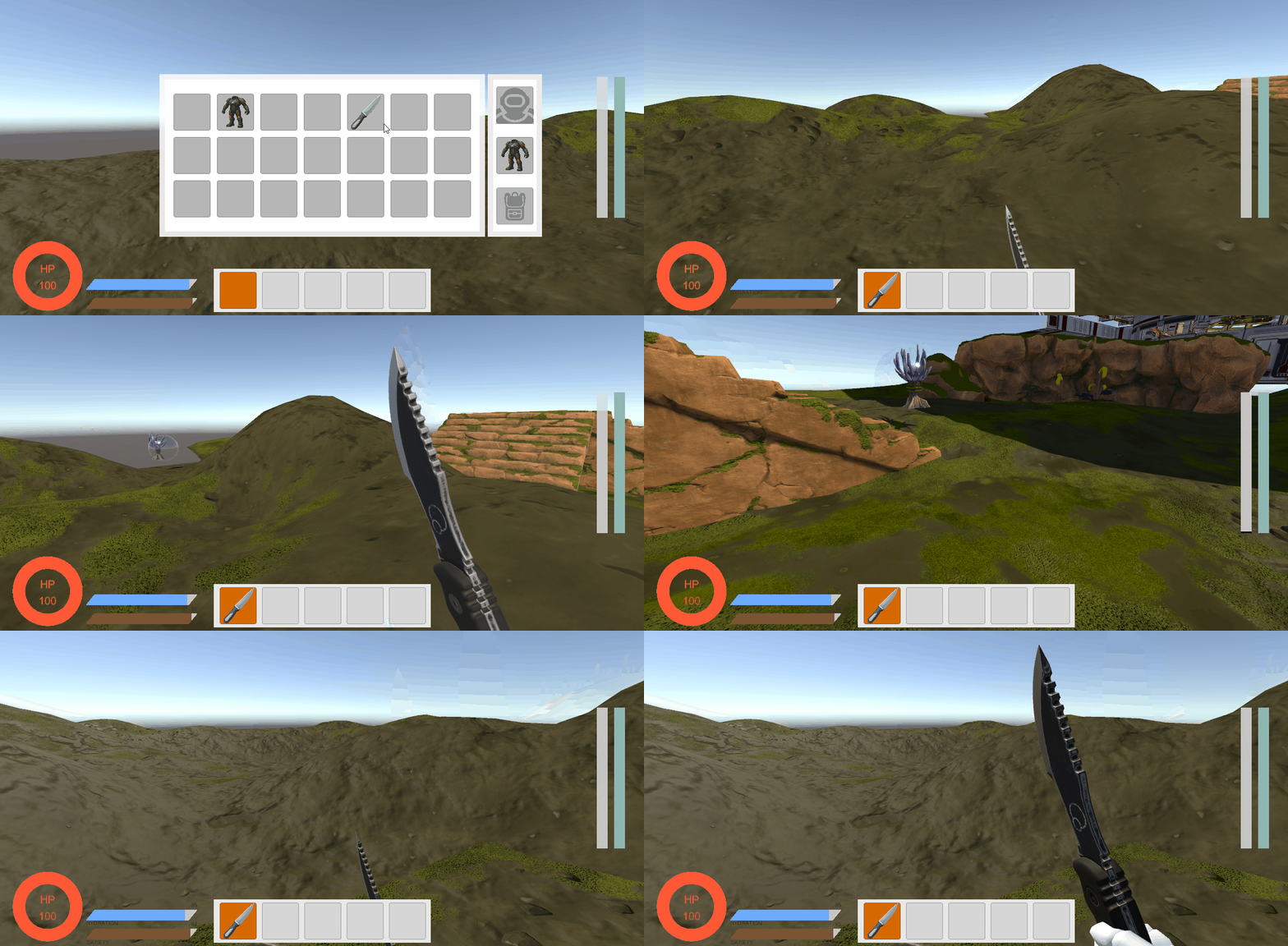
- 이속 모듈 적용
- 공속 모듈 적용
- 모듈이 없는 상태
❤️ 체력 자동 회복 모듈
체력이 일정 피 이하가 되면 자동으로 차게끔 하는 모듈을 구현해보겠습니다.
1. 체력 감지
PlayerState에서 체력을 처리하는 함수에 현재 체력이 얼마인지 검사하는 로직을 짜면 되겠죠?
// PlayerState.cs

private bool isAutoHeal;

public void ModifyHealth(float amount)
{
	// 기존 로직...
    isAutoHeal = SetIsAutoHeal();
    // 기존 로직...
}

private bool SetIsAutoHeal()
{
    if (!equipmentItems[1]) return false;

    ItemInstance skillModule = equipmentItems[1].Get<ItemInstance[]>("armorModules")[2];
    if (!skillModule) return false;

    ArmorSkill armorSkill = skillModule.GetComponent<ArmorSkill>();
    if (ArmorSkillType.AutoHeal != armorSkill.skillType) return false;

	// 마지막에 한 번 더 AutoHeal하는 것을 막기 위해 현재 체력 + 힐량과 비교함
    return stats.health + autoHealAmount < GameConstants.MAX_HEALTH * armorSkill.healthRatio;
}
2. 체력 회복
// PlayerState.cs

private float autoHealAmount = 0f;
private float autoHealTime = 5f;

private void Update()
{
    if (isAutoHeal)
    {
        autoHealTime -= Time.deltaTime;
        if (autoHealTime <= 0f)
        {
            autoHealTime = 5f;
            ModifyHealth(autoHealAmount);
        }
    }
}

public void ResetModuleEffect()
{
	// 기존 로직...
    isAutoHeal = false;
    autoHealTime = 5f;
}

private void SetSkillModule(ItemInstance item)
{
	// 기존 로직...
    isAutoHeal = SetIsAutoHeal();
}
👻 투명화 모듈
투명화는 패시브가 아니라 액티브 스킬로 Q를 누르면 스킬을 쓸 수 있게 할겁니다. 투명화는 지속시간이 있고, 쿨타임도 존재합니다.
1. Q키 누를때 활성화
// ArmorSkill.cs

[Header("Skill Properties")]
public float skillCooldown;
public float skillDuration;

[HideInInspector] public float skillCooldownTimer;
[HideInInspector] public float skillDurationTimer;
[HideInInspector] public bool isSkill = false;
[HideInInspector] public bool isCooldown = false;

private PlayerController cachedController;

public void SetSkill(PlayerController playerController)
{
	if (isCooldown) return;

    if (!cachedController)
    {
    	cachedController = playerController;
    }
    isSkill = true;
	switch(skillType)
	{
    	// 기존 로직...
    	case ArmorSkillType.Invisibility:
        	ApplyInvisibility();
        	break;
    	// 기존 로직...
	}
}

public void ResetSkill()
{
    if (!cachedController) return;
    switch (skillType)
    {
        case ArmorSkillType.SpeedBoost:
            cachedController.SetMoveSpeed(5f);
            break;
        case ArmorSkillType.Invisibility:
            cachedController.SetPlayerInvisibility(false);
            break;
        default:
            break;
    }
}

private void ApplyInvisibility()
{
    cachedController.SetPlayerInvisibility(true);
}

// PlayerController.cs

void Update()
{
	// 기존 로직...
	if (!GameState.IsUIOpen)
    {
    	HandleModuleSkill();
    }
    SkillTimerController();
}

void SkillTimerController()
{
    if (!currentSkill) return;
    if (currentSkill.isSkill)
    {
        currentSkill.skillDurationTimer -= Time.deltaTime;
        if (currentSkill.skillDurationTimer <= 0)
        {
            currentSkill.isSkill = false;
            currentSkill.isCooldown = true;
            currentSkill.ResetSkill();
            currentSkill.skillDurationTimer = currentSkill.skillDuration;
        }
    }

    if (currentSkill.isCooldown)
    {
        currentSkill.skillCooldownTimer -= Time.deltaTime;
        if (currentSkill.skillCooldownTimer <= 0)
        {
            currentSkill.isCooldown = false;
            currentSkill.skillCooldownTimer = currentSkill.skillCooldown;
        }
    }
}

void HandleModuleSkill()
{
    if (!playerState.equipmentItems[1]) return;
    ItemInstance moduleManager = playerState.equipmentItems[1];
    ItemInstance skillModule = moduleManager.Get<ItemInstance[]>("armorModules")[2];
    ArmorSkill skill = skillModule.GetComponent<ArmorSkill>();

    if (Input.GetKeyDown(KeyCode.Q))
    {
        skill.SetSkill(this);
        currentSkill = skill;
        skill.isSkill = true;
    }
}

public void SetPlayerInvisibility(bool invisible)
{
    playerRenderer.enabled = !invisible;
}
2. 제작 후 초기화
비활성화일땐 Start함수가 실행되지 않습니다. 하지만 제작대에서 생성하게 되면 비활성화로 들어오죠. 그러기 위해 초기화를 합시다.
// ArmorSkill.cs

public void Initialize()
{
    if (skillCooldownTimer == 0f) skillCooldownTimer = skillCooldown;
    if (skillDurationTimer == 0f) skillDurationTimer = skillDuration;
}

public void SetSkill(PlayerController playerController)
{
	Initialize();
    // 기존 로직...
}
🎮 최종 결과
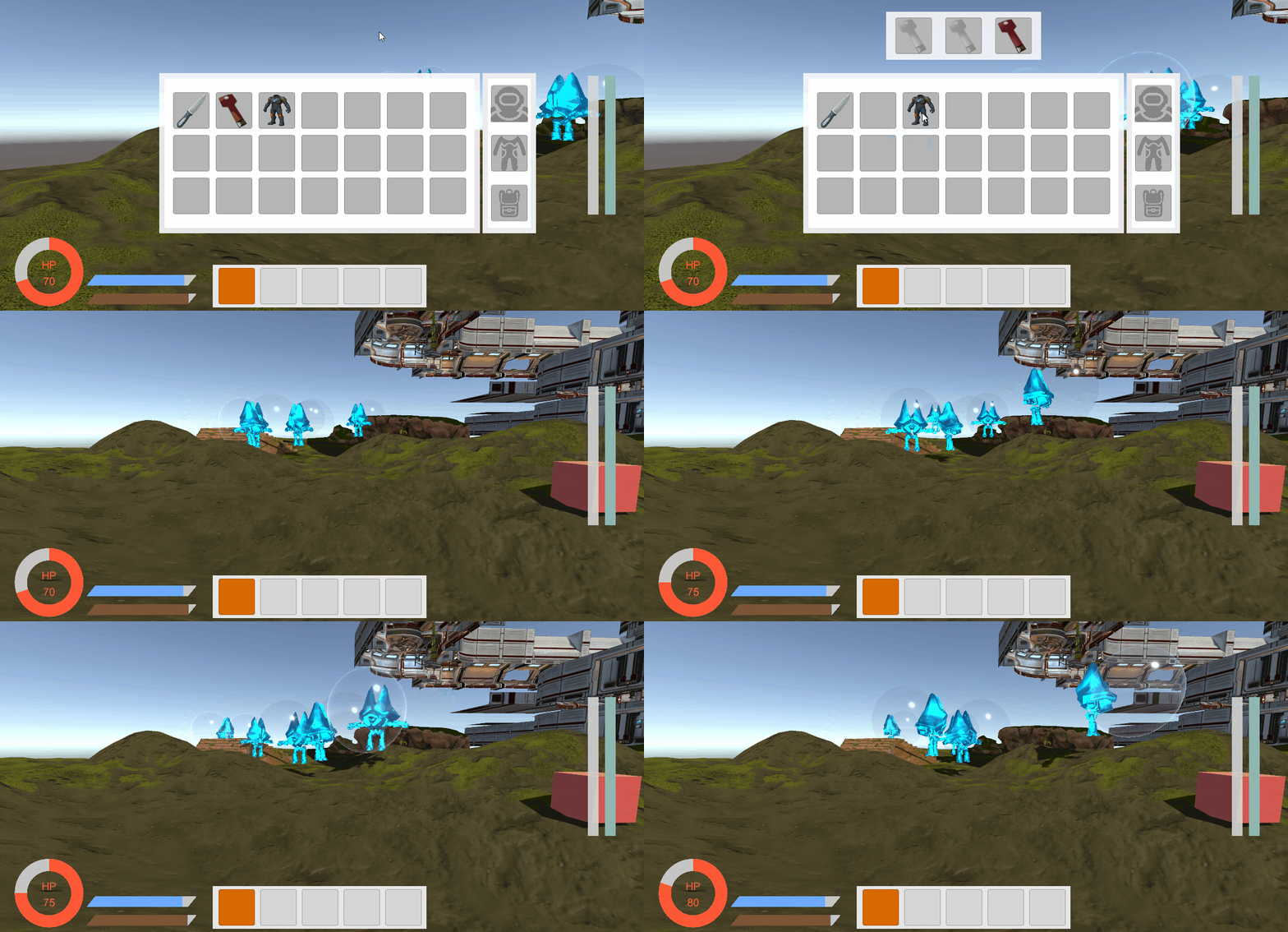
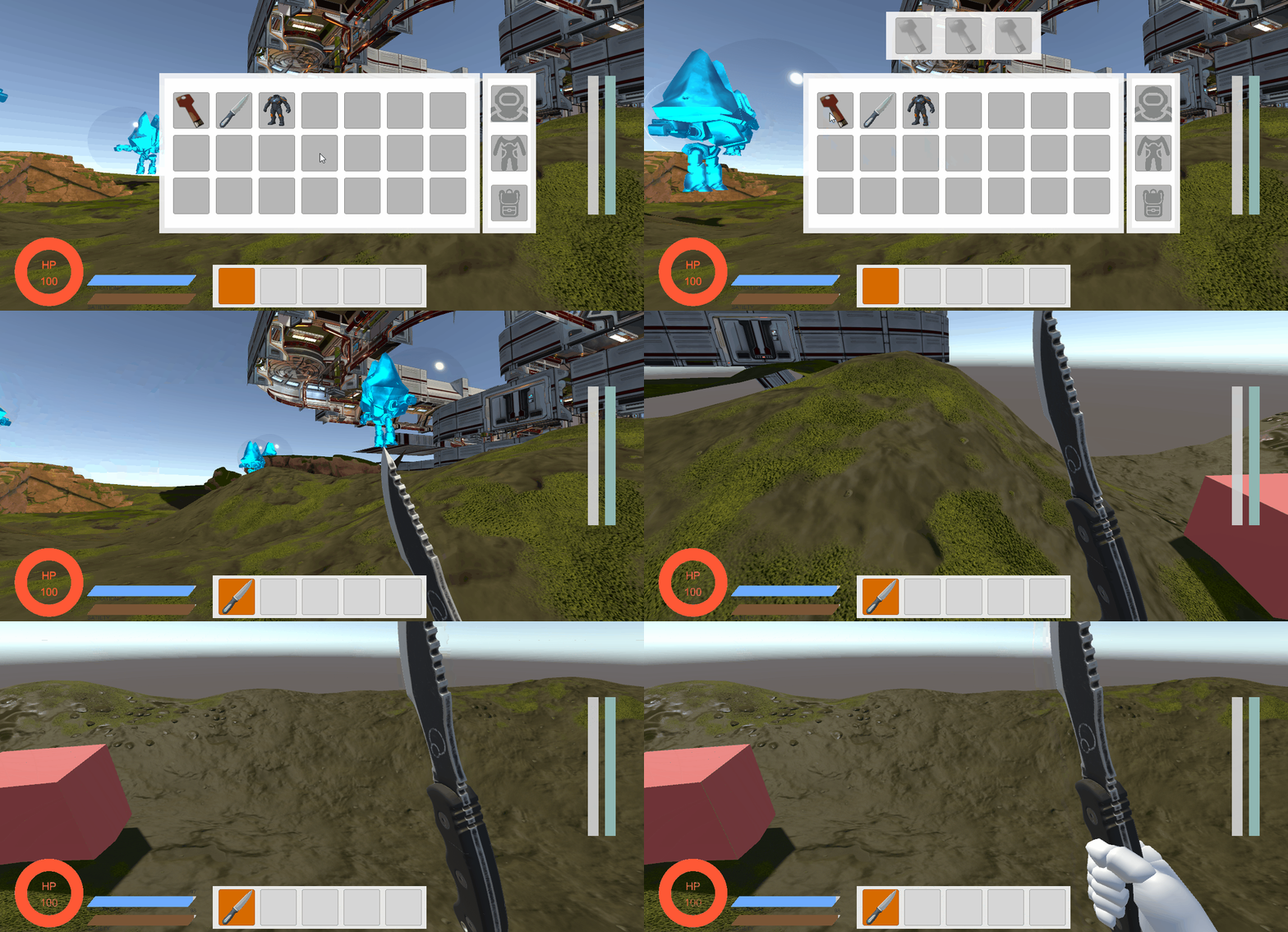
체력 자동 회복, 투명화 모두 되는 모습입니다. 체력 회복은 현재 모듈 설정을 0.8로 했기 때문에 체력이 80%이상이라면 더이상 회복하지 않습니다.
📚 오늘의 배운 점
- Mesh 비활성화로 투명화
🎯 다음 계획
다음 글에서는:
- 신호기 시스템 구현

Unreal Engine & Unity 게임 개발자