1. MapManager (리스트)
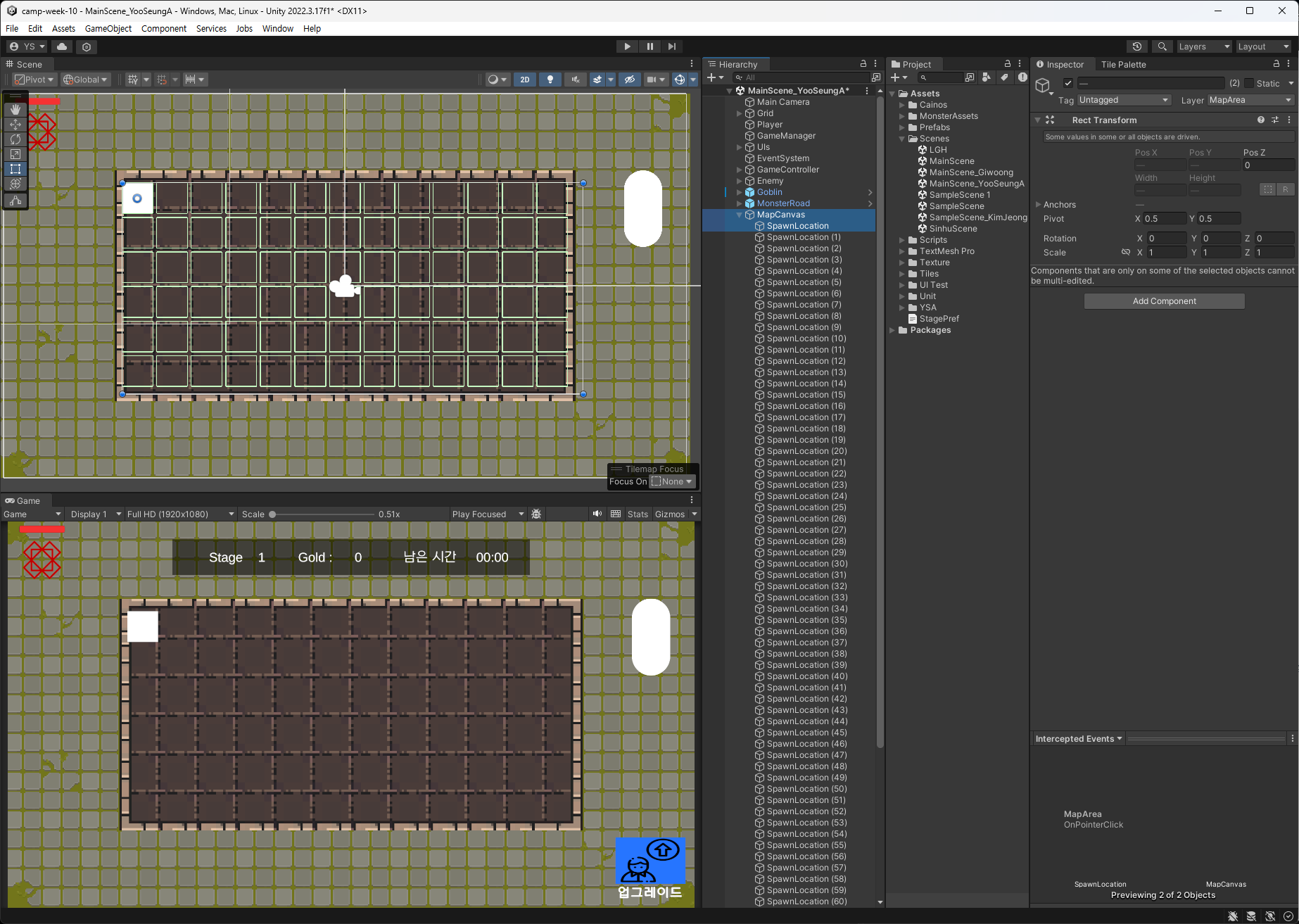
스크립트를 작성하기 전에
유닛이 배치될 자리를 UI로 지정했다.
정렬은 Grid Layout Group 컴포넌트 추가하여 활용
MapManager.cs
using System.Collections.Generic;
using UnityEngine;

public class MapManager : MonoBehaviour
{
    public List<MapArea> areas = new List<MapArea>();

    public Spawner spawner;

    public void PlaceUnit() // 유닛 뽑을 때 빈 자리에 배치시키기
    {
        foreach (var area in areas)
        {
            if (!area.hasUnit)
            {
                spawner.SpawnRandomUnit(area.transform.position, area); // 해당 위치에 유닛 생성

                area.hasUnit = true;
                Debug.Log($"({area.transform.position}) 위치에 유닛 생성");

                return; // 유닛 1개 생성 후 메서드 종료
            }
        }
        // 배치할 자리가 없다는 UI 띄우기
        Debug.Log("빈 자리가 없습니다.");
    }
}
Spawner.cs
using System.Collections.Generic;
using UnityEngine;

public class Spawner : MonoBehaviour
{
    // 생략
    public void SpawnRandomUnit(Vector3 position, MapArea area)
    {
        //생략

        GameObject newUnitObj = Instantiate(selectedPrefab, position, Quaternion.identity, area.transform); // 회전 X

        //생략
    }
}
이렇게 작성한 뒤 GameController.cs에서 뽑기 부분에 MapManager의 PlaceUnit 메서드를 사용하면 유닛이 생성될 때 빈 자리에 배치하는 기능 구현 완료
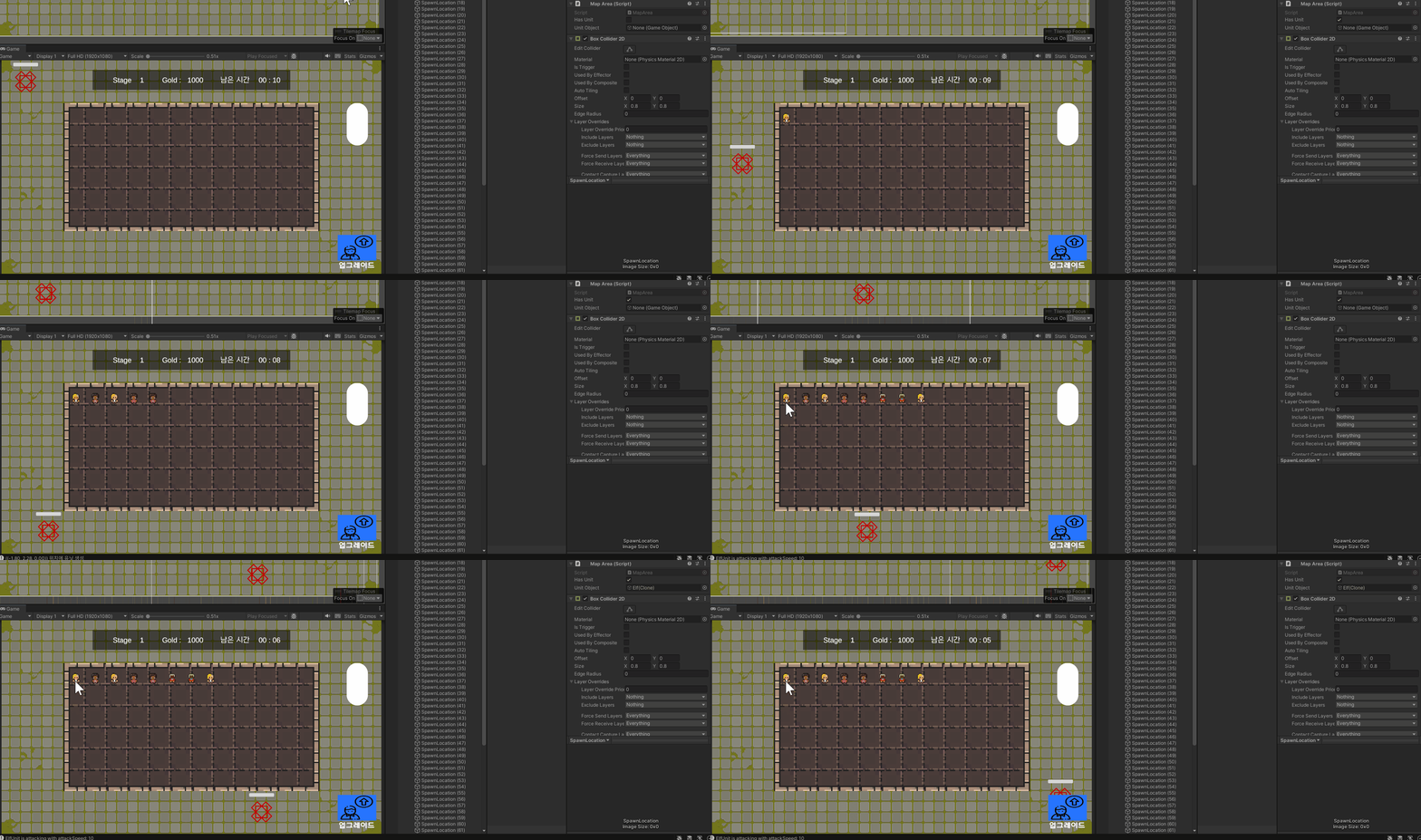
처음에 만들었던 UI의 자식 오브젝트로 유닛 프리팹이 생성된다.
👀 실행 결과
임시로 뽑기 키는 E로 설정해두었다.
2. 자식 오브젝트 가져오기
MapArea.cs
using UnityEngine;
using UnityEngine.EventSystems;

public class MapArea : MonoBehaviour, IPointerClickHandler
{
    public bool hasUnit; // true = 배치한 유닛 있음, false = 유닛 없음
    public GameObject unitObject; // 유닛 오브젝트를 가지고 있어야 함

    public void OnPointerClick(PointerEventData eventData)
    {
        if (hasUnit) // 배치한 유닛이 있으면 유닛 오브젝트 가져오기
        {
            Transform child = transform.GetChild(0);
            unitObject = child.gameObject;
        }
    }
}OnPointerClick는 IPointerClickHandler 인터페이스의 메서드로,
UI 요소에 클릭 이벤트를 처리할 때 주로 활용된다.
IPointerClickHandler 인터페이스는
UnityEngine.EventSystems 네임스페이스에 정의되어 있다.
사용하고자 하는 클래스에 IPointerClickHandler 인터페이스를 구현해서
OnPointerClick 메서드를 오버라이드하여 사용하면 된다.
이 메서드는 클릭 이벤트 데이터(PointerEventData)를 매개변수로 받는다.
주의사항
OnPointerClick메서드는 UI 요소에만 적용할 수 있다.- 클릭 이벤트 처리는
EventSystem을 통해 관리된다. OnPointerClick메서드는EventSystem을 통해 자동으로 호출된다.IPointerClickHandler인터페이스를 사용사려면 해당 인터페이스를 상속받아야 한다.
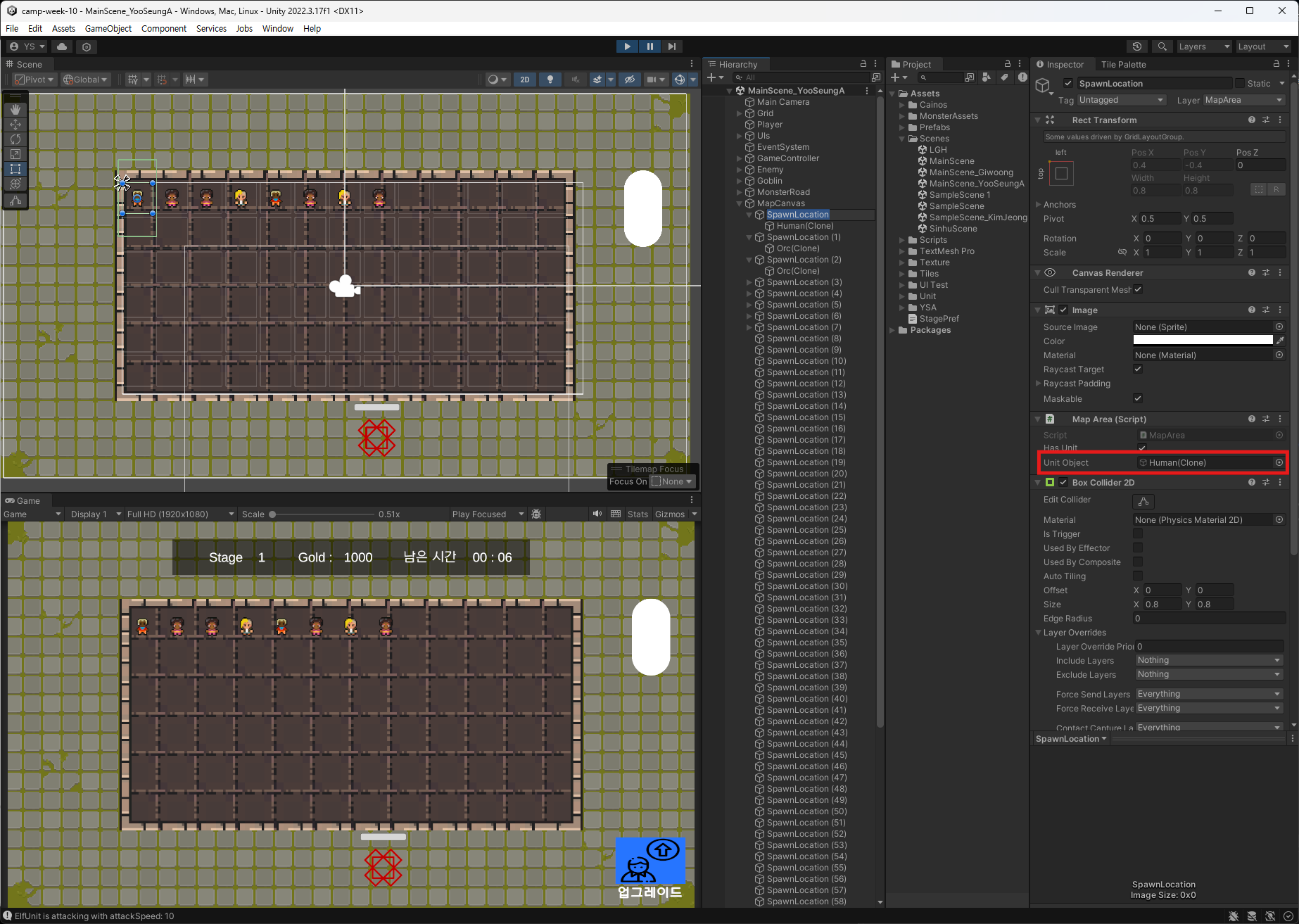
유닛 클릭 시 해당 UI는 자기 자식 오브젝트(유닛 프리팹) 가져오기 기능 구현 완료!인데...
원래는 클릭으로 자식 오브젝트를 바꿔주는 식으로 유닛 이동 기능을 구현하려고 했는데 여러 가지 이유로 드래그로 바꿔야 할 듯싶다. 😓
