충돌 전에 판별하기 위한 기능이다. 흔히 FPS에서 많이 쓰인다
레이캐스트
-
레이캐스트:시작 지점부터 지정한 방향으로 선(레이저)을 그린다. 레이저가 오브젝트에 닿으면 해당 오브젝트를 검출하는 기능 -
굉장히 많은 사용처가 있는 기능이다. 기억하겠지만, 오래된 총 게임들(
둠,카운터 스트라이크,서든어택등)은 전부 레이캐스트로 피격 판정을 구현했다. 실제로 속도를 가진 총알을 날려서, 충돌 확인을 하기에는 너무 많은 연산이 필요했기 때문이다. 현대에 와서도 캐쥬얼한 총 게임들에도 많이 쓰인다. 대표적으로오버워치,발로란트또한 일부 레이캐스트로 피격판정을 구현했다. -
3D RTS, 포인트앤클릭 게임들 또한 레이캐스트로 조작 기능을 구현한다. 카메라에서 마우스 클릭 지점까지 레이저를 쏴서, 오브젝트가 닿으면 검출하는 식이다.
-
현대에 왔다 하더라도
레이캐스트는 리소스를 먹는 연산이다. 최대한 사용을 피할 수 있다면, 피하는 것이 좋다 -
시작 지점부터도착 지점까지 일직선으로 선(레이저)을 긋고, 도착 지점에 닿는 오브젝트를 검출한다
- FPS, RPG : 마우스를 옮겨 화면 정중앙에 적이 있을 경우, 해당 적의 정보가 뜨는 경우.
- RPG에서 말걸기 : 플레이어 정면으로
레이캐스트를 해서NPC가 있고, 근거리일 경우 말을 걸 수 있다
// 레이 캐스트 :시작 위치에서 방향으로 레이저를 발사하여 부딪히는 충돌체를 감지
void Update()
{
    if (Physics.Raycast(transform.position, transform.forward, out RaycastHit hitInfo, 10f))
    {
        // 레이저에 닿은 충돌체가 있음
        Debug.Log(hitInfo.collider.gameObject.name);
        // 디버그로도 기즈모를 그릴 수 있다
        Debug.DrawLine(transform.position, hitInfo.point, Color.green);
    }
    else
    {
        // 레이저에 닿은 충돌체가 없음
        Debug.Log("레이저에 닿은 물체가 없다");
        Debug.DrawLine(transform.position, transform.position + transform.forward * 10f, Color.red);
    }
}
Gizmo 그리기
private void OnDrawGizmos()
{
    Gizmos.color = Color.red;
    Gizmos.DrawLine(transform.position, transform.forward * 10);
}
private void OnDrawGizmosSelected()
{
    Gizmos.color = Color.green;
}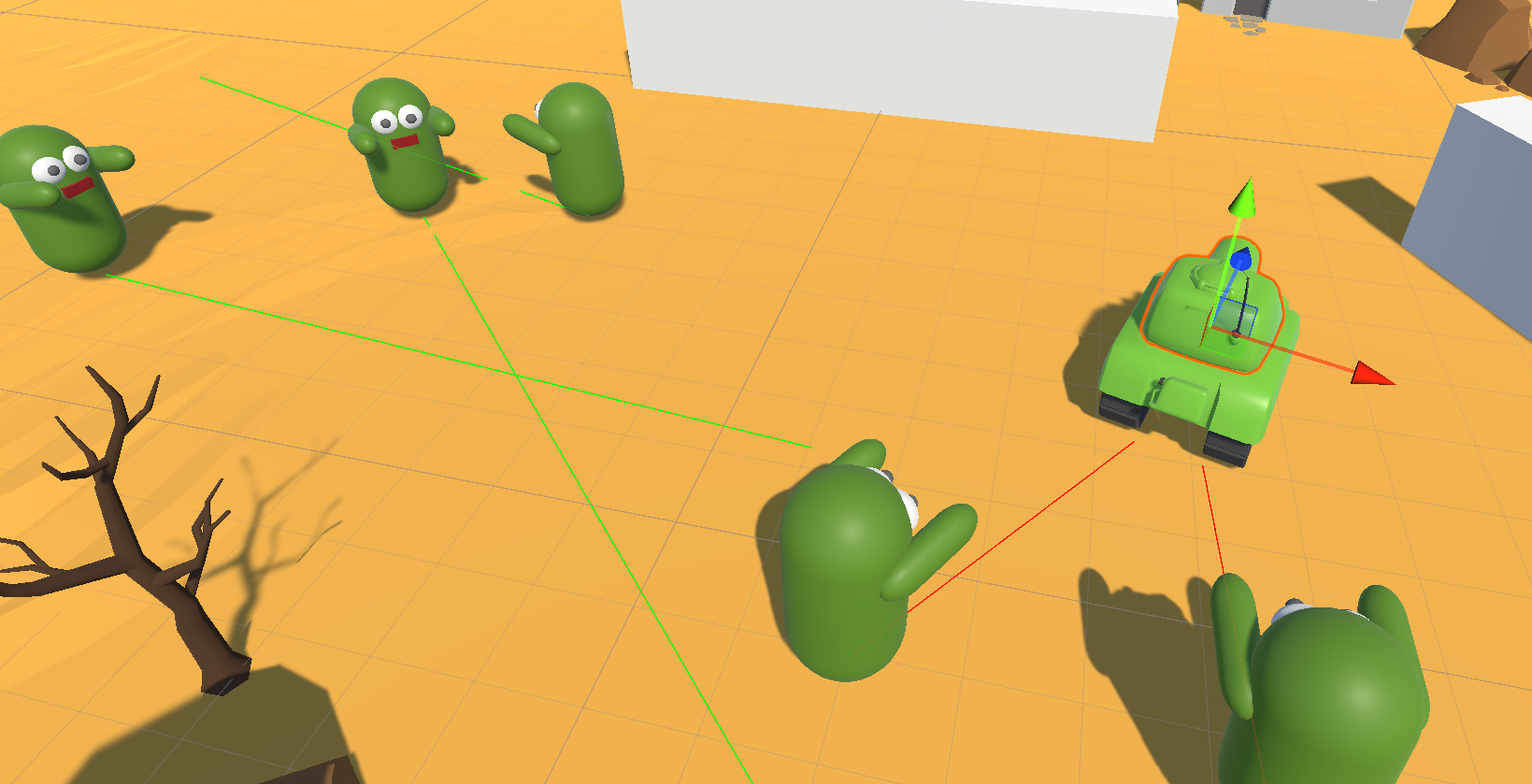
- 씬 뷰에서만 보이는 기능. 개발자들이 디버깅하기 좋다
실습
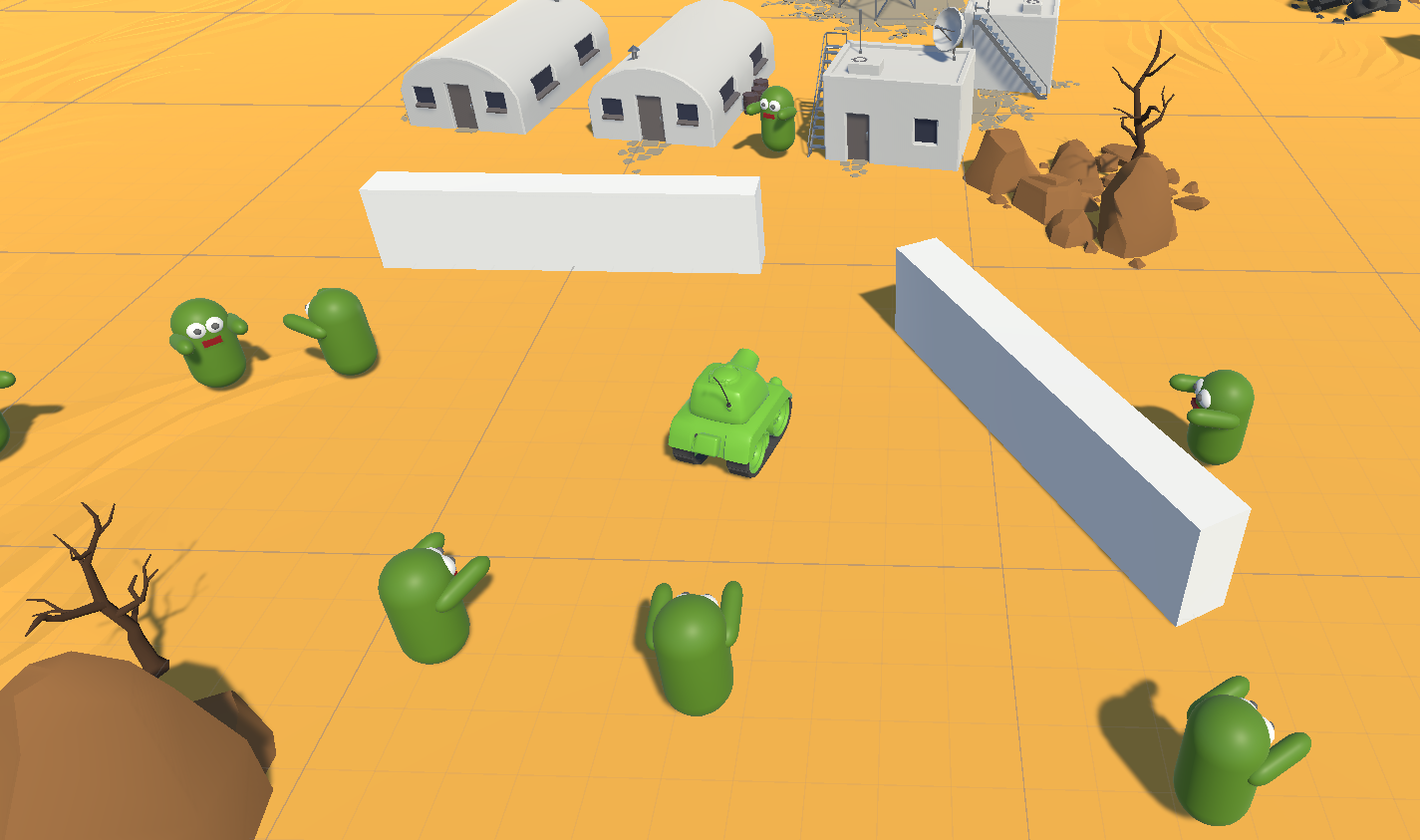
- 탱크의 포탄이 곡선을 그리면서 날아가게 한다. 포탄이 충돌체와 충돌하면, 폭발하고 삭제된다
- 탱크의 이동은 기존에 했던 실습 코드를 재사용했다
탱크의 이동
public class Practice : MonoBehaviour
{
  public GameObject bulletPrefab;
  public Transform muzzlePoint;
  private GameObject bulletOut;

  [Range(1, 50)]
  public float speed;

  void Update()
  {
      if (Input.GetKeyDown(KeyCode.Space))
      {
          bulletOut = Instantiate(bulletPrefab, muzzlePoint.position, muzzlePoint.rotation);
          Rigidbody rig = bulletOut.GetComponent<Rigidbody>();
          rig.velocity = muzzlePoint.forward * speed;
      }
  }
}
포탄
-
포탄의 경우 새로 컴포넌트를 만들었다
// 필수로 해당 컴포넌트는 가지고 있어야 한다 라는 의미 [RequireComponent(typeof(Rigidbody))] public class Bullet : MonoBehaviour { [Header("Components")] [SerializeField] Rigidbody rigid; [Header("Properties")] [SerializeField] GameObject explosionPrefab; private void Awake() { // 실수로 Rigidbody를 안 달았다면, 달아준다 // ?? : null 이면 오른쪽 GetComponent, 아니면 왼쪽 rigid 반환 rigid ??= GetComponent<Rigidbody>(); } void Update() { if (rigid.velocity.magnitude > 3) { //포탄이 곡선을 그리며 날아간다 transform.forward = rigid.velocity; } } private void OnCollisionEnter(Collision collision) { Destroy(gameObject); Instantiate(explosionPrefab, transform.position, transform.rotation); } } -
rigid.forward = rigid.velocity에서rigid.forward를 쓰는 것은transform의 회전 방법 중 하나다.transform.forward = Vector3.좌표를 넣으면 해당 방향을 바라보도록(forward 앞이 그쪽을 향하도록) 회전함 -
작성한 컴포넌트는 포탄 프리팹에 추가한다
충돌 제외(레이어)
- 탱크의 포탄은 같은 포탄끼리, 그리고 본인인 탱크는 충돌에서 제외한다. 이는 레이어에서 구현했다
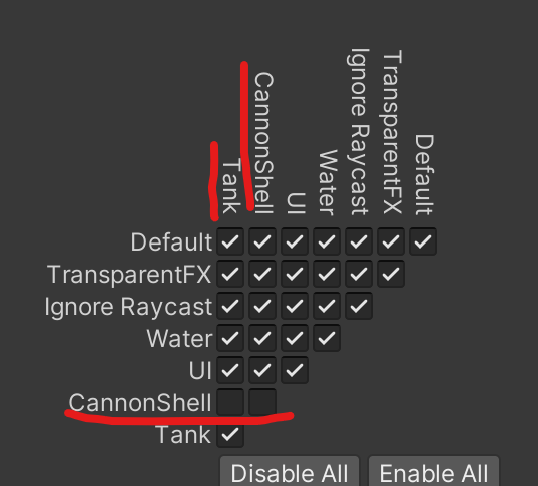
- 레이어에 포탄 프리팹과 탱크 프리팹을 추가했다
몬스터 추적(레이캐스트)
-
플레이어를 발견 시 쫒아오는 몬스터를 구현한다
public class MonsterTrace : MonoBehaviour { private GameObject target; [SerializeField] float sightDistance; [SerializeField] float moveSpeed; private Vector3 defaultPosition; private Quaternion defaultRotation; // Update is called once per frame private void Awake() { defaultPosition = transform.position; defaultRotation = transform.rotation; } void Update() { FindPlayer(); if (target != null) { TracePlayer(target); } else { BackToDefault(); if ((transform.position - defaultPosition).magnitude < 0.1) { transform.rotation = defaultRotation; } } } void FindPlayer() { if (Physics.Raycast(transform.position, transform.forward, out RaycastHit hitInfo, sightDistance)) { if (hitInfo.collider.gameObject.tag == "Player") { Debug.DrawLine(transform.position, hitInfo.point, Color.red); target = hitInfo.collider.gameObject; } else { target = null; } } else { Debug.DrawLine(transform.position, transform.position + transform.forward * sightDistance, Color.green); } } void TracePlayer(GameObject target) { transform.position = Vector3.MoveTowards(transform.position, target.transform.position, moveSpeed * Time.deltaTime); transform.LookAt(target.transform.position); } void BackToDefault() { transform.position = Vector3.MoveTowards(transform.position, defaultPosition, moveSpeed * Time.deltaTime); transform.LookAt(defaultPosition); } } -
레이캐스트를 해서플레이어태그인 오브젝트가 검출되면, 쫒아간다. 플레이어가 아니면 다시 제자리로 돌아간다 -
이를 위해 탱크에 플레이어 태그를 추가했다. 제자리로 되돌아가기 위해
Awake()에서 기본 위치, 기본각을 저장한다
플레이어, 몬스터의 공격
- 플레이어는 포탄을 몬스터에게 3발을 맞출 시, 몬스터가 죽는다
- 몬스터는 반대로, 플레이어와 단 한번이라도 충돌하면 플레이어가 죽는다
- 체력 관리를 위한 컴포넌트를 만들었다. 그리고 여기에 공격을 받을 때 체력이 깎는 기능, 체력이 다 깎이면 죽는 기능까지 함께 넣었다. 죽을 때는 이펙트가 새로 활성화된다
태그로 서로 적의 공격인지를 판별할 수 있다
public class TakeHit : MonoBehaviour
{
    [SerializeField] GameObject attackObject;
    [SerializeField] GameObject deathEffect;
    [SerializeField] int hp;

    private void OnCollisionEnter(Collision collision)
    {
        if (collision.gameObject.tag == attackObject.tag)
        {
            hp--;
            Debug.Log($"{attackObject.name}의 공격!");
        }
    }
    private void Update()
    {
        if(hp<=0)
        {
            Instantiate(deathEffect,transform.position,transform.rotation);
            Destroy(gameObject);
        }
    }
}- 완성된 컴포넌트를 탱크, 몬스터 프리팹에 각각 추가한다.
attackObject에는 각각 몬스터 프리팹, 포탄 프리팹을 추가한다 - 탱크, 몬스터, 포탄에 각각
태그를 추가한다. 그러면if 조건문에서 태그로 인한 판별이 가능해진다 - 충돌이 발생했다는 것은
OnCollisionEnter()로 확인. 체력을 깎는다. Update에서 체력이 0 이하면 파괴 이펙트의 재생과 함께 파괴한다.
몬스터 밀림
-
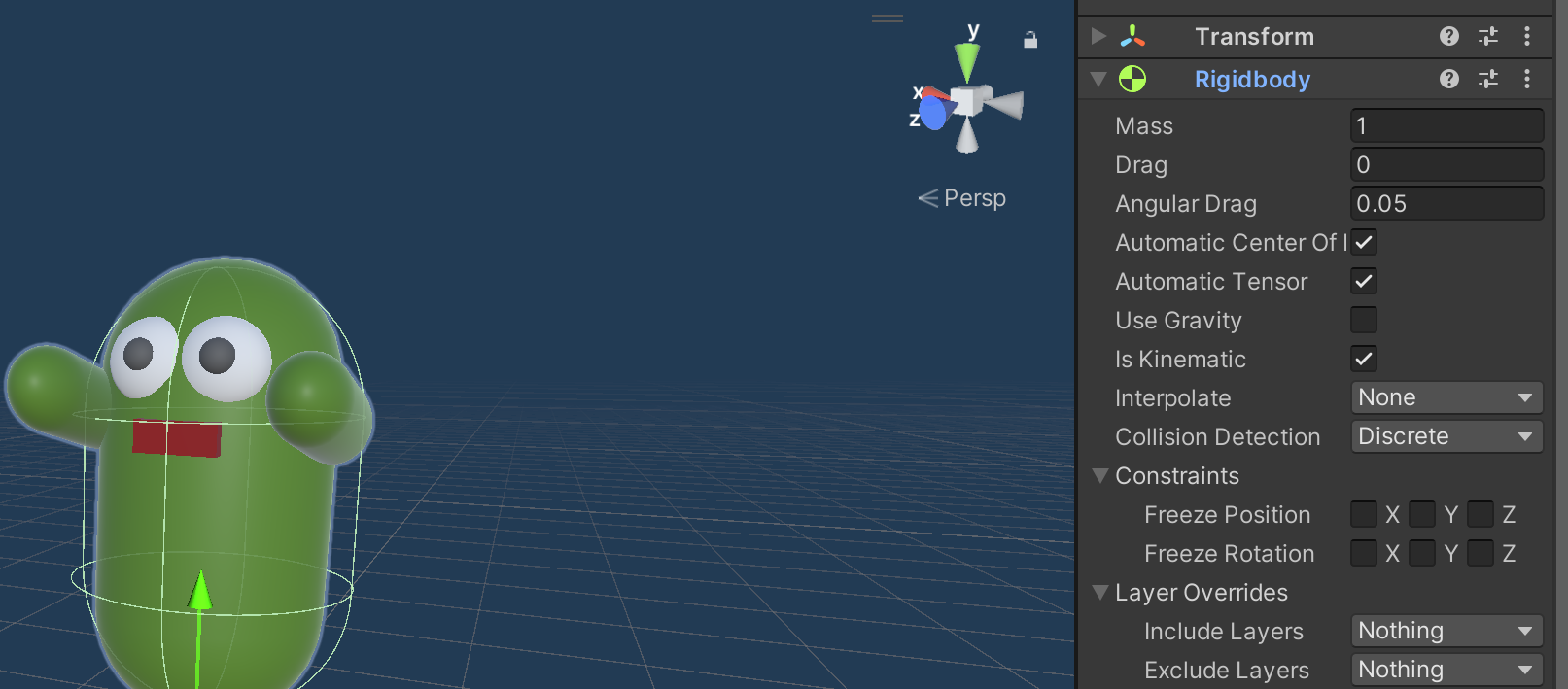
아무래도 포탄에 충격량이 있다보니 몬스터가 피격받을 때 힘을 받고 밀린다. 이를 해결하기 위해 몬스터를 키네마틱을 추가했다.
-
키네마틱을 추가해서, 포탄에 밀리지 않게 했다. 대신, 복귀 할 때 벽을 뚫는다...
-
추후에 문제 해결을 해야겠다. 레이캐스트로 일정거리 미만이면 포탄이 삭제되는 식으로 해야 되지 않을까 싶다. 아무래도 땅에 제대로 서 있는 오브젝트가 아니다 보니 조그마한 충격에도 자유회전을 해버린다. 그냥 무게를 100키로 정도로 늘리고 충돌체를 박스로 바꾸면 되지 않을까 싶다
-
강사님 답변 : 넉백 시간은 주되, 일정 시간 후에는 속도 초기화, 회전속도 초기화를 시켜서 다시 쫒아갈수 있게 한다
-
OnCollisionEnter()와 Coroutine을 만들어 구현
using System.Collections;
using System.Collections.Generic;
using UnityEngine;

public class TracePlayerTest : MonoBehaviour
{
    [SerializeField] Rigidbody rig;
    [SerializeField] GameObject player;
    [SerializeField] bool isDamaged;
    [SerializeField] float knockbackTime;
    void Start()
    {
        // 게임 시작 시 자동으로 플레이어 특정하는 방법
        player = GameObject.FindWithTag("Player");
    }

    // Update is called once per frame
    void Update()
    {
        if(isDamaged == false)
        {
            Trace();
        }
    }
    void Trace()
    {
        transform.position = Vector3.MoveTowards(transform.position, player.transform.position, Time.deltaTime * 3);
        transform.LookAt(player.transform.position);
    }

    private void OnCollisionEnter(Collision collision)
    {
        Bullet bullet = collision.gameObject.GetComponent<Bullet>();
        if(bullet !=null)
        {
            // 몇초동안은 못움직이게 한다(넉백)
            if(damageRoutine != null)
            {
                StopCoroutine(damageRoutine);
            }
            damageRoutine = StartCoroutine(DamageRoutine());
        }
    }
    Coroutine damageRoutine;
    IEnumerator DamageRoutine()
    {
        // 피격 시 업데이트에서 플레이어 추적안함
        isDamaged = true;
        yield return new WaitForSeconds(knockbackTime);
        isDamaged = false;
        rig.velocity = Vector3.zero;
        rig.angularVelocity = Vector3.zero;
    }
}
RTS 조작 구현
-
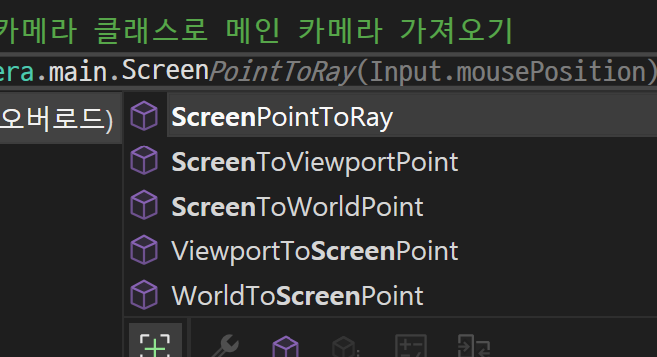
마우스로 유닛을 선택하고, 움직이는 방법을 구현해본다
-
인터페이스를 사용해 구현해본다
심화
- 이미 만들어진 포인터 인터페이스들이 있다. 터치들 또한 구현되어 있다
- 하이라키에 이벤트시스템을 추가해야된다
IPointUpHandler,IPointDownHandler,IPointerClickHandler,IPointEnterHandler,IPointerExitHandler