Ouster 라이다를 이용한 Octomap을 포스트 하겠습니다!
사용한 깃허브는 다음과 같습니다.
워크스페이스 소스파일에 깃허브 클론
cd ros2_ws/src
git clone https://github.com/Taeyoung96/OctoMap-ROS2.git
패키지 선택 빌드
cd ros2_ws
colcon build --packages-select octomap_msgs octomap_ros
source install/setup.bash
octomap_mapping.launch.xml 열고 아래 변경, 이후 rviz에서 fixed_frame 'map'으로 변경.
<remap from="cloud_in" to="/ouster/points"/>
<param name="frame_id" value="map"/>
- ouster 라이다 실행
ros2 launch ouster_ros sensor.launch.xml- lidar 기반 localization 실행
ros2 launch lidarslam lidarslam.launch.pylocalization 실행 하지 않는 경우 누적 오차 발생 ❗️
- octomap 실행
ros2 launch octomap_server octomap_mapping.launch.xmlrviz가 열리면 ADD 클릭 후 MarkerArray 토픽 추가.
복셀이 시각화 되지 않을 경우에는 한번 더 colcon build❗️
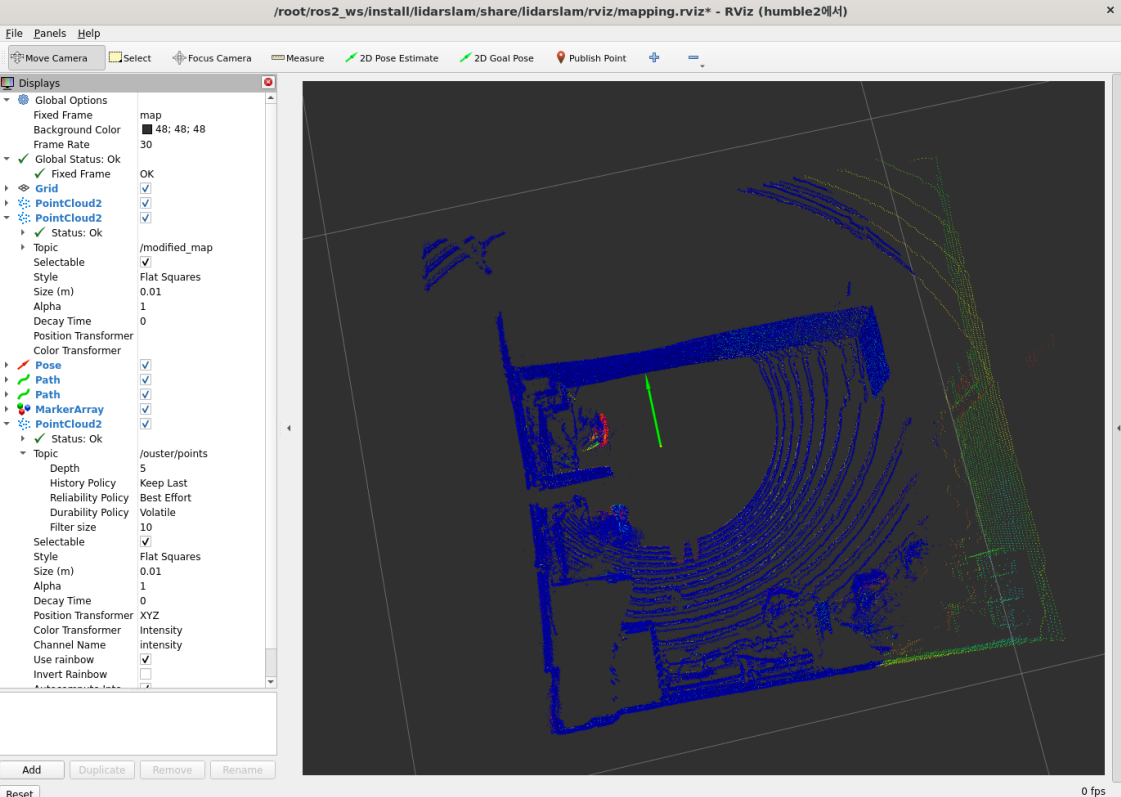
맵 저장
ros2 run octomap_server octomap_saver_node --ros-args -p octomap_path:=<map_name>.bt맵 로딩
ros2 run octomap_server octomap_server_node --ros-args -p octomap_path:=<map_name>.bt -p full:=trueNode graph 확인
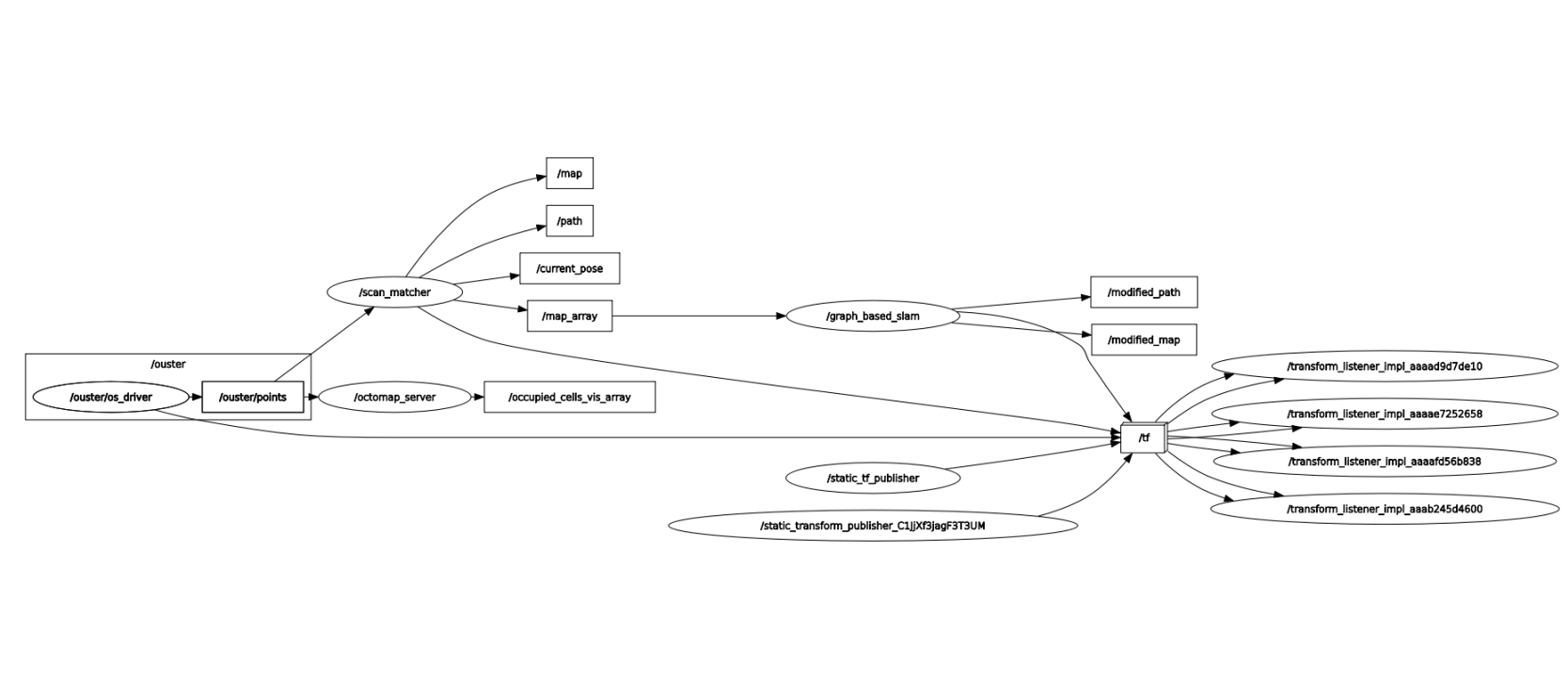
tf_tree 확인