Unity Study
1.유니티 C# 기초 문법

https://youtu.be/j6XLEqgq-dE 변수 : 데이터를 메모리에 저장하는 장소 int : 정수형 데이터 float : 숫자형 데이터(소수점을 포함한). 끝에 꼭 f를 써야한다. string : 문자열 데이터. 문자열 데이터는 양 끝에 " " 를
2.0904 배운 내용
완성본 prefab 화 시키기수정시 inspector 상단 Perfab 탭 Overrides - Applyvoid OnMouseUptransform.Translate(-0.1f \* Time.deltaTime, 0, 0);초당 x씩 이동총알 구현 등에 이용if(조건식)
3.0905 배운 내용
using System.Collections;using System.Collections.Generic;using Unity.VisualScripting;using UnityEngine;public class Dufrj : MonoBehaviour{}
4.0906 배운 내용 (Over Loading)
{
5.0907 배운 내용 (for, array)
using System.Collections.Generic;using Unity.VisualScripting;using UnityEngine;public class Array : MonoBehaviour{} using System.Collections;using Sys
6.0908 배운 내용 (List)
using System.Collections;using System.Collections.Generic;using UnityEngine;public class Box_List : MonoBehaviour{}
7.0911 다른 스크립트의 함수를 쉽게 가져오는 방법
static 사용하기using System; ← 적으면 아래에 System 적을 필요 없음public class Target : MonoBehaviourpublic static System.Action target;public class Object : MonoBeha
8.0915 자바스크립트
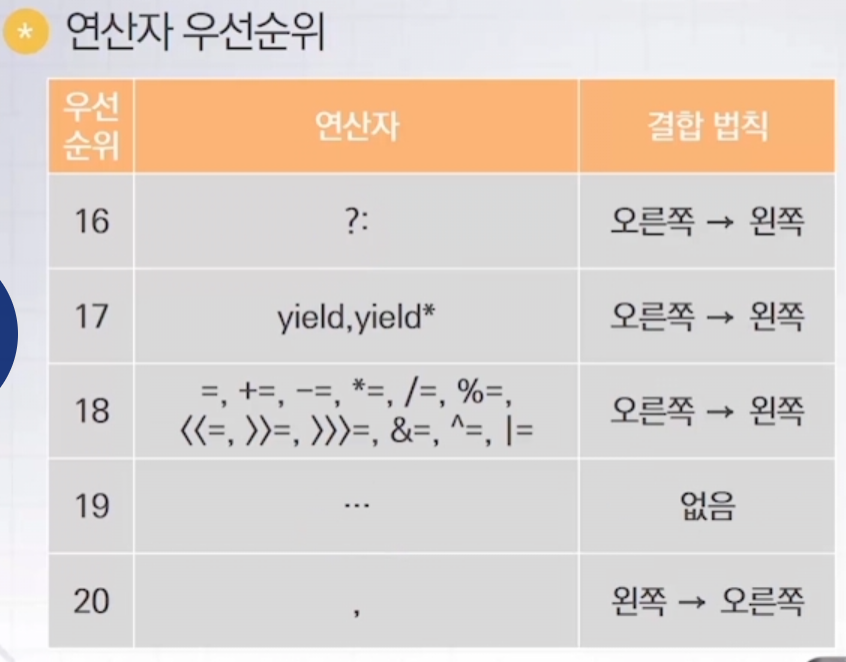
반복문while, fordo while, for in생성자 함수 = 대문자 시작변수, 함수, 속성, 메소드 = 소문자 시작여러 단어 조합 = 각 단어의 첫 글자 대문자alert('Hello World') = 함수Array.length = 속성input = 변수 또는 상
9.0918 버튼을 눌러서 다른 Scene으로 이동하기
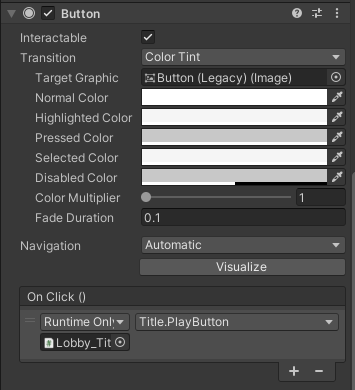
using UnityEngine.SceneManagement;하단 On Click에 위 함수 스크립트를 포함한 오브젝트를 넣은 뒤 실행할 함수를 선택Build Setting 에서 Add Open Scenes 해줘야함
10.0919 UI 만들 때 확인 할 것
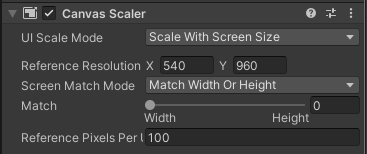
UI Scale Mode 에서 Scale With Screen Size 로 설정해야해상도가 달라졌을 때 UI가 의도한 위치 및 비율을 유지함Screen Match Mode를 Shrink로 설정시화면 위 or 아래가 짤리는 레터박스 현상을 방지 가능
11.0920 UI 체력바 (점수, 경험치 등) 만들기
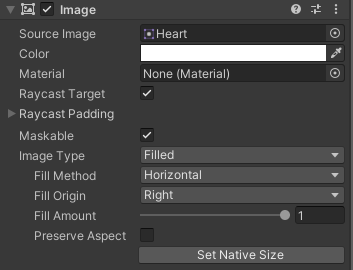
Bar 역할을 할 이미지를 넣은 후 Image Type를 Filled로 설정Fill Amount 값을 조정하는 식으로 스크립트 생성
12.0921 플레이어, 몬스터, 발사체 등을 서로 구분하여 상호작용 시키기

TagLayerLayer 사용 시Project Settings - Physics - Layer Collision Matrix체크박스 확인
13.0922 대미지를 입히는 방법 (SendMessage)
단순 함수 호출GameManager라는 GameObject를 찾아서 HitDamage함수를 실행하라SendMessege
14.0925 Coroutine 사용 및 활용하기
float delayTime = 1; void Start() { StartCoroutine(VoidSample()); } IEnumerator VoidSample() { yield r
15.0926 게임 재시작하기, 투사체 발사 딜레이 및 탄창, 카메라 흔들림 효과
게임 재시작하기Title - Game - Ending - Title - Game ...씬끼리 이동시키면 됨투사체 발사 딜레이 넣기탄창까지 적용시
16.1004 AI Navigation
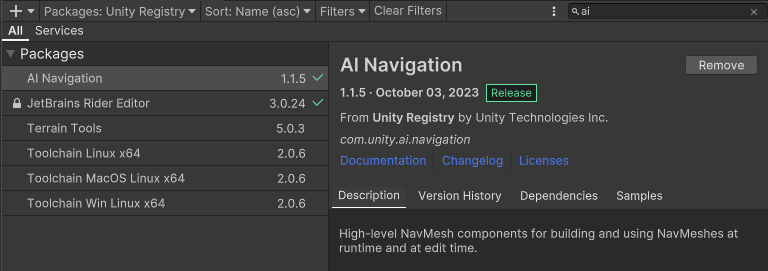
17.1005 Render Camera
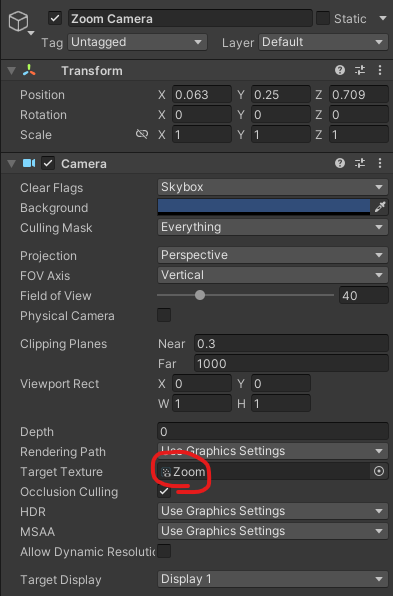
Render Texture 생성Material 생성 후 1을 넣기디스플레이 Object의 Materials에 2를 넣기Camera의 Target Texture에 3을 넣기
18.1006 마우스 가두기
19.1010 2D 비행 슈팅 게임
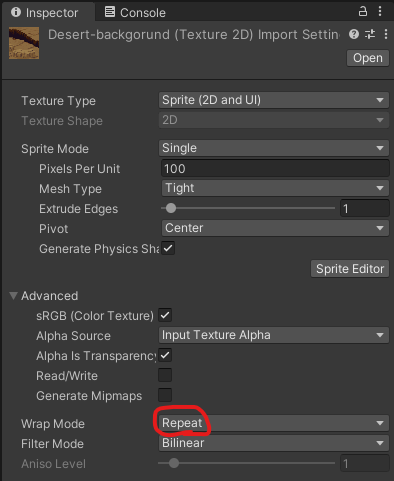
스크롤 배경 제작시 이미지 파일 설정Wrap Mode - Repeat 설정
20.1011 Memory Pool
메모리풀링 스크립트
21.1012 마우스 가두기, 크로스헤어, 시점, 이동
-
22.1013
-
23.1017 Fixed Update()
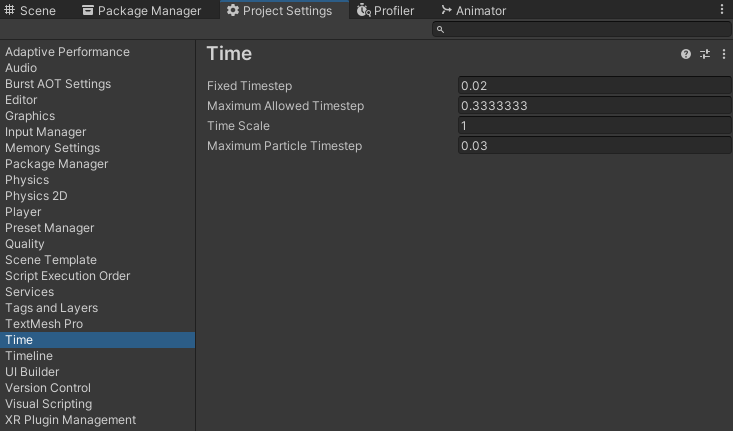
-
24.1018 Enum
-
25.1019
-
26.1020 Text Mesh Pro (TMP)
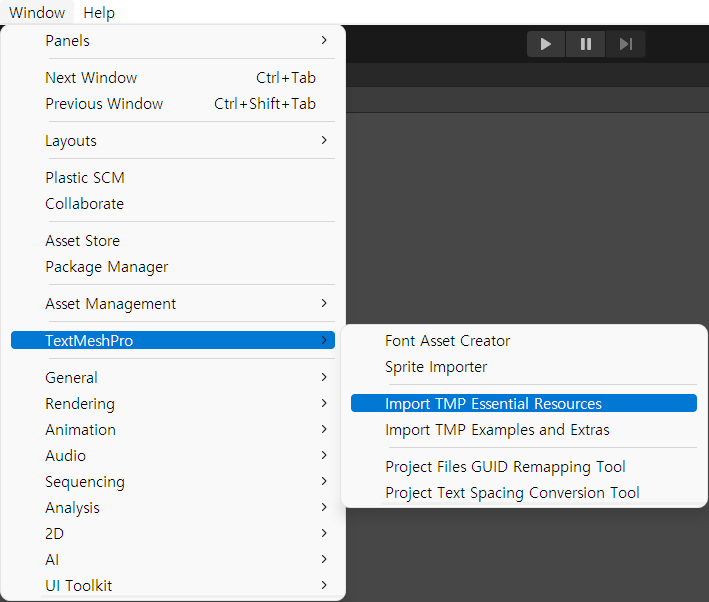
-
27.1023 Lerp
-
28.1024 아이템 썸네일 만들기 (item thumbnail capture)
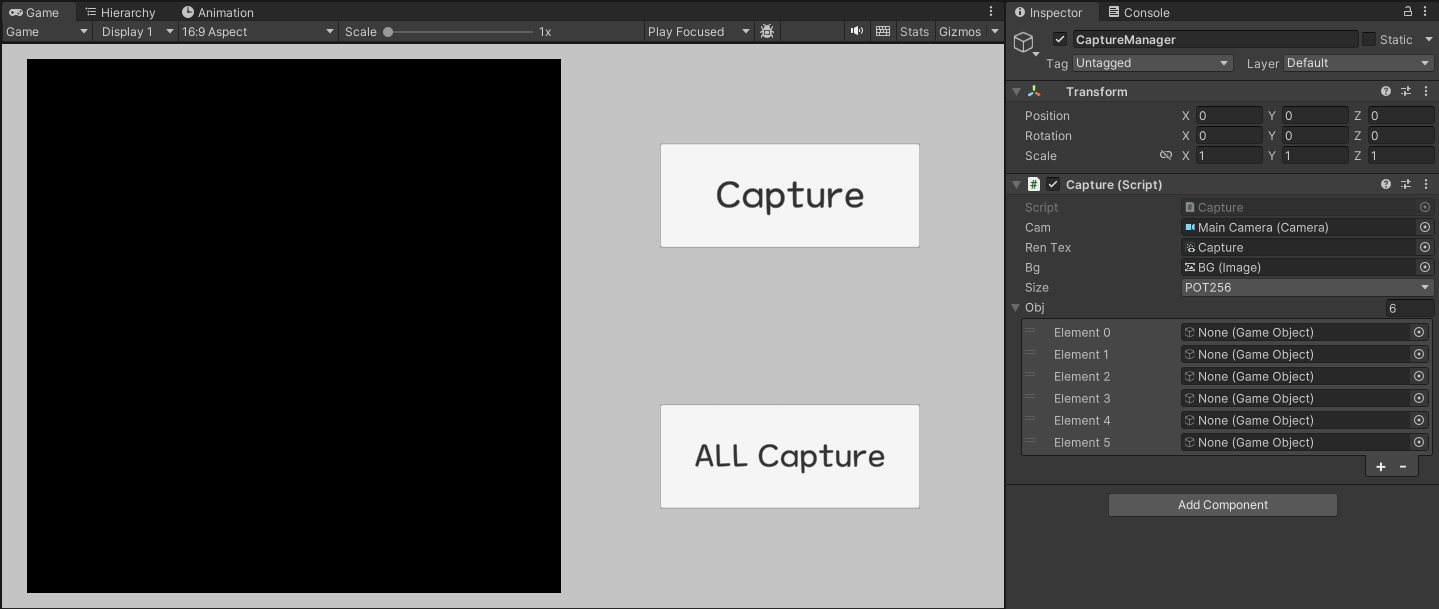
-
29.1026 Resources.Load 함수로 에셋 로드하기
-
30.1027 Json 저장과 불러오기
-
31.1030
-
32.1031
-
33.1101 한글 타자기 에셋 사용법
https://assetstore.unity.com/packages/tools/localization/koreantyper-232949?clickref=1100lxV7xLI9&utm_source=partnerize&utm_medium=affiliate&utm_
34.1102 DOTween 사용법
-
35.1103
-
36.1106
-
37.1107
-
38.1108
-
39.1109
-
40.1110
-
41.1113
-
42.1114 오디오 시스템을 활용한 소음 감지
-
43.1115
-
44.1116
45.1117
-
46.1120
-
47.1121
-
48.1122
-
49.1127
-
50.1128
-
51.1129
-
52.1130
-
53.1204
-
54.1205
-
55.1206
-
56.1207
-
57.0109
-
58.0110
-
59.0122
-
60.0129
-